Kbase Article of the Week: Daylight Saving Time Update (Panther) v001

Apple Support:

The Daylight Saving Time Update for Mac OS X and Mac OS X Server addresses recent changes in the way Daylight Saving Time will be observed in the U.S. and Canada beginning in March 2007 and includes the latest time zone information for the rest of the world.

That article links to this one:

Apple is providing software updates for Mac OS X 10.3, 10.4 and later based on worldwide time zone information available as of January 8, 2007. To make sure that your clock maintains the proper time, simply install the updates that are shown for your computer in Software Update. You should install these updates even if your computer is used in a time zone that is not affected. For more details about the available updates, or if you have an earlier Mac OS version, see below.

The 2007 time zone and Daylight Saving Time rule changes for the United States and most of Canada are already available in Mac OS X 10.4.5 or later.

If you’re still using Mac OS X 10.2.8 or earlier, you can adjust your clock manually using Date & Time preferences. Deselect the option to set date and time automatically, then set the time for your local time zone as needed.

Still using Mac OS 9.2? Use the Date and Time control panel to deselect the option to observe Daylight Saving Time changes automatically, then enable Daylight Saving Time manually. Applications that run in the Classic environment of Mac OS X will honor the Daylight Saving Time setting in Mac OS X.

Applications that run in Classic will honor the Daylight Saving Time setting in Mac OS X.

Glad we could clear that all up.
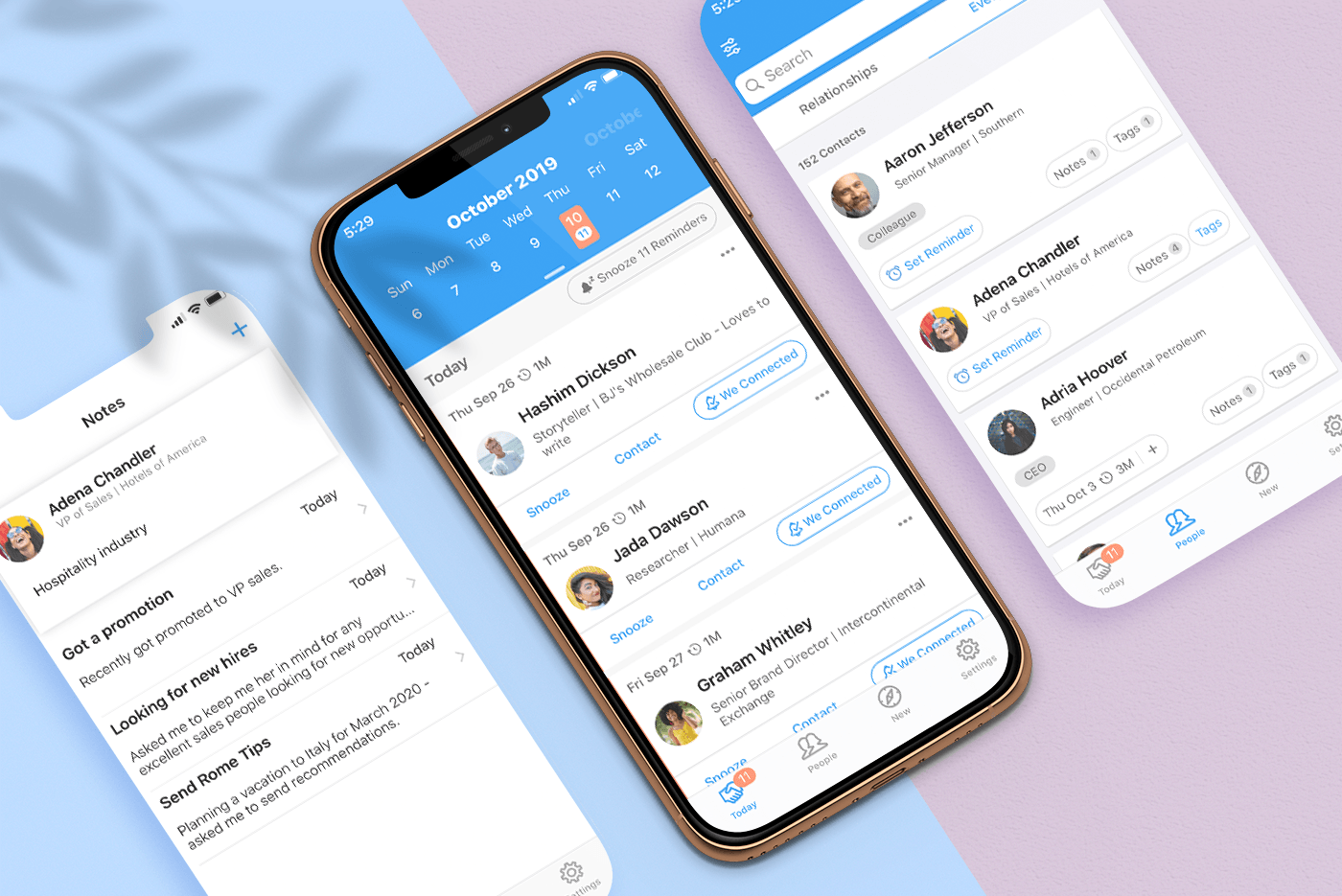
Sponsor: UpHabit, Your Personal CRM

UpHabit​ makes building and maintaining strong relationships with the people you care about part of your daily routine.

We all lead busy lives. Often pulled in several directions at once with an ever-growing list of personal and business contacts, it’s easy to fall out of touch with people. UpHabit solves the problem with a powerful set of tools that help you maintain strong, healthy relationships with your most important contacts.

With UpHabit, you can take control of creating stronger personal or business relationships with features like:

  • The ability to set reminders to keep in touch with people.
  • A place to take notes so conversations start right where you left off.
  • Reminder snoozing that delegates reaching out to contacts to days when your schedule’s less packed.
  • Tagging to help organize your contacts.

It’s incredibly easy to get started and begin enjoying the benefits of stronger relationships immediately with UpHabit.

UpHabit is constantly updated with new features drawn directly from user feedback. Look out for new features like message templates, two-way contact syncing, and more coming soon.

Of course, privacy is of paramount importance to UpHabit too. The app doesn’t have ads, and your contacts data isn’t shared with third parties.

Make connecting with your most important contacts part of your daily routine. ​Download UpHabit now​ to try it for free, and for a limited time, you can get 60% off when you sign up for any of UpHabit’s subscription plans.

Mac Power Users #508: One for Me and One for You, with Sara Dietschy

This week on Mac Power Users:

YouTuber and podcaster Sara Dietschy joins Stephen and David to share about her video work, from cameras to editing and beyond. They also discuss managing large amounts of data across multiple locations, the role of the iPad and turning creative work into a business.

I’m a big fan of Sara’s work, and it was a lot of fun to talk about some topics that I normally don’t get into — specifically the pros and cons of doing professional video work on the Mac vs. the PC. The GPUs in the MacBook Pro limit the types of work some people can do with the machines, which is a real bummer in our laptop-focused world.

My thanks to our sponsors:

  • Sanebox: Stop drowning in email!
  • The Omni Group: We’re passionate about productivity for Mac, iPhone and iPad.
  • Squarespace: Make your next move. Enter offer code MPU at checkout to get 10% off your first purchase.
  • Hover: Make a name for yourself. Get 10% off any domain name.

Download macOS Installers with Terminal

Most of the time, you can re-download the current version of macOS via the Mac App Store, and older ones via these links:

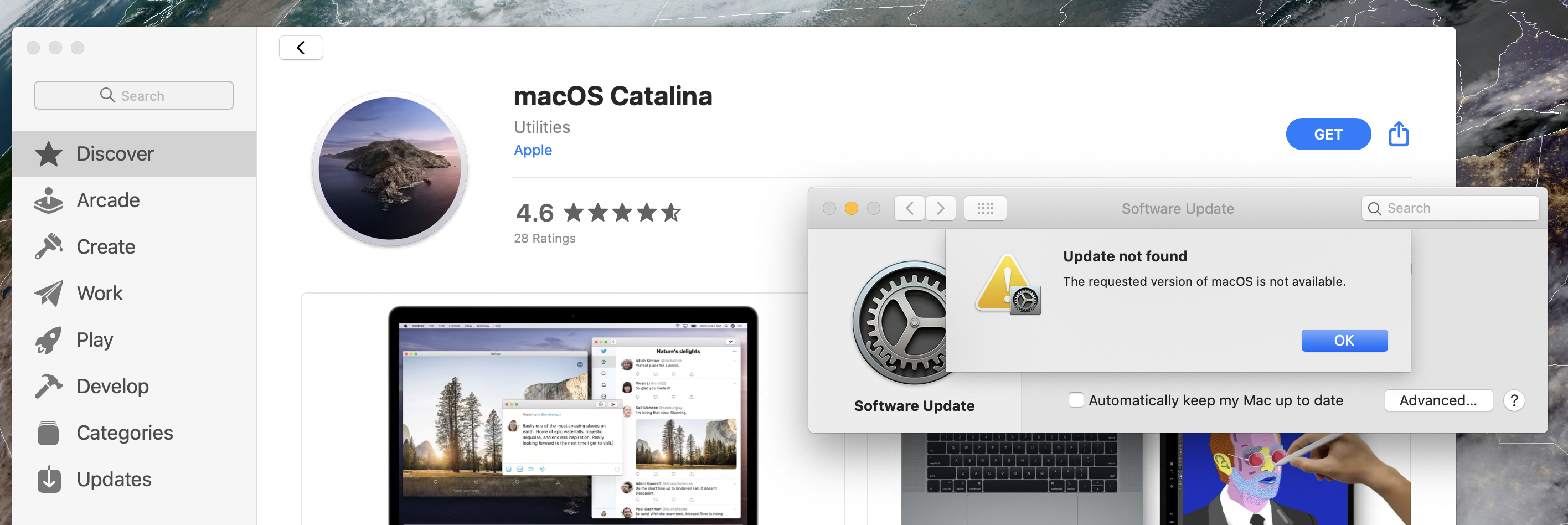
However, I’ve run into a situation several times where the Software Update mechanism simply refuses to initiate a download:

Thankfully, macOS installers can be downloaded via Terminal in macOS Catalina. This command will download the most recent version of macOS, depositing it in your Applications folder:

softwareupdate --fetch-full-installer

The softwareupdate command has some neat tricks up its sleeve, as pointed out by Armin Briegel:

The --fetch-full-installer flag has a sub-flag: --full-installer-version which allows you to download a specific version.

During my testing in the Catalina beta version I was able to download 10.15, 10.14.6, 10.14.5, and 10.13.6. I was not able to test if 10.13.6 would download the hardware specific build of 10.13.6 for the 2018 MacBook Pro, since I do not have that hardware.

So, to pull 10.13.6 down, you’d use:

softwareupdate --fetch-full-installer --full-installer-version 10.13.6

I wish Apple would just have a support document up with direct downloads for all of this stuff, but this tool is not a bad alternative.

Update: Don’t miss this documentation from JAMF for more on the subject.

macOS Catalina 10.15.1

Here’s what’s new:

Emoji:

  • Over 70 new or updated emoji, including animals, food, activities, new accessibility emoji, gender neutral emoji, and skin tones selection for couple emoji

AirPods:

  • Introduces support for AirPods Pro

Home app:

  • HomeKit Secure Video enables you to privately capture, store, and view encrypted video from your security cameras and features people, animal, and vehicle detection
  • HomeKit enabled routers let you control how your HomeKit accessories communicate over the internet or in your home
  • Adds support for AirPlay 2-enabled speakers in scenes and automations
    `
    Siri:

  • Privacy settings to control whether or not to help improve Siri and Dictation by allowing Apple to store audio of your Siri and Dictation interactions

  • Option to delete your Siri and Dictation history from Siri Settings

This update also includes the following bug fixes and improvements:

  • Restores the ability to view file names in the All Photos view in Photos
  • Restores the ability to filter by favorites, photos, videos, edited, and keywords in Days view in Photos
  • Fixes an issue where Messages would only send a single notification when the option to repeat alerts was enabled
  • Resolves an issue that caused Contacts to launch to the previously opened contact instead of the contact list
  • Adds a two-finger swipe gesture for back navigation in Apple News
  • Resolves issues that may occur in the Music app when displaying playlists inside folders and newly added songs in the Songs list
  • Improves reliability of migrating iTunes library databases into the Music, Podcasts, and TV apps
  • Fixes an issue where downloaded titles were not visible in the Downloads folder in the TV app

Hazel Updated to Support macOS Catalina

Noodlesoft Support:

As of version 4.4, Hazel is compatible with Catalina. Catalina introduced a number of changes and bugs which affect Hazel. Hazel 4.4 works around many of these issues though some still remain, possibly indefinitely.

Most noticeably, dark mode is broken. There are limits to what can be overridden so as a result, certain places, like the System Preferences title bar and contextual menus, will remain in light mode regardless of your system appearance setting.

You will see magenta rectangles in certain windows. This is considered a “security feature” by Apple.

There may also be various drawing artifacts and oddness with mouse input.

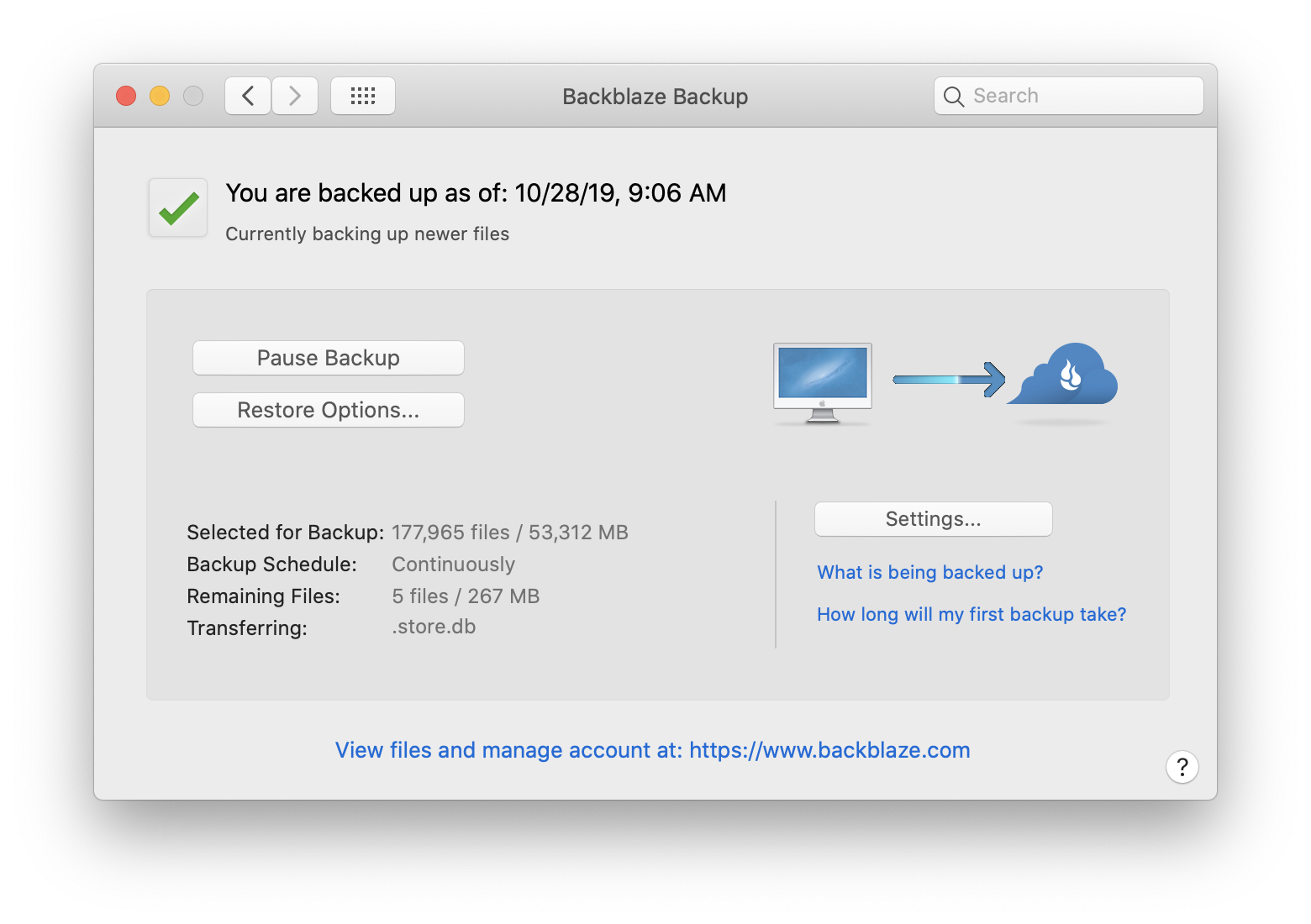
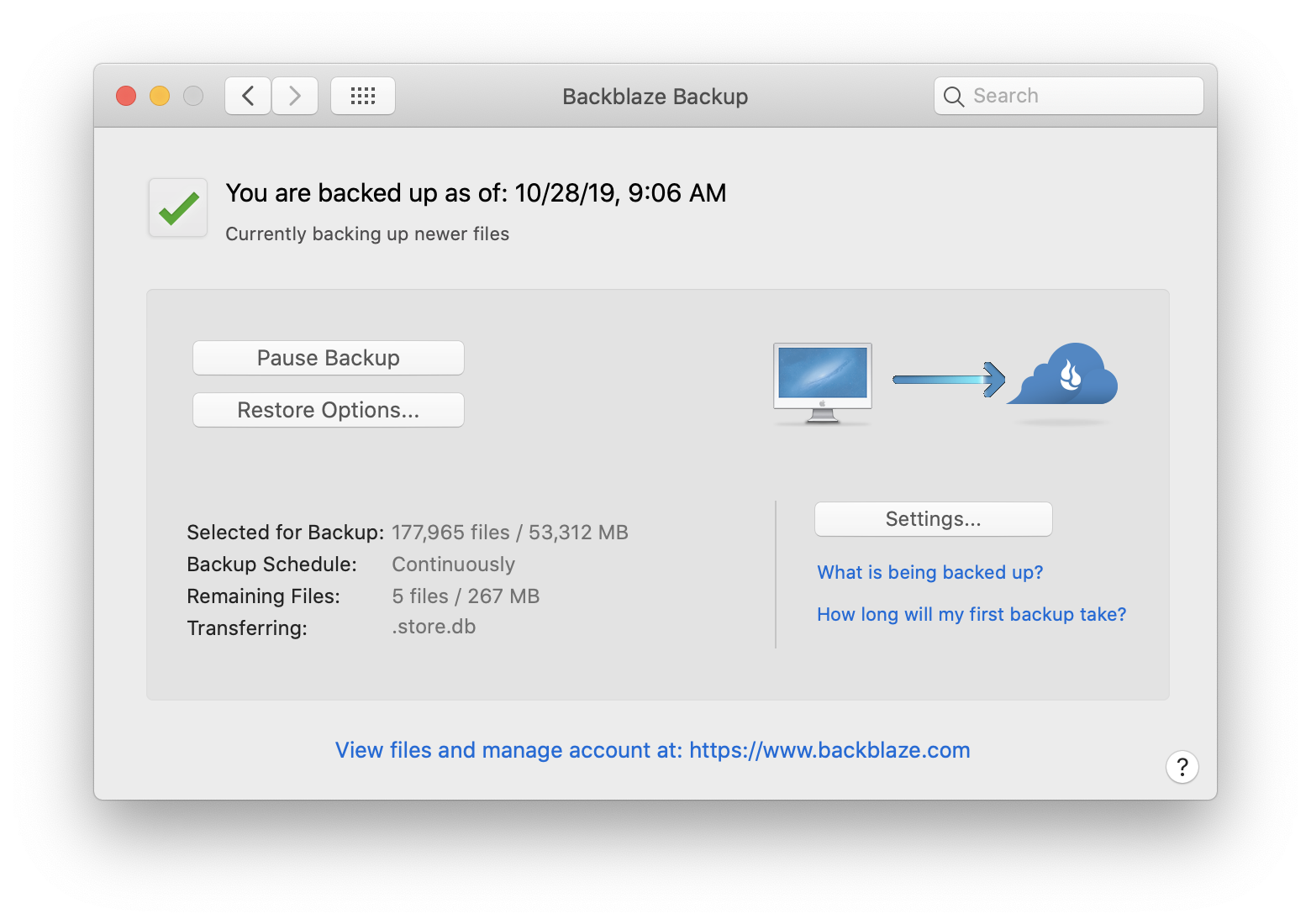
The bit about no dark mode support for third-party system preference panes is really weird, but when I went to go check on Backblaze, I was surprised to see that the preferences pane looks the same in Light and Dark Modes:

I promise one of those screenshots was taken in Light Mode and the other in Dark Mode, but you’d never be able to tell which one is which. I get the feeling that Apple could be moving toward a world where preferences panes like these are shown the door. It seems that Hazel sees the writing on the wall:

For Hazel 5, Hazel will be converted from a preference pane to an app form factor. This will require re-working the UI. The end result is that this will avoid the issues described above as well as others that were introduced in Catalina.

Kbase Article of the Week: About Fans and Fan Noise in Your Apple Product

Apple Support:

If your device’s processor is working on intensive tasks—such as compressing HD video, playing a graphics-heavy game, or indexing the hard drive with Spotlight after you migrate data—the fans run faster to provide additional airflow. You might hear fan noise when this happens, especially if you’re in a quiet environment. This rushing-air sound is a normal part of the cooling process.

Ambient temperature, the temperature outside the device, also plays a role in the fans’ responsiveness. If the ambient temperature is high, the fans turn on sooner and run faster.

Mac Power Users #507: Ian Elsner & His Stick of Gum PC

This week on Mac Power Users, David and I talk with Ian Elsner, a museum exhibit creator who is using the iPhone SE, iPad Pro and an Intel Compute Stick together in some very interesting and unusual ways to help develop educational exhibits for kids and adults. It was a really fun conversation and a look into a world most of us don’t think about all that often.

My thanks to our sponsors:

  • 1Password: Have you ever forgotten a password? You don’t have to worry about that anymore.
  • TextExpander from Smile: Get 20% off with this link and type more with less effort! Expand short abbreviations into longer bits of text, even fill-ins, with TextExpander from Smile.
  • Linode: High performance SSD Linux servers for all of your infrastructure needs. Get a $20 credit.
  • Kensington: The Professionals Choice. Find the right docking solutions for your organization today.

Apple Announces AirPods Pro

Apple PR:

Apple today announced AirPods Pro, an exciting addition to the AirPods family that features Active Noise Cancellation and superior, immersive sound in an all-new lightweight, in-ear design. AirPods Pro are available to order on apple.com and the Apple Store app starting today and in stores beginning Wednesday, October 30.

“AirPods are the best-selling headphones in the world. The one-tap setup experience, incredible sound and iconic design have made them a beloved Apple product, and with AirPods Pro, we’re taking the magic even further,” said Phil Schiller, Apple’s senior vice president of Worldwide Marketing. “The new in-ear AirPods Pro sound amazing with Adaptive EQ, fit comfortably with flexible ear tips and have innovative Active Noise Cancellation and Transparency mode. We think customers are going to love this new addition to the AirPods family.”

At $249, the new AirPods Pro are more expensive than standard AirPods, which remain on sale and are unchanged. Battery life on the new, smaller, AirPods Pro is the same as the regular ones, at five hours. If active noise cancellation is on, it will knock off 30 minutes of battery life.

Like before, they just come in white, despite rumors they would come in four colors.

I do not like active noise cancellation, so I’m glad to see it can be disabled via “Transparency Mode.” I am hoping I can leave it off for good.

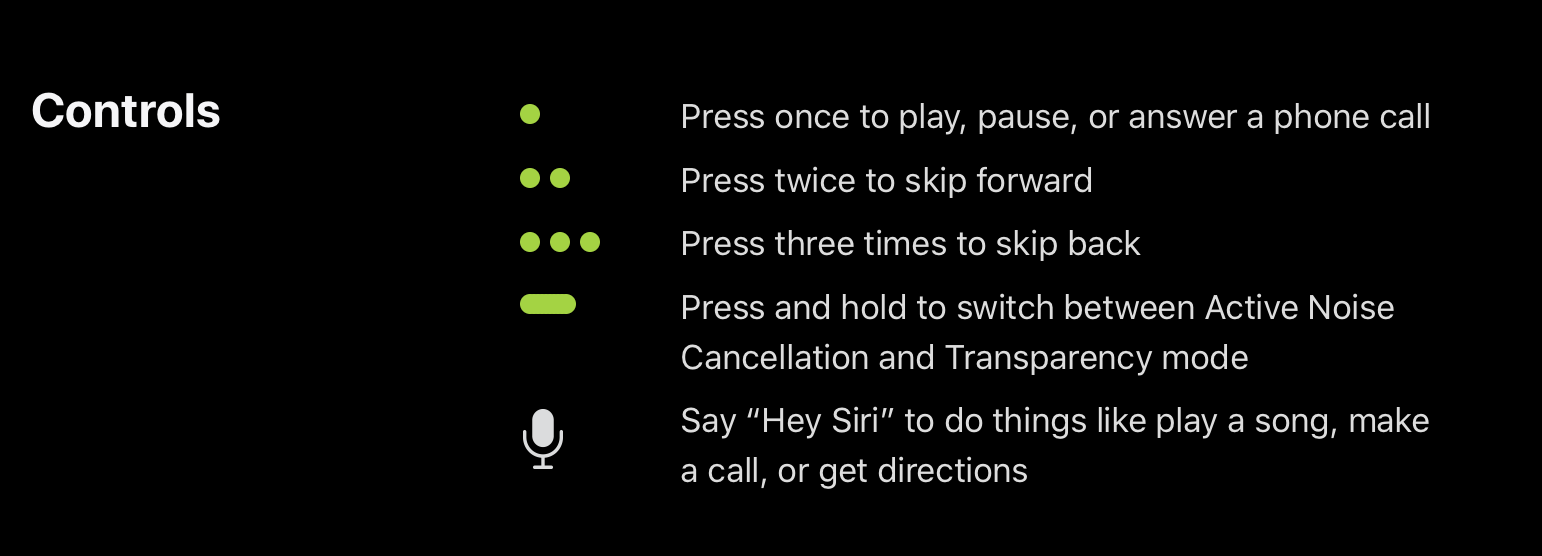
The new AirPods come with a “Force Sensor” for controlling media playback:

The are also sweat and water resistant, which is great, and of course, come with three different tip sizes for a better fit. The standard AirPods fit me pretty well, but I’m looking forward to seeing if these would fit even better. It seems that the AirPods will suggest changing tip sizes, if they think you’d gain a better fit with a different pair.

The AirPods Pro will require Apple devices running iOS 13.2 or later, iPadOS 13.2 or later, watchOS 6.1 or later, tvOS 13.2 or later, or macOS Catalina 10.15.1 or later, and start shipping this week, on October 30. So, uh, I guess some software updates are coming soon.

You can order them today.