
Sam Gold has put together the ultimate Apple press imagery archive. I’m blown away by the work that must have gone into this.
512 Pixels
Liftoff #115: A Mannequin is Not an Astronaut⇢
2020 is here, as are updates on the James Webb telescope and SLS. NASA has inducted some new astronauts and the star Betelgeuse is getting weird.
My thanks to our sponsor:
- Squarespace: Make your next move. Enter offer code LIFTOFF at checkout to get 10% off your first purchase.
Low Power Mode for Mac Laptops⇢
Rack-Mounted Mac Pro Now for Sale⇢
If you need a Mac Pro (or 100) to stuff them into some server racks, orders are now open, starting at $500 more than the standard tower. I would love to know why air holes on the back of the two configurations look different:
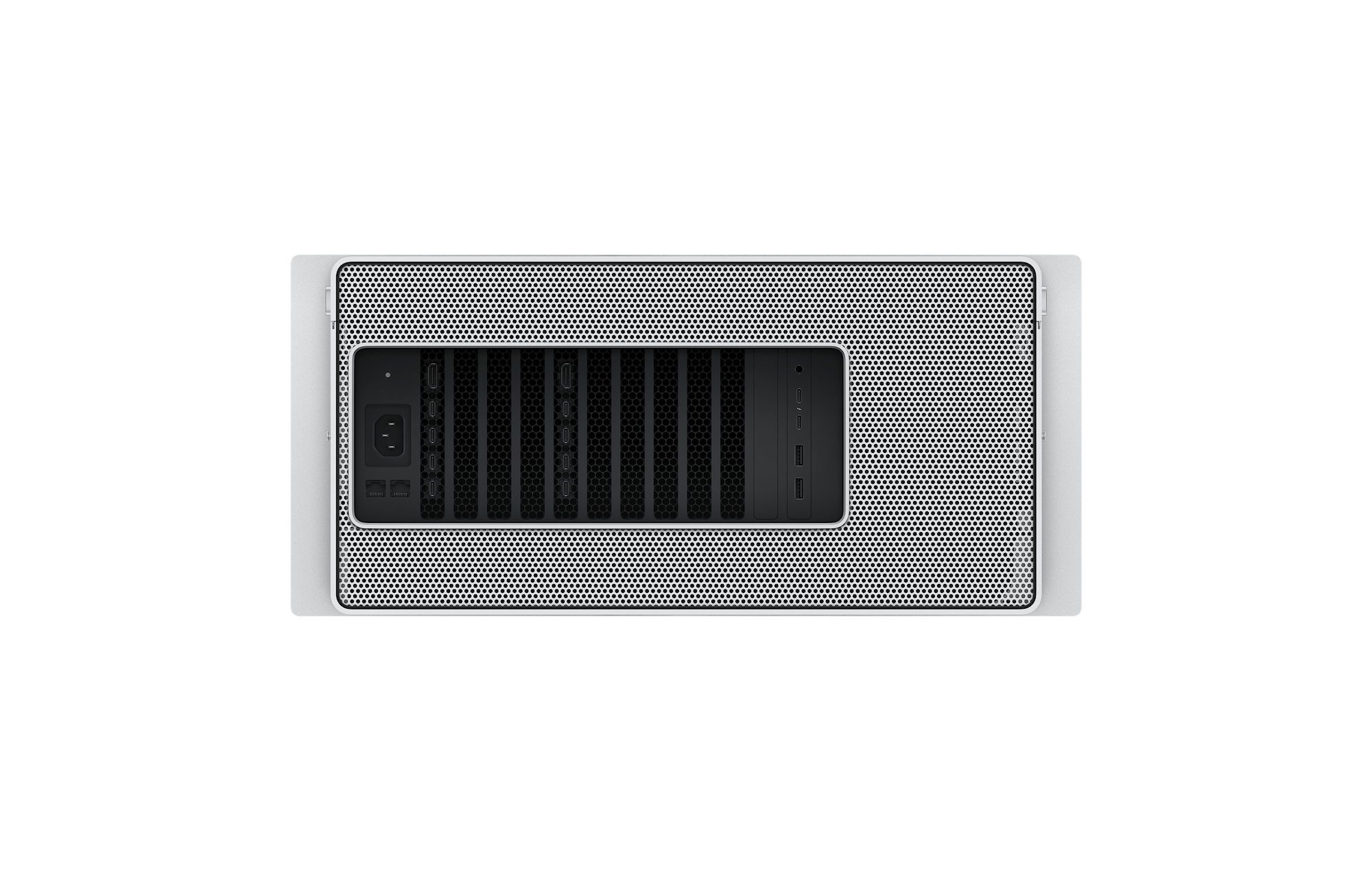
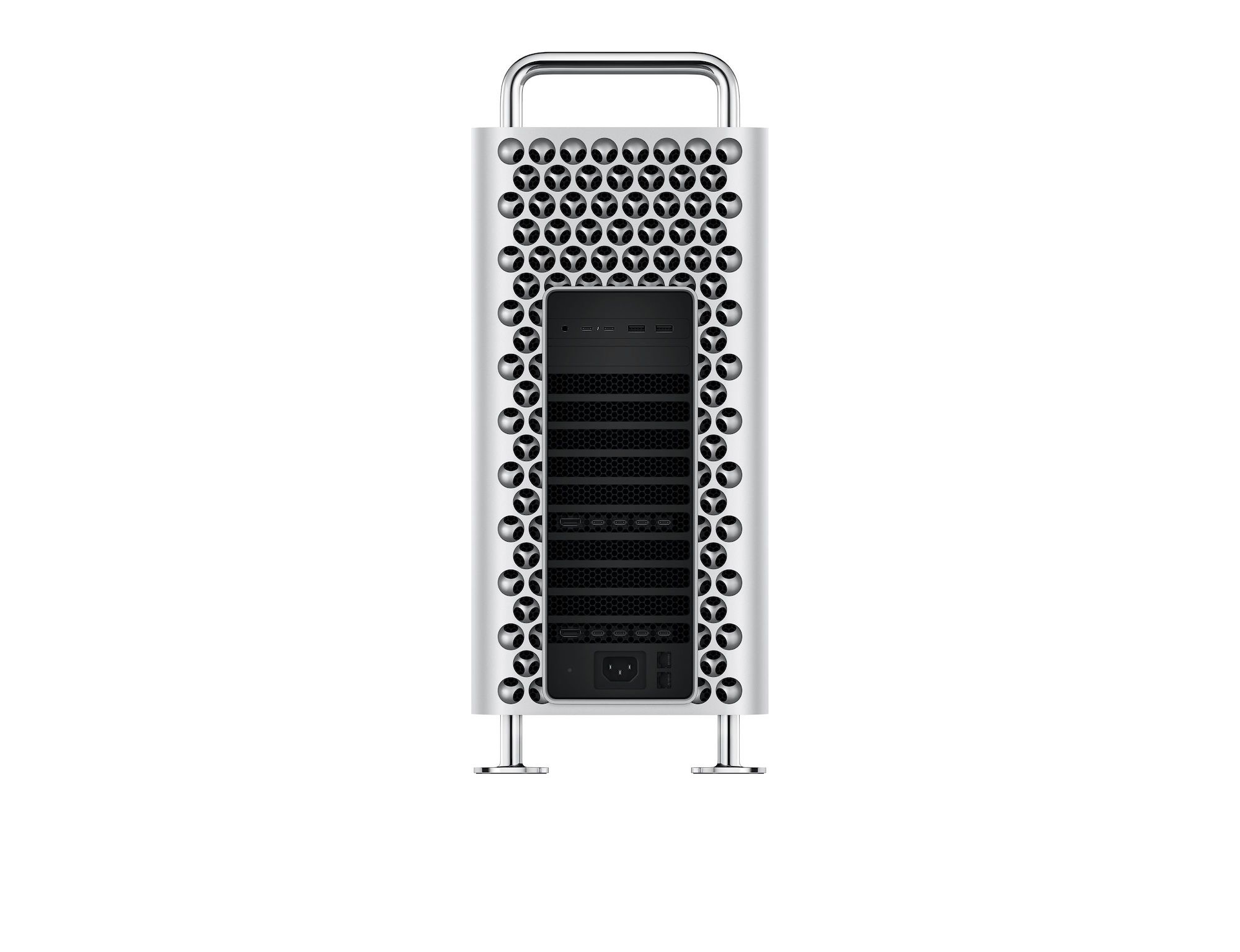
Sadly, the Radeon Pro W5700X GPU option is still not available, and now Apple is promising an option for two Radeon Pro W5700Xs. This GPU should slot between the default Radeon Pro 580x and $2,400 Radeon Pro Vega II. Likewise, no additional GPUs are on sale yet, nor is the Afterburner. I was hoping that these modules would be on sale now, but customers who want more power are still waiting.
Ungeniused #96: Expiration Dates⇢
This week on Ungeniused, a surprisingly unsettling topic:
What’s the deal with “Best By” and “Sell By” dates? Will taking old medicine hurt you? All of that and more, as Stephen and Myke explore the rather non-specific world of expiration dates.
My thanks to our sponsor:
- Pingdom: Start monitoring your website performance and availability today, and get instant alerts when an outage occurs or a site transaction fails. Use offer code UNGENIUSED to get 30% off. Offer expires on January 31, 2021.
Hard G⇢
Hard G is a new Mac app that brings Giphy search to your Mac’s menu bar or desktop. It makes it easy to drag and drop GIFs to other Mac apps like Messages:
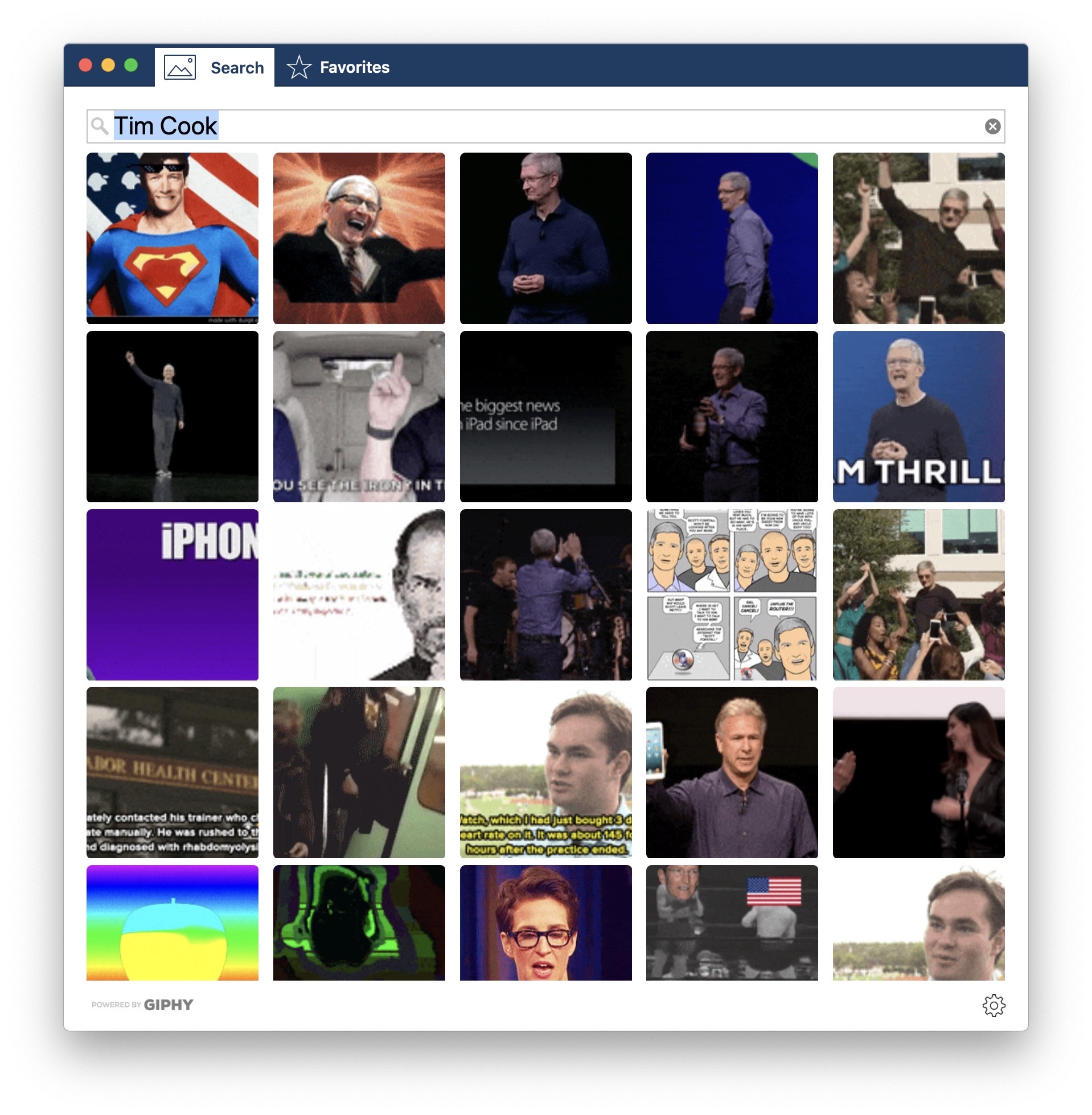
For years, I’ve used a custom Alfred workflow — which you can download as a .zip here — to search Giphy quickly, but Hard G makes it a lot faster.
I do wish that Hard G had the ability to right-click a GIF and be able to copy its URL for pasting into apps where drag and drop is a bit weird. Likewise, being able to copy a GIF to the clipboard would be huge. Hopefully we see these features in a future update.
Hard G can be found on the Mac App Store for $9.99. That’s an introductory price; it will go up to $14.99 on the 21st of this month.
Catalina Beta Includes ‘Pro Mode’ for Mac Notebooks⇢
The latest macOS Catalina 10.15.3 beta build contains references to a new “Pro Mode,” which can be turned on and off by users. Some strings mention that “Apps may run faster, but battery life may decrease and fan noise may increase” and “Fan speed limit overridden” when the Pro Mode is activated.
As these strings are directly related to the macOS power management system, we think that it will be possible to temporarily improve the machine’s performance by ignoring some restrictions to save energy. The internal fans will run at a higher speed with Pro Mode, probably to avoid thermal throttling issues. Similar to Do Not Disturb, Pro Mode is supposed to be automatically disabled by the next day.
This seems cool, but it makes me wish for better thermals across the MacBook line.
Kbase Article of the Week: Mac Pro (Early 2009), Mac Pro (Mid 2010), Mac Pro (Mid 2012): Issues with Three Displays and Multiple DVI, HDMI Connections⇢
This kbase article includes some real word spaghetti:
The Mini DisplayPort to DVI Adapter (different from the Apple Mini DisplayPort to Dual-Link DVI adapter) is considered a single-link, passive DisplayPort device. However, you should use only dual-link adapters (also known as “active DisplayPort” adapters) with multiple display configurations. Single-link DVI to Mini DisplayPort (or VGA) adapters may not work as expected in multiple display configurations.
If you use three displays, you should connect at least two of them with a Mini DisplayPort. You can also use the Apple Mini DisplayPort to Dual-Link DVI adapter or the Apple Mini DisplayPort to VGA adapter or just connect the devices to the graphics card using their native Mini DisplayPort connectors.
Sponsor: Get your App Developed by a World-class Team: Koombea⇢
Getting a digital product off the ground is not an easy task. It requires tons of strategic and UX planning, thoughtful information architecture, a sleek design, and experienced developers to at least get started on the right foot.
Furthermore, you’ll need agile processes and a team that communicates well to achieve fast time to market. If you want your app to be one of the best, you’ll also have to invest in quality assurance, DevOps, and maintenance.
To develop a world-class App, developers are just not good enough. You’ll need a real partner that can help you turn your product idea into reality.
If you are working on a tech project and have big expectations on it, you should talk to the Koombea Team.
Mac Power Users #518: Technology in a War Zone, with Mark Hackett⇢
This week on MPU, we were joined by my brother to talk about his work:
Mark Hackett runs a small non-profit working in Sudan, named Operation Broken Silence. This week, he joins David and some other Hackett guy to talk about data management so far from home, the power of Apple’s apps like Pages and his move to the iPad Pro.
Mark may get more out of Pages that anyone I’ve ever talked to.
My thanks to our sponsors:
- 1Password: Have you ever forgotten a password? You don’t have to worry about that anymore.
- Jamf Now: The Standard for Apple in the Enterprise. Register your first 3 devices free!
- Health IQ: Insurance for the Health Conscious. Save up to 41%. Take the quiz now to see if you qualify.
- Booz Allen: Integrate. Innovate. Get it done with Booz Allen.
DIY Apple I Kit⇢
Avram Piltch at Tom’s Hardware:
If building PCs that operate at 5 GHz seems passe, perhaps you’d rather put together a system that speeds a long at a blazing 1 MHz. Launching later this year for an introductory price of $119, SmartyKit provides all the parts you need to make a replica of the original Apple I computer.
The SmartyKit is designed to indulge Apple and computer history fans taste for nostalgia, while potentially teaching kids about how computers work. The kit comes with 15 different chips, including the same 1 MHz MOS 6502 processor used in the Apple I and a ROM chip that holds a copy of Steve Wozniak’s original Monitor operating system.
There will be no soldering required when the kit goes on sale “later this year.”