World Emoji Day

Today is World Emoji Day. Started by Emojipedia founder and very handsome man Jeremy Burge in 2014, it’s a day to celebrate the tiny icons that have taken over much of our communication.

To help mark the day, Apple is previewing the new emoji coming to the company’s operating systems later this year. Beyond the press release, Apple Podcasts is getting into the day in a big way:

Over on iTunes, the Movies store has emojified a bunch of movie titles.

The date for World Emoji Day is not random, as the holiday’s FAQ mentions:

July 17 is famously ???? displayed on the iOS Calendar Emoji, which makes it the perfect date for ???? World Emoji Day.

July 17 has been part of Apple’s calendaring history for a long time. If you use a Mac, this should be a familiar site:
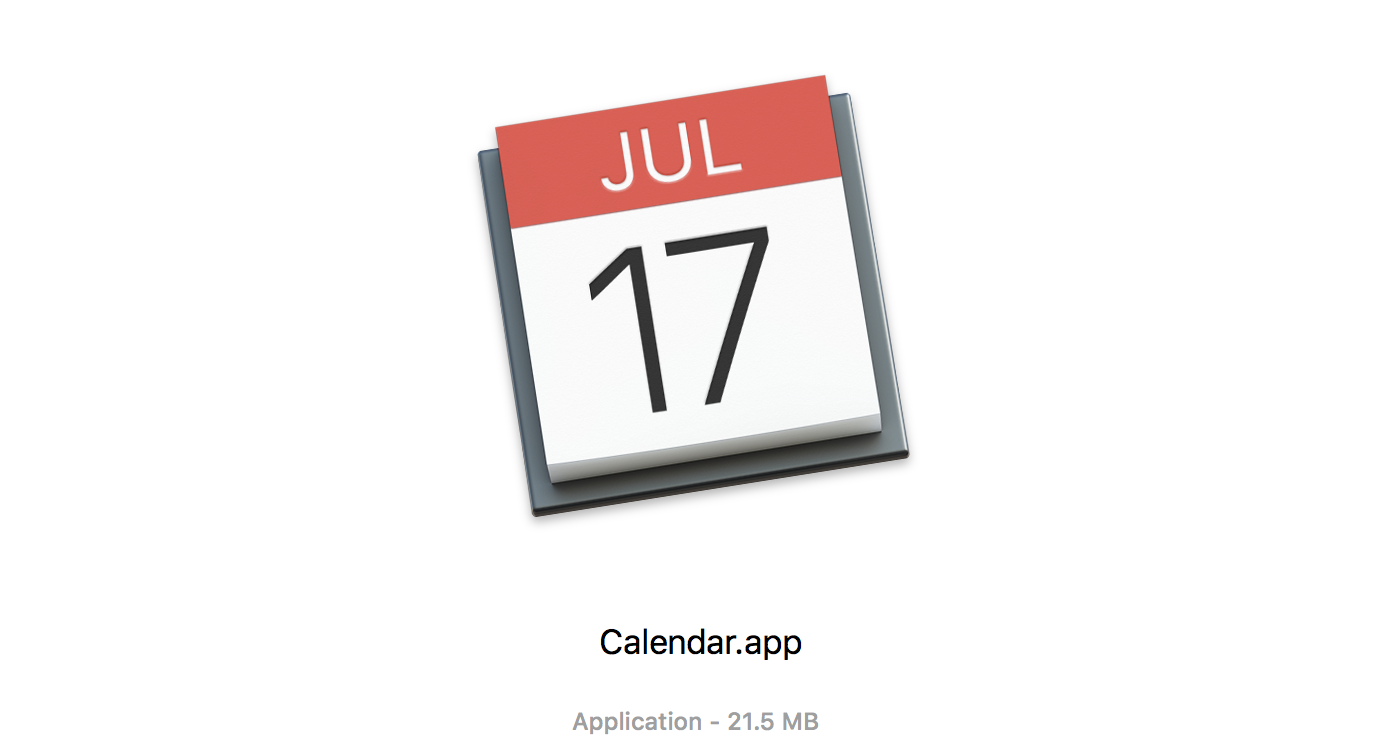
iCal for the Mac was introduced at MacWorld new York in 2002 on — you guessed it — July 17.
Helping Improve Apple Maps, One Demolished Baseball Stadium at a Time

For years, users have been able to make suggestions from within Apple’s Maps app about mislabeled or incorrect information.

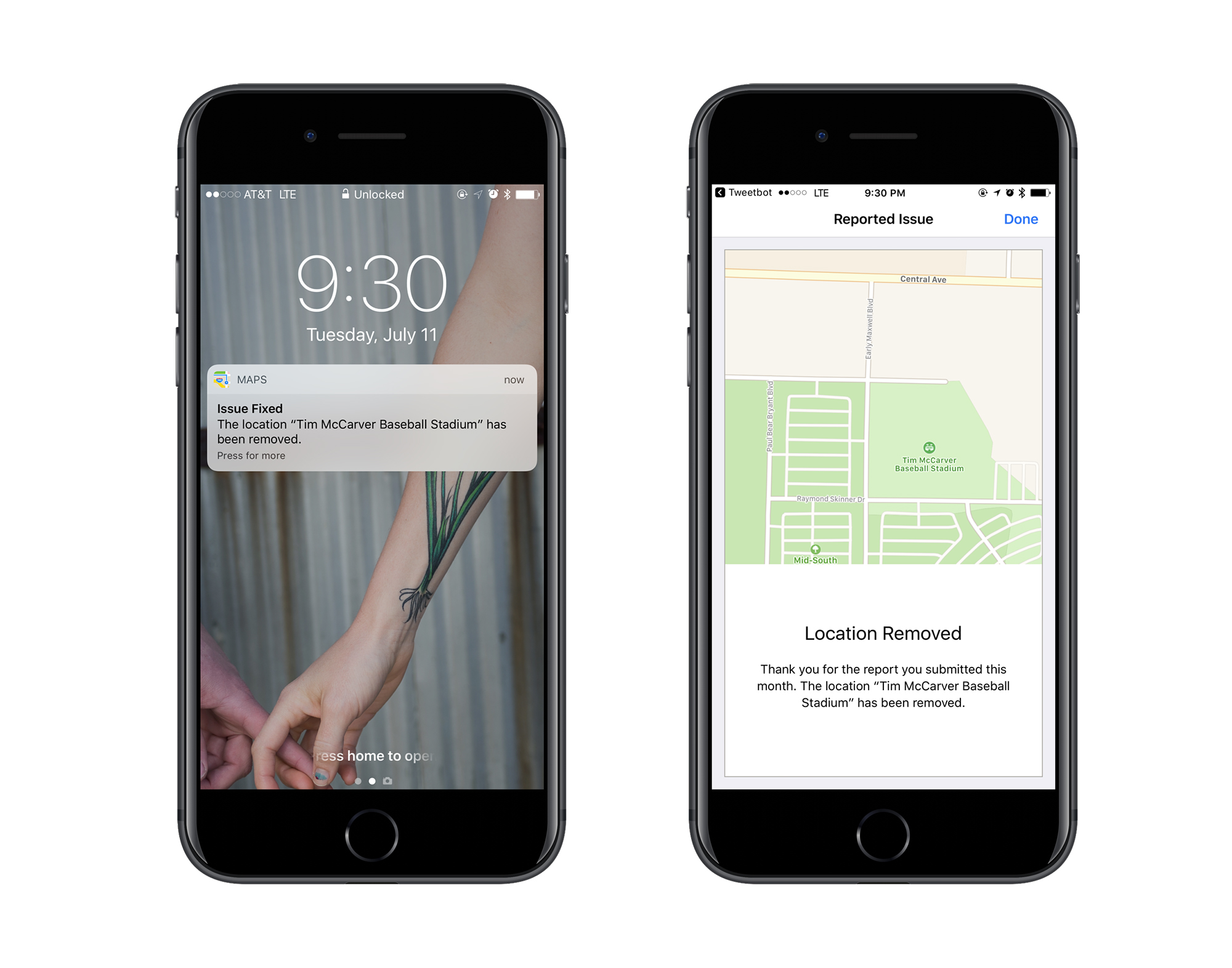
Last week, I submitted my first comment. Apple was showing a baseball stadium in Memphis as a landmark. The problem was that the park was torn down in 2005.

Whoops.

I noticed it, and filed a report that the stadium was nothing more than a field now. Last night, I got a push notification:

When I looked at the map itself, Tim McCarver Stadium was still present. I figured this stuff is probably cached, so I checked back this morning, and sure enough, the stadium is no longer listed as a point of interest when panning around the map.

However, it still appears in search results, and the outline of the ball park is still present on the map tiles, despite having been missing from any satellite view captured in the last decade.

Baby steps, I suppose.

Query #2: A Tiny Little Guilty Knot

This week on Query, my new show with Serenity Caldwell:

iCloud Photo Library can have a serious impact on your backup strategy, as Matthew, Dave and Ryan have learned. After trying to clear up the cloud service’s various modes, Ren and Stephen talk about task managers, help Alex pick out a drawing app for the iPad, and discuss gaming PCs.

If you haven’t check out this podcast yet, this is a good place to start. We’re answering all types of tech questions, not just Apple ones, so if something’s on your mind, tweet it with #askquery and we’ll see it.

RSS Sponsor: Balance for Mac

Balance is a powerful menubar app for your money built by a team from Apple, Stripe and Ethereum. It was featured in the U.S. Mac App Store when it launched in February.

Securely connect to your accounts

Balance uses Plaid.com, the best API for securely accessing your financial data. It gives the app a read-only token to access your account history.

Quickly check your balances

With one click or keyboard shortcut you can pop open Balance and check all of your accounts. Lock the app with a password or TouchID.

Speedily search through your transactions

As a native app with local data storage, Balance is super fast. Quickly search through all of your downloaded transactions with powerful filters.

Powerful notification engine

Balance is Hazel for money. You can create rules to trigger useful notifications to help you stay on top of your finances.

One subscription, coming to all of Apple’s platforms

The basic plan starts at $4.99 / month. Balance is launching on iOS and watchOS later this year, and is also building a full windowed app for macOS. Early customers will get access to betas for all of these.

Check out Balance on the U.S. Mac App Store today. International support is planned for later this year.

The JLPGA PowerBook 170

There are a lot of colorful Macs. Look no further than the original iMacs and iBooks if you need a little more than brushed aluminum in your life.

These machines are all great, but there’s one Mac that puts them to shame when it comes to being colorful.

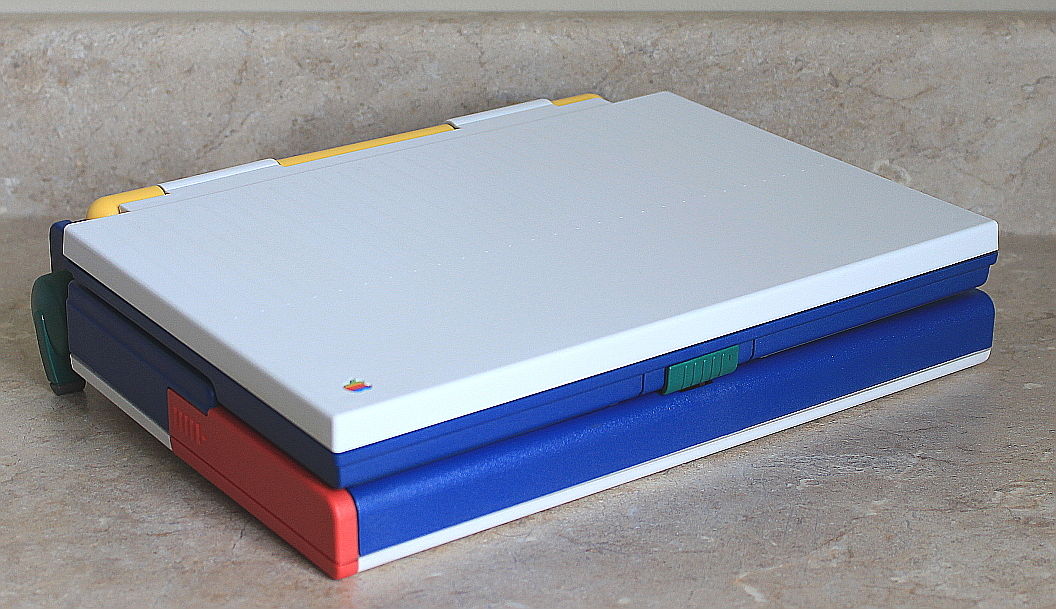
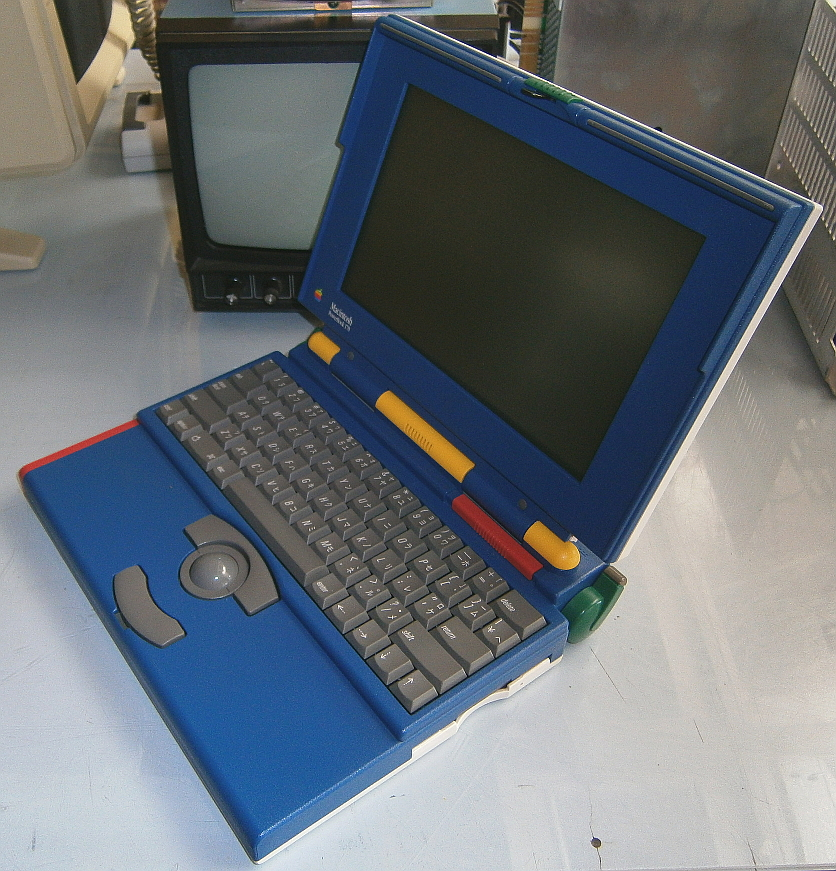
Say hello to the JLPGA PowerBook 170:

JLPGA PowerBook 170

JLPGA PowerBook 170

There were only 500 of these made to commemorate the 1992 JLPGA golf tournament in Japan. The guts are a run-of-the-mill PowerBook 170,1 but the case is truly special. The blue body is completed with a white lid and base. The battery doors are red, as are the screen adjustment sliders. The hinges are bright yellow; rounding things out are the green feet.

These JLPGA machines go for a pretty penny when the pop up for sale. Currently, there is non-working example on eBay for a cool $7500. You could buy several 20th Anniversary Macs for that. While I’ll never be in the market to add this machine to my collection due to the price, any time I see a photo of the colorful PowerBook 170, I have to crack a smile.


  1. Apple really enjoyed tinkering with this machine. The company also released an all-white “10th Anniversary Mac” version in 1994. The only photo I’ve ever seen of it is on that Low End Mac page.