512 Pixels

Curiosity Rover in ‘Safe Mode’⇢

Clara Moskowitz at Space.com, on the Mars rover:

The computer problem is related to a glitch in flash memory on the A-side computer caused by corrupted memory files, Cook said. Scientists are still looking into the root cause the corrupted memory, but it’s possible the memory files were damaged by high-energy space particles called cosmic rays, which are always a danger beyond the protective atmosphere of Earth.

NASA says the rover should be good to go, as it can run on the B-side computer for some time.

In all my time at the Genius Bar, I never saw anything damaged by cosmic rays. So, yay atmosphere!

Evernote Issues Service-wide Password Reset⇢

Dave Engberg at Evernote:

While our password encryption measures are robust, we are taking additional steps to ensure that your personal data remains secure. This means that, in an abundance of caution, we are requiring all users to reset their Evernote account passwords. Please create a new password by signing into your account on evernote.com.

Good on Evernote.

Making A Wish

Don’t tell Josiah, but we’re headed to Disney World with Make-A-Wish.

Many of you know that our son has been in a fight with brain cancer since turning six months old. Now, at four and a half years old, we’ve been extremely blessed that his cancer has been stable for two years.

See, Josiah’s type of cancer doesn’t go in to remission. Here’s how the American Cancer Society defines the term:

When a treatment completely gets rid of all tumors that could be measured or seen on a test, it’s called a complete response or complete remission.

Or:

A partial response or partial remission means the cancer partly responded to treatment, but still did not go away. A partial response is most often defined as at least a 50% reduction in measurable tumor. Here, when we refer to a remission it will generally mean a partial remission.

Today, Josiah’s tumor is the exact size it was after his resection surgery back in the summer of 2009. 18 rounds of chemotherapy stopped it in its tracks, but the truth is Josiah will never live cancer-free, or in remission. “Stable” is the best term we can hope for.

Josiah’s cancer being classified stable is the result of the millions of dollars that St. Jude Children’s Research Hospital here in Memphis has poured in to his care.

It is the result of of research in to his type of cancer, thanks to the parents of children before Josiah.

It is the result of our hard-working medical care team.

It is the result of hours and hours of prayer on his behalf, and the concern and compassion shown to our family from around the world.

All any of us are given is today. When your kid has cancer, this truth is hammered in to your very being every single day. I’ve lost a lot of days with Josiah to work, this website and other things in my life, but for a week in April, none of that will get in the way. We’re elated to get to have this opportunity to have a week of fun with our family; we’re humbled, however, as well, knowing that many of our friends haven’t had this chance.

I wish they had. I wish that the new families that land in Memphis every day with the crushing weight of cancer on their souls get to enjoy time like we will.

We’ve watched countless families come to St. Jude over the last few years and leave, after their children have lost their battle with brain cancer, but we’ve also seen many, many “little friends” emerge victorious from the fight of their lives. I’m thankful for the time and memories Make-A-Wish is giving us, and I know I’ll treasure them, now matter how long Josiah is with us.

Beyond the Living Room: Using the Apple TV in the Real World

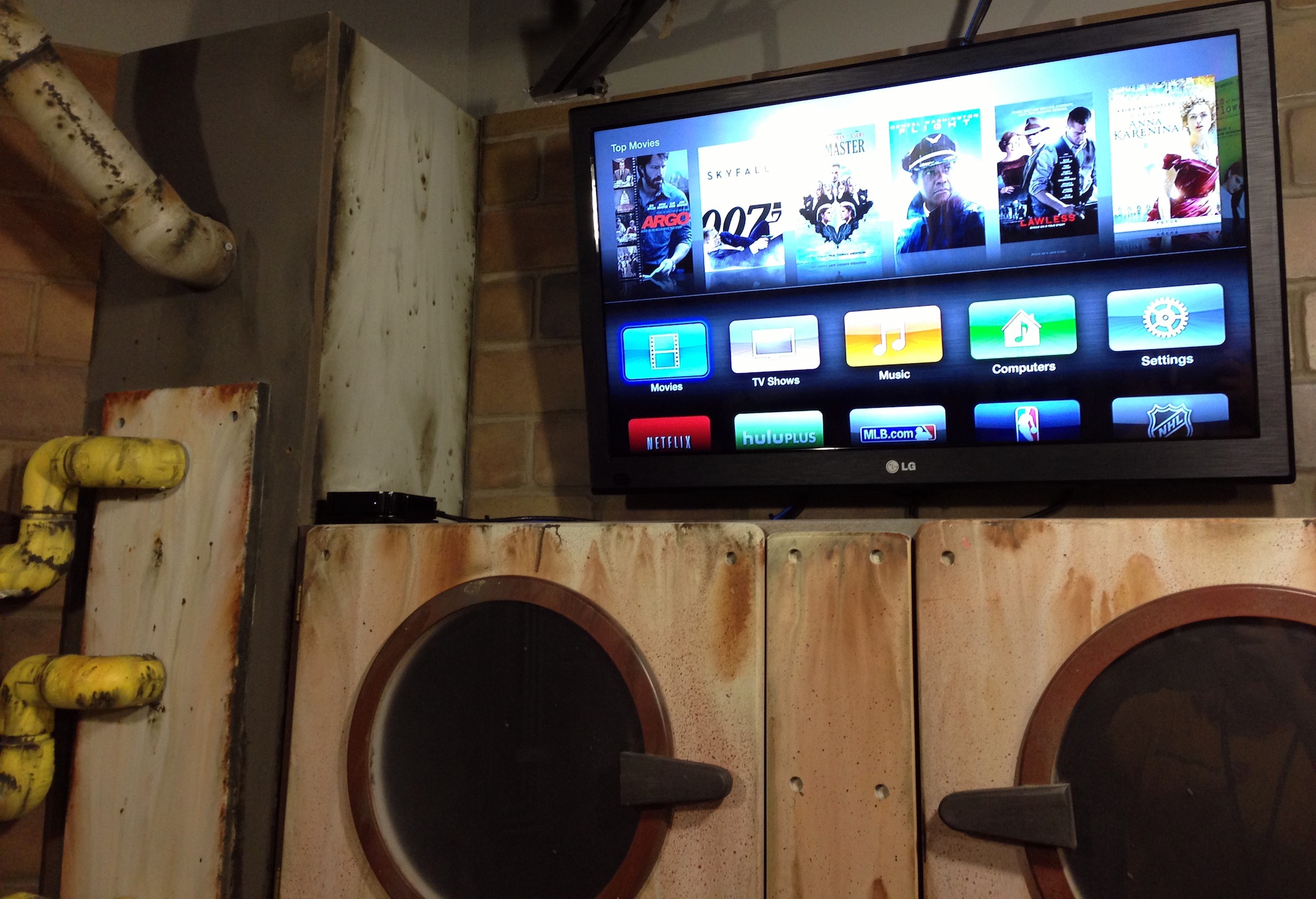
It’s hard not to like the Apple TV. For just $99, it delivers iTunes, Netflix, Hulu, YouTube and more, right to your television. It’s simple to setup, simple to use and simple to troubleshoot. There’s really no reason not to have one as part of your home media setup.

As Apple’s quarterly numbers always show, the Apple TV continues to grow in success.

I manage almost 40 of them at work.

We use them in classrooms, conference rooms and sound booths for AirPlay from iOS devices and recent Macs. AirPlay works great — even across VLANs — if you have your network set up well.

I think this is a fairly common use of the Apple TV. While setting up a presentation during a meeting used to involve VGA cables, projectors and fiddling with display settings, AirPlay is just about as frictionless as it can be.

In addition to AirPlay, we use the Apple TVs to show the occasional movie purchased with the company’s AppleID.

However, I’m using 13 of our Apple TVs in a very different way.

We have a large section of our building which houses three floors of obstacle course rooms. These “Mission Rooms” are all heavily themed, and a coach takes groups through the sections, using video to explain what the teams must do to advance. Their tasks may include math problems, science experiments or just a conversation, but it’s all driven from the TV in each room.

While in an early design of this space called for a Mac mini each room, thanks to iTunes Home Sharing, we’re able to serve these videos to Apple TVs from a central library.

(I realized this while in the shower one morning. True story)

Since we have 13 Apple TVs that can all be used at once, we didn’t want iTunes — or the computer hosting the library — to become a bottleneck. To help with this, we installed a pair of Mac minis (with external, Firewire-based RAIDs) to act as the Home Sharing libraries.
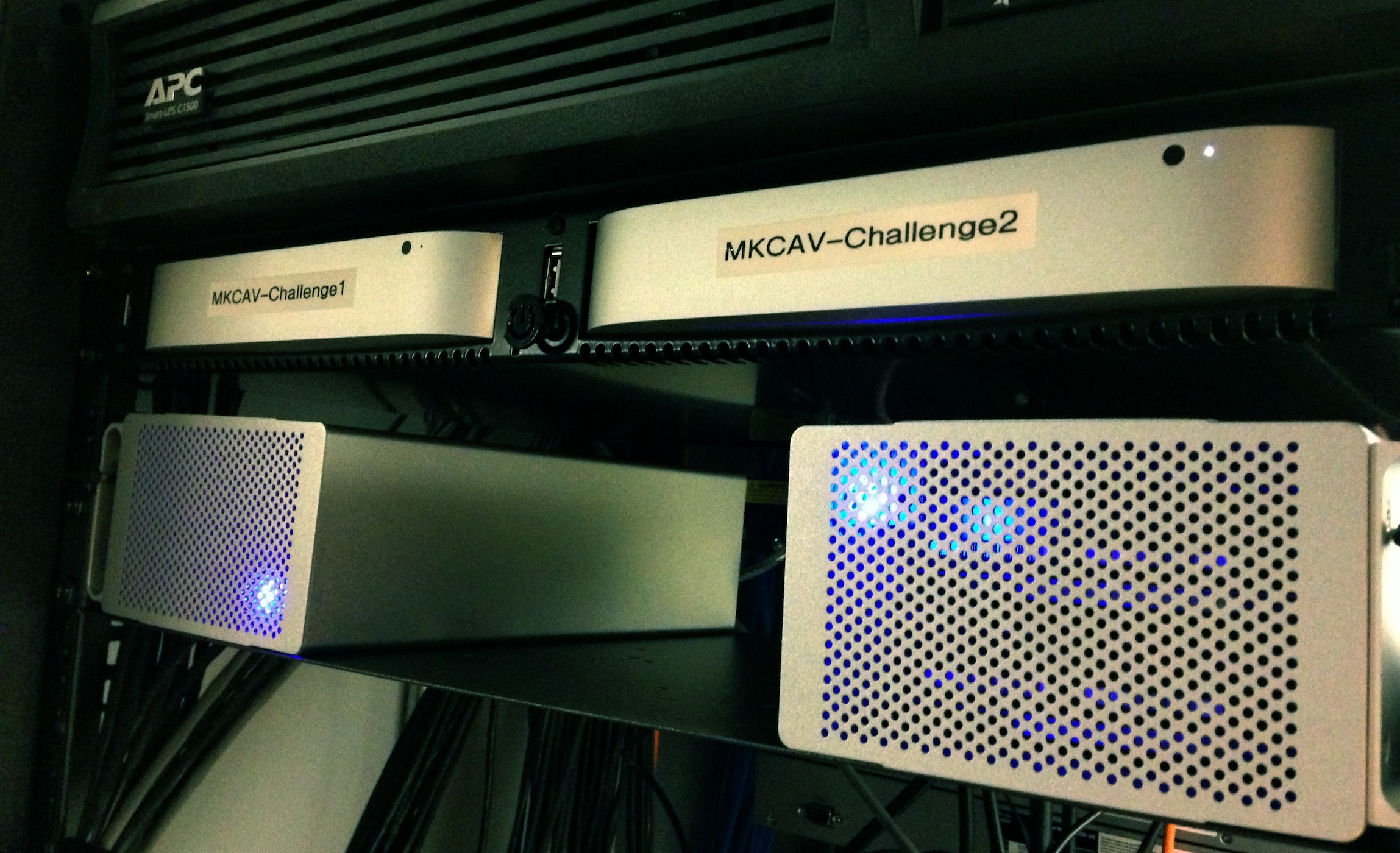
(The Mac minis are housed in this rack-mounted enclosure.)

The Mac minis are signed in to different AppleIDs, with half of the Apple TVs signed in to each ID.

All a facilitator has to do it select the “Computers” menu on the Apple TV and find the video they need to play. Since we’re using two different IDs, the load is balanced between the two machines and their libraries.

Sadly, this system isn’t perfect, and most of the issues stem from iTunes itself. Occasionally, I’ll have an Apple TV be unable to connect to the library, which will require me to restart iTunes on that Mac mini. The Apple TVs also struggle sometimes to pull up the photos I’ve shared from iTunes and set as their screen savers.

Additionally, setting up this many Apple TVs was a pain. There’s no real way to manage them in bulk, so I end up walking around to make network or setting changes manually on them. At least it’s good exercise.

<

p id=“yui_3_10_1_1_1394497302152_5221”>(Apple’s own Configurator application can do some things with the Apple TV, but on the whole, I found the app to be a mess.)

All in all, however, I’m pretty pleased with Apple’s set-top box. It has its limitations, but for my specific purposes, it gets the job done most of the time. Combined with its low cost and ease of use, it’s hard to argue with using them all over the place, despite the headaches.

On Smartphone Widgets⇢

HTC’s Drew Bamford, writing about the work that went in to Sense 4:

During our research, a few consistent patterns emerged:

-Most people don’t differentiate between apps and widgets.

-Widgets aren’t widely used – weather, clock and music are the most used and after that, fewer than 10% of customers use any other widgets.

-Most of you don’t modify your home screens much. In fact, after the first month of use, approximately 80% of you don’t change your home screens any more.

Yet, until Apple adds these things, some will continue to claim that iOS feels stagnant.

@reneritchie

The 512 Podcast 052 - Fire up a Tumblr & Go to Town⇢

This week, Myke and I discuss Myke’s ability to force developers in to updating their apps with a mere mention, then discuss the state of the Apple blogosphere and those who might be stuck in the past when it comes to Apple’s direction and business.

This episode is brought to you by: Squarespace, the secret behind exceptional websites. Go to squarespace.com/70decibels to start your free trial and use the offer code 70decibels2 at checkout to get 10% off your first order.

Out of School, Episode 26⇢

This week, I was excited to be a guest on the excellent “Out of School” podcast. Bradley and I spoke about IT and customer service, Apple’s changing hardware and more. It was a real blast, and you should go check it out. This show’s been in my podcatcher since the first episode, and it should be in yours, too.