1983: The Lisa Mouse (Model A9M0050)

A year before the Macintosh was released, Apple’s Lisa introduced the concept of a GUI and mouse to Apple’s customers.
Often considered to be ahead of its time, the Lisa also offered protected memory, limited multitasking, hard disk support and more. Ultimately a failure, the Lisa was priced at $9,995.
1984: The Macintosh Mouse (Model M0100)

This is the mouse that put mice on the map.
Not unlike the Lisa mouse, the Macintosh Mouse featured a (now rubber, as opposed to steel) rollerball with a single, rectangle-shaped button in the center of its top. It connected to the original Macintosh via a DE–9 port, as it was before the ADB standard had been invented.
Originally beige, the Macintosh mouse came in Platinum after 1987.
1984: Apple Mouse IIc (Model M0100)

Just a few months after the Macintosh was released, the Apple IIc was introduced, bringing the mouse to the Apple II family. This mouse was a tad sleeker than the Macintosh mouse, and had a slightly different color. The IIc could use the mouse as a pointer or joystick, depending on what application was running at the time on the machine.
In 1988, the Mouse IIc was revamped, moving to the Platinum look.
1986: Apple Desktop Mouse (Model G5431/A9M0331)
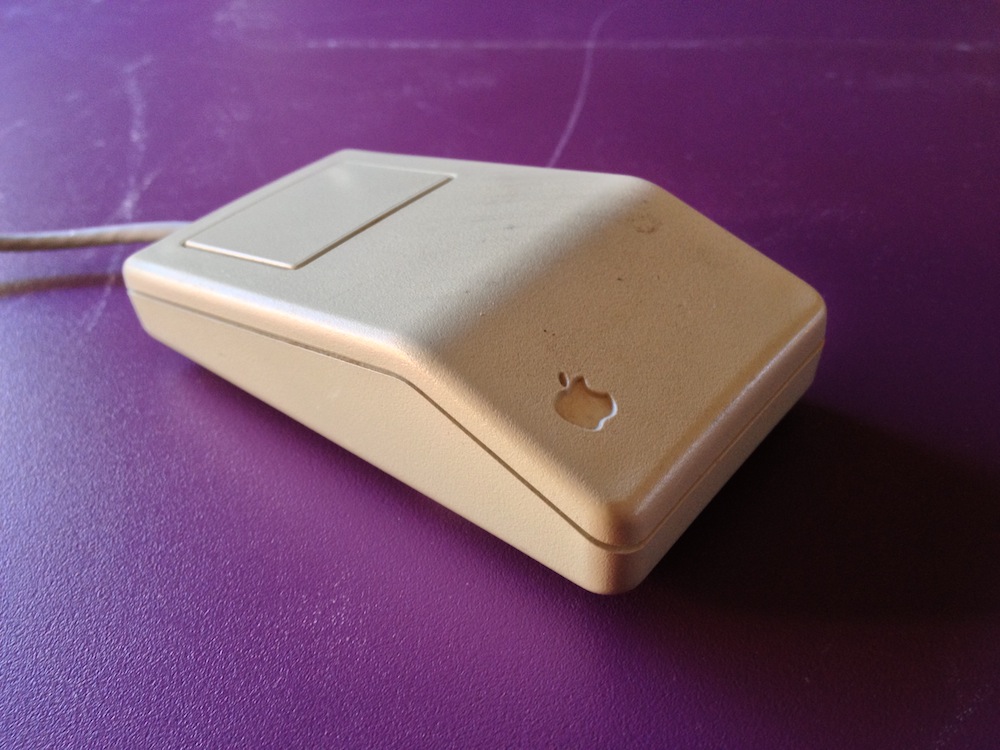 Image via Dafydd Williams
With the same rectangular body as Apple’s previous peripherals, the original ADB mouse added Apple Desktop Bus to the mouse to ship alongside the Apple IIGS. Many users who were used to the old feel used this mouse for years to come, ignoring its successor that came in 1992.
1992: Apple Desktop Mouse II (Model M2706)
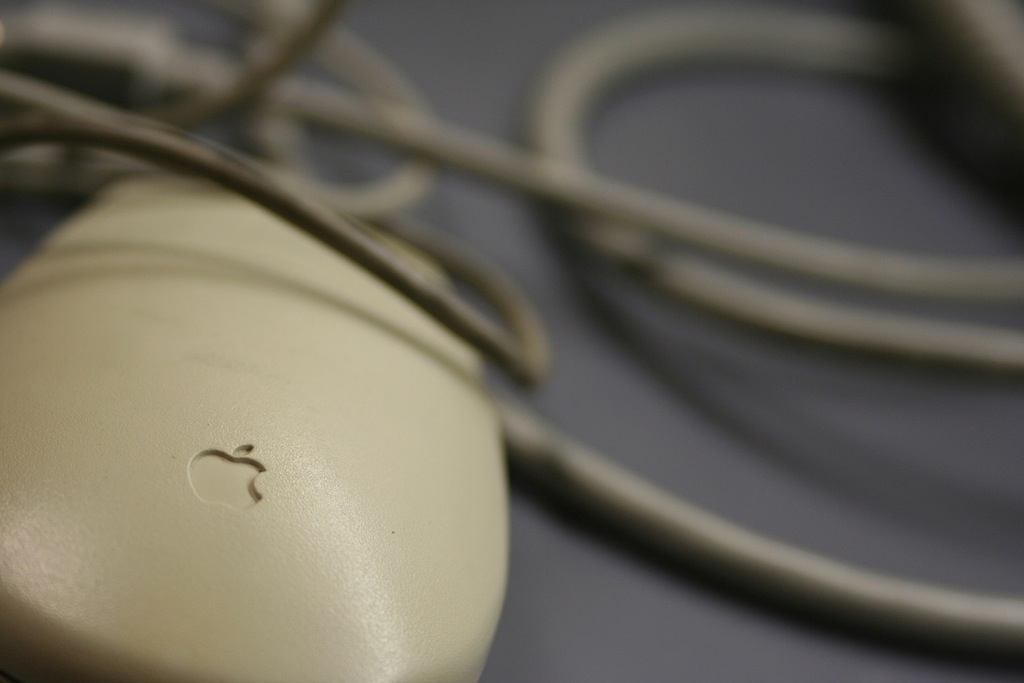
The ADB II mouse brought a radical redesign to Apple’s pointer device. Its rounded top and small profile made it feel much smaller than previous versions.
The Apple Desktop Mouse II would be the standard Apple mouse for just over 6 years, shipping with multiple lines of Macintosh computers.
A black version was produced and shipped with the Macintosh TV:
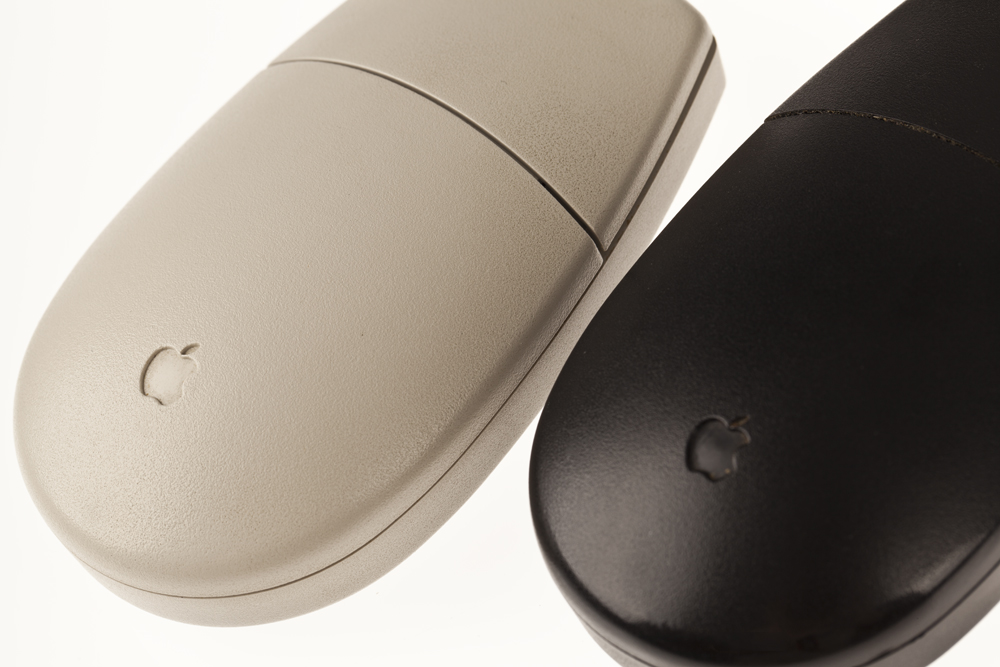 Image via Shrine of Apple
1998: Apple USB Mouse (Model M4848)

Here it is. The Hockey puck.
Shipped with the original iMac, this new mouse used USB, as the ADB standard was left out of the iMac by Steve Jobs and company, looking to move forward from legacy standards.
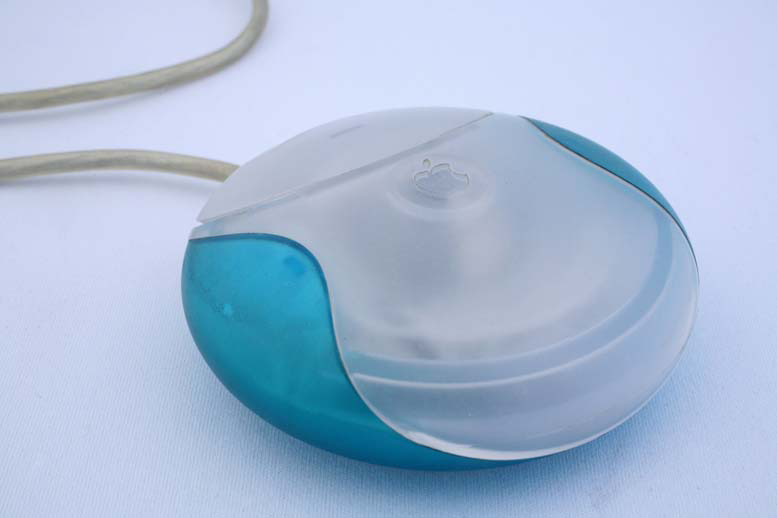
The translucent plastic housed a circuit board and two tone rollerball that could be seen easily. However, the perfectly round body often led to mistakes, as users would assume the mouse was in the correct orientation, even if it wasn’t. Apple later added a dimple to the mouse’s body to help users feel which direction the mouse was pointing.
As with previous Apple mice, the USB mouse featured a single button, that depressed in to the body when clicked.
Besides the shape, users also complained that the cable was too short on the USB mouse. Originally designed to be plugged in to the side of Apple’s new USB keyboard, notebook users found out the hard way that the cable was simply not long enough.
Mercifully, Apple put the USB Mouse and the company’s customer base out of their misery just two years later.
2000: Apple Pro Mouse (Model M5769)
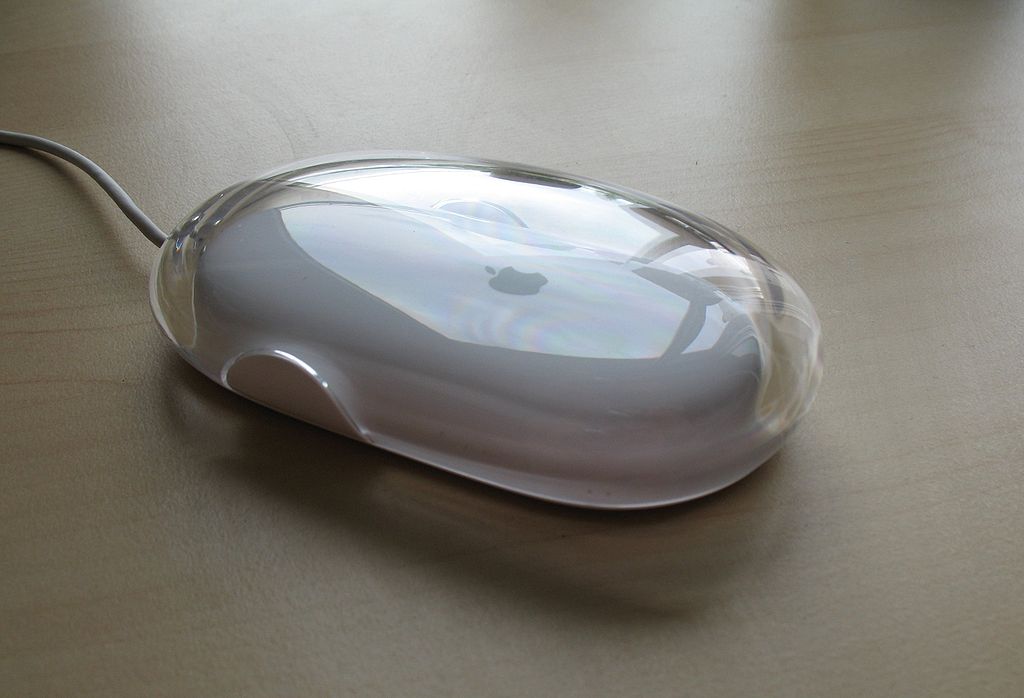
After two years of suffering, The Apple Gods smiled upon the Users and the Pro Mouse was handed down from on high.
Literally. At Macworld 2000, Apple gave keynote attendees free mice.
Returning to an oblong body, the Pro Mouse was Apple’s first optical mouse, ditching the mechanical rollerball used by most manufactures at the time. It featured zero buttons. Rather, the front part of the mouse “settled” on to the underlying chassis, registering a click.
Originally released in black, the Pro Mouse’s body featured thick transparent acrylic, matching Apple’s PowerMac G4 Cube and other machines of the time.
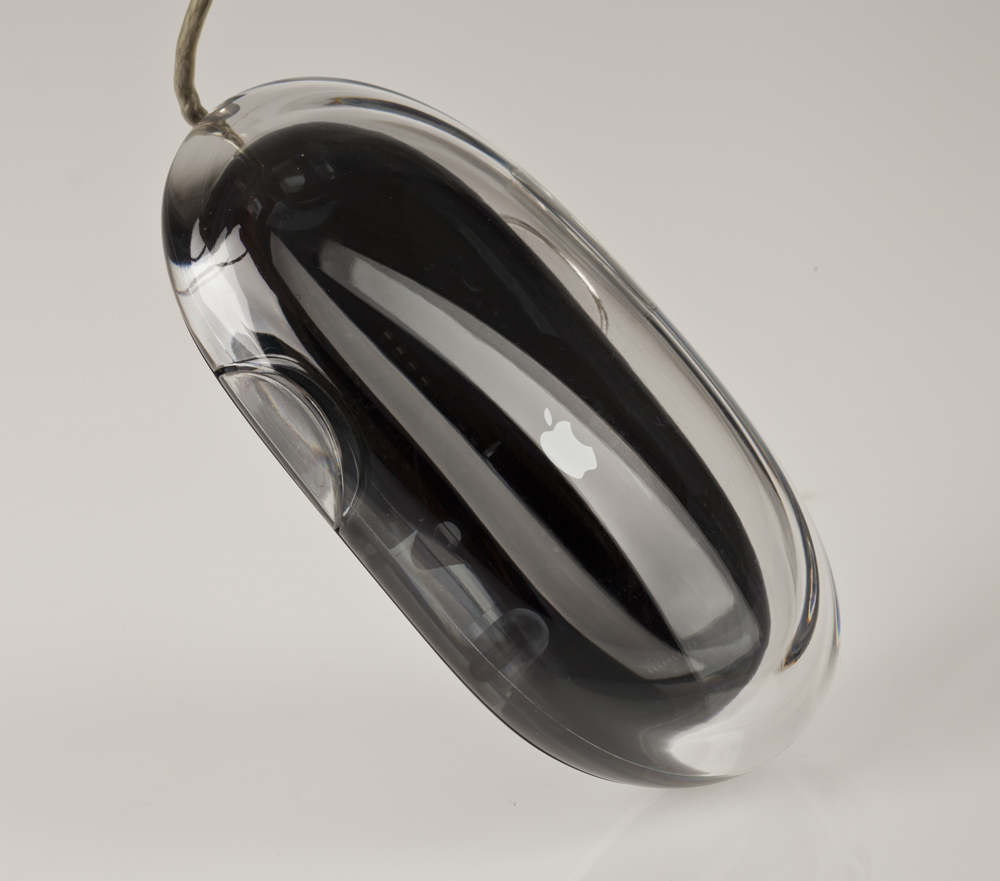 Image via Shrine of Apple
Sadly, the Pro Mouse wasn’t perfect. Users still complained about the cord, which was still short and would fray after heavy use. (Apple included a USB extension cable for desktop users to help with the length issues.)
In 2003, Apple refreshed the mouse, fixing the cord strain issues, and dropping “Pro” from the name while moving from optical tracking to laser tracking. This model shipped with the Power Mac G4 Mirrored Drive Doors, Power Mac G5, eMac, and iMac G4 and G5. A Bluetooth model was also available.
2005: The Mighty Mouse (Model A1152)
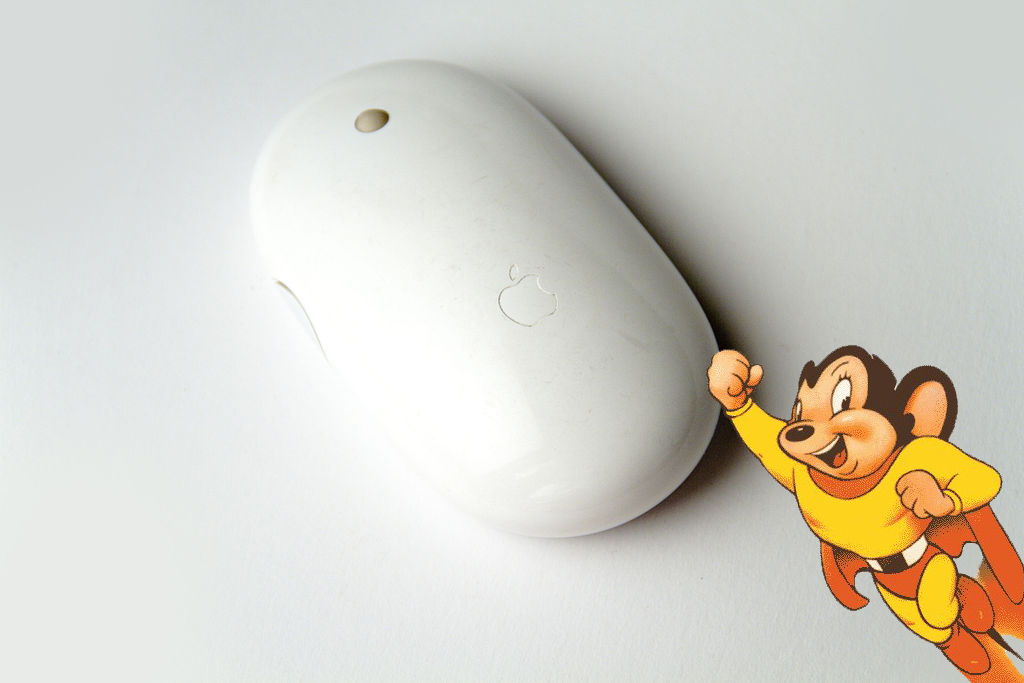
In 2005, for the first time in its 22 years of making mice, Apple shipped a model with two buttons. Instead of using physical mechanisms, the Mighty Mouse featured touch-sensitive buttons. Like the Pro Mouse before it, the body of the mouse would respond to the click.
On the top, a free-spinning track ball allowed users to scroll in any direction. Over time, many users discovered that this ball would get gunky, rendering it useless without frequent cleaning. Two touch-sensitive areas on the side of the body could be squeezed for additional input.
OS X is the only operating system to fully support the Mighty Mouse.
2006–2009: The Wireless Mighty Mouse
In 2006, Apple added a Bluetooth model to the lineup, eventually replacing the wired version completely.
One year later, Apple revamped the mouse, changing the sides of the mouse to the same white as the top, ditching the gray.
On October 20, 2009, Apple was forced to rename the Mighty Mouse the Apple Mouse (part number MB112LL/A) due to legal issues regarding the name.
Whoops.
2009: The Magic Mouse (Model MB829LL/A)
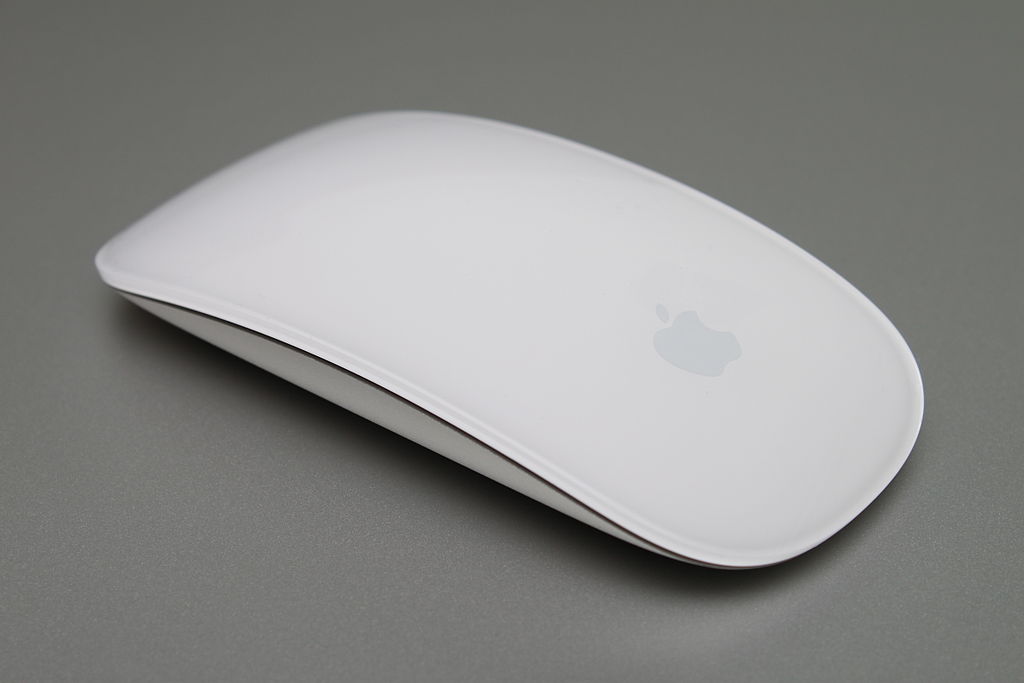
In October 2009, Apple released the Multi-Touch Magic Mouse. Build on an aluminum base, this mouse’s curved top works as a single touch-sensitive area, with “
zones for right and left-clicking. Scrolling and gestures can be done using two fingers.
The following operating systems support the Magic Mouse:
- Mac OS X v10.5.8, v10.6.23 or later with Wireless Mouse Software Update 1.0. This update is essential for the Magic Mouse to work.
- Windows 7, Windows XP, Windows Vista using Boot Camp tools under Mac OS X. To work with Windows 7, Mac OS X Lion is required as the latest drivers are available only with a version of Boot Camp that is installable on Mac OS X Lion.
WAIT… THIS ISN’T A MOUSE…
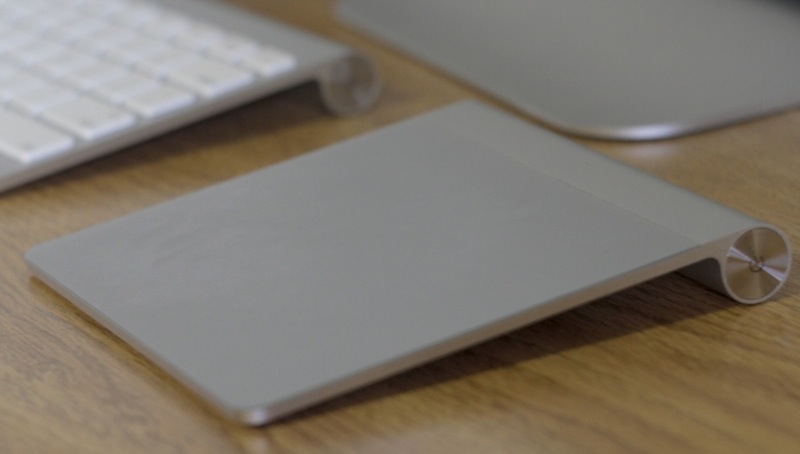
Announced in July, 2010, the Magic Trackpad is roughly 75% larger than the trackpad found on the MacBook Air and MacBook Pro.
Powered by two AA batteries hidden in the “hinge,” the entire Trackpad clicks, thanks to its two small rubber feet.
Unlike the Magic Mouse, the Magic Trackpad supports up to four-fingered gestures.
When ordering a new desktop Mac, customers can select a Magic Trackpad in place of a mouse at no additional charge. It can be used in conjunction with a mouse, however.
It requires OS X 10.6.4 or later.
