
MKBHD’s hands-on video of Google’s new foldable is a good watch. This device looks very nicely put together:
posts
The Pixel Tablet⇢
The looks of the Pixel Tablet are relatively generic. It has an 11-inch, 16:10, 2560 x 1600 pixel LCD display, even bezels all around, and a matte back. It comes in three colors: white, dark green, and light pink, with the dark green model featuring a black bezel. Though it looks like plastic from a distance, the Pixel Tablet has an aluminum frame with a nanotexture coating, not unlike what Google did with the Pixel 5 smartphone.
Kbase Article of the Week: Final Cut Express 1 and 2 Frequently Asked Questions (FAQ)⇢
It’s mostly forgotten now, but for years, Apple shipped Final Cut Express, a video editor that lived somewhere between iMovie and Final Cut Pro. It was discontinued in 2011 when Final Cut Pro X was released. Here are some FAQs Apple of the past thought may be helpful to users of the application:
- Why isn’t my serial number accepted by the program?
- Why can’t I hear audio while capturing?
- Why can’t I hear audio during playback from the Timeline?
- Final Cut Express doesn’t recognize my camera. What’s wrong?
- Where can I find the product manual?
- How can I prevent out-of-sync audio on long clips?
- How do I transfer my project to iDVD?
- I hear beeping when I play audio. Why is that?
- How do I set keyframes?
- Why don’t I see real-time effects and transitions?
The answer to question 10 really puts things into perspective:
Apple Announces Logic Pro and Final Cut Pro for iPad⇢
This morning, Apple dropped some big news for creative professionals:
Apple today unveiled Final Cut Pro and Logic Pro for iPad. Video and music creators can now unleash their creativity in new ways that are only possible on iPad. Final Cut Pro and Logic Pro for iPad bring all-new touch interfaces that allow users to enhance their workflows with the immediacy and intuitiveness of Multi-Touch. Final Cut Pro for iPad introduces a powerful set of tools for video creators to record, edit, finish, and share, all from one portable device. Logic Pro for iPad puts the power of professional music creation in the hands of the creator — no matter where they are — with a complete collection of sophisticated tools for songwriting, beat making, recording, editing, and mixing. Final Cut Pro and Logic Pro for iPad will be available on the App Store as subscriptions starting Tuesday, May 23.
Sponsor: DEVONthink of DEVONtechnologies⇢
Whether you’re in the harbor or at high sea, you need to know where you are or where you’re sailing. If you have all the maps, books, and documents. DEVONthink for Mac and DEVONthink To Go for iOS will not let you down on your mission and help you navigate the “seven seas of information.”
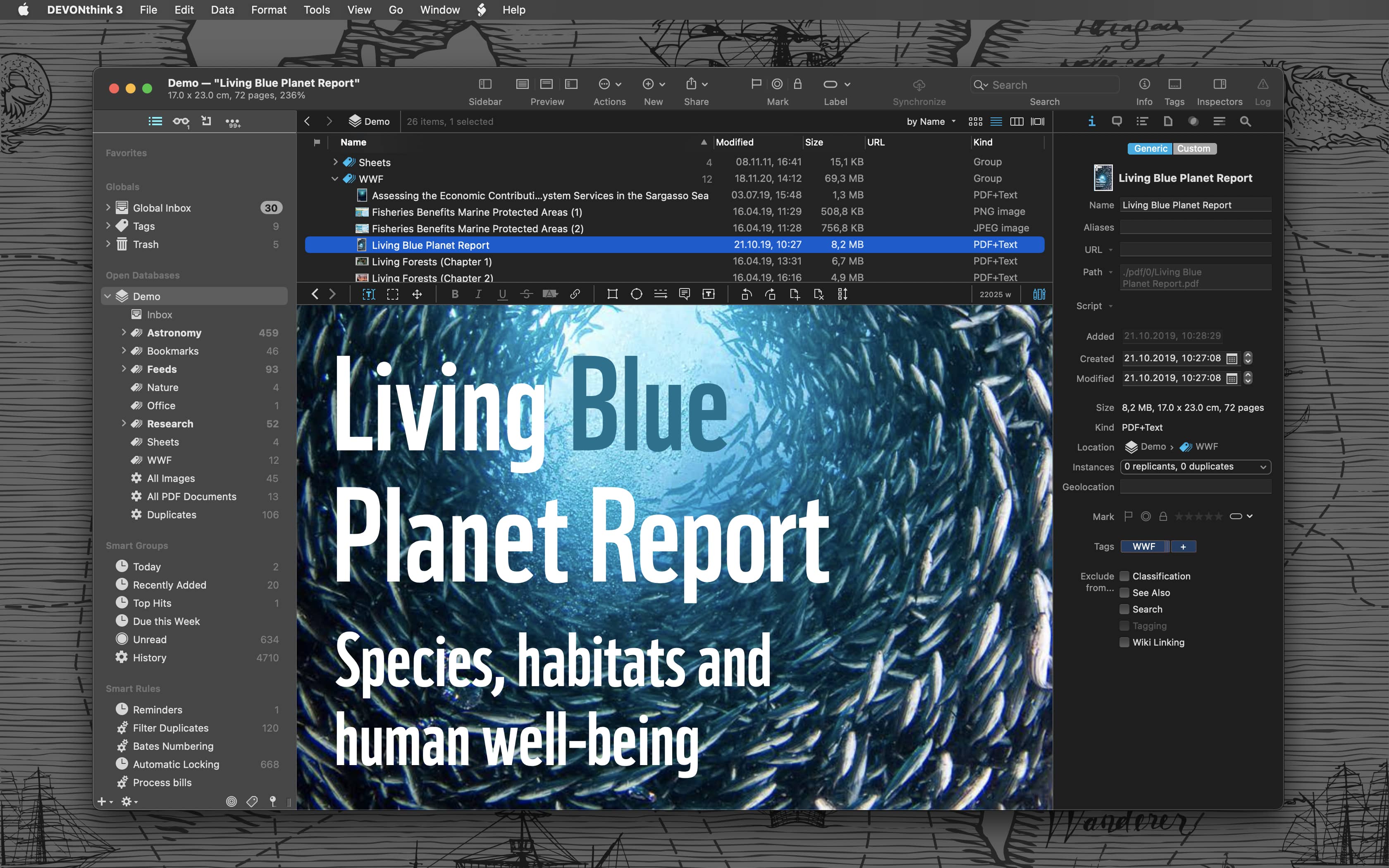
Sailor jokes aside, DEVONthink helps you get organized in your office, home office, or on the go. It keeps all your documents, snippets, and bookmarks in one place. Organize them however you need and let DEVONthink’s unique AI assist you all the way with filing and finding. And if that wasn’t enough, smart rules and flexible reminders let you delegate all the boring, repeating daily tasks to DEVONthink too. On iOS, use Shortcuts actions to integrate DEVONthink To Go with your other apps.
Mac Power Users #691: Workflows with David Rosenthal⇢
David Rosenthal is a world-renown keyboardist, musical director, synthesizer programmer and composer. At the heart of his work is the Mac, and this week he talks with Stephen and David about his background, career, gear and more.
David’s career is legendary, and goes far beyond his work with Billy Joel. This was a fun one.
Instapaper Updated to Support CarPlay⇢
With the Instapaper CarPlay app, it’s now easier than ever to listen to your articles while driving. The CarPlay app offers easy access to your entire Instapaper account, including your saved articles in Home, Liked, Archived, and Folders.
To start listening to an article, just select one from the list.
When an article is playing, you can easily rewind, fast forward, adjust playback speed, and like or archive the article.
On What Happened to Brydge⇢
Chance Miller at 9to5Mac has written an absolute banger of a story about Brydge, the accessory maker best known for their line of iPad keyboards:
Brydge, a once thriving startup making popular keyboard accessories for iPad, Mac, and Microsoft Surface products, is ceasing operations. According to nearly a dozen former Brydge employees who spoke to 9to5Mac, Brydge has gone through multiple rounds of layoffs within the past year after at least two failed acquisitions.
Apple Posts Q2 2023 Results⇢
As always, Jason has a bunch of charts up over at Six Colors:
Apple announced its latest quarterly results on Thursday. The company posted $94.8 billion in revenue, down slightly from the year-ago quarter but—at least to my eyes—not down as much as we might have expected.
Mac revenue was, as expected, down 31 percent to $7.2 billion—the lowest quarter of Mac revenue since 2020. iPad was down 13 percent to $6.7 billion, the lowest iPad revenue quarter since 2020. iPhone was up 2 percent to $51.3 billion, which given the downward trend elsewhere was pretty impressive—it was a Q2 record for iPhone revenue.
Connected #448: I’m in Figma⇢
Stephen discovers wireless CarPlay, Myke shares some cool Mac apps and Federico makes a confession about his iPad usage. Then, the guys regroup on the topic of Mastodon.
Reflections on the Thunderbolt Display
As noted by Joe Rossignol, the Thunderbolt Display is being added to Apple’s list of obsolete products.
In addition to making me feel old, this news made me remember just how good the Thunderbolt Display was.

Announced in 2011, the Thunderbolt Display was an extension of the previous display, the 27-inch LED Cinema Display which was announced a year earlier. Here’s a bit from Apple’s press release:
Apple today unveiled the new Apple Thunderbolt Display, the world’s first display with Thunderbolt I/O technology and the ultimate docking station for your Mac notebook. With just a single cable, users can connect a Thunderbolt-enabled Mac to the 27-inch Apple Thunderbolt Display and access its FaceTime camera, high quality audio, and Gigabit Ethernet, FireWire® 800, USB 2.0 and Thunderbolt ports. Designed specifically for Mac notebooks, the new display features an elegant, thin, aluminum and glass enclosure, and includes a MagSafe connector that charges your MacBook Pro or MacBook Air.
On Rapid Security Responses⇢
Adam Engst has an in-depth article up about the new update type that iOS, iPadOS and macOS users saw earlier this week:
Ultimately, it’s good to see Apple finally utilizing the long-promised Rapid Security Response update mechanism. I’ll admit that I had somewhat come to dread operating system updates, particularly on the Mac, where you can end up staring at a black screen for far longer than is comfortable. Rapid Security Responses won’t fix that problem for actual operating system updates, but I hope Apple can use them to reduce the number of full updates that are necessary.