The 2023 Apple History Calendar⇢

I’ve got big news today: I am launching my second Kickstarter project!

For 2023, I’ve designed a new edition, focusing on the software that powers our favorite devices. These dates cover everything from Apple’s earliest software to the latest and greatest versions of macOS, iOS, iPadsOS and more. The calendar also includes a wide range of first-party software titles from iLife and iWork to things like Cyberdog and Rhapsody.

Continue reading ⇢

Kbase Article of the Week: About QuickTime VR⇢

Apple Support:

QuickTime VR creates an immersive, photorealistic experience simulating actual or imagined three-dimensional objects and places. Unlike other virtual reality implementations, QuickTime VR does not require special goggles or gloves, and it doesn’t need you to download a custom 3D plug-in to work with any application or web browser. All major applications that play QuickTime movies can also play QuickTime VR movies. There are two main types of QuickTime VR movies - QuickTime VR Panoramas and QuickTime VR Object Movies.

Continue reading ⇢

Sponsor: PowerPhotos 2.0⇢

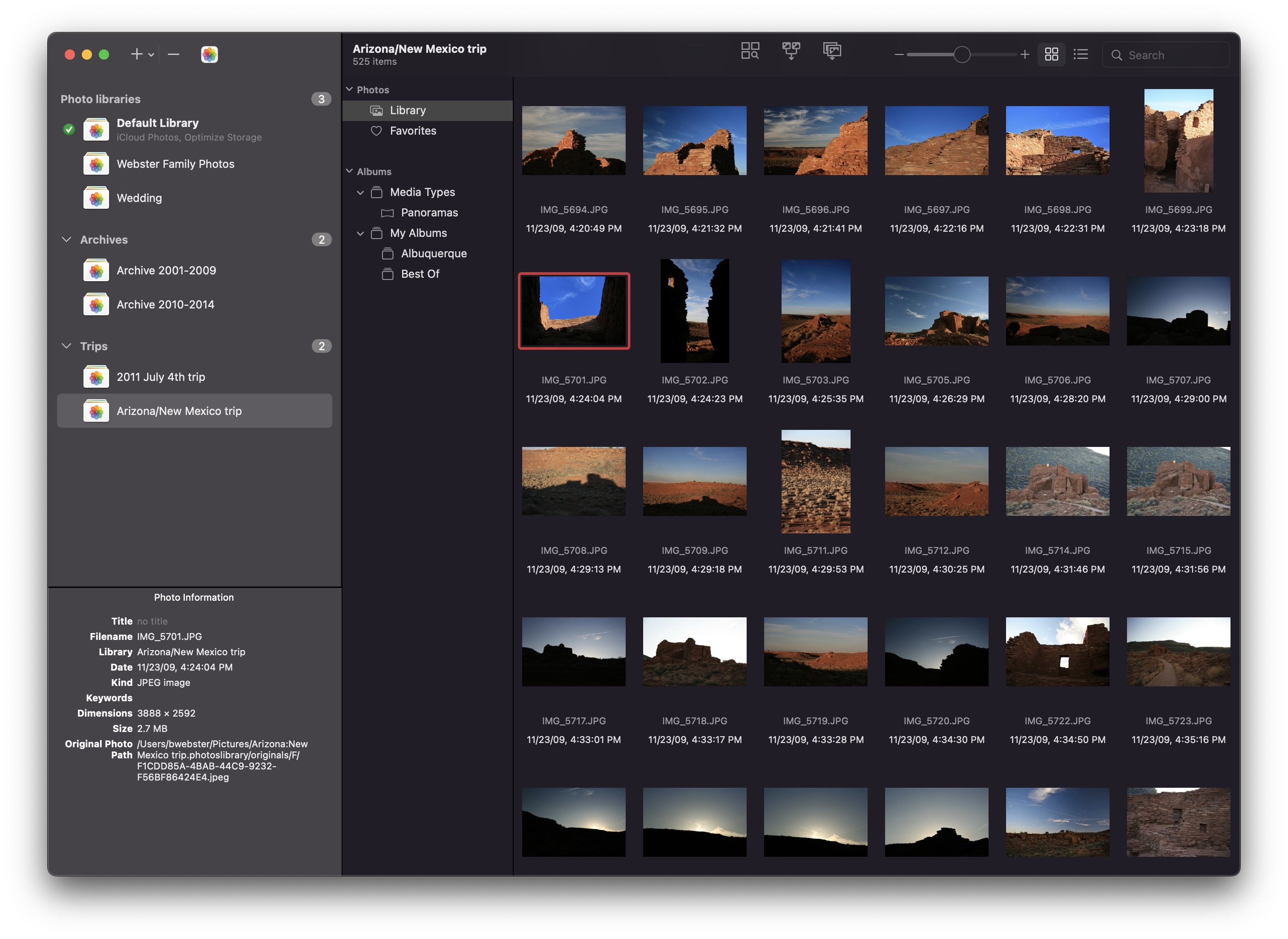
PowerPhotos works in conjunction with the Apple Photos app, filling in missing features that Photos itself doesn’t provide. With PowerPhotos you can manage multiple photo libraries, either splitting up an existing library into smaller ones, or merging multiple libraries together into one. You can browse and search your libraries, copy photos and albums between libraries while retaining edits and metadata, and find and remove duplicate photos.
PowerPhotos 2.0

New in PowerPhotos 2.0 is an advanced export function that offers more functionality than Photos’ built-in export window. PowerPhotos export supports standard features like different image formats, resizing, customizing EXIF metadata, but that’s just the beginning. PowerPhotos can also export your photos to a folder hierarchy that mimics the album hierarchy you’ve painstakingly arranged in your Photos library. In addition, it supports setting the exported files’ creation and modification dates to match the photo’s EXIF date, allowing you to more easily browse photos by date in the Finder. This major update also includes improved iCloud Photos support, library groups, a global menu bar item for quick access to libraries, opening libraries in separate windows, and improved AppleScript support.

Continue reading ⇢

Pages Regains Mail Merge Feature After Nine Years⇢

Dan Moren:

The feature was originally included in Apple’s word processing software, but got the axe in 2013’s version 5.0, when Apple redesigned its iWork suite to give even footing across the iOS, iPadOS, and macOS platforms. In the interim, Mail Merge remained possible only via workarounds like Sal Soghoian’s Pages Data Merge app.

Version 12.1, released today, brings a brand new implementation, however, which lets you populate a template document either from your contacts or a spreadsheet. On the Mac, just create a template with the File > New command or open an existing one, and then choose File > Mail Merge to step through the process. (The feature’s also available for the first time in the iOS and iPadOS versions of Pages, under the three dots menu: tap Mail Merge to start the process.)

Continue reading ⇢

On NASA’s Artemis Schedule⇢

Over at Ars Technica, Eric Berger has an article outlining the space agency’s internal plans for future moon missions:

The Artemis I mission should launch later this year, testing NASA’s Space Launch System rocket and boosting the Orion spacecraft into lunar orbit. The second mission, Artemis II, will more or less be a repeat, only with four humans on board Orion. Then comes the big test, Artemis III, which will send two humans to the Moon and back during the middle of this decade.

Beyond these missions, however, NASA has been vague about the timing of future Artemis missions to the Moon, even as some members of Congress have pressed for more details. Now, we may know why. Ars Technica has obtained internal planning documents from the space agency showing an Artemis mission schedule and manifest for now through fiscal year 2034.

Continue reading ⇢

Sponsor: TextExpander⇢

Get your team communicating faster so they can focus on what’s most important. With TextExpander your team’s knowledge is at their fingertips.

Get your whole team on the same page by getting information out of silos and into the hands of everyone that needs to use it. You can share your team’s knowledge across departments so your team is sending a unified message to your customers and isn’t spending time reinventing the wheel.

Continue reading ⇢