
Your MacBook Pro has multiple energy modes you can switch between. By default, your Mac is set to Automatic mode to balance energy use and performance. Low Power Mode reduces energy use to increase battery life. On the 16-inch MacBook Pro with M1 Max, High Power Mode allows the fans to run at higher speeds. The additional cooling capacity may allow the system to deliver higher performance in very intensive workloads.
You can use High Power Mode to improve performance in graphics-intensive workflows such as color grading 8K ProRes 4444 and 8K DNxHR video. In video editing and 3D applications, you may experience smoother playback and faster exports when High Power Mode is on.
When High Power Mode is on, the fan may run at a higher speed and you may hear additional fan noise. High Power Mode can be used whether your Mac is connected to power or not.
posts
Snell, with Charts⇢
With the closing of the fourth quarter comes the closing of a fiscal year. And while none of us gathered around a HomePod and shouted “Happy New Year!” on midnight of Sept. 26 (the first day of the new fiscal year), as far as Apple is concerned it’s now fiscally 2022.
That means it’s time for the final totals, and an entirely new set of charts based entirely on Apple’s annual performance. This provides a fun opportunity to revisit some charts from about two years ago and look back at where the company has been, while considering where it might go next.
Liftoff #162: Mixed-Use Business Park in Space⇢
Ingenuity is flying faster than ever as JWST and SLS inch closer to launch. Then, a look at two different proposed commercial space stations.
My thanks to our sponsor:
- Squarespace: Make your next move. Enter offer code LIFTOFF at checkout to get 10% off your first purchase.
21.5-inch iMac Discontinued⇢
I missed this in the hubbub of last week, but I’m not surprised to see it go.
Sponsor: Rogue Amoeba’s Loopback⇢
Route audio between applications on your Mac with Loopback! Get the power of a high-end mixing board with no hardware required.
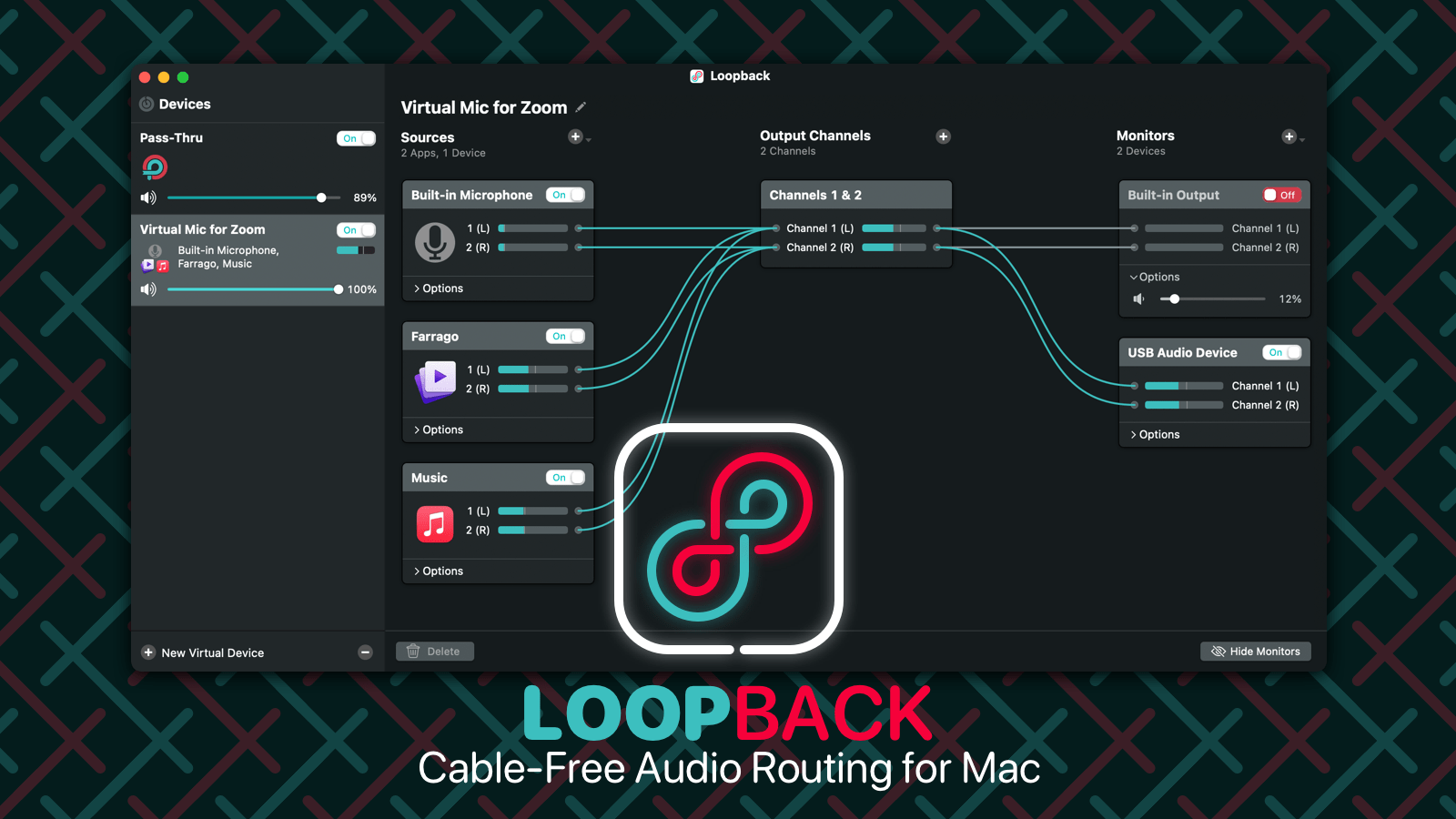
Whether you’re a podcaster, a live performer, a tabletop gamer, or even just someone stuck on too many Zoom calls, Loopback can help you. Need to play a recording into Zoom? Add sound effects into a podcast? Include music in a streamed event? Loopback gives you the power to do just that with just a few clicks.
Colorful HomePod minis Now in Stores⇢
…including orange, the best color of HomePod mini.
Mac Power Users #612: macOS Monterey & MacBook Pro Impressions⇢
This week, David and I review macOS Monterey and cover the features and changes it brings to the Mac. Then, we give our impressions of the new M1 Pro and M1 Max MacBook Pros.
My thanks to our sponsors:
- TextExpander from Smile: Get 20% off with this link and type more with less effort! Expand short abbreviations into longer bits of text, even fill-ins, with TextExpander from Smile.
- Electric: Stop stressing over scattered devices. Get a free pair of Beats Solo3 Wireless Headphones when you schedule a meeting.
- Capital One: Machine learning at Capital One. What’s in your wallet?
- Memberful: Best-in-class membership software for independent creators, publishers, educators, podcasters, and more. Get started now, no credit card required.
Triggering Shortcuts via Alfred⇢
On the Present — and Possible Future — of the MacBook Air
Apple today reported Mac revenue of $9.17 billion in the fourth quarter of its 2021 fiscal year, which is an all-time quarterly revenue record for Macs. Apple CEO Tim Cook said there was “strong demand” for the M1 MacBook Air in particular.
Jason Snell’s transcript contains the exact quote from Apple CFO Luca Maestri:
For Mac, we set an all-time revenue record of $9.2 billion, despite supply constraints, driven by strong demand for our M1-powered MacBook Air. In fact, our last five quarters for Mac have been the best five quarters ever for the category. iPad performance was also strong with a September quarter revenue record of $8.3 billion, up 21%, in spite of significant supply constraints, as customer demand for the iPad Pro, also powered by M1, was very strong. For both Mac and iPad, we continue to see a combination of high levels of customer satisfaction and first-time buyers. Around half of the customers purchasing Mac and iPad during the quarter were new to that product. And in the most recent surveys of U.S. Consumers from 451 Research, customer satisfaction was 97% for both Mac and iPad.
Jason Snell, on Building Cross-Platform Shortcuts⇢
As I’ve written about before, building Shortcuts is frequently much easier than building similar workflows on macOS using AppleScript and Automator. Now that Shortcuts is on the Mac, there’s no need to replicate shortcuts from iOS using those technologies! Instead, the same shortcut can run on both platforms. Problem solved.
Err… well… okay. Maybe not solved. While you might have rightfully assumed that not everything that works in Shortcuts on the Mac will work in Shortcuts on iOS—AppleScripts, shell scripts, and the like simply don’t exist on that platform—it might surprise you to learn that the reverse is also true. The Mac’s version of the Share menu is not nearly as sophisticated as the one on iOS, and the Share menu is a major launching point for iOS shortcuts. Safari’s automation interface is, similarly, not nearly as friendly on the Mac as on iOS.
But will that stop us? No! This week I’ve converted several of my shortcuts to “universal” versions that run on both macOS and iOS. Here are some tips and tricks that I’ve learned along the way.
The Stalman Podcast: Hands on M1 Max MacBook Pro⇢
Tyler Stalman was kind enough to let me join him this week to talk about some very exciting MacBook Pros.
Bonus Kbase Article of the Week: Use High-Impedance Headphones with new MacBook Pro Models⇢
The 3.5 mm headphone jack on the MacBook Pro (14-inch, 2021) or MacBook Pro (16-inch, 2021) features DC load detection and adaptive voltage output. Your Mac can detect the impedance of the connected device and will adapt its output for low- and high-impedance headphones, as well as for line-level audio devices.
When you connect headphones with an impedance of less than 150 ohms, the headphone jack provides up to 1.25 volts RMS. For headphones with an impedance of 150 to 1k ohms, the headphone jack delivers 3 volts RMS. This may remove the need for an external headphone amplifier.
With impedance detection, adaptive voltage output, and a built-in digital-to-analog converter that supports sample rates of up to 96 kHz, you can enjoy high-fidelity, full-resolution audio directly from the headphone jack on your MacBook Pro.