
The guys reunite to share their impressions of the iPhone 17 Pros, iPhone Air, AirPods Pro 3, and Imran Chaudhri’s current position at HP.
posts
Federal Goverment Partners with xAI
Amrith Ramkumar at The Wall Street Journal ( Apple News), writing about a new partnership between the Trump administration and his on-again, off-again bestie Elon Musk:
Under the agreement with the General Services Administration, which oversees technology procurement for the federal government, agencies will get access to models such as Grok 4 and a new fast version called Grok 4 Fast for a nominal fee of 42 cents, the GSA said in a news release Thursday.
The A19 Pro⇢
Jason Snell, writing at Six Colors:
One of the first things I did when I got the new iPhones into Six Colors global HQ was to get the iPhone 17 Pro Max up and running and run Geekbench 6. (I know there are a lot of Geekbench scores out there, but I like to run my own, just because.) Because I’m curious about the pace of Apple silicon innovation.
The A19 Pro chip in the iPhone 17 Pro is presumably using the next generation of CPU and GPU cores that will also appear later this year or early next year in the M5 processor, as well. So it’s not just a view into how the chips have progressed for the iPhone, but also an indication about where gains will be made in the next generation of Macs.
‘Benjamin Button Reviews macOS’⇢
Rakhim Davletkali has written a delightful blog post, reviewing macOS releases in reverse:
Apple’s first desktop operating system was Tahoe. Like any first version, it had a lot of issues. Users and critics flooded the web with negative reviews. While mostly stable under the hood, the outer shell — the visual user interface — was jarringly bad. Without much experience in desktop UX, Apple’s first OS looked like a Fisher-Price toy: heavily rounded corners, mismatched colors, inconsistent details and very low information density. Obviously, the tool was designed mostly for kids or perhaps light users or elderly people.
A Transparent Tale as Old as Time
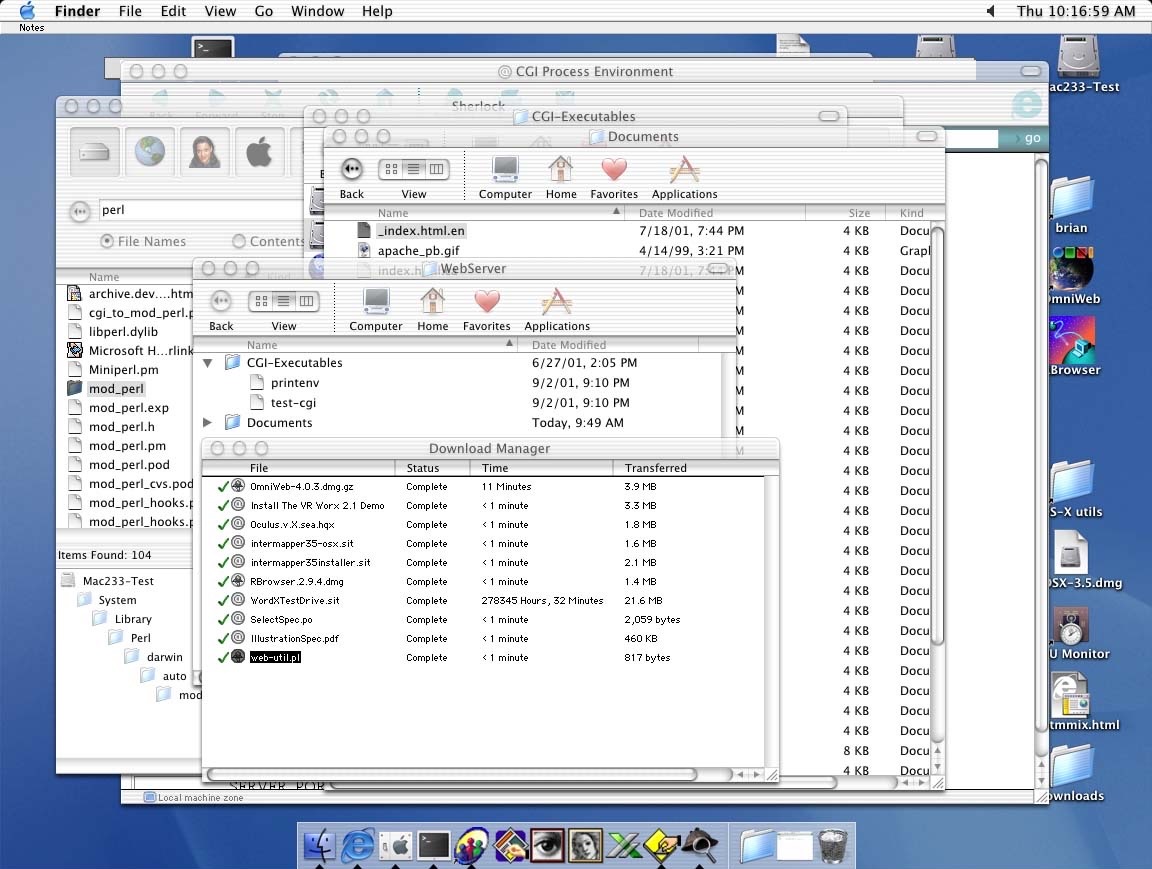
512 Pixels reader Brian sent me a screenshot they took way back on Mac OS X 10.0, showing that Apple’s current struggle with transparent user interface elements isn’t anything new:
Sponsor: Quip: A Supercharged Clipboard Manager with Apple Intelligence⇢
Clipboard managers are one of those utilities you don’t realize you need until you try one. And for years, they’ve all felt the same—catch-all junk drawers where your copy/paste history goes to die.
Quip takes a different approach. It’s a clipboard manager and text expander for the Mac, iPhone, and iPad, built to feel native, private, and actually enjoyable.
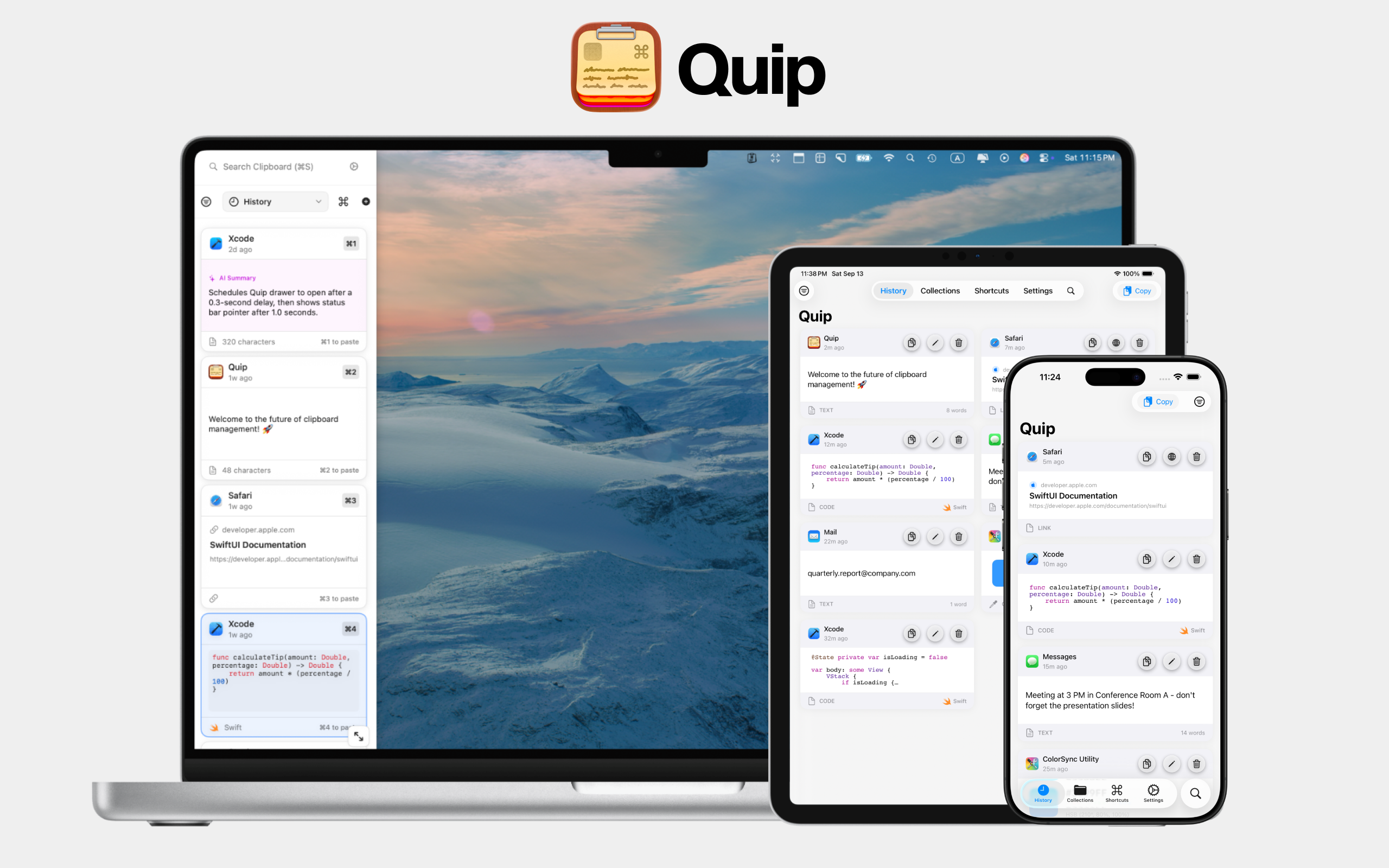
With the new Liquid Glass design in macOS and iOS 26, Quip looks like it belongs in Apple’s world of apps. Smooth animations, frosted transparency—it’s modern and responsive in a way most utilities never are.
Five Years of Widgetsmith⇢
Underscore, writing last week:
Five years ago, a TikTok video changed my life.
And I can say that without any hyperbole.
I remember watching Widgetsmith rocket to the top of the App Store, and I could not have been more excited for Dave as it was happening. It’s a thrill to work on such a large project now.
Podcastathon 7⇢
Our 7th annual 12-hour live show raising money for St. Jude is coming up on Friday! Please tune in and donate:
Our iOS 26 Updates
Today, Apple launched iOS 26. Over at Cross Forward, we’ve got major updates to three of our apps today:
Widgetsmith 8
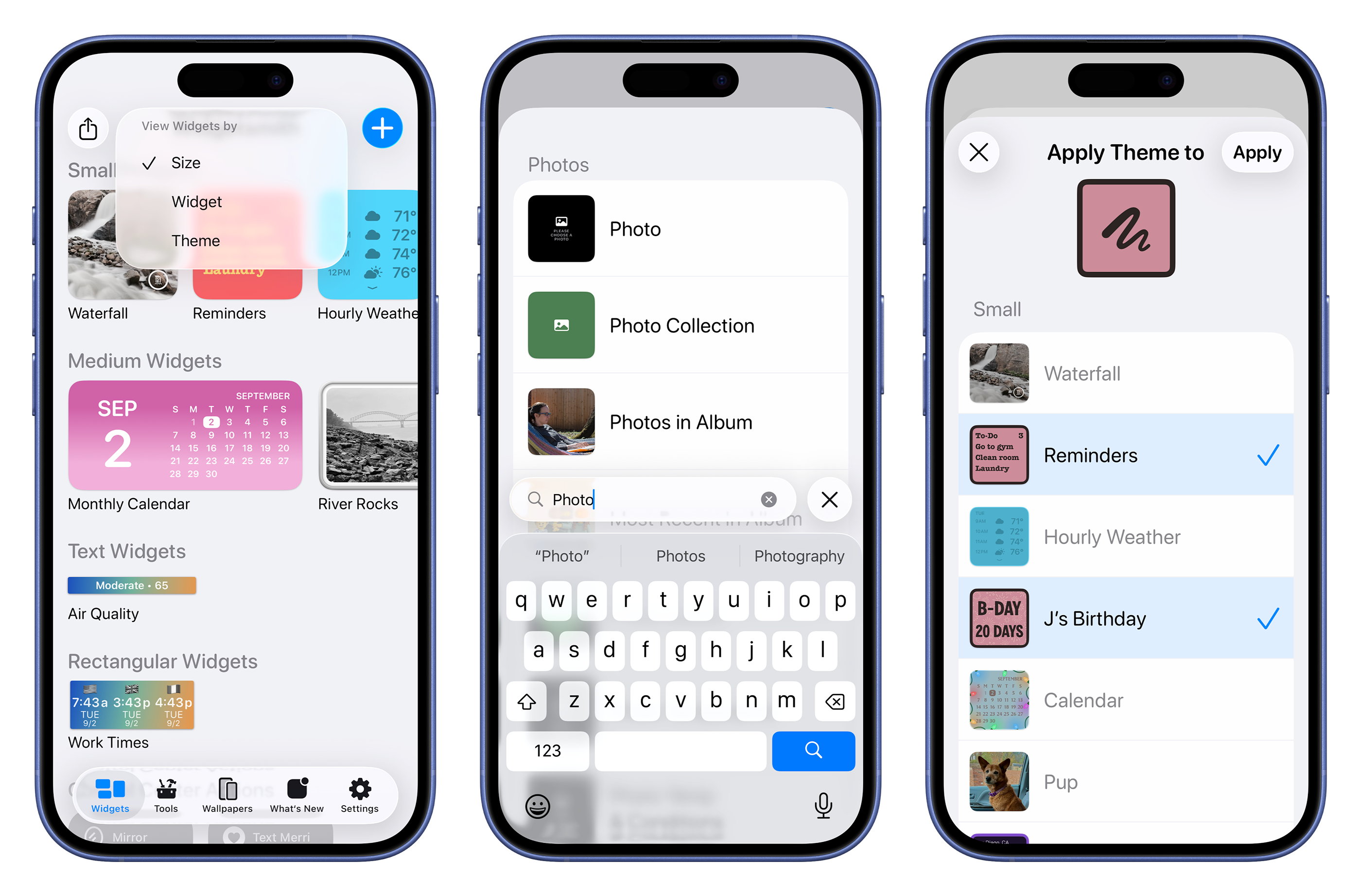
This is a big one. Widgetsmith’s design has been updated for Liquid Glass, but we took that opportunity to make meaningful improvements across the app:
- New main screen that makes it easier to find your existing widgets and create new ones.
- Search is now implemented across the app to make searching for a widget type or theme much faster.
- It’s now easier to take an existing theme and apply it to other widgets.
- You can now apply a theme based on a wallpaper to multiple widgets at once.
Jason’s Tahoe Review⇢
macOS 26 Tahoe is two things at once: It’s the broadest and most productivity-focused update for macOS in years, while also taking collateral damage from Apple’s broader design ambitions on its other platforms.
It features the biggest update to Spotlight ever, including direct access to app actions and Apple’s first-ever built-in clipboard manager. Shortcuts adds deep automation support and direct access to AI models, changing the game for many aspects of Mac automation productivity. These are features that will delight Mac users and help them work better.
Federico’s iOS 26 Review⇢
Ticci is back with a comprehensive look at iOS and iPadOS 26:
There was a lot riding on Apple’s software strategy in 2025. Now that we’re entering the final phase of the Apple product launch year, I believe that, in hindsight, their three key moves from the first half of 2025 are – at least from a marketing perspective – the best approach they could have followed.
First, the new AI Siri features were officially delayed to “the coming year”, and at WWDC, executives explained why they needed more time than anticipated to get them right. Then, Apple unveiled a new design language that – to varying degrees of success – unifies its user interfaces across platforms. Finally, the company embraced the iPad’s modular nature with a complete reimagining of the device’s software in iPadOS 26, borrowing from the decades-long traditions of macOS to bring new windowing and multitasking features to the tablet. You have to hand it to Apple PR: that’s a pretty effective marketing strategy to, once again, steer the public conversation and attention to a place that’s more comfortable for Apple.
Tahoe Added to the 512 Pixels macOS Screenshot Library
I spent a large part of my weekend making over 150 screenshots, just for you.

I mostly like Liquid Glass on iOS and iPadOS, but it feels like macOS got a lot less time in the oven than the mobile operating systems did. For example, toolbar buttons still really stick out, and I wish app icons weren’t all in squircle jail:

Like previous years, I have various sections of screenshots for you to check out, but with a new addition this year: Icon & Widget Styles.