RSS Sponsor: Codescanza - Scan and store loyalty cards, add them to Apple Wallet⇢

Codescanza is an iPhone app that stores all those loyalty cards or other codes that you can’t add to Apple Wallet.

Codes that you scan or import can be accessed instantly in Notification Center (without unlocking your phone) or by swiping up on an Apple Watch.

With Codescanza 1.2 you can also add codes directly to Apple Wallet, and if you specify a location they’ll appear automatically on your lock screen or Apple Watch whenever you’re nearby.
Continue reading ⇢

Apple shows off revamped San Francisco store⇢

Jim Dalrymple:

It’s not often that Apple invites journalists to its stores for a preview anymore, but today was a bit different. Apple not only unveiled its new San Francisco store, it also explained its new strategy for its major retail outlets.

As I sat listening to Angela Ahrendts, Apple’s senior vice president of retail and online stores, it became clear very quickly that Apple kept its attention to detail in the design of the location, but completely rethought how it functioned.

Continue reading ⇢

The iMac G3 family tree

In August of 1998, Apple released the Bondi blue iMac. This computer left a bunch of stuff in the past, including beige plastic, ADB and serial ports, and the floppy drive.

It received a minor update a couple of months in, but the Revision A and B machines aren’t all that different.

Continue reading ⇢

On Siri’s OS X supposed look and feel⇢

Juli Clover at MacRumors, discussing Siri’s appearance in the yet-announced OS X 10.12:

In the menu bar, there’s a simple Siri black and white icon that features the word “Siri” surrounded by a box, while the full dock icon is more colorful and features a colorful Siri waveform in the style of other built-in app icons. Clicking on either of the icons brings up a Siri waveform to give users a visual cue that the virtual assistant is listening for commands, much like on iOS devices when the Home button is held down.

Continue reading ⇢

Associate⇢

John Vorhees has released Associate, an incredibly clever and useful iOS app for creating Amazon affiliate links:

Associate’s search functionality means the entire Amazon store is at the tips of your fingers, literally. Run a search and tap the result you want. Associate does all the hard work of generating an affiliate link that includes your Amazon Associates credentials. Once you have your link, you can share it with one person or a thousand, its just as easy either way.

Continue reading ⇢

How to search Giphy from Alfred

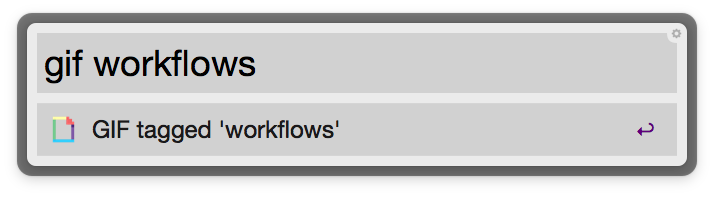
Search Giphy from AlredI’ve spent way too much time today searching for GIFs, and realized I’ve never shared my workflow to search Giphy from Alfred.

It’s an easy little workflow to put together. I set the keyword to be gif and the workflow activates this little bash script:

search=$(echo "{query}" | sed 's/ /-/g') open "http://giphy.com/tags/${search}"

Once it’s set up, you can hit the keyword in Alfred and start typing your search query. Hit enter and Giphy will open in your browser with its results.

Continue reading ⇢

RSS Sponsor: Browsy - The Smart Fullscreen Web Browser⇢

Browsy is the Smart Fullscreen Web Browser that gets out of your way. Open a webpage and everything else hides.

From brothers to parents, music lovers to iOS automators, Markdown writers to developers and designers - Browsy got something for everyone.

With features like the DuckDuckGo Omnibar, Pinboard Bookmarks view, VoiceOver support, 1Password integration, customizable gestures, and the unique Markdownify extension that allows you to turn websites into Markdown, Browsy is an essential addition to your workflow.

Continue reading ⇢