The USB-C Multiport Adapter Update 1.0 improves the compatibility and reliability of your Apple USB-C Digital AV Multiport Adapter or Apple USB-C VGA Multiport Adapter. This update is recommended for all users.
Ah yes, firmware updates for dongles.

The USB-C Multiport Adapter Update 1.0 improves the compatibility and reliability of your Apple USB-C Digital AV Multiport Adapter or Apple USB-C VGA Multiport Adapter. This update is recommended for all users.
Ah yes, firmware updates for dongles.
Mikah Sargent returns to the show to update the guys on his Apple hardware, talk about how he prepares for his various audio and video podcasts and help explain what’s going on with the Matter smart home standard.
Some sad Apple Retail news broke this afternoon. Here’s Joe Rossignol:
“After many years of serving customers at our stores in the Bay Area, we plan to close our store at Infinite Loop,” an Apple spokesperson said, in a statement shared with MacRumors. “All of our valued team members will have the opportunity to continue their roles with Apple. We look forward to welcoming our customers at our nearby Apple Park Visitor Center and other locations, on Apple.com, and the Apple Store app.”
As foretold, customers can not currently order these two Watch models directly from apple.com:
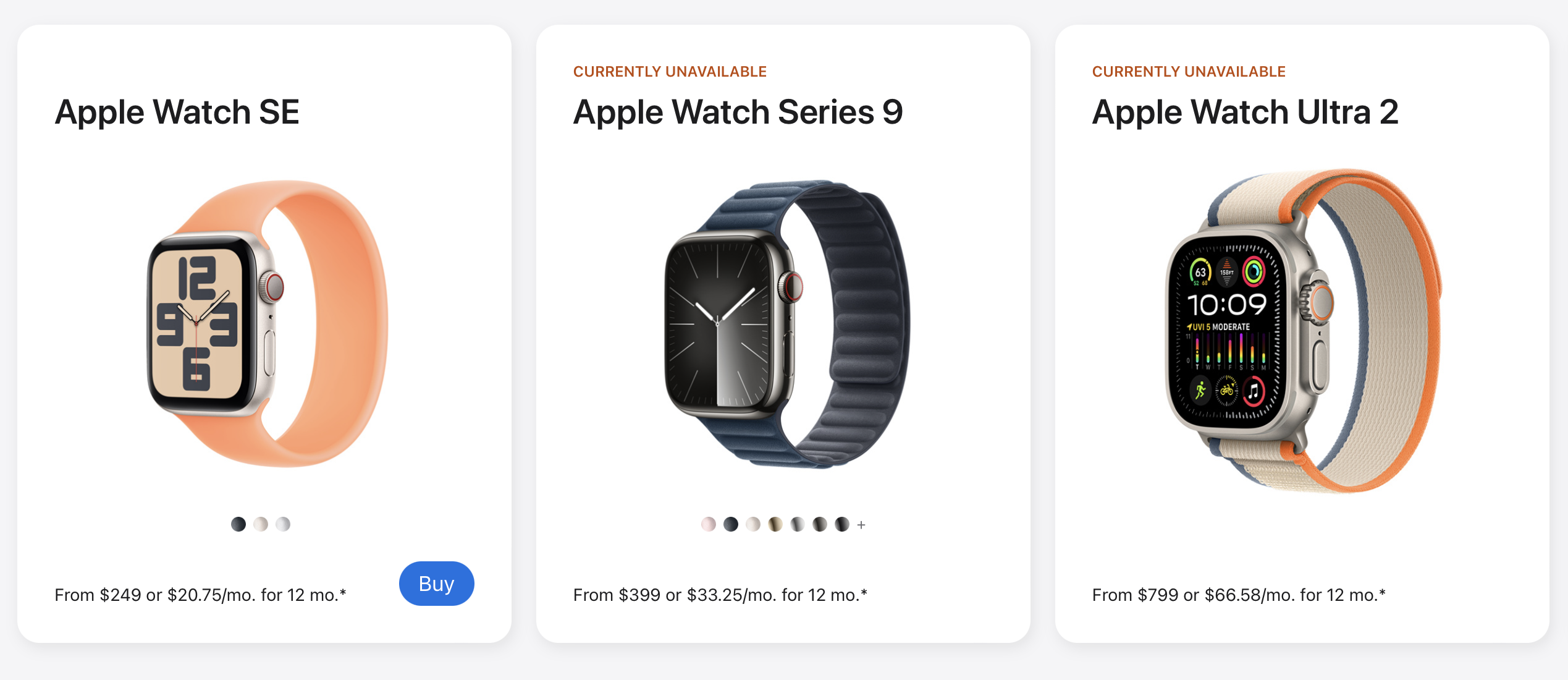
The White House has until Christmas Day to veto the import ban, and if it doesn’t, Apple will either need to settle with patent-holder Masimo or find a work around, as noted in the company’s statement to 9to5Mac earlier this week:
Apple’s teams work tirelessly to create products and services that empower users with industry-leading health, wellness, and safety features. Apple strongly disagrees with the order and is pursuing a range of legal and technical options to ensure that Apple Watch is available to customers.
Eric Migicovsky, writing on the Beeper blog:
Each time that Beeper Mini goes ‘down’ or is made to be unreliable due to interference by Apple, Beeper’s credibility takes a hit. It’s unsustainable. As much as we want to fight for what we believe is a fantastic product that really should exist, the truth is that we can’t win a cat-and-mouse game with the largest company on earth.
With our latest software release, we believe we’ve created something that Apple can tolerate existing. We do not have any current plans to respond if this solution is knocked offline. The iMessage connection software that powers Beeper Mini and Beeper Cloud is now 100% open source ( github.com/beeper/imessage). Anyone who wants can use it or continue development.
This video explaining how the shuttle got to space is the best I’ve ever seen. Real Engineering does a great job with these.
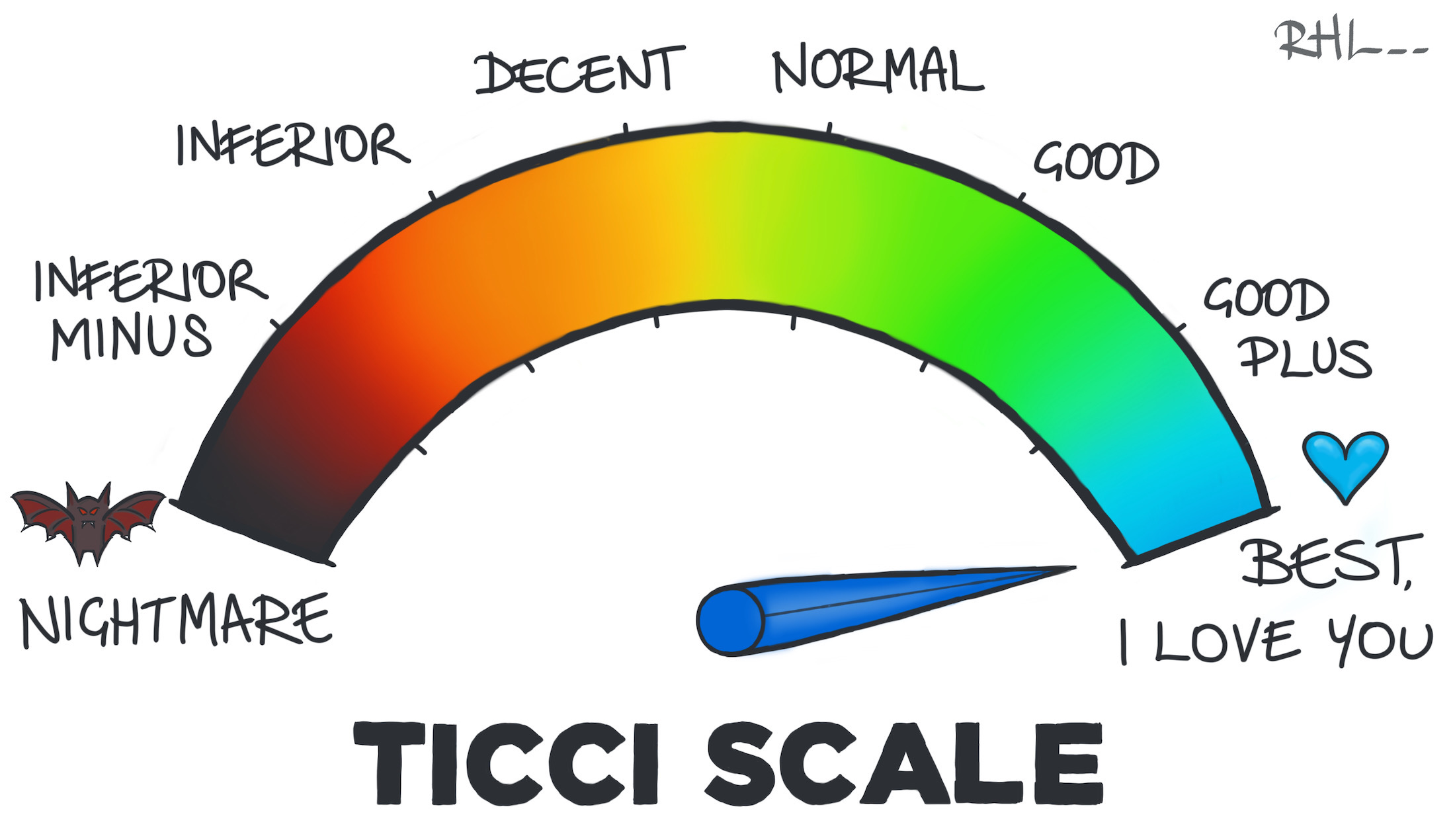
This week on Connected it’s time for the Annies, when Federico, Myke and I revisit the biggest stories of 2023, ranking each month according to the good and bad that each one brought.
As always, we use the world’s best system of measurement, the Ticci Scale:
Josh Rubin has some big CarPlay news:
The next generation of Apple‘s CarPlay is a leap forward in the integration of the iPhone with your car, offering seamless integration with the vehicle’s multiple displays and providing a holistic and intuitive user interface that’s unique to each car brand. This evolved version of CarPlay extends beyond the central infotainment system to include the driver’s information cluster and all other screens in the car, providing all vehicle information and interaction through a singular interface paradigm that also supports the user’s ability to select widgets to appear in predetermined areas on the screen—much like customizing the iPhone lock screen today. This version of CarPlay appears the moment the car is turned on and combines locally rendered content with features powered by the iPhone’s wireless connection to the car. Today Apple announced the first two partners on board to integrate this new generation, Aston Martin and Porsche, and showed us preliminary screens.
Jennifer Pattison Tuohy has written a sobering update on where the One Smart Home Standard to Rule Them All is here at the end of 2023.
The newest version of Shelly Brisbin’s excellent book about the accessibility features of iOS and iPadOS is out now. I learn something new every year.
Sometimes I forget there’s a whole dang computer in the Studio Display, then I come across a link like this one:
If a warning symbol appears on your Studio Display, your display is in recovery mode and needs to be updated.
If an error occurs while updating your Studio Display, a warning symbol and support.apple.com/display/restore appear on your screen. Use the built-in display on your Mac or another display connected to your Mac to update your Studio Display.
TextExpander’s customizable and shareable snippets of text allow your team to fly through repetitive tasks quickly by expanding the things you type regularly — all you have to do is type a short abbreviation and TextExpander does the rest of the work for you.
Here’s How It Works:
It’s that easy!