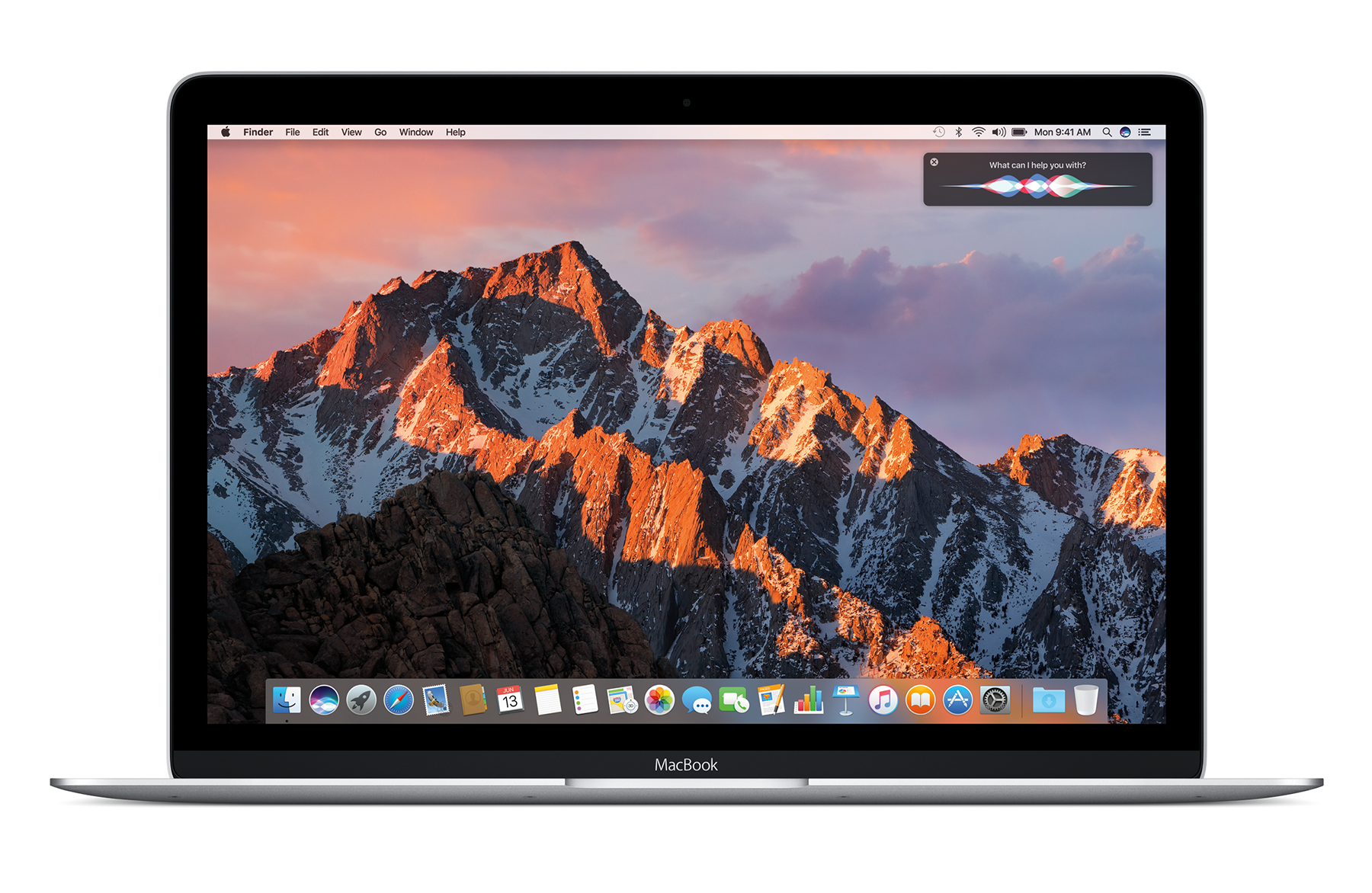
Summer 2001: The Final iMac G3s

By the time the summer of 2001 rolled around, Apple was well into the OS X transition. Mac OS X 10.0 Cheetah had shipped, and Puma was right around the corner.

The company itself was just a few months away from shipping the iPod, but was already on the road to recovery. The Digital Hub Strategy was taking shape. Apple’s notebook line was maturing, but of course, a lot of this success was built on the back of iMac G3.

Continue reading ⇢

iOS 10 bringing national organ donor registration to iPhone⇢

Apple PR:

Apple and Donate Life America announced today that, for the first time ever, iPhone users will be able to sign up to be an organ, eye and tissue donor right from the Health app with the release of iOS 10. Through a simple sign up process, iPhone users can learn more and take action with just a few taps. All registrations submitted from iPhone are sent directly to the National Donate Life Registry managed by Donate Life America. The ability to quickly and easily become a nationally-registered donor enables people to carry their decision with them wherever they go.

Continue reading ⇢

Today’s Hackintoshes⇢

Way back in 2009, I ran OS X Leopard on a Dell Mini 9 netbook, after screwing around with it on an HP Mini 1000. When I gave up on the project, I think I just assumed Hackintoshes weren’t really a thing anyone cared about.

I’ve seen articles here and there over the last few years about running Mac OS X on non-Apple hardware, but it seems that it’s actually pretty easy to get a Hackintosh up and running. Here’s Mike Rundle:

Continue reading ⇢

Science on the Mac⇢

Filed under “webpages Apple forgot were published:”

The Mac platform is the simple solution for complex scientific research. It lets you leverage all the power and utility of UNIX, even if you never look at a line of code.

Run anything and everything your work depends on, including scripts, open source and commercial software, and even Windows. Program in any language from C++ to Python. And publish and present your work with easy-to-use multimedia tools. The Mac is intuitive, so you’re free to focus on your research. And top-performing Intel processors let that research happen faster than ever.

Continue reading ⇢

RIP, Thunderbolt Display

Apple’s Thunderbolt Display

It seems that Apple has discontinued the Thunderbolt Display. Here’s Matthew Panzarino:

The current Mac’s display is 5k and can be extended (in lower res) to the existing Thunderbolt Display which runs at 2560×1440 but I can tell you from personal experience that the difference in resolution sucks from a usability standpoint.

“We’re discontinuing the Apple Thunderbolt Display. It will be available through Apple.com, Apple’s retail stores and Apple Authorized Resellers while supplies last. There are a number of great third-party options available for Mac users,” said an Apple spokesperson.

Continue reading ⇢

Snell, on macOS Sierra⇢

Jason Snell at Six Colors:

The X is dead—long live macOS. With this fall’s release of macOS Sierra, Apple is bringing some familiar iOS features to the Mac, along with interesting interactions with iOS hardware, a dramatic expansion of iCloud, a major update to Photos, and a lot more. I’ve spent the past few days using an early beta, and here are some first thoughts about where Apple is taking the Mac in 2016.

Continue reading ⇢

‘Can you take our picture?’

Visiting the Apple Campus

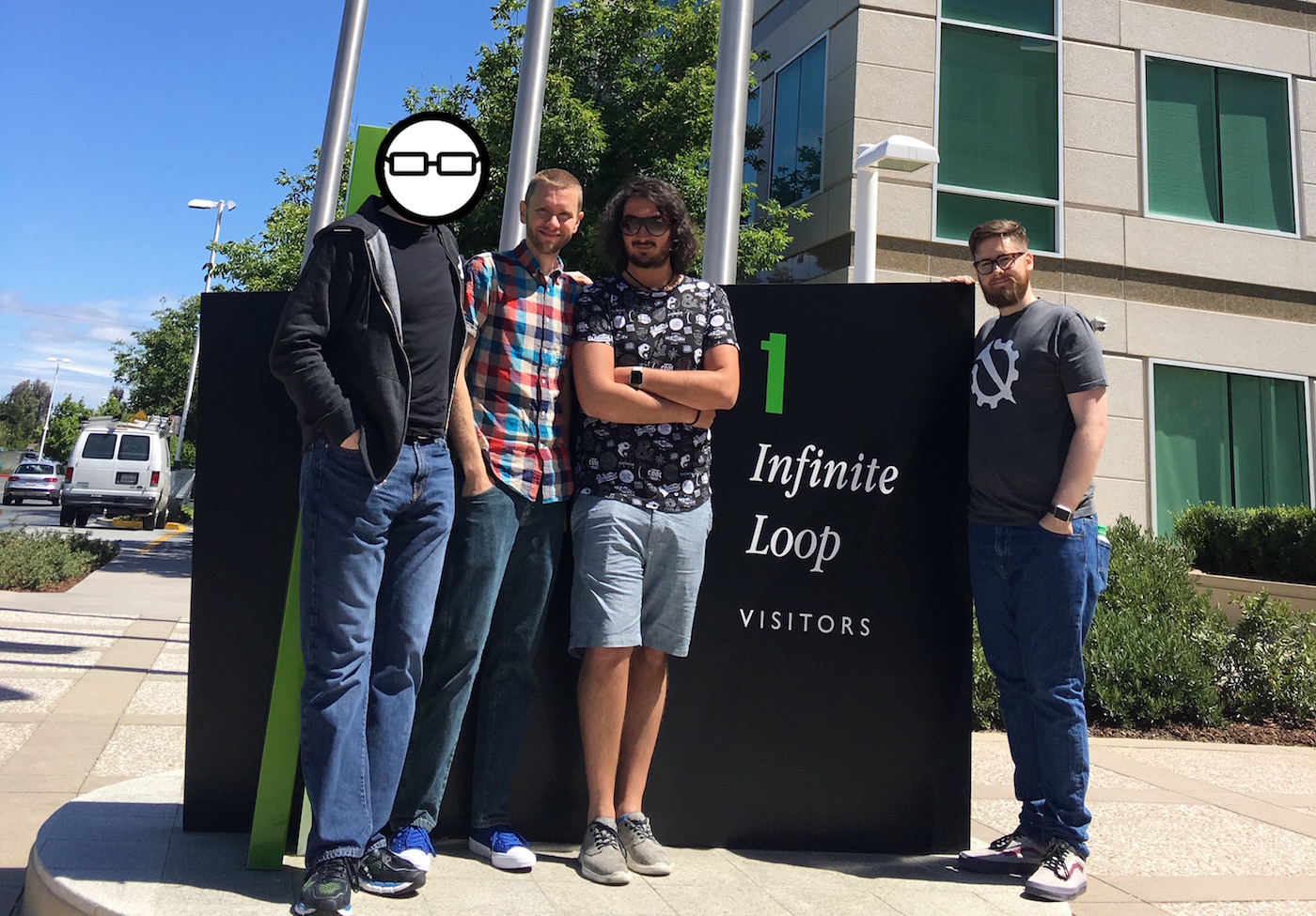
During WWDC last week, I took a drive down to Apple’s campus with CGP Grey, Federico Viticci and Myke Hurley. Ticci needed to pick up an iPad for his iOS 10 review and everyone wanted to get a photo in front of 1 Infinite Loop before Campus 2 opens.

Once we were in front of the sign, we asked two Chinese men who were there as well to take the photo you see above. They didn’t speak much English, but they were willing to help us out, taking several photos of our field trip.

Continue reading ⇢

Sierra’s new system requirements

Since Mountain Lion, Apple hasn’t changed the system requirements for its desktop operating system. Since 2012, these Macs could run the current OS:

  • iMac (Mid 2007 or newer)
  • MacBook (Late 2008 Aluminum, or Early 2009 or newer)
  • MacBook Pro (Mid/Late 2007 or newer)
  • Xserve (Early 2009)
  • MacBook Air (Late 2008 or newer)
  • Mac mini (Early 2009 or newer)
  • Mac Pro (Early 2008 or newer)

With macOS Sierra, that list has changed:

Continue reading ⇢

The post-WWDC glow⇢

Myke Hurley:

On the last day or two of WWDC, there are lots of blog posts written. Some people talk about the more technical things that they have seen during the week, and some post about how their WWDC experience has made them feel.

This post is the latter.

This. Just all of this.

Continue reading ⇢

Thoughts on macOS Sierra

macOS Sierra

macOS Sierra was not be the flashiest thing Apple previewed this week. watchOS and iOS saw big updates, and even tvOS promises fewer hassles with things like Single Sign-on and a dark mode.

However, since there’s an old Mac in the corner of this website, and I’ve written several OS X reviews over the past few years, Sierra is what I’m focusing on out of WWDC.

There’s a lot to this release beyond the new old name.

Continue reading ⇢

Sierra is its own OS⇢

Dan Moren, on the next version of macOS:

No longer burdened by its increasingly dated X-laden moniker, the rebranded macOS got a major addition in the form of Siri, as well as some more minor improvements sprinkled throughout the OS.

But to me, the big message to take away from Monday’s presentation is that Apple is all too happy for the Mac to share features and technologies where it makes sense, but to still let it stand on its own two legs and be the best version of itself.

Continue reading ⇢