Four Winners and Losers of Apple’s 2025

Apple’s year is just about done, so it’s time to pick some high and low points.

Winners: UI Experts on Social Media

macOS Tahoe, iOS 26, and their cousins will go down in history for being the releases that introduced Liquid Glass.

One of Apple’s stated desires with this design language was to unify its platforms with one universal look and feel, as shown off in the image at the top of the company’s press release about Liquid Glass:
Continue reading ⇢

So, Three Things

When Steve Jobs unveiled the iPhone in January 2007, his words made their way into history:

Today, we’re introducing three revolutionary products of this class. The first one is a widescreen iPod with touch controls. The second is a revolutionary mobile phone. And the third is a breakthrough Internet communications device.

So, three things; a widescreen iPod with touch controls, a revolutionary mobile phone and a breakthrough Internet communications device. An iPod, a phone and an Internet communicator… an iPod, a phone and an Internet communicator… are you getting it? These are not three separate devices. This is one device, and we are calling it iPhone.

Continue reading ⇢

Gonennandrea

Apple Newsroom:

Apple today announced John Giannandrea,1 Apple’s senior vice president for Machine Learning and AI Strategy, is stepping down from his position and will serve as an advisor to the company before retiring in the spring of 2026. Apple also announced that renowned AI researcher Amar Subramanya has joined Apple as vice president of AI, reporting to Craig Federighi. Subramanya will be leading critical areas, including Apple Foundation Models, ML research, and AI Safety and Evaluation. The balance of Giannandrea’s organization will shift to Sabih Khan and Eddy Cue to align closer with similar organizations.

Continue reading ⇢

iPhone Pocket⇢

iPhone PocketApple Newsroom:

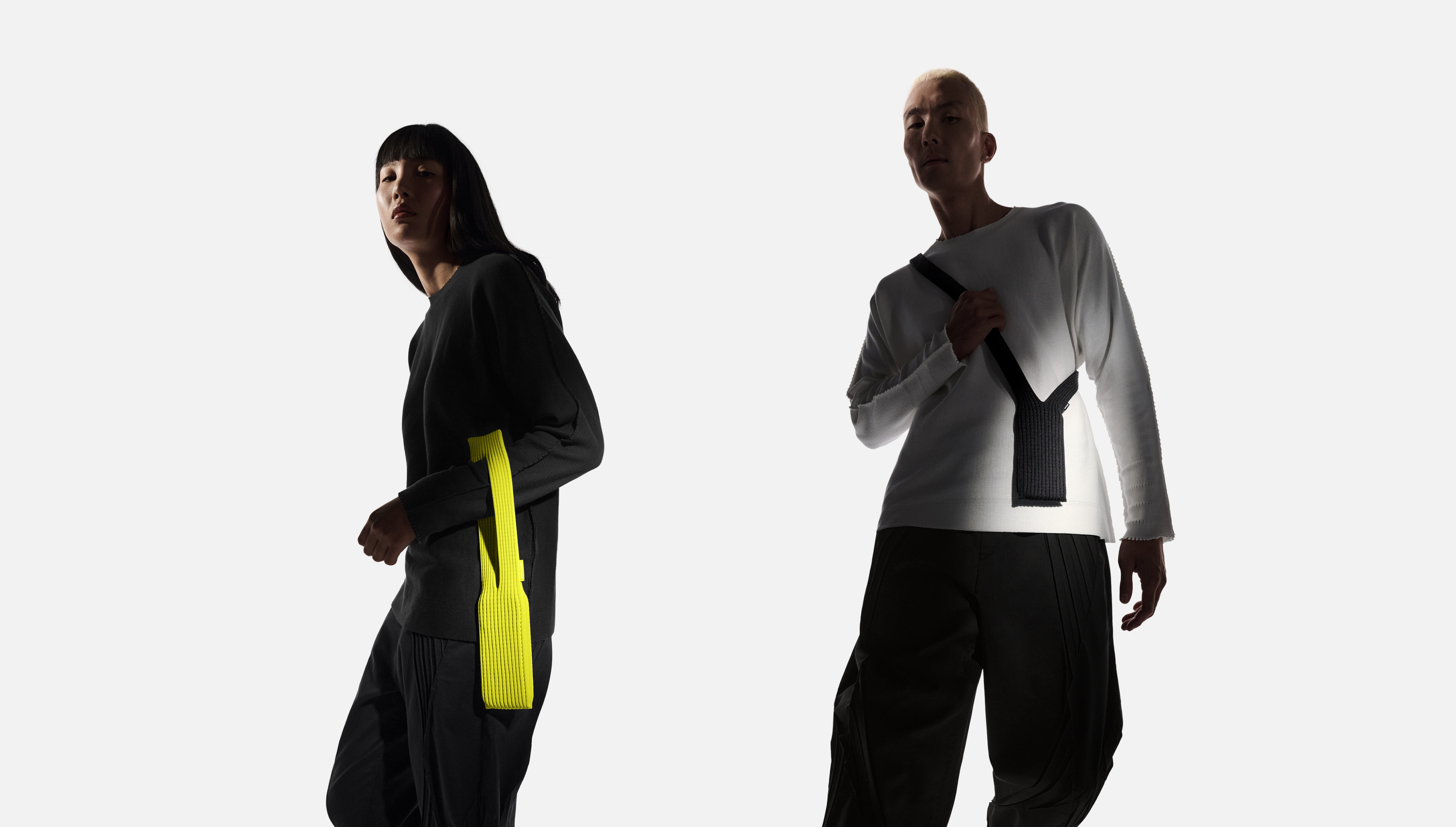
ISSEY MIYAKE and Apple today unveiled iPhone Pocket. Inspired by the concept of “a piece of cloth,” its singular 3D-knitted construction is designed to fit any iPhone as well as all pocketable items. Beginning Friday, November 14, it will be available at select Apple Store locations and on apple.com in France, Greater China, Italy, Japan, Singapore, South Korea, the UK, and the U.S.

iPhone Pocket features a ribbed open structure with the qualities of the original pleats by ISSEY MIYAKE. Born from the idea of creating an additional pocket, its understated design fully encloses iPhone, expanding to fit more of a user’s everyday items. When stretched, the open textile subtly reveals its contents and allows users to peek at their iPhone display. iPhone Pocket can be worn in a variety of ways — handheld, tied onto bags, or worn directly on the body. Featuring a playful color palette, the short strap design is available in eight colors, and the long strap design in three colors.

Continue reading ⇢

‘If You Can Beat Them Handily, Do It’⇢

John Gruber, in his M1 Mac review back in November 2020:

The logic behind Apple’s transition then to Intel boiled down to another old axiom: If you can’t beat them, join them.

The logic behind Apple’s transition now to Apple Silicon is this: If you can beat them handily, do it.

The M1 Macs are such better machines than their Intel-based predecessors it’s hard to believe. Apple’s battery life braggadocio is warranted. The battery just lasts and lasts and lasts. I’ve been using this MacBook Pro almost exclusively on battery power all week, doing both all my normal work and running benchmarks and performance-stressing tasks, and I can’t come close to depleting it in a full day of work.

Continue reading ⇢

Five Years of Apple silicon Macs

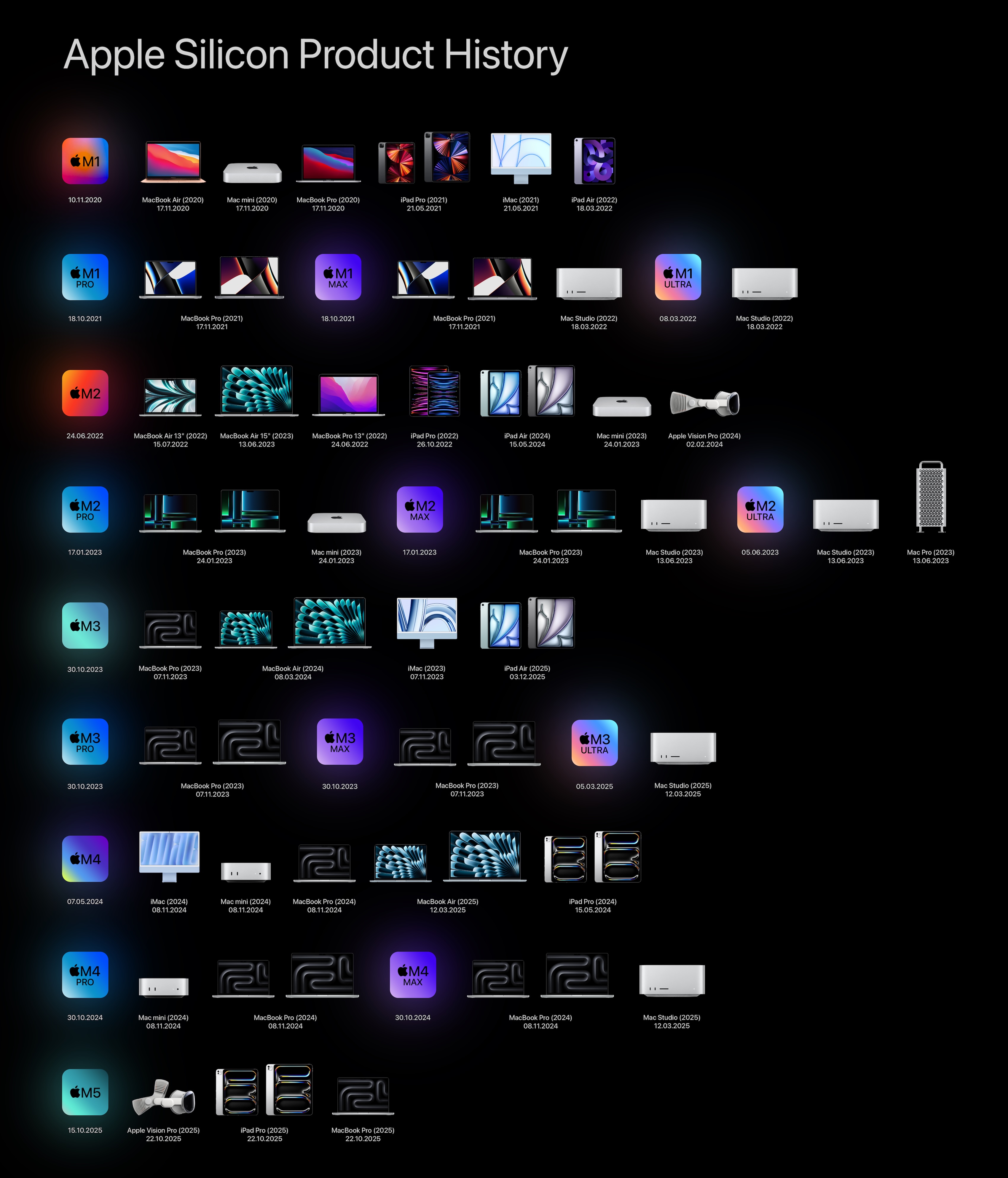
Five years ago, the first Apple silicon Macs shipped. While the MacBook Air, 13-inch MacBook Pro, and Mac mini looked like their Intel predecessors, they were vastly better machines.

To celebrate the anniversary, Basic Apple Guy created an impressive graphic outlining the releases we’ve seen since 2020:

Apple silicon releases

Over on Macworld, Jason Snell wrote about what this change has meant for the Mac:

Then the results of the first M1 speed tests arrived, and nothing felt scary anymore. Everything was fast, much faster than Intel, so much faster that even software compiled for Intel running in a code-translation layer via Rosetta ran just fine. In fact, the M1 was such a fast chip that, five years later, Apple’s still selling the M1 MacBook Air. (For $599, at Walmart.) And it’s still a pretty nice computer!

Continue reading ⇢

On Tahoe’s Terrible Icons⇢

Paul Kafasis has looked into the abyss of Tahoe icons:

On the new MacOS 26 (Tahoe), Apple has mandated that all application icons fit into their prescribed squircle. No longer can icons have distinct shapes, nor even any fun frame-breaking accessories. Should an icon be so foolish as to try to have a bit of personality, it will find itself stuffed into a dingy gray icon jail.

While Apple had previously urged developers to use squircle icons on our apps, they’ve now taken things much further to ensure compliance. It’s a shame.

Continue reading ⇢

The Longevity of the M1⇢

Nick Heer, writing about his M1 MacBook Pro:

I remember replacing my mid-2007 MacBook Pro after it was just five years old, already wheezing for at least a year prior while attempting even the simplest of things. On the other hand, the MacBook Pro I am using today was released four years ago and, keycaps aside, feels basically new. All the spec comparisons say it is far behind the latest generation, but those numbers are simply irrelevant to me. It is difficult for me to believe this computer already has several successive generations and is probably closer to obsolescence than it is to launch.

Continue reading ⇢

Apple Ends Its Financial Year With a Bang⇢

Jason Snell:

Apple announced the results of its fiscal fourth quarter on Thursday. The company generated $102.5B, a Q4 record which also closed its biggest fiscal year in terms of revenue ever. The fast-growing Services category also set an all-time high. Mac and iPhone revenue were also up, with wearables and iPad revenue more or less flat.

Apple also provided guidance that it expects to break records in its holiday quarter, including in iPhone sales. Read more about that here.

Continue reading ⇢

Steven Aquino on that Liquid Glass Toggle in Beta 4⇢

Steven Aquino, writing at Curb Cuts, bouncing off my post about the new Clear/Tinted toggle that appeared in this week’s betas:

Hackett notes Apple’s placement of the Liquid Glass control is surprising as he believed “a control like this would land in Accessibility.” However a logical presumption, it’s not really a hardcore accessibility feature. Here’s the thing about accessibility features, on iOS or Android or anywhere else: they’re a discrete, specialized—and admittedly esoteric—suite of settings intended to meet highly specific needs. While it’s true “accessibility is for everyone” for the most part, the majority of the options under Accessibility are decidedly opinionated in their target demographic.

Continue reading ⇢

Boring Is What We Wanted

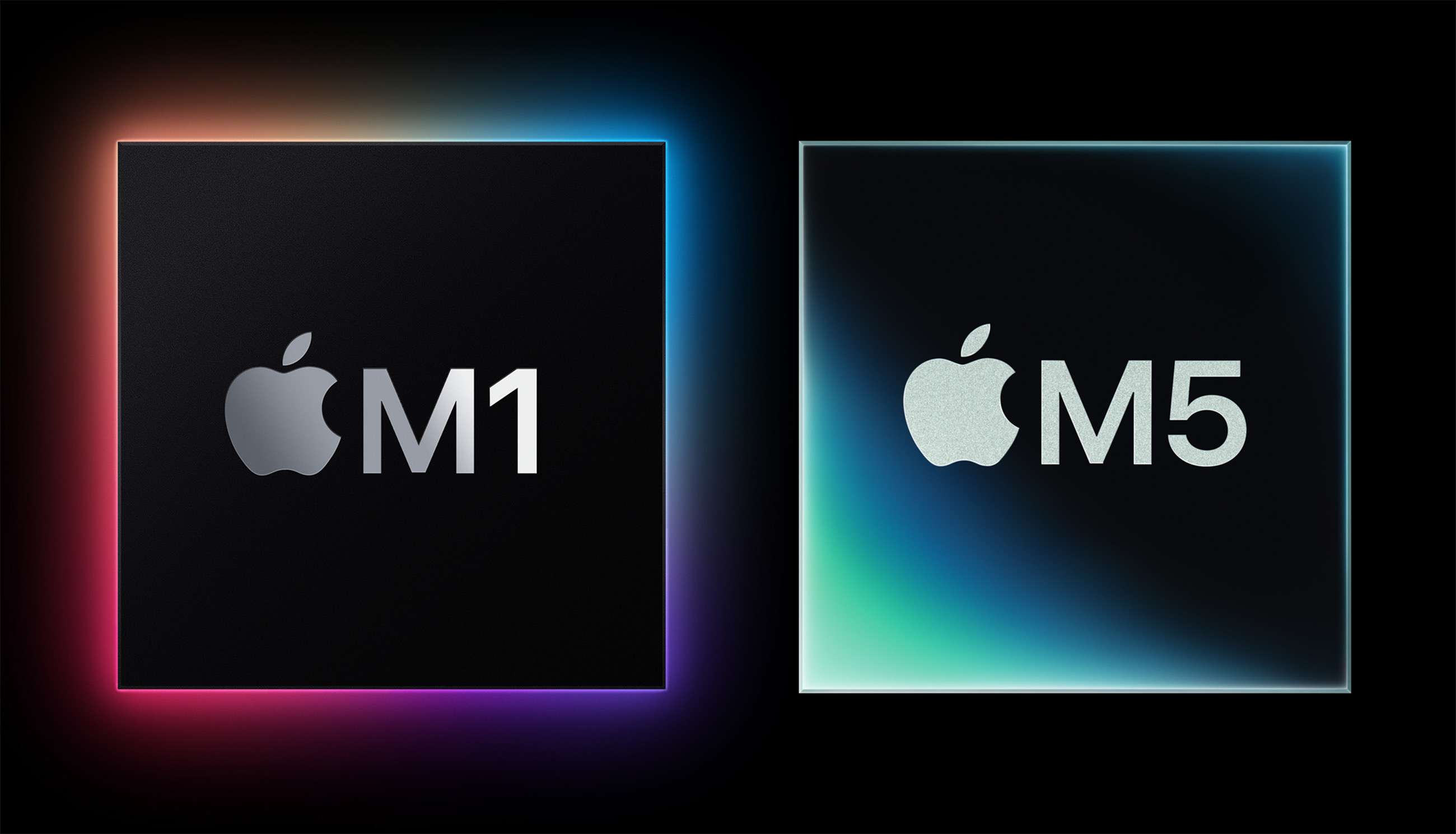
M1-M5

We are coming up on five years since the first M1 Macs shipped. It was an incredible time to be a Mac user. Those first Apple silicon Macs looked like the Intel machines they replaced, but they were better in every single way.

In December 2020, John Gruber wrote:

We knew this to be true: Computers could run fast and hot, or slow and cool. For laptops in particular, the best you could hope for is a middle ground: fast enough and cool enough. But if you wanted a machine that ran really fast, it wasn’t going to run cool (and wasn’t going to last long on battery), and if you wanted a computer that ran cool (and lasted long on battery), it wasn’t going to be fast.

Continue reading ⇢

iOS 26.1 Beta 4 Adds Liquid Glass Transparency Toggle

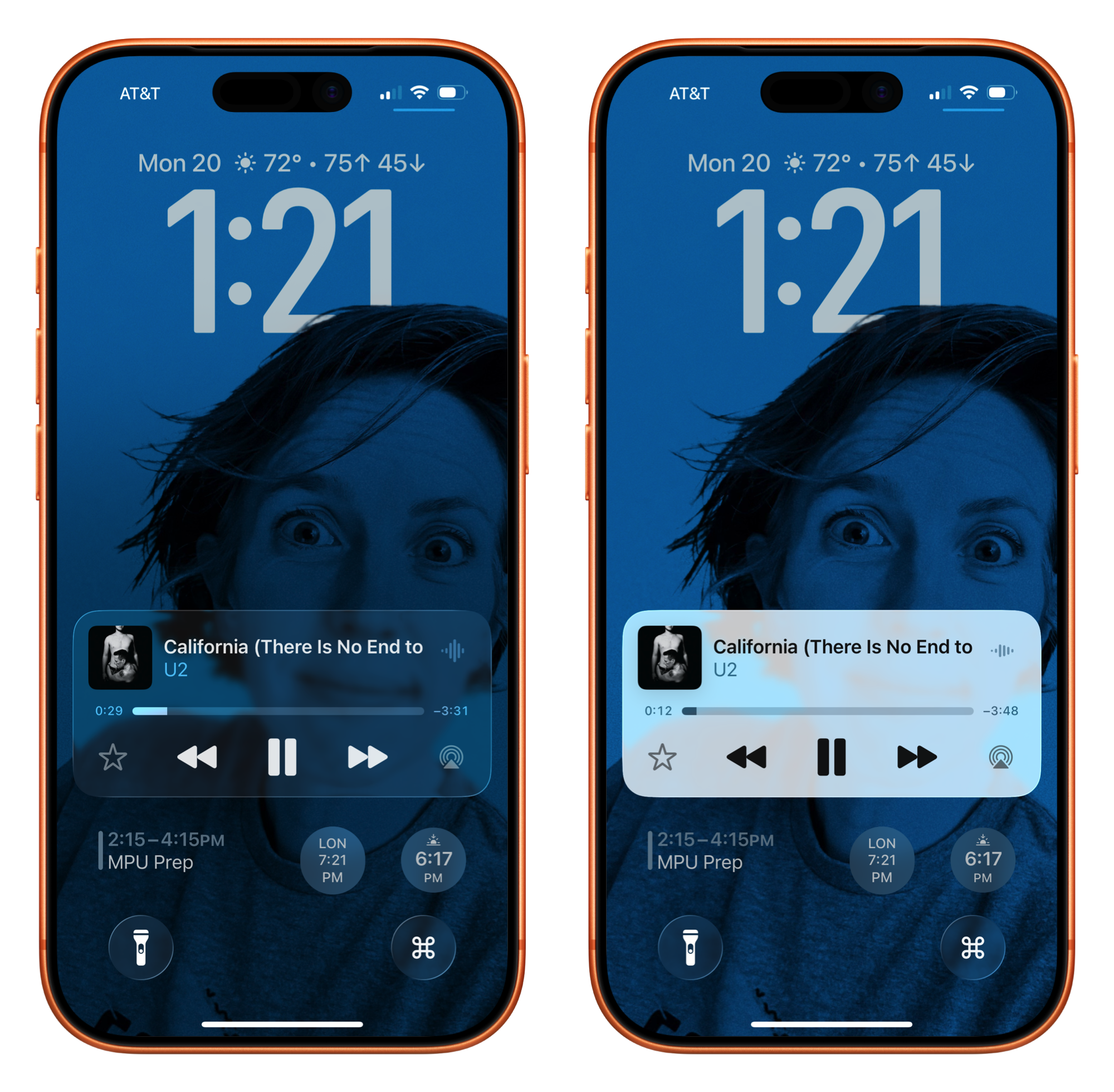
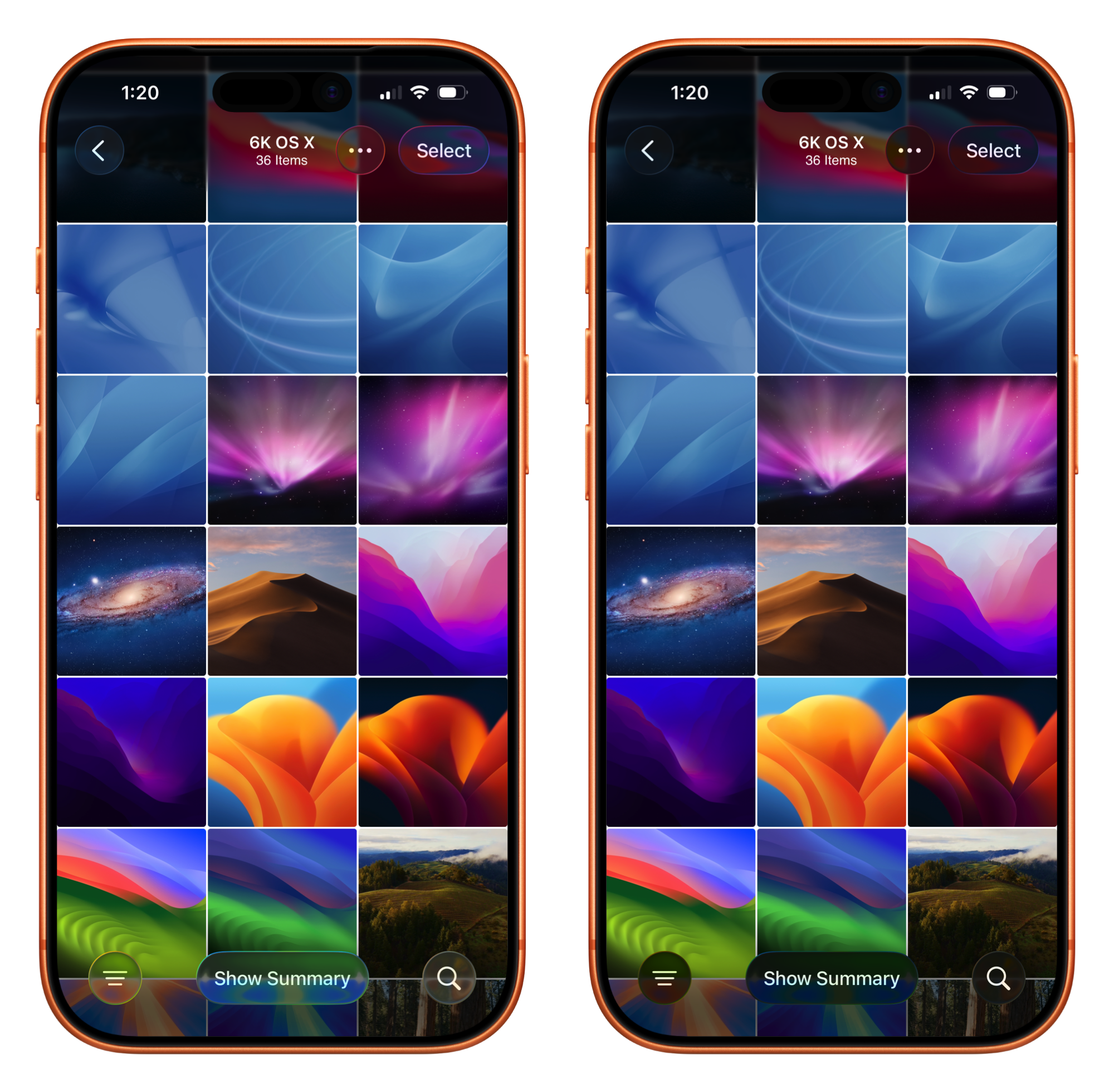
If you go to Settings > Display and Brightness on iOS, or System Settings > Appearance on the Mac, you’ll find a new toggle that lets you swap between two looks: Clear and Tinted. Clear is the look of Liquid Glass since iOS 26 launched, while Tinted adds opacity and contrast.

Here’s how the options look on the Lock Screen and in Photos:

Lock ScreenPhotos

This toggle being in the display settings with things like Dark Mode is interesting to me. I would have thought that a control like this would land in Accessibility…

Continue reading ⇢