Kbase Article of the Week: About the Upcoming Changes with iTunes on Mac⇢

Apple Support:

Here’s what to expect:

  • Music that you’ve imported or purchased will be in the new Apple Music app. The iTunes Store will still be available to buy music on Mac, iOS, PC, and Apple TV.
  • iPhone, iPad, and iPod backup, restore, and syncing will move to Finder.
  • Movies and TV shows that you purchased or rented from iTunes will be in the new Apple TV app.
  • Use the Apple TV app for Mac for future movie and TV purchases or rentals.
  • Podcasts that you subscribed to or added to iTunes will now be in the new Apple Podcasts app.
  • Audiobooks that you purchased from iTunes will now be in the updated Apple Books app.
  • Use Apple Books for Mac for future audiobook purchases.
  • iTunes Gift Cards and iTunes credits will be maintained and can be used with the new apps and the App Store.

While I am sure some people will miss iTunes, I’m excited by this new direction.
Continue reading ⇢

A Collection of iTunes Errors⇢

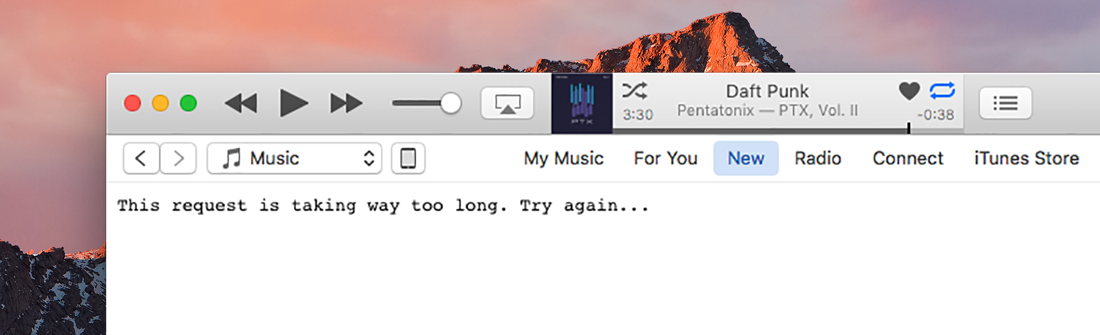
Allen Pike has put together a wonderful blog post looking at various iTunes errors over the years:

Once upon a time, Apple debuted an application for playing music.

Yes, an application. That’s what we called apps back when dinosaurs roamed the Mac. And one of the most-loved applications back in that ancient era was for playing your MP3s. It was called iTunes.

I think this one is my favorite:

Continue reading ⇢

HelloEdit⇢

I got an amazing tweet today:

Made something real geeky today, partly inspired by a blog post from 9 years ago on @512px. It’s a Markdown editor disguised as Word 5.1 for Macintosh System 7. Write like it’s 1992! https://t.co/y7eGn49kuJ pic.twitter.com/9TiND4soeM

— Raphael ???? (@lowercasename) May 28, 2019

The post in question is titled Markdown is the new Word 5.1 and was written by my buddy Kevin Lipe back in 2011, and was the site’s first link on Daring Fireball, I believe.

Continue reading ⇢

Vignette Makes Updating Contact Photos Easy and Secure⇢

After months of teasing, Casey Liss has shipped Vignette, a new iPhone app for keeping your contact images updated easily.

Here’s a bit from his blog post announcing the app, about why he wrote it:

As with all ideas, it starts with a question:

Could I get new pictures for all my contacts on my iPhone off Gravatar?

That was early February. I was just goofing off, and just seeing if I could make that work at all.

Continue reading ⇢

The MacSparky Keyboard Maestro Field Guide⇢

David Sparks has launched his new Field Guide, a video course all about Keyboard Maestro.

Keyboard Maestro is one of those applications that can really make a Mac sing, but it can be a bit intimidating at first. In this course, David walks through its features in an easily-digestible way. I haven’t used Keyboard Maestro in years, and walked away with a much better understanding of this app and how it can make using macOS more efficient. In fact, I’ve installed it and have already created several macros that are helping me work more quickly. If you’re using a Mac as your main computer, this is $24 you will not regret spending.

Continue reading ⇢

Review: Timery Improves Toggl Time Tracking in Every Way⇢

2019 has brought a lot of changes to my workload. I joined Mac Power Users, which radically changed how my work week looks, bringing to an end to a couple of projects and requiring changes to others.

I knew that to make informed decisions about my time as an indie, I needed data. Your gut will always be wrong about how you think you spend your time, but raw numbers don’t lie.

Continue reading ⇢

Bitcode May Be Key to x86/ARM Developer Transition⇢

Steven Troughton-Smith has spent some time testing one route to get from x86 to ARM for Mac apps:

Of course, the specter of macOS on ARM has been in the public psyche for many years now, and many have pondered whether Bitcode will make this transition more straightforward. The commonly held belief is that Bitcode is not suited to massive architectural changes like moving between Intel and ARM.

I was unconvinced, so I decided to test the theory!

Continue reading ⇢

Marzipan Apps and the Mac App Store⇢

Dave Mark, writing at The Loop:

Interesting difference between the Mac and iOS is the ability to download and run a Mac app without any involvement from Apple. While you can sideload an iOS app using Apple’s Mobile Device Management, Test Flight, or by building the app yourself, none of those offer the freedom the Mac brings.

Will Marzipan change that, even a bit? Will I be able to download a Marzipan app from a developer’s site and just run it on my Mac? Or will Marzipan restrict apps to the Mac App Store?

Continue reading ⇢