
If many years-long rumors are true, 2026 will be the year when Apple’s long-gestating folding iPhone becomes a reality. But there are a lot of different approaches to folding phones out there, and there’s no guarantee that the folding iPhone you imagine is the one that Apple is imagining.
Leaks from Apple’s supply chain have begun to strongly suggest the shape and size of the product we’ll call, for lack of a better name, the iPhone Fold. And since it’s likely going to be nine months before anyone holds one of these things in their hands, this seems like as good a time as any to consider the story Apple is likely to tell when it’s selling this device.
Category: Design
State Department Goes Back to Times New Roman for... Reasons ⇢
I promise this is not from The Onion, but rather Michael Crowley and Hamed Aleaziz at The New York Times:
Secretary of State Marco Rubio waded into the surprisingly fraught politics of typefaces on Tuesday with an order halting the State Department’s official use of Calibri, reversing a 2023 Biden-era directive that Mr. Rubio called a “wasteful” sop to diversity.
While mostly framed as a matter of clarity and formality in presentation, Mr. Rubio’s directive to all diplomatic posts around the world blamed “radical” diversity, equity, inclusion and accessibility programs for what he said was a misguided and ineffective switch from the serif typeface Times New Roman to sans serif Calibri in official department paperwork.
iPhone Pocket ⇢
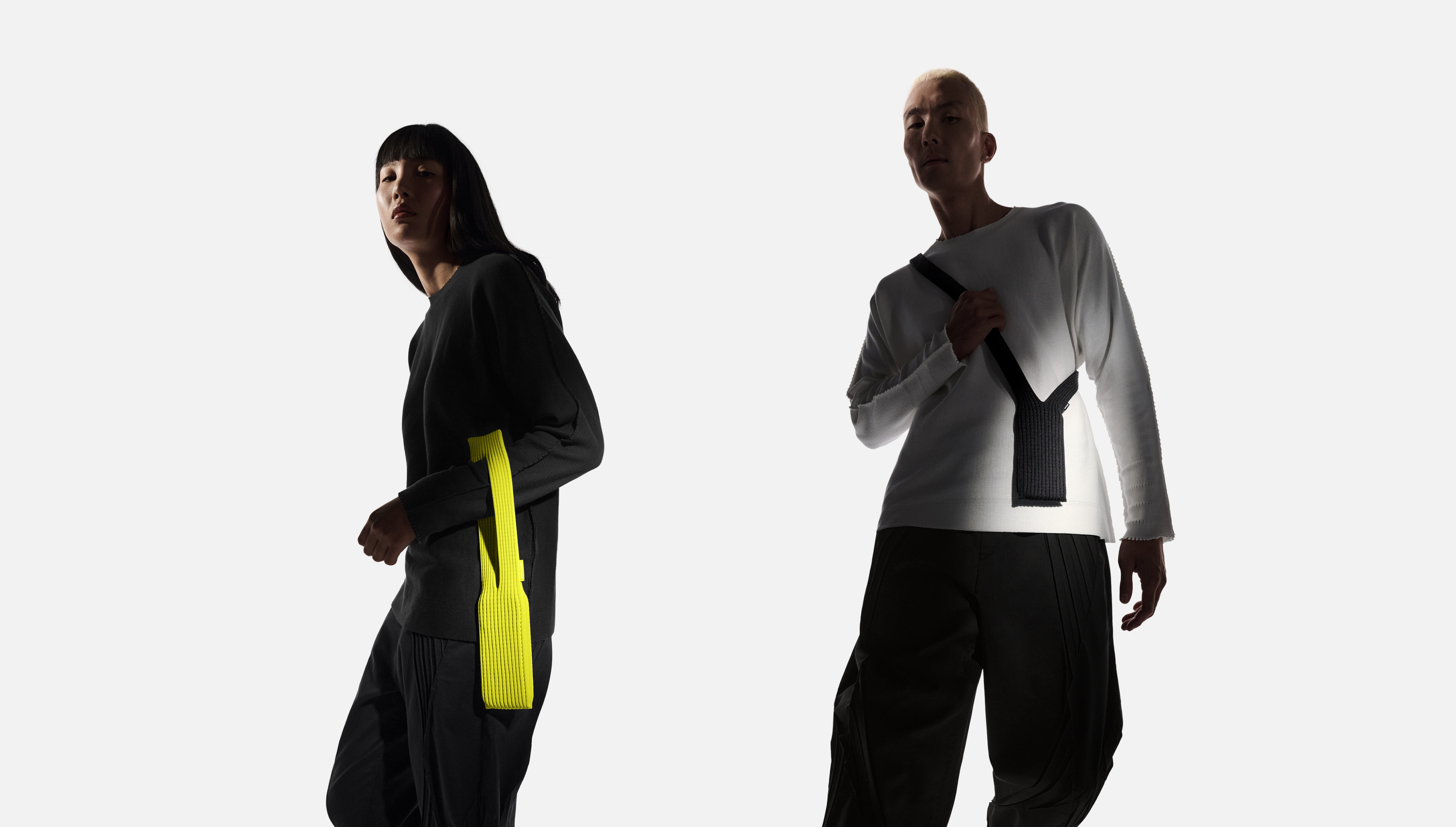
ISSEY MIYAKE and Apple today unveiled iPhone Pocket. Inspired by the concept of “a piece of cloth,” its singular 3D-knitted construction is designed to fit any iPhone as well as all pocketable items. Beginning Friday, November 14, it will be available at select Apple Store locations and on apple.com in France, Greater China, Italy, Japan, Singapore, South Korea, the UK, and the U.S.
iPhone Pocket features a ribbed open structure with the qualities of the original pleats by ISSEY MIYAKE. Born from the idea of creating an additional pocket, its understated design fully encloses iPhone, expanding to fit more of a user’s everyday items. When stretched, the open textile subtly reveals its contents and allows users to peek at their iPhone display. iPhone Pocket can be worn in a variety of ways — handheld, tied onto bags, or worn directly on the body. Featuring a playful color palette, the short strap design is available in eight colors, and the long strap design in three colors.
On Tahoe’s Terrible Icons ⇢
Paul Kafasis has looked into the abyss of Tahoe icons:
On the new MacOS 26 (Tahoe), Apple has mandated that all application icons fit into their prescribed squircle. No longer can icons have distinct shapes, nor even any fun frame-breaking accessories. Should an icon be so foolish as to try to have a bit of personality, it will find itself stuffed into a dingy gray icon jail.
While Apple had previously urged developers to use squircle icons on our apps, they’ve now taken things much further to ensure compliance. It’s a shame.
Steven Aquino on that Liquid Glass Toggle in Beta 4 ⇢
Steven Aquino, writing at Curb Cuts, bouncing off my post about the new Clear/Tinted toggle that appeared in this week’s betas:
Hackett notes Apple’s placement of the Liquid Glass control is surprising as he believed “a control like this would land in Accessibility.” However a logical presumption, it’s not really a hardcore accessibility feature. Here’s the thing about accessibility features, on iOS or Android or anywhere else: they’re a discrete, specialized—and admittedly esoteric—suite of settings intended to meet highly specific needs. While it’s true “accessibility is for everyone” for the most part, the majority of the options under Accessibility are decidedly opinionated in their target demographic.
iOS 26.1 Beta 4 Adds Liquid Glass Transparency Toggle
If you go to Settings > Display and Brightness on iOS, or System Settings > Appearance on the Mac, you’ll find a new toggle that lets you swap between two looks: Clear and Tinted. Clear is the look of Liquid Glass since iOS 26 launched, while Tinted adds opacity and contrast.
Here’s how the options look on the Lock Screen and in Photos:
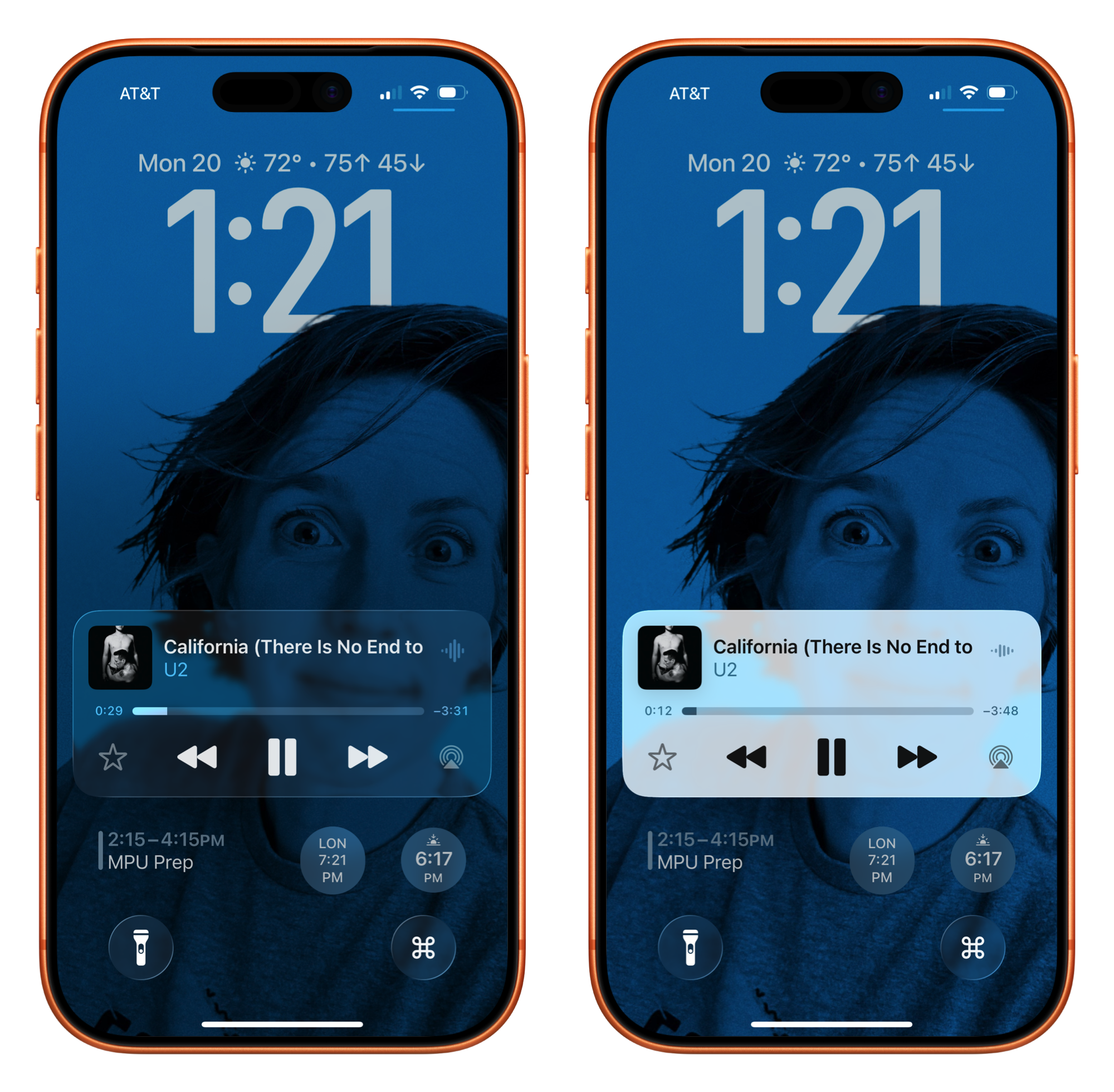
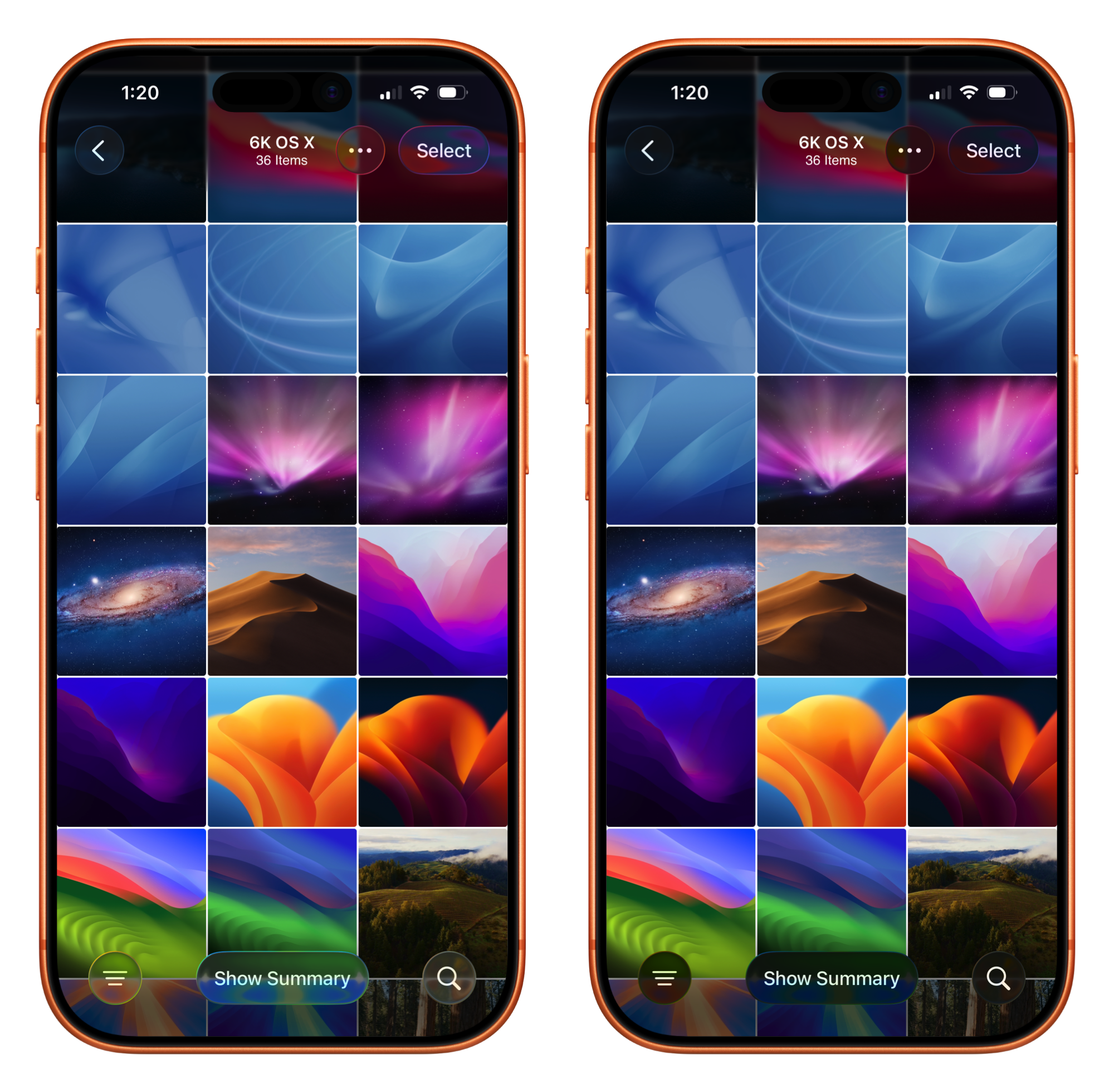
This toggle being in the display settings with things like Dark Mode is interesting to me. I would have thought that a control like this would land in Accessibility…
"I Will Solve Your Problem for You and You Will Pay Me" ⇢
After seeing my buddies at Studio Neat launch an amazing new patch, I fell down the rabbit hole that is the NeXT logo.
Dan and Tom linked to this video, which shows Paul Rand delivering his work to Steve Jobs and his team at NeXT. I hadn’t seen this before, and boy, I wish it were longer than a mere 80 seconds in length:
Rand did powerful and authoritative work when it came to corporate logos, as reflected upon by Jobs in a 1993 interview:
Nick Heer, on Liquid Glass ⇢
Nick’s long column on Apple’s new design language is probably the best thing I’ve read on the subject. This line about the glass material switching from light to dark as content scrolls behind it really jumped out at me:
It is Apple’s clever solution to a problem Apple created.
I like a lot about Liquid Glass, but there’s no arguing that there are issues that still need work, and I think Nick is pretty fair about what those are.
‘Benjamin Button Reviews macOS’ ⇢
Rakhim Davletkali has written a delightful blog post, reviewing macOS releases in reverse:
Apple’s first desktop operating system was Tahoe. Like any first version, it had a lot of issues. Users and critics flooded the web with negative reviews. While mostly stable under the hood, the outer shell — the visual user interface — was jarringly bad. Without much experience in desktop UX, Apple’s first OS looked like a Fisher-Price toy: heavily rounded corners, mismatched colors, inconsistent details and very low information density. Obviously, the tool was designed mostly for kids or perhaps light users or elderly people.
A Transparent Tale as Old as Time
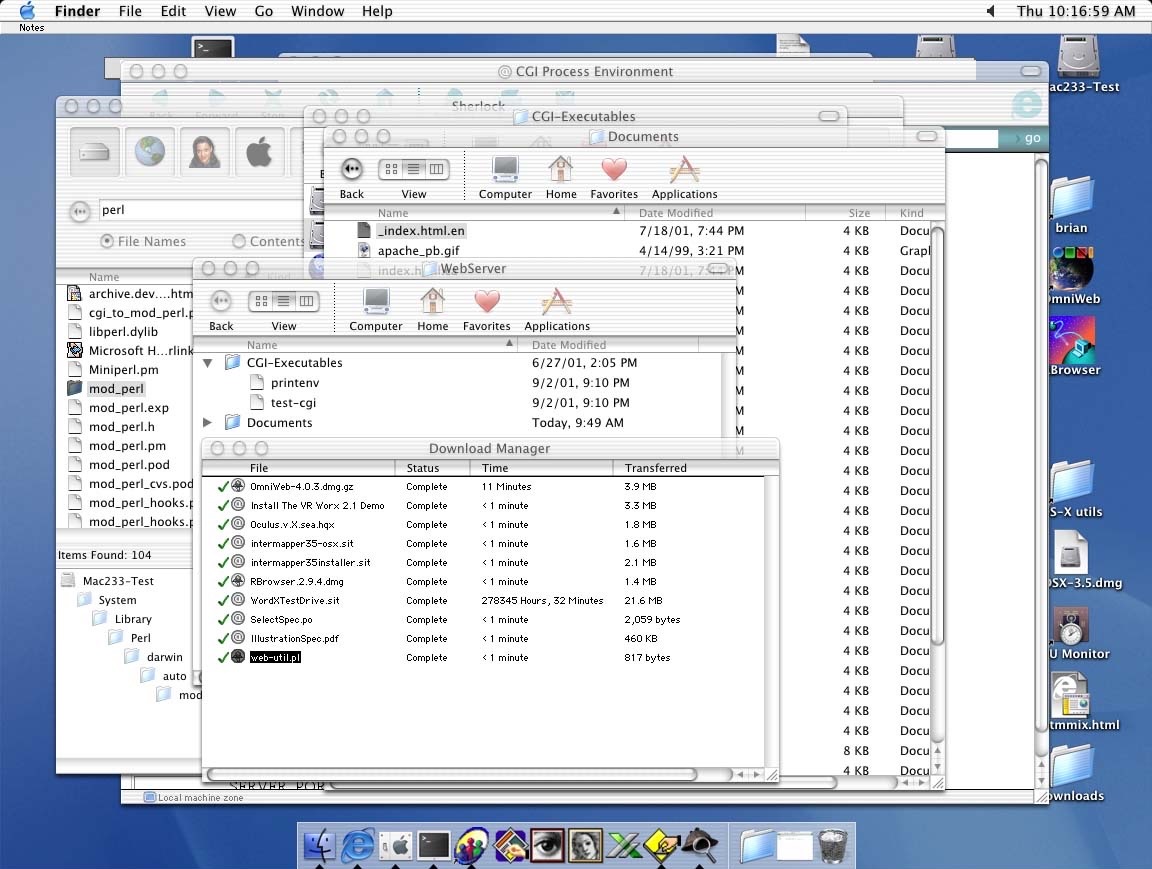
512 Pixels reader Brian sent me a screenshot they took way back on Mac OS X 10.0, showing that Apple’s current struggle with transparent user interface elements isn’t anything new:
Tahoe Added to the 512 Pixels macOS Screenshot Library
I spent a large part of my weekend making over 150 screenshots, just for you.

I mostly like Liquid Glass on iOS and iPadOS, but it feels like macOS got a lot less time in the oven than the mobile operating systems did. For example, toolbar buttons still really stick out, and I wish app icons weren’t all in squircle jail:

Like previous years, I have various sections of screenshots for you to check out, but with a new addition this year: Icon & Widget Styles.
Building a Rack-Mounted Macintosh Plus ⇢
Identity 4 has had a Macintosh Plus for years, but was unhappy with its bulk and heat generation, so they did something wild:
I ought to make a rack-mounted version of this computer so it can fit cleanly in my studio rack cabinets along with all my other conveniently packaged gear. I will even give it a sleek look and a clever name, something like Racintosh Plus… Hahaha yeah that’s pretty funny.