
When I import a 24-bit image in AppleWorks for Windows when the color is set to 8-bit (256 colors), the image is dithered to 256 colors. When the document is saved and opened with the color set to 24 or 32-bit, the image still appears to be only 256 colors. Can you help?
AppleWorks for Windows does indeed change the color depth of imported graphics. To work around this, set the color depth to the maximum before importing pictures. The image will be imported with correct bit depth. The image will be dithered on those systems with smaller bit depths but will display properly on systems with matching or greater bit depths.
Category: Kbase of the Week
Kbase Article of the Week: Band Care Information for Apple Watch⇢
This cleaning information applies to Apple-branded bands only. For all other bands, follow the care information provided with the band.
Yo dawg.
Kbase Article of the Week: System 7: How to Use Balloon Help⇢
When Balloon Help is on, balloons will appear which tell you about anything you point to on the screen. You don’t need to click, just point. When help is turned on, every point, click, and drag works exactly as it normally does.
To turn Balloon Help ON chose “Show Balloon” in the Help menu.
To turn Balloon Help OFF chose “Hide Balloon” in the Help menu.
Mmmmm, System 7:
Kbase Article of the Week: Performa Basics: Can‘t Use on a Performa 200⇢
When launching Performa Basics on the Performa 200, a message appears stating that the Performa 200 cannot be set to 16 colors, so the application will NOT run. It seems that Performa Basics requires a color monitor.
Performa Basics would not be useful for a Performa 200 user. Basic operation of the computer is thoroughly outlined in the User’s Guide.
The Performa 200 was the only model to use the classic compact Mac design, hence the lack of a color screen.
Kbase Article of the Week: Network Assistant: Observation Eyes Appear Even When Checkbox Is Deselected⇢
The “Show me when I am being observed” checkbox is deselected in the Network Assistant Security application on the client computer. However the eyes still appear in the client’s menu bar when the client is being observed from the Network Administrator station. This situation can occasionally occur when there is an issue with the Network Assistant preferences file.
????
Kbase Article of the Week: Mac OS X v10.6: Cannot delete some RSS feeds in Mail⇢
Some RSS feeds you delete in Mail may re-appear later.
Download and install the Mac OS X v10.6.2 Update or later.
I had totally forgotten RSS feeds were in Mail for a minute, but sure enough, they were, right alongside to-do items.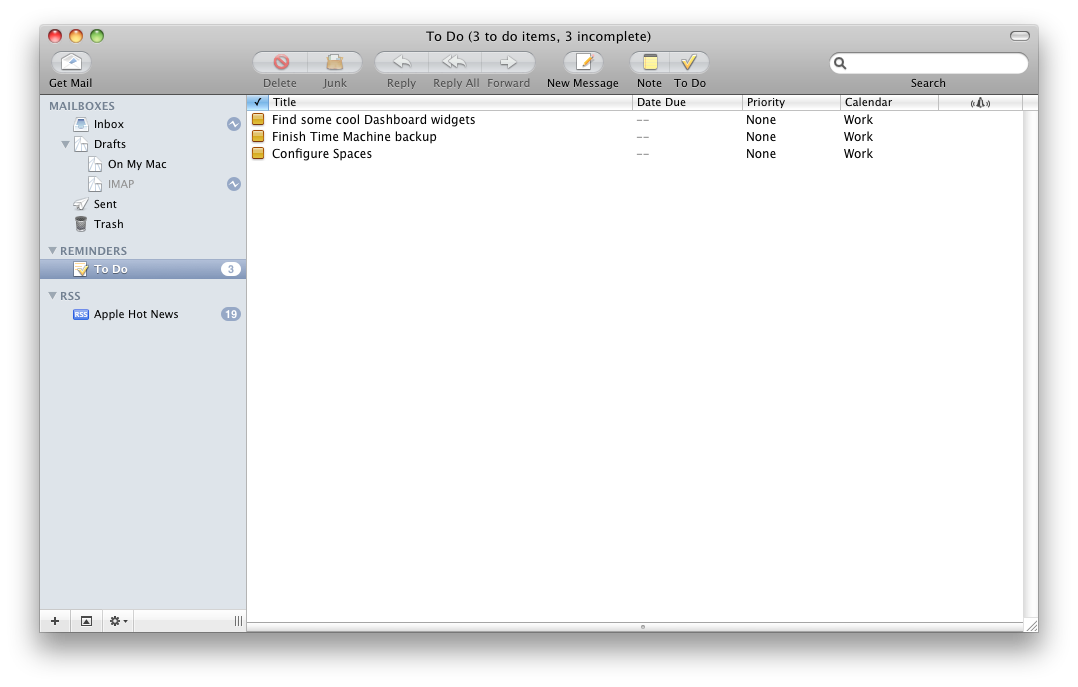
Kbase Article of the Week: Mac OS X Server 10.2: Server Assistant Stops Responding While Setting Up Server⇢
Mac OS X Server 10.2 Server Assistant may stop responding (“hang” or “freeze”) when setting up your server if TCP/IP is not enabled on the built-in Ethernet port.
The fix:
Enable TCP/IP on the built-in Ethernet port while setting up Mac OS X Server 10.2. It is not required that an Ethernet cable actually be connected to the port, so long as TCP/IP is enabled on it.
Kbase Article of the Week: MacBook Air (Original), MacBook Air (Late 2008), and MacBook Air (Mid 2009): Recovering a Lost EFI Firmware Password⇢
Learn what to do if you are unable to choose a desired startup volume using the Boot Picker, or if you no longer remember the EFI firmware password that you’ve set on your MacBook Air (Original), MacBook Air (Late 2008), and MacBook Air (Mid 2009).
I’m so excited to see what comes next.
If you cannot remember the EFI firmware password for your MacBook Air, please schedule a service appointment with either an Apple Retail Store or an Apple Authorized Service Provider.
Kbase Article of the Week: Using .AVI Files in iDVD⇢
The .AVI (Audio Video Interleave) file format is a container format which may contain audio and video codecs (compression formats) not supported by QuickTime and therefore not supported in iDVD.
In some cases, you may encounter issues with audio or video when adding .AVI assets to an iDVD project, or when attempting to burn a DVD or create a disc image from that project.