512 Pixels

Beyond the Living Room: Using the Apple TV in the Real World

It’s hard not to like the Apple TV. For just $99, it delivers iTunes, Netflix, Hulu, YouTube and more, right to your television. It’s simple to setup, simple to use and simple to troubleshoot. There’s really no reason not to have one as part of your home media setup.

As Apple’s quarterly numbers always show, the Apple TV continues to grow in success.

I manage almost 40 of them at work.

We use them in classrooms, conference rooms and sound booths for AirPlay from iOS devices and recent Macs. AirPlay works great — even across VLANs — if you have your network set up well.

I think this is a fairly common use of the Apple TV. While setting up a presentation during a meeting used to involve VGA cables, projectors and fiddling with display settings, AirPlay is just about as frictionless as it can be.

In addition to AirPlay, we use the Apple TVs to show the occasional movie purchased with the company’s AppleID.

However, I’m using 13 of our Apple TVs in a very different way.

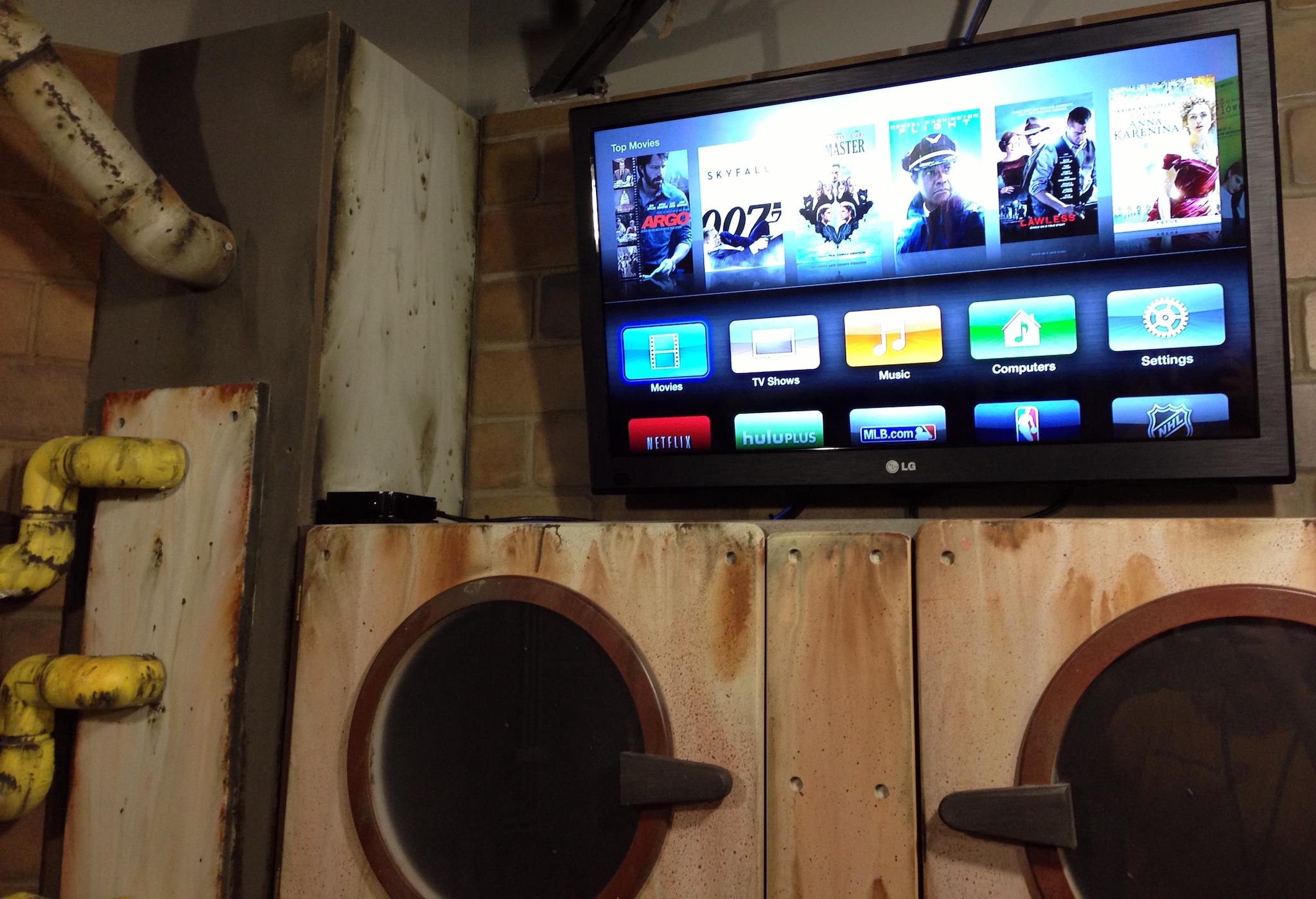
We have a large section of our building which houses three floors of obstacle course rooms. These “Mission Rooms” are all heavily themed, and a coach takes groups through the sections, using video to explain what the teams must do to advance. Their tasks may include math problems, science experiments or just a conversation, but it’s all driven from the TV in each room.

While in an early design of this space called for a Mac mini each room, thanks to iTunes Home Sharing, we’re able to serve these videos to Apple TVs from a central library.

(I realized this while in the shower one morning. True story)

Since we have 13 Apple TVs that can all be used at once, we didn’t want iTunes — or the computer hosting the library — to become a bottleneck. To help with this, we installed a pair of Mac minis (with external, Firewire-based RAIDs) to act as the Home Sharing libraries.
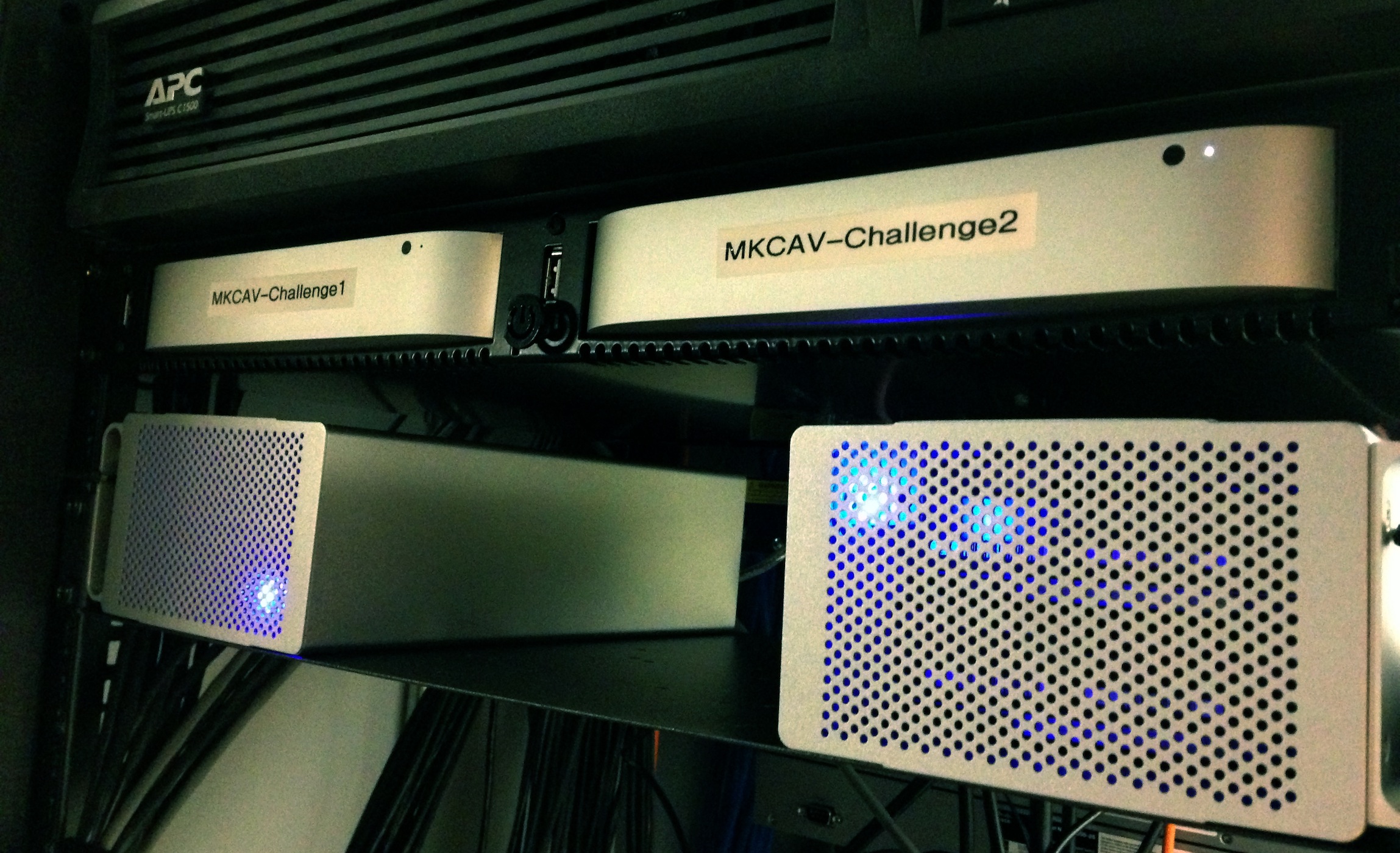
(The Mac minis are housed in this rack-mounted enclosure.)

The Mac minis are signed in to different AppleIDs, with half of the Apple TVs signed in to each ID.

All a facilitator has to do it select the “Computers” menu on the Apple TV and find the video they need to play. Since we’re using two different IDs, the load is balanced between the two machines and their libraries.

Sadly, this system isn’t perfect, and most of the issues stem from iTunes itself. Occasionally, I’ll have an Apple TV be unable to connect to the library, which will require me to restart iTunes on that Mac mini. The Apple TVs also struggle sometimes to pull up the photos I’ve shared from iTunes and set as their screen savers.

Additionally, setting up this many Apple TVs was a pain. There’s no real way to manage them in bulk, so I end up walking around to make network or setting changes manually on them. At least it’s good exercise.

<

p id=“yui_3_10_1_1_1394497302152_5221”>(Apple’s own Configurator application can do some things with the Apple TV, but on the whole, I found the app to be a mess.)

All in all, however, I’m pretty pleased with Apple’s set-top box. It has its limitations, but for my specific purposes, it gets the job done most of the time. Combined with its low cost and ease of use, it’s hard to argue with using them all over the place, despite the headaches.

On Smartphone Widgets⇢

HTC’s Drew Bamford, writing about the work that went in to Sense 4:

During our research, a few consistent patterns emerged:

-Most people don’t differentiate between apps and widgets.

-Widgets aren’t widely used – weather, clock and music are the most used and after that, fewer than 10% of customers use any other widgets.

-Most of you don’t modify your home screens much. In fact, after the first month of use, approximately 80% of you don’t change your home screens any more.

Yet, until Apple adds these things, some will continue to claim that iOS feels stagnant.

@reneritchie

The 512 Podcast 052 - Fire up a Tumblr & Go to Town⇢

This week, Myke and I discuss Myke’s ability to force developers in to updating their apps with a mere mention, then discuss the state of the Apple blogosphere and those who might be stuck in the past when it comes to Apple’s direction and business.

This episode is brought to you by: Squarespace, the secret behind exceptional websites. Go to squarespace.com/70decibels to start your free trial and use the offer code 70decibels2 at checkout to get 10% off your first order.

Out of School, Episode 26⇢

This week, I was excited to be a guest on the excellent “Out of School” podcast. Bradley and I spoke about IT and customer service, Apple’s changing hardware and more. It was a real blast, and you should go check it out. This show’s been in my podcatcher since the first episode, and it should be in yours, too.

On Being the Mac Guy

This weekend was a big one.

My day job is running the IT/AV/Multimedia/Design department for a faith-based non-profit that just opened a 104,000 square-foot community center. I’ve been on board with this project for three years, and seeing it open was the realization of lots of dreaming and even more hard work.

While we enjoy a good amount of autonomy, this weekend, loads of people from our divisional and territorial offices were in town for the opening events.

And man, did I get some comments about the technology I’ve installed.

See, our corporate side is Windows-centric, all the way down. All of our internal communication happens within the garden walls of Lotus Notes. Only last year were iPhones added to the list of approved phones for employees to carry. (Thousand of Blackberrys were turned in, I bet.)

And I installed a ton of Macs.

Our office runs on Windows. We’ve got a HP server in the closet, an Active Directory and things like mapped network drives and terminal servers keeping everyone connected and working.

Outside the office, however, I’ve deployed a lot Apple gear. We’ve got something like 40 Apple TVs, and over a dozen Macs driving our various AV systems.

Yesterday, I was sitting behind one of two stupid, thin new iMacs in one booth when an out-of-towner came up to me.

You’re that Mac guy, right?

Turns out my installation of non-standard equipment has made ripples across the organization. When someone brings it up, the conversation goes one of two ways.

Most people think its cool, and express some jealousy over my ability to do what I want when it comes to this gear. Sadly, these are often the same type of people who try to find common ground, like the dude who tried telling me about the “G5 Mac Pro” he was looking at buying. After I explained that he either had a G5 or a Mac Pro, based on what architecture the system was based on. He walked away when I said it was easy to tell what he had, based on the number of optical drive openings in the front of the case.

(In hindsight, I probably came off as a little pedantic.)

Other people try to write off the Mac (and other Apple products) as toys, inferring that I’m not a “real” IT guy because I prefer OS X over Windows. Bring up AirPlay, and they talk about Wi-Fi security. Talk about the iPhone, and they mention something about keyboards and being “closed.”

Sadly, the people in this camp are often in IT themselves.

The truth is, I believe in options. I choose the best tools for the job. I’ve got Windows, OS X, iOS, Linux and Cisco-based gear under desks and in racks. Apple isn’t always the best fit, so I don’t always use the company’s products. But my reputation has stuck, and until people see otherwise, I’ll be the weird Mac guy in Memphis, breaking the rules with his shiny, silly machines.

I’m part of a new generation of IT director. I trust my users and deploy what I need to get the job done. I don’t see why that causes such a stir.

App.net Goes Freemium⇢

Dalton Caldwell:

Although App.net has had only paid account tiers thus far, we initially conceived of App.net as a freemium service. It took some time to get to this point, but we are now ready to make this vision a reality.

The details are pretty cool. Free accounts require an invitation from a paying member, can follow a maximum of 40 users, and get 500 MB of available file storage, with a 10 MB-per-file limit.

Speaking of invites, here are two:

I’m @ismh over there, too.

The Magazine Gains Sharing and Web Subscriptions⇢

Marco:

I hastily built a basic site while I was waiting for the app to be approved. I only needed it to do two things: send people to the App Store, and show something at the sharing URLs for each article. Since The Magazine had no ads, and people could only subscribe in the app, I figured there was no reason to show full article text on the site — it could only lose money and dilute the value of subscribing.

That was the biggest mistake I’ve made with The Magazine to date.

I’m glad that Marco is opening things up a bit. When my article was published, lots of people were talking about it, and it would have been nice to have the whole thing public. While Marco’s policy of letting writers publish their pieces on their own sites later is great, this move is a great one for generating conversation after an article is pushed to The Magazine’s readers.

The Magazine is perhaps the most interesting thing happening at the intersection of journalism and Apple at the moment. Don’t miss Marco’s interview with Ben Brooks, in which they discuss publishing, iPads and more.