Connected #314: The Jeremies (Fall 2020)⇢

Another week; another special episode:

Apple is on the verge of releasing new emoji, so it is time for Federico to try to guess their names.

On Connected Pro, he also shared about his first pet and a favor the universe is going to do for him. It was wild.

My thanks to our sponsors:

  • Pingdom: Start monitoring your website performance and availability today, and get instant alerts when an outage occurs or a site transaction fails. Use offer code CONNECTED to get 30% off. Offer expires on January 31, 2021, and can be used only once.
  • Squarespace: Make your next move. Enter offer code CONNECTED at checkout to get 10% off your first purchase.

Continue reading ⇢

Kbase Article of the Week: AppleWorks for Windows: Importing Pictures Changes Bit Depth⇢

Apple Support:

When I import a 24-bit image in AppleWorks for Windows when the color is set to 8-bit (256 colors), the image is dithered to 256 colors. When the document is saved and opened with the color set to 24 or 32-bit, the image still appears to be only 256 colors. Can you help?

AppleWorks for Windows does indeed change the color depth of imported graphics. To work around this, set the color depth to the maximum before importing pictures. The image will be imported with correct bit depth. The image will be dithered on those systems with smaller bit depths but will display properly on systems with matching or greater bit depths.

Continue reading ⇢

Sponsor: SheetPlanner: The Ultimate Tool for Organizing Information, Managing Projects and Getting Things Done⇢

SheetPlanner helps you organize information, manage your projects, and schedule your tasks and activities with unparalleled power and flexibility.
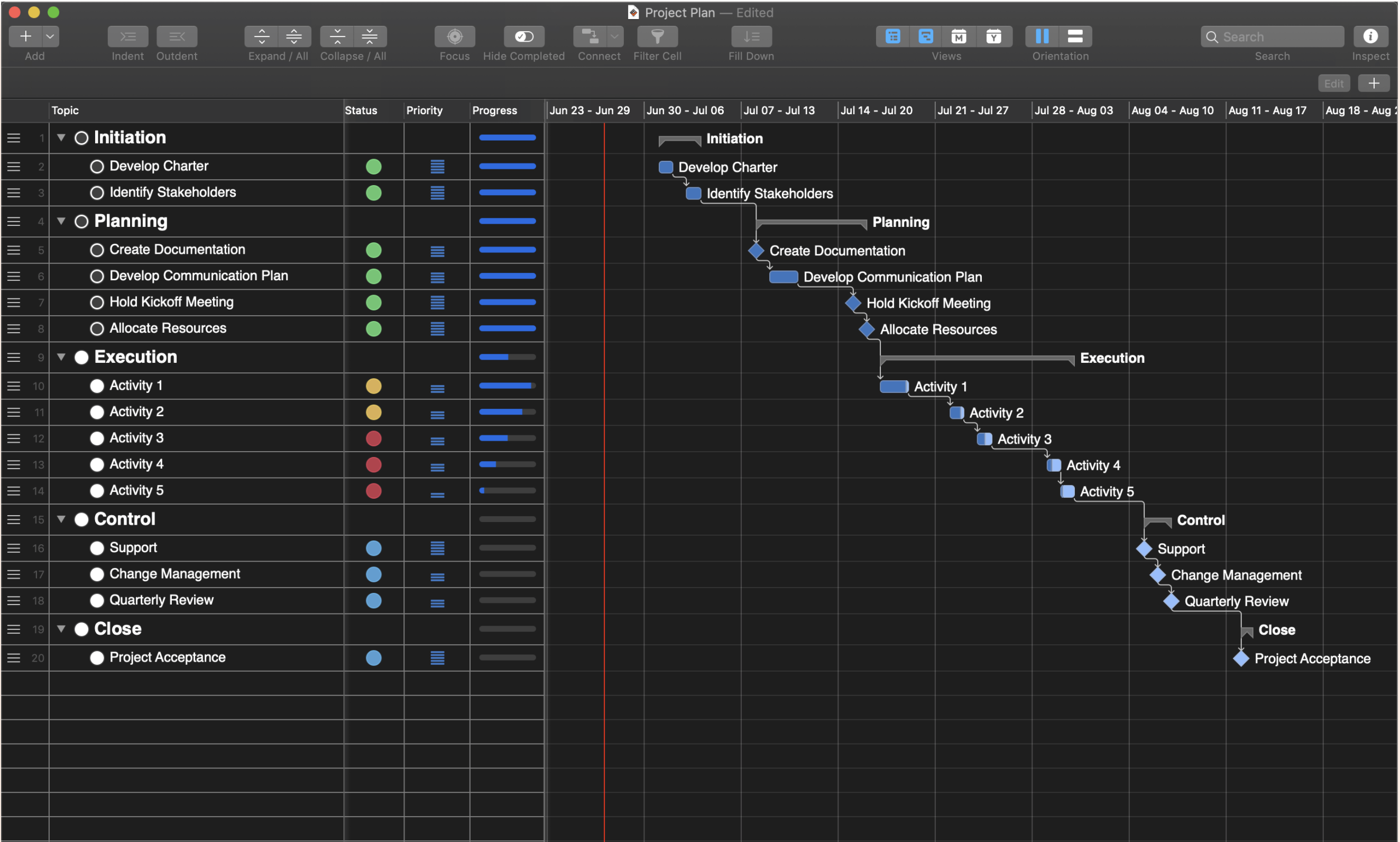
Get organized…

Organize information using the Outliner to provide structure. Populate the start, finish and progress columns to create a schedule and track progress. Add custom, text, number, date, symbol, list and picture columns to track additional information.

Make a plan…

Visualize tasks with start and finish dates on the Timeline. Change the Timeline scope to get a high level view of your project over multiple years or zoom in to weeks or even days for more precision. See the progress of each task in the Timeline. Customize the color of Timeline bars. Preview and print the Timeline.

Continue reading ⇢

Mac Power Users #555: iOS 14 Extravaganza⇢

This time on a jam-packed episode of Mac Power Users:

iOS 14 is here, bringing new features like widgets, the App Library, increased privacy and a lot more. This week, David and Stephen review the release and talk about how Apple could take some of these features farther in the future.

It’s been a long time since Apple radically changed the home screen experience on the iPhone, and I have to say, it’s been a lot of fun exploring the possibilities.

Continue reading ⇢

Weighing In and Long-Term Follow-Up⇢

Dr. Drang:

In yesterday’s post, I mentioned that it took me a year to finally get around to writing a script I’d been thinking about. Today’s post is one whose seed was planted almost two years ago.

In October 2018, Myke Hurley and Stephen Hackett were in Chicago for a Relay FM event that I attended. During the event, they recorded this episode of Ungeniused, their podcast about weird articles on Wikipedia. In honor of the city they were in, the article they chose was " Raising of Chicago," which describes how, in the 1850s and 1860s, the roadways and buildings of the city were elevated as much as six feet to get them up out of the muck and allow decent drainage of both stormwater and wastewater.

Continue reading ⇢

Windows XP Included Incomplete Aqua-like Theme⇢

Tom Warren at The Verge, writing about some half-finished themes found in this week’s XP source code dump:

One is labeled “Candy” and includes a design that closely resembles Apple’s Aqua interface that was first introduced at the Macworld Conference & Expo in 2000. Although the theme is incomplete, the Windows XP Start button and various buttons and UI elements are clearly themed to match Apple’s Aqua.

Continue reading ⇢

Connected #313: Trojan Horse in My Phone⇢

This week:

Federico is using Base64 to make wallpapers, Myke’s iPad mini is out of space and Stephen is upset about Apple’s new GMT watch face. Also discussed: what iOS 14 is doing to our home screens and what others are doing with widgets.

My thanks to our sponsors:

  • Ahrefs: SEO Tools & Resources To Grow Your Search Traffic. Get a 7-day trial for just $7.
  • StoryWorth: Record your family stories. Get $10 off your first purchase.
  • Readdle: Essential productivity apps. iOS 14 ready.

Continue reading ⇢