From World War I to podcasts today, challenge coins makes those who hold them far cooler.
My thanks to our sponsor:
- Squarespace: Make your next move. Enter offer code UNGENIUSED at checkout to get 10% off your first purchase.

From World War I to podcasts today, challenge coins makes those who hold them far cooler.
My thanks to our sponsor:
I snapped this photo at St. Jude just yesterday:
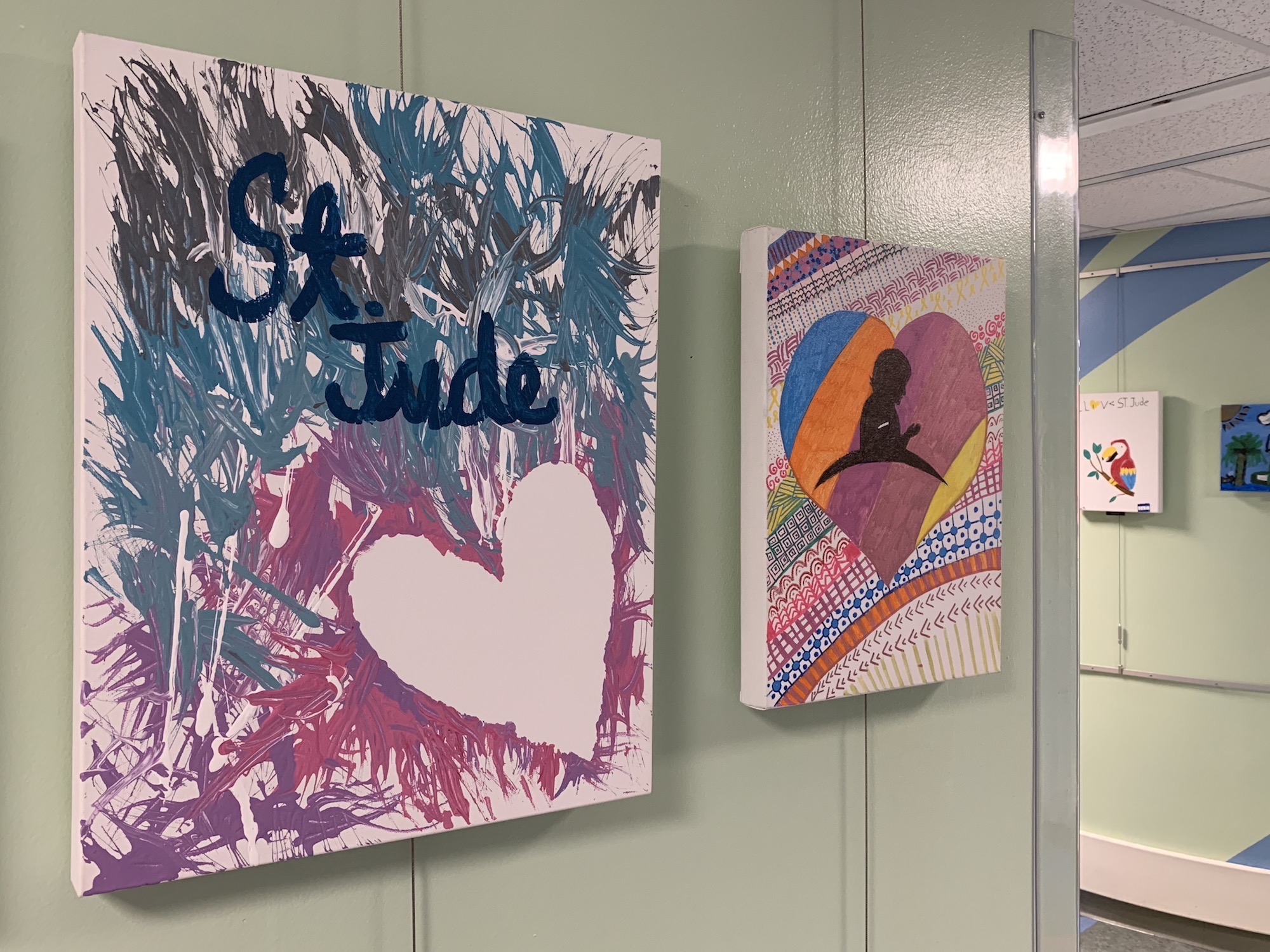
Everything is okay; our son had some routine bloodwork. It was actually the first time I’ve been on St. Jude’s campus in several months. That artwork is made by patients, and is featured in a gallery that rotates every year or so.
I really love these pieces, because they capture something you see and hear a lot around this place:
If you have an iMac (27-inch, Late 2012) with a 3TB hard drive, you must remove its Boot Camp partition before you can install macOS Mojave 10.14. After you upgrade to macOS Mojave, you won’t be able to use Boot Camp to install Windows on this Mac.
If you install macOS Mojave on this iMac, you won’t be able to use Boot Camp to install Windows.
I’d love to know the story behind this one.
Today, Apple published a new support document outlining the requirements for running Mojave on cheese grater Mac Pros:
macOS Mojave requires a graphics card that supports Metal, an Apple technology that lets the system and apps efficiently tap into the capabilities of today’s graphics processors (GPUs). The graphics cards offered by Apple in Mac Pro (Mid 2010) and Mac Pro (Mid 2012) don’t have GPUs that support Metal, so these systems require upgraded graphics cards in order to install macOS Mojave.
macOS Mojave is here, and can be downloaded directly via the Mac App Store.
The release is a bit of a weird one. In some ways, Mojave doubles down on what makes the Mac the Mac, with a lot of new features for those who want more out of the Finder, such as Desktop Stacks, which is a new way to keep things tidy on the Desktop, by arranging them by file type, creation date and more:
I have published two big updates to the Aqua Screenshot Library that I wanted to share.
First, I have published a full set of Mojave screenshots. This page has three galleries. You can check out Mojave in Light Mode and Dark Mode, as you may have expected. The more I use it, the more I think Dark Mode isn’t for me, but more on that later. In the mean time, bask in all this dark glory:
The big phone is back! 6.5 inches of OLED goodness is here.
No matter how long I cover tech, I will never find these uninteresting.
Yours truly, over on MacStories:
We are used to a fall release schedule when it comes to iPhones, but that hasn’t always been the case. The first four iPhones came out in the summer, usually after being announced at WWDC.
2011’s iPhone 4S changed that for good, and in some ways that phone draws parallels to the new iPhone XS. Both are the second generation of a radical new design, and both boast improved cameras, networking, and battery life. That’s not to mention how Siri is at the heart of the iOS version they both ship with.
Jordan Kahn has details on how Apple can recover data from a T2-enabled Mac:
Apple notes that the process for data transfer for Macs with the T2 chip will be used when its repair staff are presented with a customer’s machine in need of a logic board repair and when the logic board is “partially functional.” The process also requires that the system can be powered on.
To complete the process, Apple’s repair staff will use a Thunderbolt (USB-C) to Thunderbolt 3 (USB-C) or Thunderbolt 3 (USB-C) to USB-A cable and another host computer as well as an external hard drive where the data will be transferred. From there the machines can be put into DFU mode and the data recovery process can be initiated from within Apple’s internal diagnostics tool.
This week on a jam-packed episode of Connected:
Federico has published his iOS 12 review, and the boys get nerdy talking about Siri Shortcuts and some updated apps before Stephen pontificates about macOS Mojave’s launch.
My thanks to our sponsors this week: