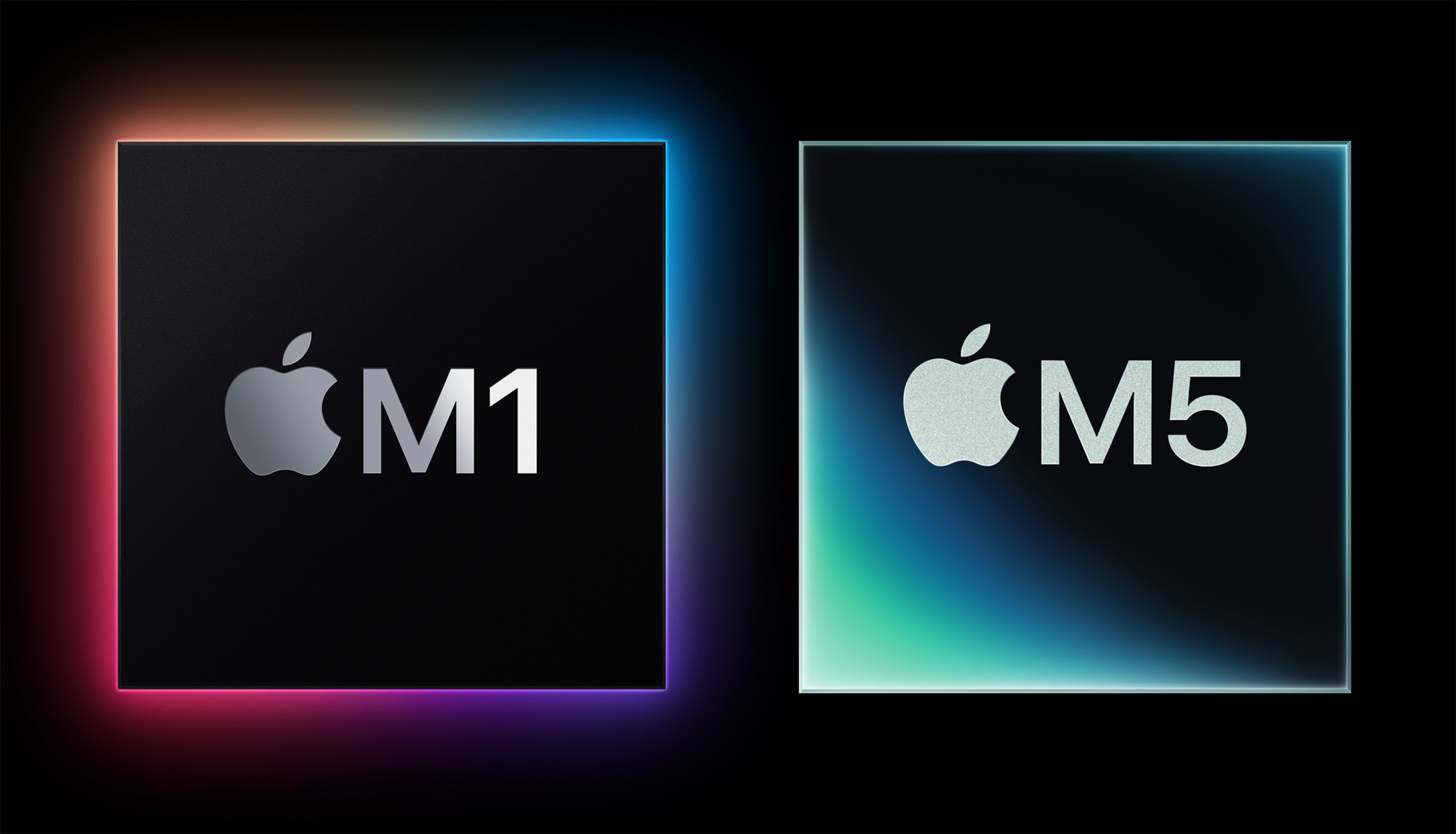
The Longevity of the M1⇢

Nick Heer, writing about his M1 MacBook Pro:

I remember replacing my mid-2007 MacBook Pro after it was just five years old, already wheezing for at least a year prior while attempting even the simplest of things. On the other hand, the MacBook Pro I am using today was released four years ago and, keycaps aside, feels basically new. All the spec comparisons say it is far behind the latest generation, but those numbers are simply irrelevant to me. It is difficult for me to believe this computer already has several successive generations and is probably closer to obsolescence than it is to launch.

Apple has generally issued about five years’ worth of operating system upgrades for its Macs, followed by another three-ish years of security updates. Thanks to U.K. regulations, it has recently documented (PDF) this previously implicit policy. It is possible MacOS 27 could be the last version supported by this Mac. After all, Apple recently noted in developer documentation that MacOS 26 Tahoe is the last version with any Intel Mac support. Furthermore, in its press release for the M5 MacBook Pro, there is an entire section specifically addressing “M1 and Intel-based upgraders”.
Continue reading ⇢

Apple Ends Its Financial Year With a Bang⇢

Jason Snell:

Apple announced the results of its fiscal fourth quarter on Thursday. The company generated $102.5B, a Q4 record which also closed its biggest fiscal year in terms of revenue ever. The fast-growing Services category also set an all-time high. Mac and iPhone revenue were also up, with wearables and iPad revenue more or less flat.

Apple also provided guidance that it expects to break records in its holiday quarter, including in iPhone sales. Read more about that here.

Continue reading ⇢

Steven Aquino on that Liquid Glass Toggle in Beta 4⇢

Steven Aquino, writing at Curb Cuts, bouncing off my post about the new Clear/Tinted toggle that appeared in this week’s betas:

Hackett notes Apple’s placement of the Liquid Glass control is surprising as he believed “a control like this would land in Accessibility.” However a logical presumption, it’s not really a hardcore accessibility feature. Here’s the thing about accessibility features, on iOS or Android or anywhere else: they’re a discrete, specialized—and admittedly esoteric—suite of settings intended to meet highly specific needs. While it’s true “accessibility is for everyone” for the most part, the majority of the options under Accessibility are decidedly opinionated in their target demographic.

Take the AssistiveTouch pointer, for instance. AssistiveTouch is itself a subset of specialized features aimed at aiding those with motor disabilities; as such, the pointer has been expressly designed to serve that greater purpose. This focus is why, as one anecdote, the response to the AssistiveTouch pointer rankled me a few years ago. Apple added it for a reason. Indeed, the company’s senior director of global accessibility policy and initiatives Sarah Herrlinger told me in an interview at the time it “isn’t your traditional pointer,” yet the iPadOS power users were so desperate for proper pointer support, many in the community appropriated the AssistiveTouch pointer and lamented how it doesn’t work like your aforementioned traditional pointer. But it wasn’t conceived to be conventional… my understanding is Apple’s Accessibility group “handed off” the AssistiveTouch functionality to the wider OS team to be further massaged into the mainstream pointer feature that exists today. I got pushback from a lot of people for explaining all of this under the notion AssistiveTouch isn’t perfect and warrants criticism… to which I still say, sure, but it isn’t meant for you and your nerdy whims.

Continue reading ⇢

Boring Is What We Wanted

M1-M5

We are coming up on five years since the first M1 Macs shipped. It was an incredible time to be a Mac user. Those first Apple silicon Macs looked like the Intel machines they replaced, but they were better in every single way.

In December 2020, John Gruber wrote:

We knew this to be true: Computers could run fast and hot, or slow and cool. For laptops in particular, the best you could hope for is a middle ground: fast enough and cool enough. But if you wanted a machine that ran really fast, it wasn’t going to run cool (and wasn’t going to last long on battery), and if you wanted a computer that ran cool (and lasted long on battery), it wasn’t going to be fast.

We knew this to be true because that was the way things were. But now, with the M1 Macs, it’s not. M1 Macs run very fast and do so while remaining very cool and lasting mind-bogglingly long on battery. It was a fundamental trade-off inherent to PC computing, and now we don’t have to make it.

Continue reading ⇢

iOS 26.1 Beta 4 Adds Liquid Glass Transparency Toggle

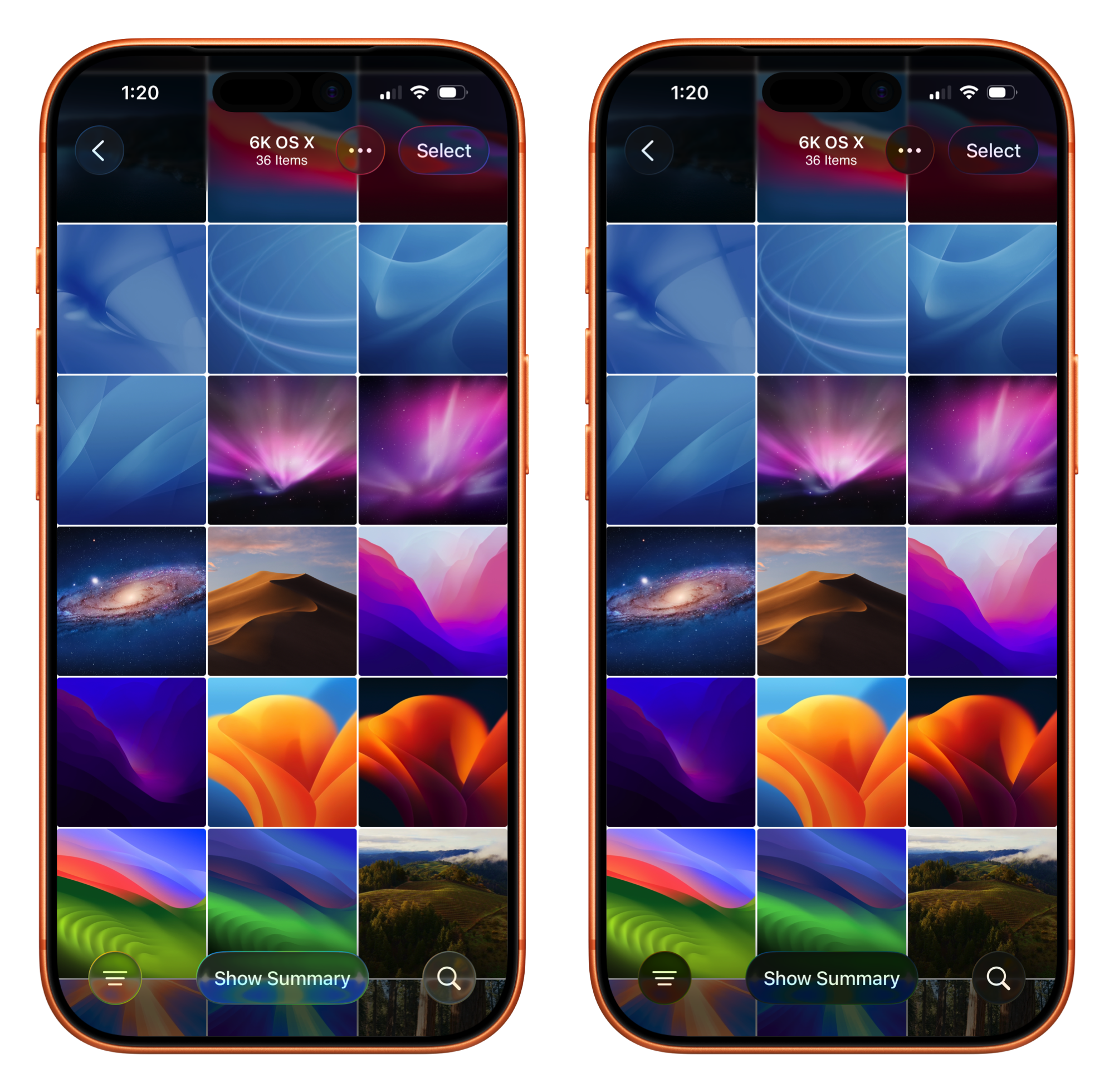
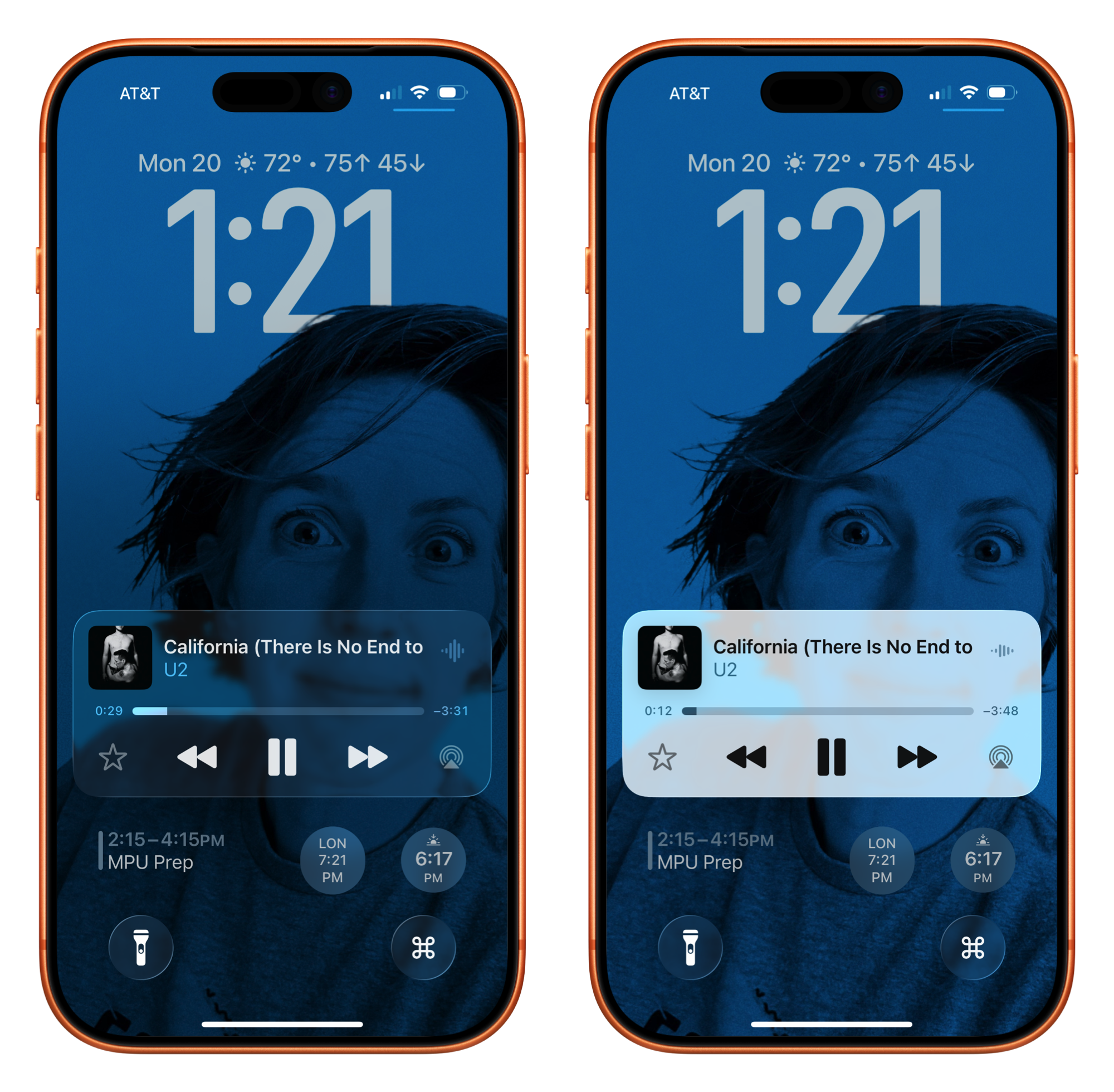
If you go to Settings > Display and Brightness on iOS, or System Settings > Appearance on the Mac, you’ll find a new toggle that lets you swap between two looks: Clear and Tinted. Clear is the look of Liquid Glass since iOS 26 launched, while Tinted adds opacity and contrast.

Here’s how the options look on the Lock Screen and in Photos:

Lock ScreenPhotos

This toggle being in the display settings with things like Dark Mode is interesting to me. I would have thought that a control like this would land in Accessibility…

Continue reading ⇢

Apple Announces the M5, Powering an Updated MacBook Pro, iPad Pro, and Vision Pro

Apple Newsroom:

Apple today announced M5, delivering the next big leap in AI performance and advances to nearly every aspect of the chip. Built using third-generation 3-nanometer technology, M5 introduces a next-generation 10-core GPU architecture with a Neural Accelerator in each core, enabling GPU-based AI workloads to run dramatically faster, with over 4x the peak GPU compute performance compared to M4.1 The GPU also offers enhanced graphics capabilities and third-generation ray tracing that combined deliver a graphics performance that is up to 45 percent higher than M4.1 M5 features the world’s fastest performance core, with up to a 10-core CPU made up of six efficiency cores and up to four performance cores.2 Together, they deliver up to 15 percent faster multithreaded performance over M4.1 M5 also features an improved 16-core Neural Engine, a powerful media engine, and a nearly 30 percent increase in unified memory bandwidth to 153GB/s.1 M5 brings its industry-leading power-efficient performance to the new 14-inch MacBook Pro, iPad Pro, and Apple Vision Pro, allowing each device to excel in its own way. All are available for pre-order today.

“M5 ushers in the next big leap in AI performance for Apple silicon,” said Johny Srouji, Apple’s senior vice president of Hardware Technologies. “With the introduction of Neural Accelerators in the GPU, M5 delivers a huge boost to AI workloads. Combined with a big increase in graphics performance, the world’s fastest CPU core, a faster Neural Engine, and even higher unified memory bandwidth, M5 brings far more performance and capabilities to MacBook Pro, iPad Pro, and Apple Vision Pro.”

Continue reading ⇢

iPhone Heir to the Throne

Picking an iPhone used to be easy.

For years, the only real option was what color you wanted, at least for some models. Then came the iPhone 6 and superior-yet-a-little-bendy 6 Plus, which made things a little more complicated.

A few years later, things started getting weird. In rapid succession, we saw the 8 and X, then the XR and XS and XS Max, then the 11, 11 Pro, and 11 Pro Max.

Starting with the iPhone 12, Apple introduced four new iPhones each year: two regular iPhones and two Pro iPhones. The iPhone mini came and went, with the Plus replacing it.

Continue reading ⇢

Nick Heer, on Liquid Glass⇢

Nick’s long column on Apple’s new design language is probably the best thing I’ve read on the subject. This line about the glass material switching from light to dark as content scrolls behind it really jumped out at me:

It is Apple’s clever solution to a problem Apple created.

I like a lot about Liquid Glass, but there’s no arguing that there are issues that still need work, and I think Nick is pretty fair about what those are.

Continue reading ⇢

The A19 Pro⇢

Jason Snell, writing at Six Colors:

One of the first things I did when I got the new iPhones into Six Colors global HQ was to get the iPhone 17 Pro Max up and running and run Geekbench 6. (I know there are a lot of Geekbench scores out there, but I like to run my own, just because.) Because I’m curious about the pace of Apple silicon innovation.

The A19 Pro chip in the iPhone 17 Pro is presumably using the next generation of CPU and GPU cores that will also appear later this year or early next year in the M5 processor, as well. So it’s not just a view into how the chips have progressed for the iPhone, but also an indication about where gains will be made in the next generation of Macs.

Continue reading ⇢

Jason’s Tahoe Review⇢

I think Snell nails it:

macOS 26 Tahoe is two things at once: It’s the broadest and most productivity-focused update for macOS in years, while also taking collateral damage from Apple’s broader design ambitions on its other platforms.

It features the biggest update to Spotlight ever, including direct access to app actions and Apple’s first-ever built-in clipboard manager. Shortcuts adds deep automation support and direct access to AI models, changing the game for many aspects of Mac automation productivity. These are features that will delight Mac users and help them work better.

Unfortunately, they’ll be productive while using a tweaked design that’s not nearly as prominent as it is on the iPhone and iPad, but still has to be labeled as a net loss for the Mac.

Continue reading ⇢

Federico’s iOS 26 Review⇢

Ticci is back with a comprehensive look at iOS and iPadOS 26:

There was a lot riding on Apple’s software strategy in 2025. Now that we’re entering the final phase of the Apple product launch year, I believe that, in hindsight, their three key moves from the first half of 2025 are – at least from a marketing perspective – the best approach they could have followed.

First, the new AI Siri features were officially delayed to “the coming year”, and at WWDC, executives explained why they needed more time than anticipated to get them right. Then, Apple unveiled a new design language that – to varying degrees of success – unifies its user interfaces across platforms. Finally, the company embraced the iPad’s modular nature with a complete reimagining of the device’s software in iPadOS 26, borrowing from the decades-long traditions of macOS to bring new windowing and multitasking features to the tablet. You have to hand it to Apple PR: that’s a pretty effective marketing strategy to, once again, steer the public conversation and attention to a place that’s more comfortable for Apple.

But my reviews aren’t about marketing; they’re about the reality and everyday practicality of using these operating systems. Beyond the renewed promise of Apple Intelligence and a future version of Siri, what is it actually like to use the new AI features shipping in iOS 26 today? Once the novelty of Liquid Glass wears off, does the new design meaningfully improve our interactions with apps? Is iPadOS 26 truly the miracle answer to all of our iPad woes that we thought it could be at WWDC?

These are the questions I hope to provide an answer to with this review.

Continue reading ⇢