
Downlink is a cool Mac app that lets you use self-updating satellite imagery as your wallpaper, and version 2 brings some new goodies including the ability to customize the area pictured. It’s free on the Mac App Store.
Category: Apps
Two Spies⇢
I’m not a big game player, but I am loving Two Spies. My brother and I have been playing each other every day at lunch this week and it’s a great turn-by-turn game with just the right amount of chance thrown in.
MusicBot⇢
For the past several months, I’ve been working on a shortcut designed to be the ultimate assistant for Apple Music. Called MusicBot, the shortcut encompasses dozens of different features and aims to be an all-in-one assistant that helps you listen to music more quickly, generate intelligent mixes based on your tastes, rediscover music from your library, control playback on AirPlay 2 speakers, and much more. I poured hundreds of hours of work into MusicBot, which has gained a permanent spot on my Home screen. Best of all, MusicBot is available to everyone for free.
Snowflake Weather⇢
The folks at Bjango have a new iOS weather app. I was able to use it during the beta process, and I’ve been really impressed with it.
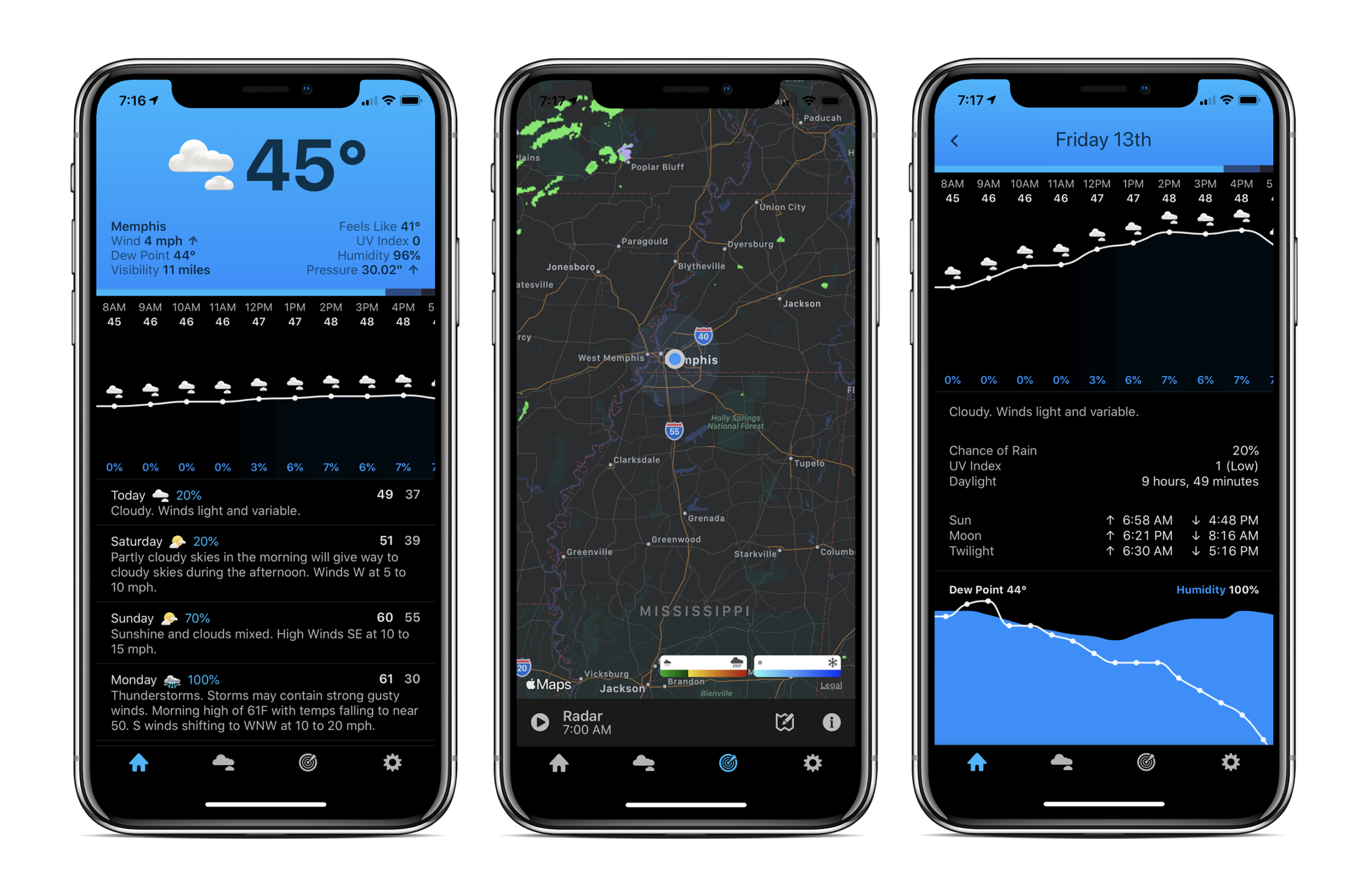
It comes with all the data you could want, laid out in a compact, clean way. It’s complete with a Today View widget and Apple Watch app, and there are a bunch of ways to customize the data the app shows on its various screens.
Drafts for Mac Ships with Actions⇢
Rosemary Orchard, writing at MacStories:
An action is something you can add to Drafts to give yourself a button (and optionally a keyboard shortcut) to do something. What that something is, is entirely up to you. From integrations with WordPress and Dropbox, to scripting and custom HTML previews, the combination of steps you can combine to do your bidding is positively mindboggling.
Drafts for Mac ships with five action groups, which by themselves greatly increase the power of the app; these include: Basic, Editing, Markdown, Tools, and Processing. The names of these groups are fairly self-explanatory, and they deliver plenty of punch so you can easily do more with Drafts – even without looking into the wealth of actions available in the action directory.
Twitter Has Realized That Sometimes, People Die⇢
Twitter has followed up with more details surrounding its plan to remove inactive accounts over the coming months. First, the company says the process “impacts accounts in the EU only, for now.” That important tidbit wasn’t made clear when the news broke on November 26th. But far more important is that Twitter has recognized that it can’t go around deleting accounts until it finds a way to preserve the accounts of people who’ve died.
Apple Hiring for ‘The Next Generation of Media Apps for Windows’⇢
There is some irony in that iTunes now only lives on as a Windows app, but it seems like its days there are numbered, too.
Reminders Isn’t for Me ... Yet
When Apple announced that its Reminders application was receiving a much-needed overhaul this year with iOS 13 and macOS Catalina, I was excited. I think Apple has done an amazing job at modernizing the Notes app, and I was hopeful Reminders would become an equally useful application across Apple’s platforms.
I’ve tried just about ever task manager out there: OmniFocus, Things, Remember the Milk, 2Do, TickTick and more. I usually end up back in Todoist for its reliable sync, coupled with its lightning-fast native language processing for inputting tasks. Many applications require too many clicks or taps to create a new task within a given project, with a due date.
Download macOS Installers with Terminal
Most of the time, you can re-download the current version of macOS via the Mac App Store, and older ones via these links:
However, I’ve run into a situation several times where the Software Update mechanism simply refuses to initiate a download:
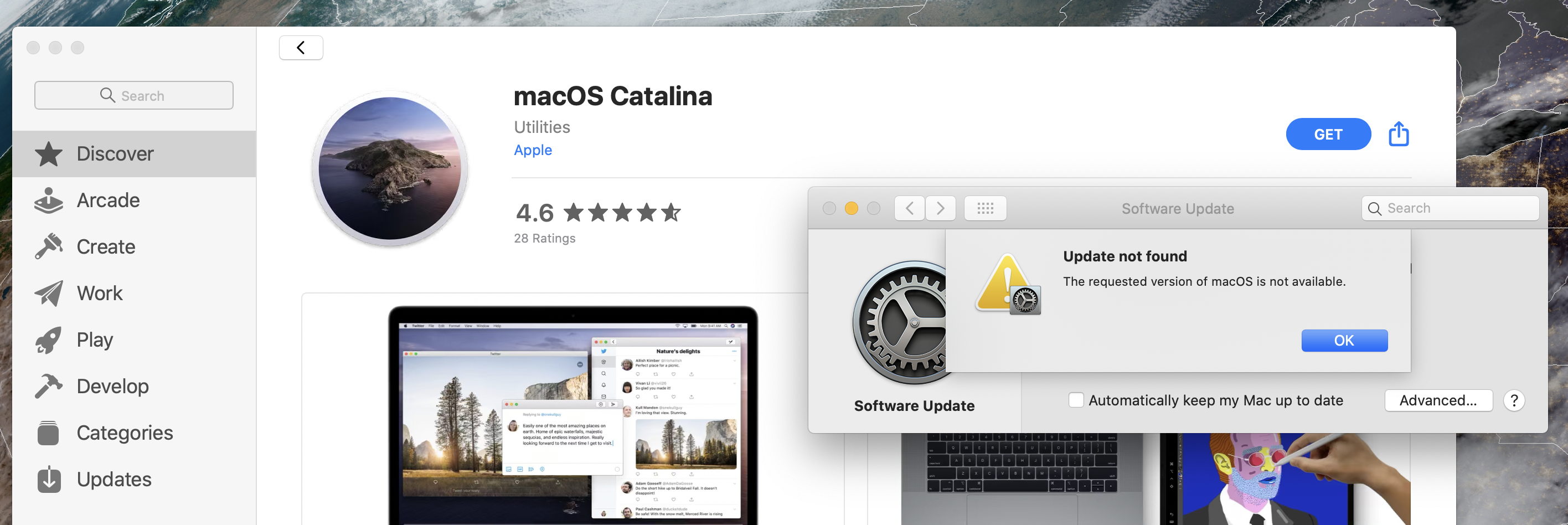
Thankfully, macOS installers can be downloaded via Terminal in macOS Catalina. This command will download the most recent version of macOS, depositing it in your Applications folder:
Hazel Updated to Support macOS Catalina⇢
As of version 4.4, Hazel is compatible with Catalina. Catalina introduced a number of changes and bugs which affect Hazel. Hazel 4.4 works around many of these issues though some still remain, possibly indefinitely.
Most noticeably, dark mode is broken. There are limits to what can be overridden so as a result, certain places, like the System Preferences title bar and contextual menus, will remain in light mode regardless of your system appearance setting.
Day One 4.2 for iOS Brings Template for Quick Entries
Most days, I end my work day with a “Daily Log” entry. Sometimes, this is in a notebook, and sometimes I do it digitally, but no matter the format, it ends up in Day One in a journal called “Logs.”
(I am very creative.)
These journal entries are structured in a way to let me quickly capture my day, along with a few thoughts. Here’s the template:
DATE HERE Summary: A few sentences about my day will go here. Or maybe just one sentence. You aren’t the boss of me, jouraling system! Three Completed Tasks:
Moon++⇢
David Smith has a new Apple Watch app out, and it’s right up my space nerd alley:
Moon++ seeks to provide a highly accurate, visually pleasing indication of what the moon looks like right now, right where you are. My goal was to make it so that if you look down at your wrist and then up into the sky the images you see should match.
The level of detail here is excellent: