Sponsor: Loopback from Rogue Amoeba⇢

With Loopback, it’s trivial to pass audio from one application to another on your Mac. Need to play a recording into Zoom? Add sound effects into a podcast? Include music in a streamed event? Loopback gives you the power to do just that with just a few clicks. It’s like a high-end mixing board, right inside your Mac.

Loopback creates virtual audio devices, which merge audio from multiple applications and input devices into a single source. These virtual devices appear on your Mac just like a real, physical device, and can be selected for use in any audio app on your Mac. It’s incredibly powerful.

Continue reading ⇢

Sponsor: HomeControl — Mac Menu Bar App for HomeKit⇢

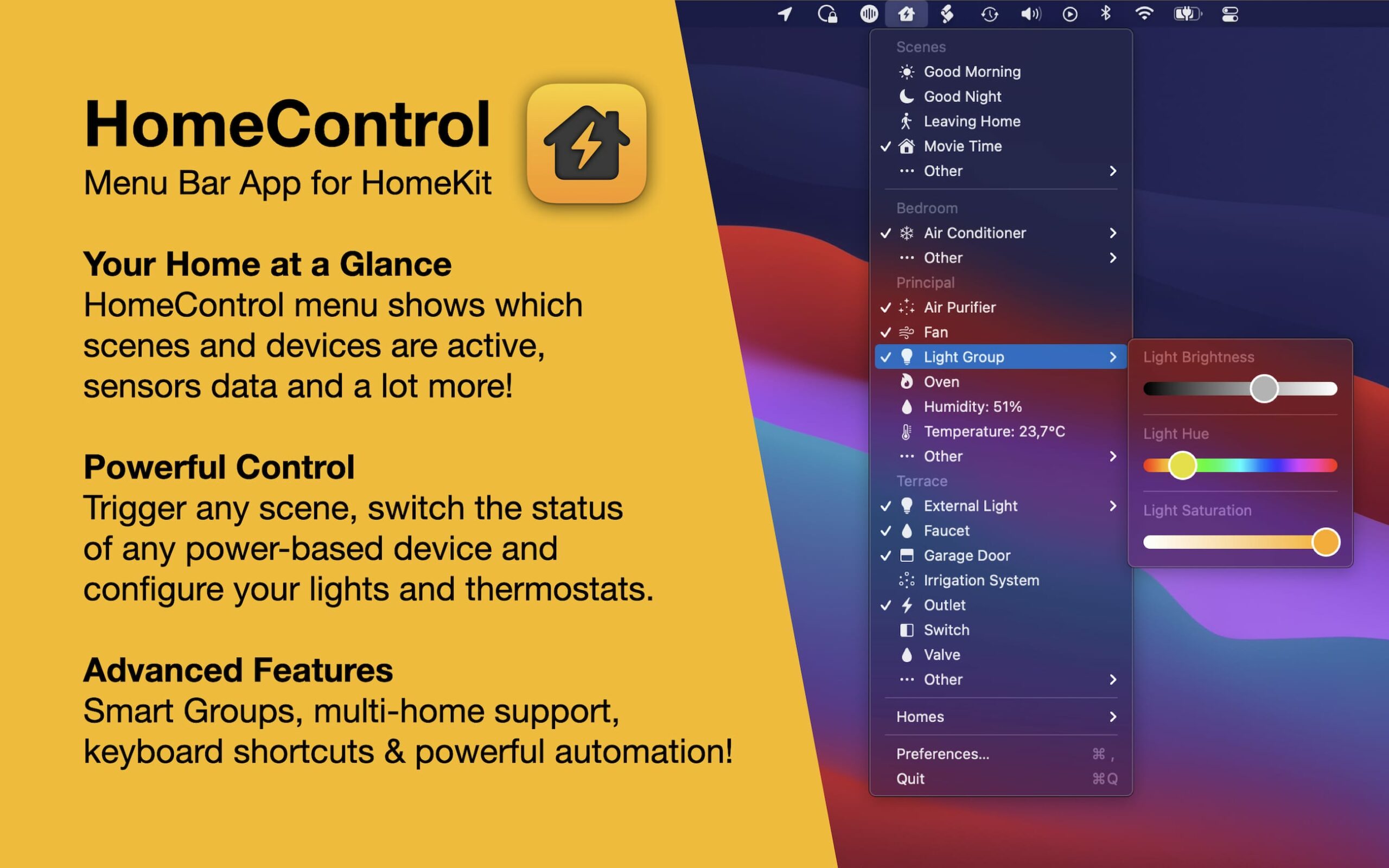
HomeControl is a powerful HomeKit menu bar app: check the state of your home at a glance, trigger scenes or switch the status of any device directly from your Mac menu bar!

HomeControl Screenshot

HomeControl supports all standard HomeKit devices and sensors and includes advanced features like changing device properties (lightbulb brightness or color, thermostat temperature), global keyboard shortcuts and Smart Groups to quickly control all devices in a room at once.

Continue reading ⇢

Sponsor: Unite 4 for macOS⇢

Unite 4 for macOS allows you to turn any website into an app on your Mac. Using a lightweight, WebKit powered browser as a backend, you can easily create isolated, customizable apps from any site.

Unite 4 includes dozens of new features, including support for native notifications, new customization options, and much more. Unite apps also serve as a great alternative for resource hogging Electron apps or half-baked Catalyst apps.

Continue reading ⇢

Sponsor: TextExpander⇢

Supercharge your team with the power of TextExpander. Your team can do more with the same resources: Less repetition, fewer errors, and greater consistency will have your team feeling like they’ve hopped off a bicycle and into a Ferrari.

With TextExpander, you can:

  • Keep your team consistent, accurate, and current
  • Share your text and images with the whole staff to keep them on track. Everyone will share the same message and give the same answers to all customer questions.
  • Work faster and smarter
  • Use TextExpander’s powerful shortcuts and abbreviations to streamline and speed up everything you type.
  • Create powerful snippets to save you time so that all you type is a short abbreviation, and TextExpander does the rest of the typing for you.
  • Keep your whole team communicating efficiently and with consistent language.
  • Share your snippets of messaging, signatures, and descriptions with everyone who works on projects with you.

TextExpander is available on Mac, Windows, Chrome, iPhone, iPad. 512 Pixels readers get 20% off their first year.

Continue reading ⇢

Paste⇢

My thanks to Paste for sponsoring 512 Pixels this week.

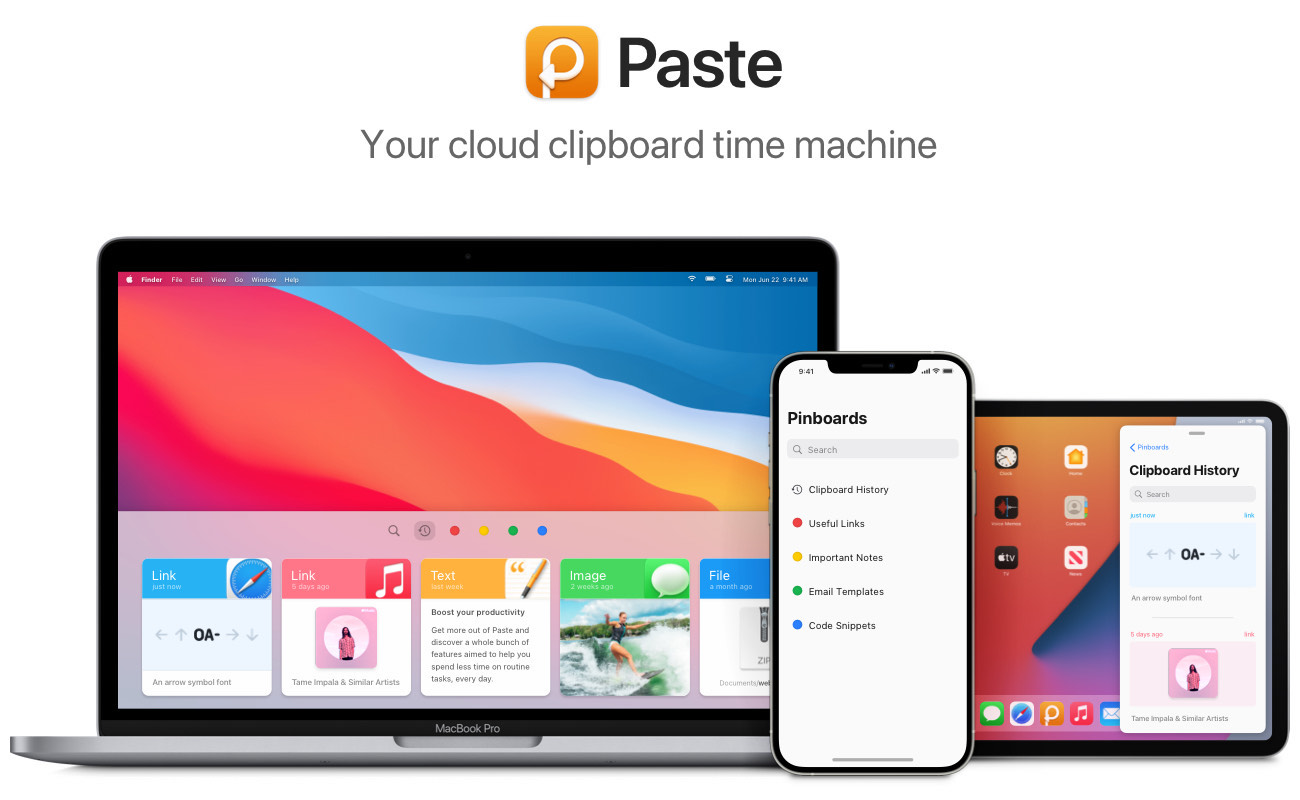
It is like a time machine for your clipboard. It stores every text, link, image, or file you copy on your Mac, iPhone, and iPad so that it’s always there when you need it. You’ll never lose a copy again.

You can also create pinboards for items that you frequently use – your address, for example – so that you can access them even faster. It all adds up to less frustration and more productivity for any Mac user. So try Paste for free today and start enjoying the better way to copy and paste. Finally.

Continue reading ⇢

Sponsor: Paste – Unlimited Clipboard for your Mac, iPhone, and iPad⇢

Don’t you hate it when you copy something and then can’t find it? It’s a total productivity killer, not to mention extremely frustrating. Thankfully, there’s Paste.Paste

Paste is like a time machine for your clipboard. It stores every text, link, image, or file you copy on your Mac, iPhone, and iPad so that it’s always there when you need it. You’ll never lose a copy again.

Paste feels like a native part of the macOS, with a beautiful interface that seamlessly integrates into your workflow. Want to find a recipe you copied last year? Just scroll through the large, easy-to-read previews of your clipboard and you’ll find it in seconds.

Continue reading ⇢

Sponsor: Switch to iPad⇢

The iPad is a truly magical piece of glass. It’s the primary computer for many. That’s why Thord D. Hedengren started Switch to iPad, a weekly newsletter about making the switch to a better computing life.

Switch to iPad isn’t just for those who have made the switch from a traditional computer to a more versatile one. It’s a newsletter about getting the most out of your iPad.

Switch to iPad

Continue reading ⇢

MarsEdit⇢

My thanks to MarsEdit for sponsoring 512 Pixel this week.

It’s a great Mac app that can make a better blogger with its streamlined editor and other tools. It is great for WordPress, Micro.blog and more. In fact, I’m writing in it right now.

Download MarsEdit today and see what all the hype is about.

Continue reading ⇢