The event includes a new Apple Watch band and face, an iPhone wallpaper and a bunch of content across Apple’s services.
Apple Announces Second-Generation HomePod ⇢
In its second product announcement in two days, Apple has unveiled a new HomePod:
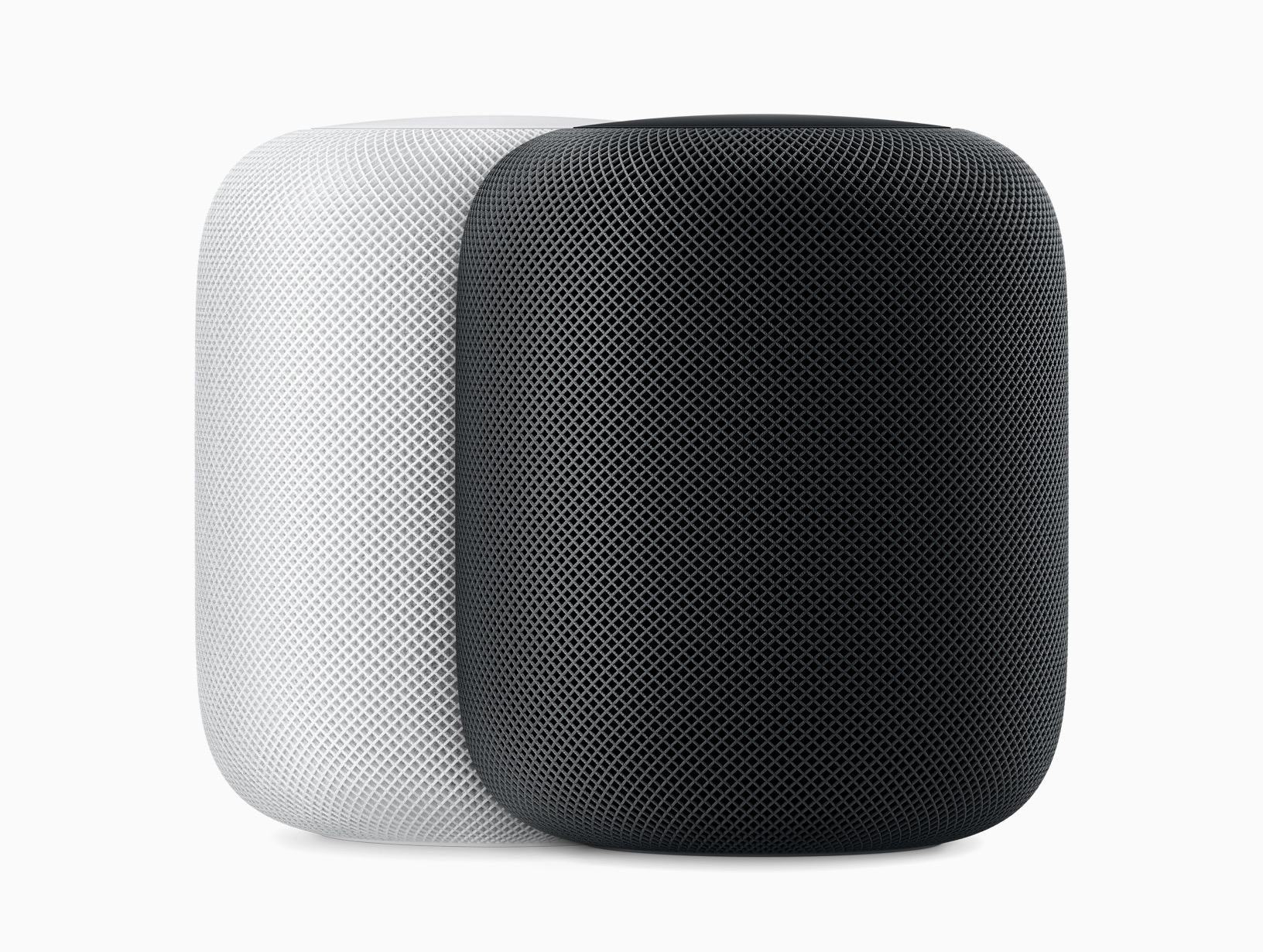
Oh shoot, that’s the original HomePod. Here’s an image of the new one:
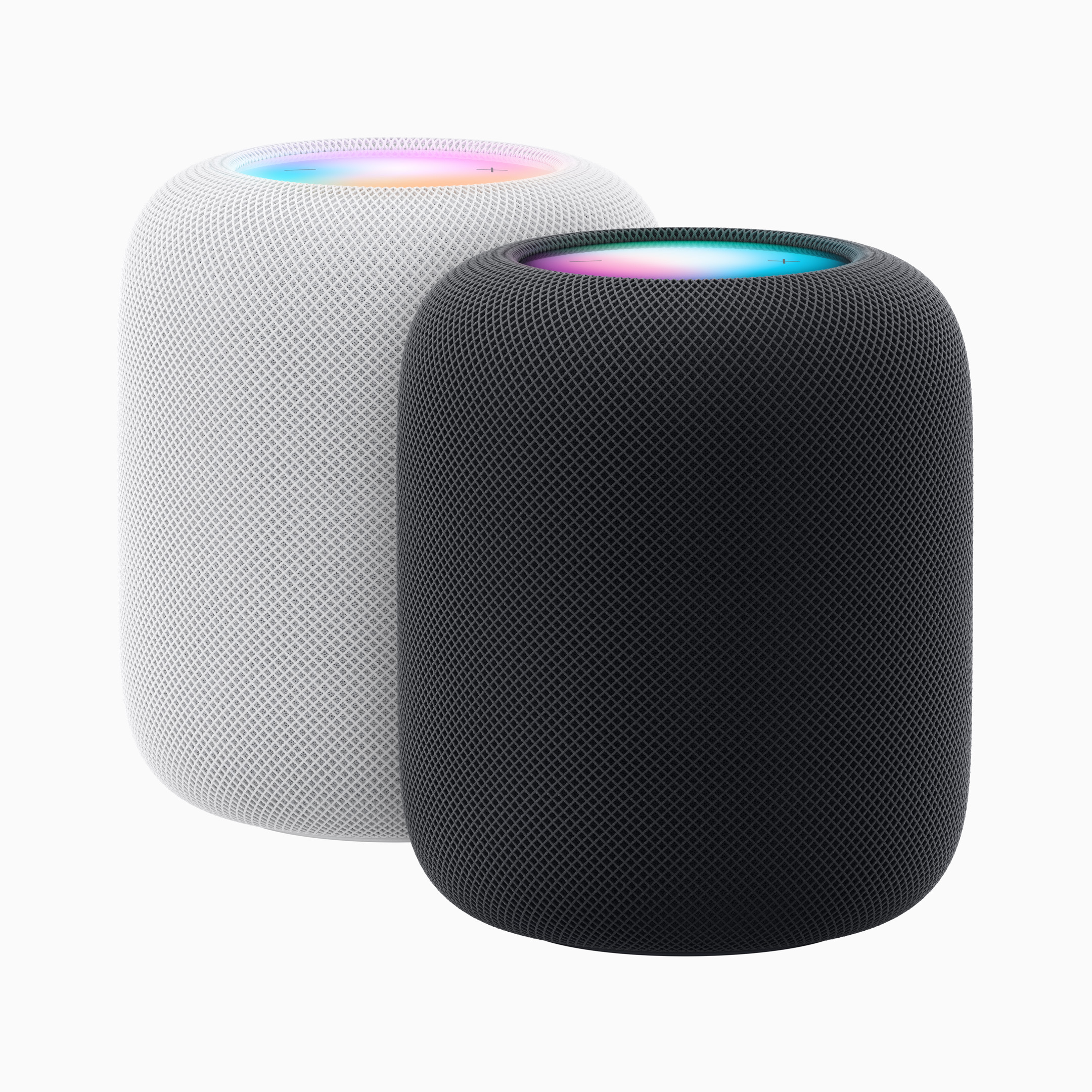
The two generations are very similar on the outside. The display at the top on the new one looks much more like what’s on the HomePod mini, and the new speaker comes in both white and midnight, but it’s hard to spot the differences in color in Apple’s images. Sadly, the big HomePod doesn’t come in the great colors its smaller sibling does.
On the inside, the HomePod has learned some new tricks, as outlined in the press release announcing it:
With Sound Recognition, HomePod can listen for smoke and carbon monoxide alarms, and send a notification directly to the user’s iPhone if a sound is identified. The new built-in temperature and humidity sensor can measure indoor environments, so users can create automations that close the blinds or turn on the fan automatically when a certain temperature is reached in a room.
(The HomePod mini apparently also has a temperature and humidity sensor lurking inside. It should be enabled with iOS 16.3)
Those seem like great additions, as does Matter support, which arrives with this new HomePod as well. It also supports Ultrawide Wideband for audio handoff, eARC, Find My and more. The HomePod is powered by the S7 system on a chip which debuted in 2021’s Apple Watch Series 7. This means the HomePod is limited to 802.11n for Wi-Fi and Bluetooth 5.0.
These features are outlined in Apple’s video:
The new HomePod is $299, which is what the original HomePod went for by the end of its life, down from the original’s initial price of $349. Compared to the $99 HomePod mini, I’m hard pressed to see the $299 price as a great value, but if it sounds as good as the original did, I’m sure it will find its fans. Order open today, and the HomePod ships on February 3.
‘Extremely Hardcore’ ⇢
If you want to know just how bad things are inside Twitter, this piece has it all. The graph on the left side of the page is particularly good.
Apple Announces Updates to MacBook Pro, Mac mini
The 14- and 16-inch MacBook Pros have been bumped to the new M2 Pro and M2 Max chips. Apple even put together a short video with all the news:
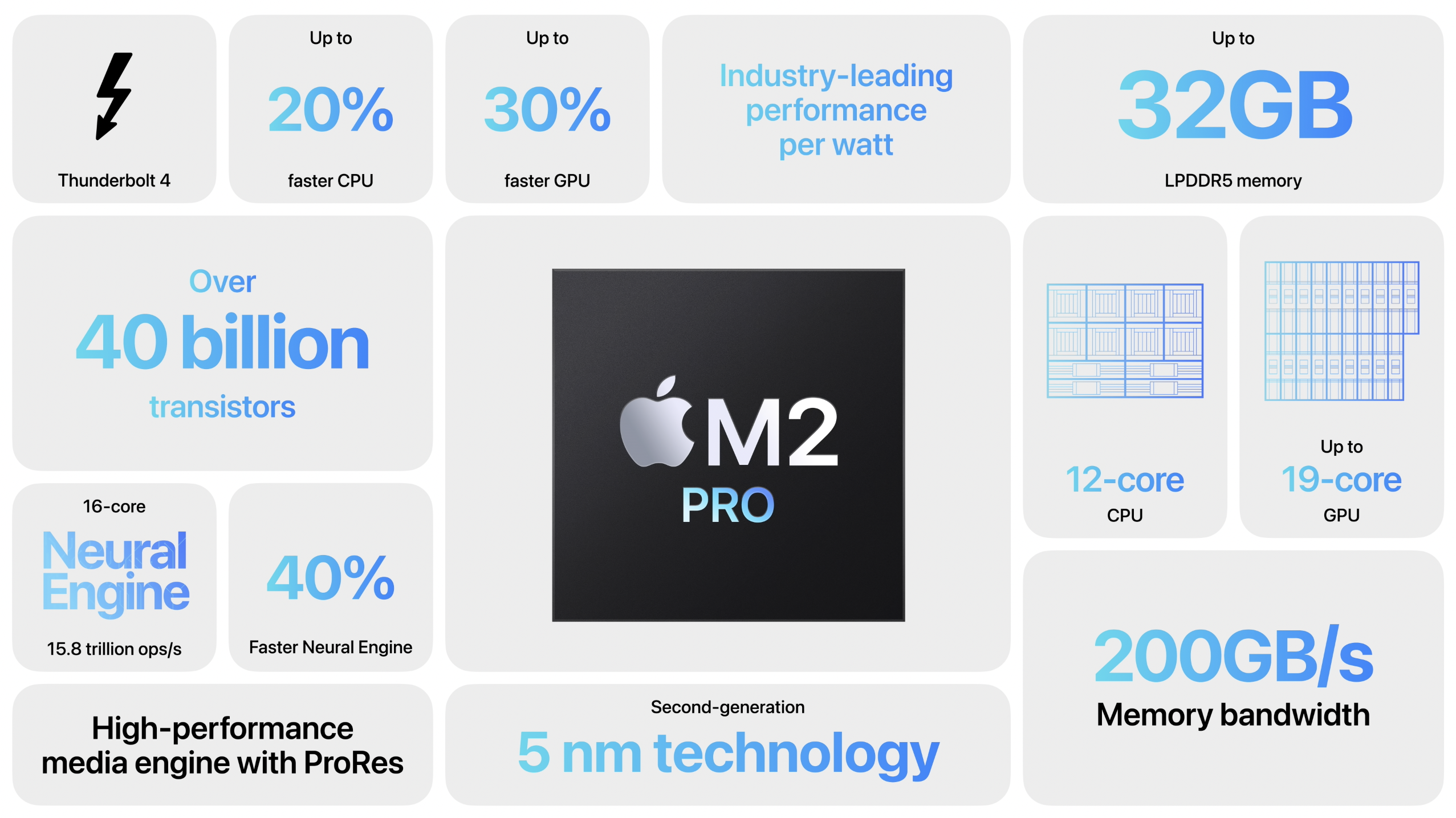
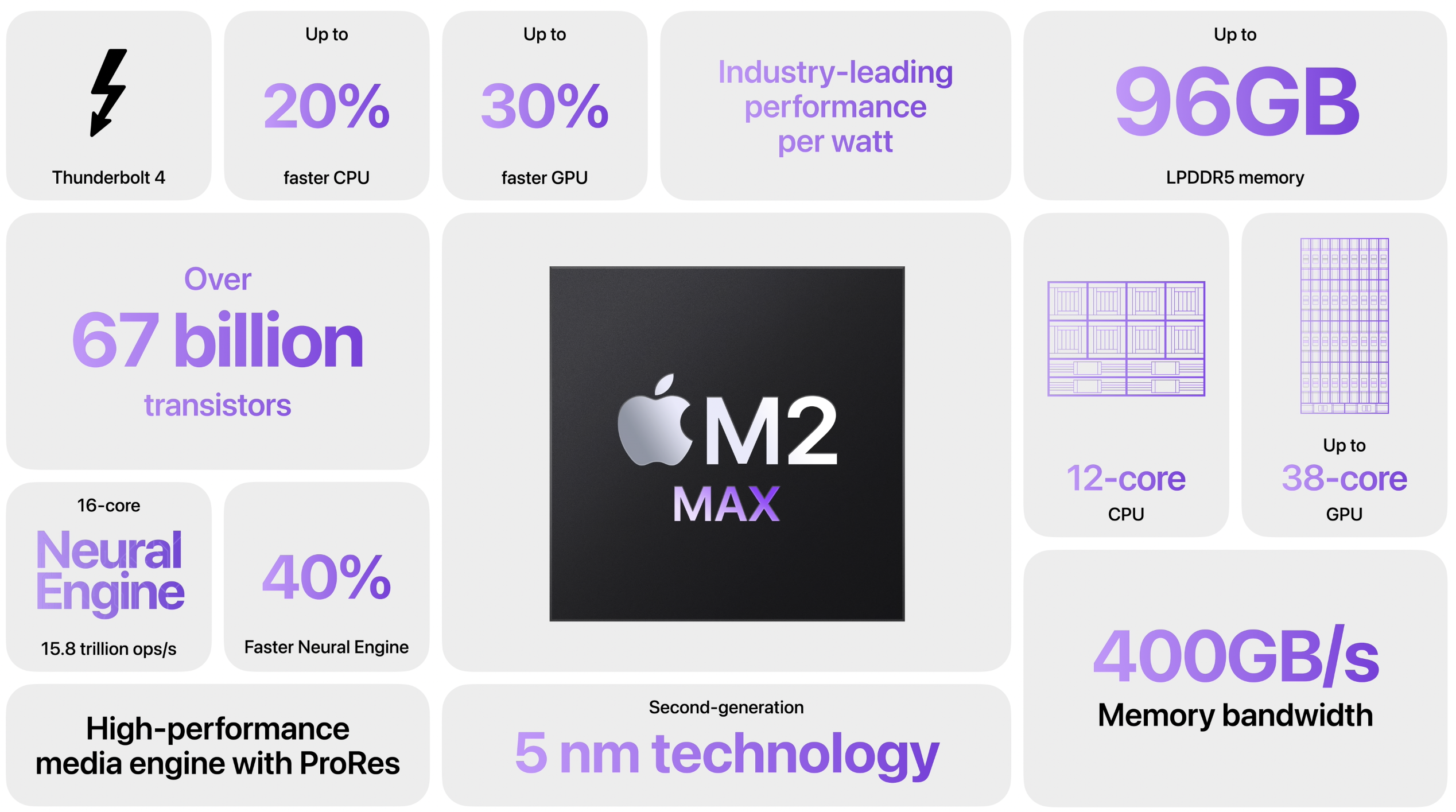
The specs for these new machines are just bonkers, with up to 12-core CPUs, 38-core GPUs and 96 GB of unified memory. Here’s a bit from the press release:
Apple today announced the new 14- and 16-inch MacBook Pro featuring M2 Pro and M2 Max, Apple’s next-generation pro silicon that brings even more power-efficient performance and battery life to pro users. With M2 Pro and M2 Max — the world’s most powerful and efficient chip for a pro laptop — MacBook Pro tackles demanding tasks, like effects rendering, which is up to 6x faster than the fastest Intel-based MacBook Pro, and color grading, which is up to 2x faster. Building on the unprecedented power efficiency of Apple silicon, battery life on MacBook Pro is now up to 22 hours — the longest battery life ever in a Mac. For enhanced connectivity, the new MacBook Pro supports Wi-Fi 6E,3 which is up to twice as fast as the previous generation, as well as advanced HDMI, which supports 8K displays for the first time.1 With up to 96GB of unified memory in the M2 Max model, creators can work on scenes so large that PC laptops can’t even run them.4 Rounding out the unrivaled features of MacBook Pro are its renowned Liquid Retina XDR display, extensive array of connectivity, 1080p FaceTime HD camera, six-speaker sound system, and studio-quality mics.
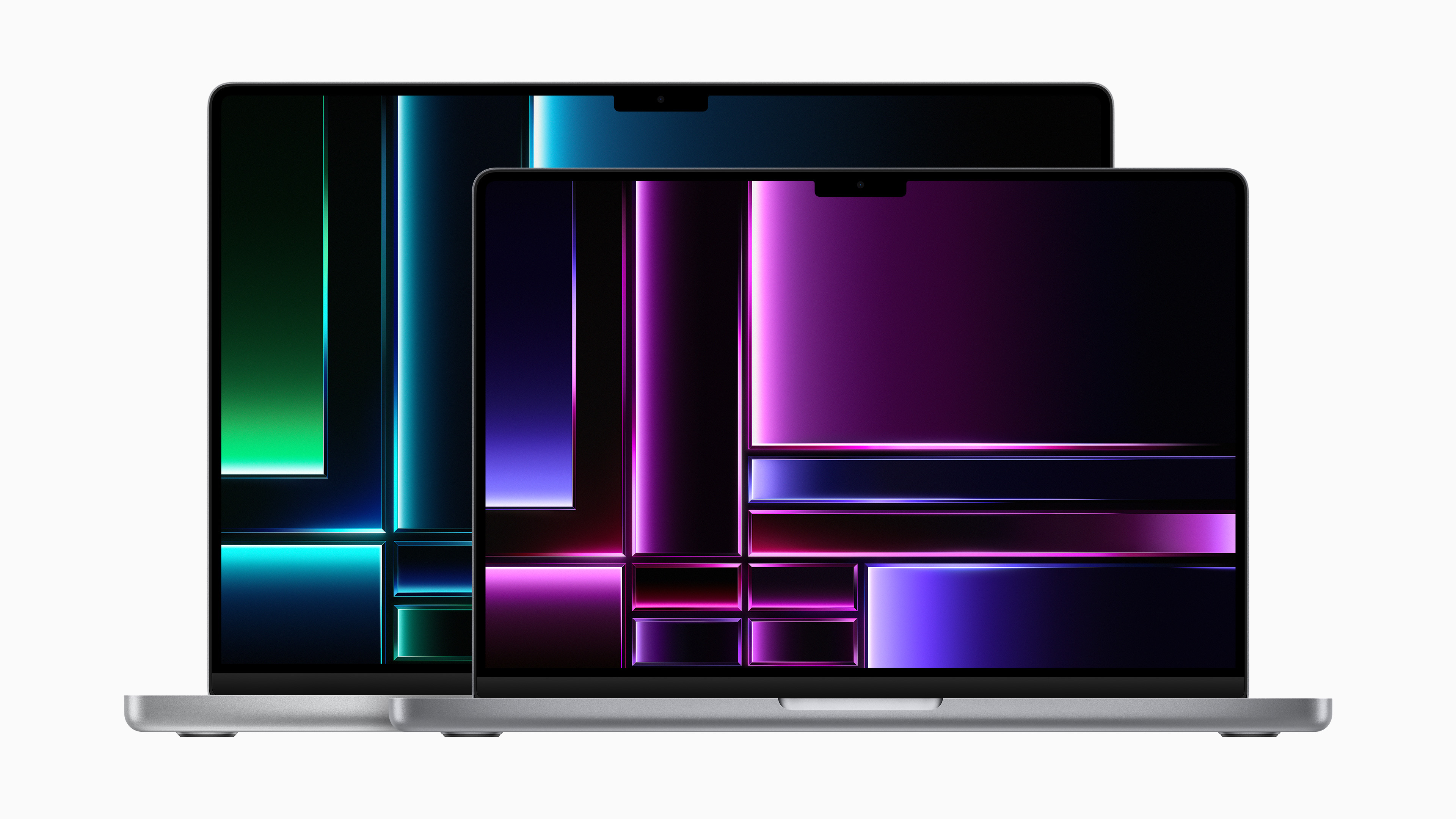
The new MacBook Pros come in the same excellent designs Apple unveiled back in October 2021.
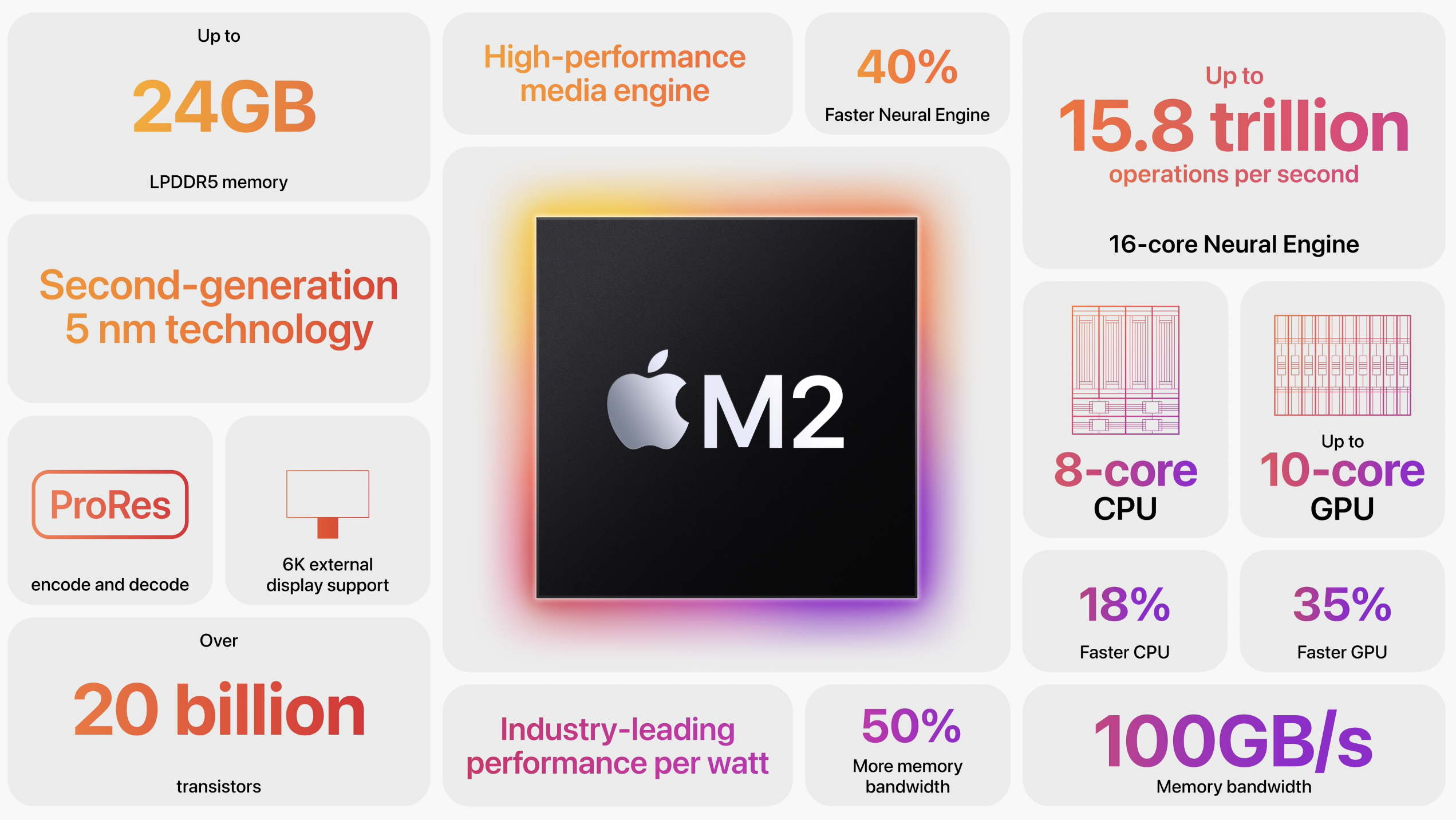
On the desktop side of things, the Mac mini was updated to the same M2 system on a chip that first shipped in the new MacBook Air and some other computer in June 2022. The new system starts at $599, but the bigger news is that Apple has also shipped a Mac mini with the M2 Pro. That machine starts at $1,299 with a 10-Core CPU, a 16-Core GPU, 16 GB of unified memory and 512 GB of storage.
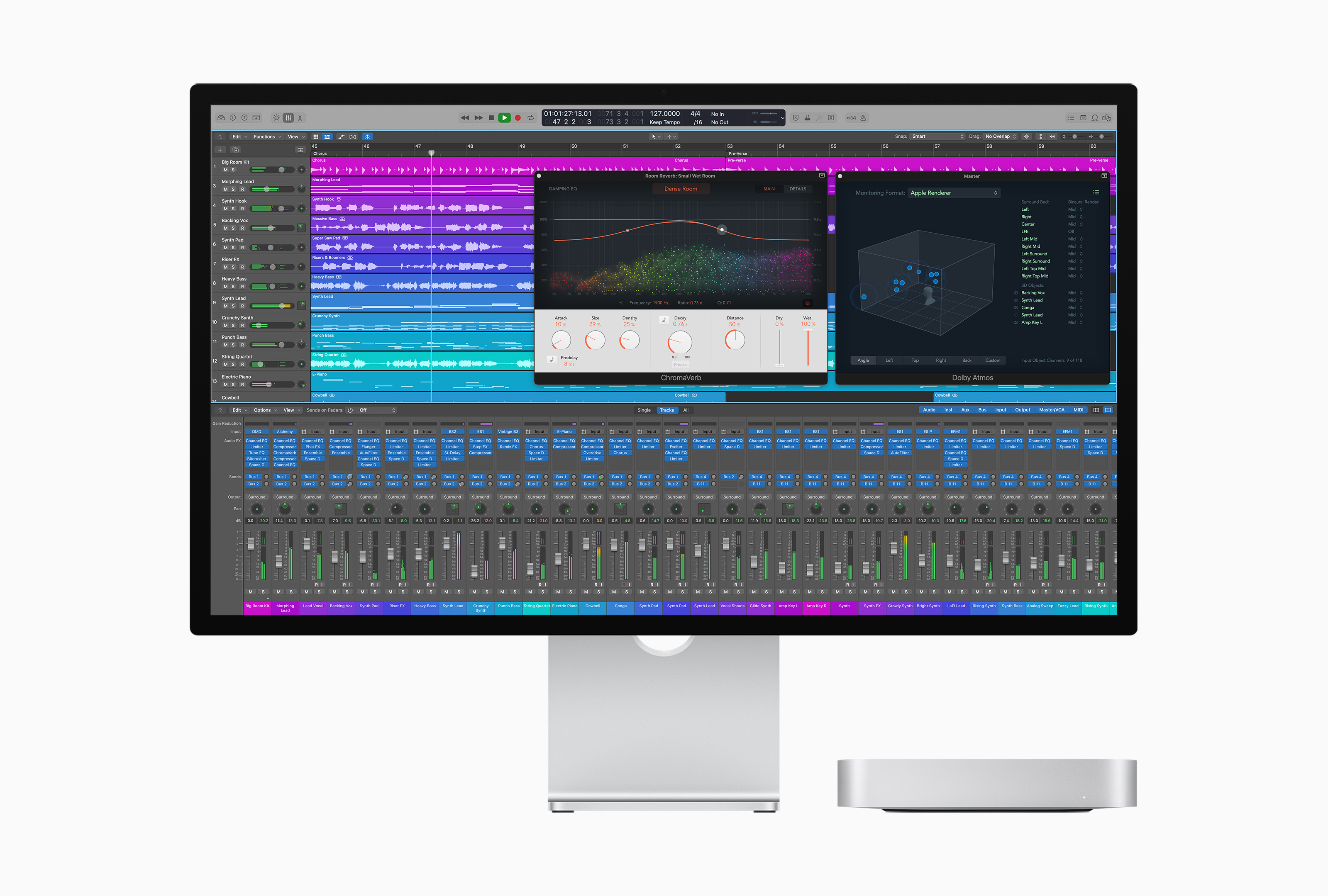
Notably, the M2 Pro Mac mini has marked the end of the line for the 2018 Intel model, which was on sale until today. It always struck me as odd that the M1 Pro only ever appeared in the MacBook Pro, so I’m glad to see the Mac mini get the M2 version.
Like the MacBook Pro, the new Mac mini ship starting January 24. While we wait, we can all bask in these ridiculous numbers:
- Editor’s Note: That’s HDMI 2.1. ↩
Timing Updated to Import iPhone and iPad Screen Time ⇢
Timing is a great way to automatically track and sort your time while using a Mac, but today the app spreads its wings:
We are excited to announce Timing 2023.1, which introduces a new feature that a lot of you have been asking for: Timing can now import your iPhone and iPad usage from Screen Time!
This feature, available to all Timing Expert customers, lets you manage your time spent on mobile devices just like your Mac usage, with the full functionality of Timing’s timeline and activity list. Even Timing’s rules are available to automatically categorize your mobile device usage.
If you’re a Timing user, this is very cool. I played with the beta over the holiday break and it really does let the app get a fuller sense of how you’re spending your time.
Report: Mac Updates Coming This Week ⇢
Chance Miller, writing at 9to5Mac:
Apple could be making its first announcement of 2023 as soon as tomorrow, sources say. The company is holding Mac-related briefings with influencers and select members of the press this week, and an announcement could be made via Apple’s Newsroom website on Tuesday…
The details here are sparse at the moment. 9to5Mac has independently heard that Apple is holding press briefings this week related to the Mac. This has also been corroborated by other sources on Twitter, including friend of the site Ian Zelbo. Additionally, leaker Jon Prosser has teased: “keep an eye on Apple’s newsroom tomorrow.”
9to5Mac has been told by an anonymous tipster that the briefings will be held on Wednesday and Thursday of this week, with an embargo slated for Monday, January 23. This pattern makes sense and matches what we’ve seen in the past: an announcement on Tuesday, briefings and review unit distribution on Wednesday and Thursday, and a review embargo lift on the next Monday.
My money is on M2 Pro/Max MacBook Pros and an M2 Mac mini, all announced via press release.
Exploring the $69 OS X Lion USB Installer
While working on a Top Secret project,1 I needed to install OS X Lion on an older MacBook Pro. I have my own USB installer that I created, but I thought it would be a good time to use the USB installer Apple sold for $69 back in the day.2
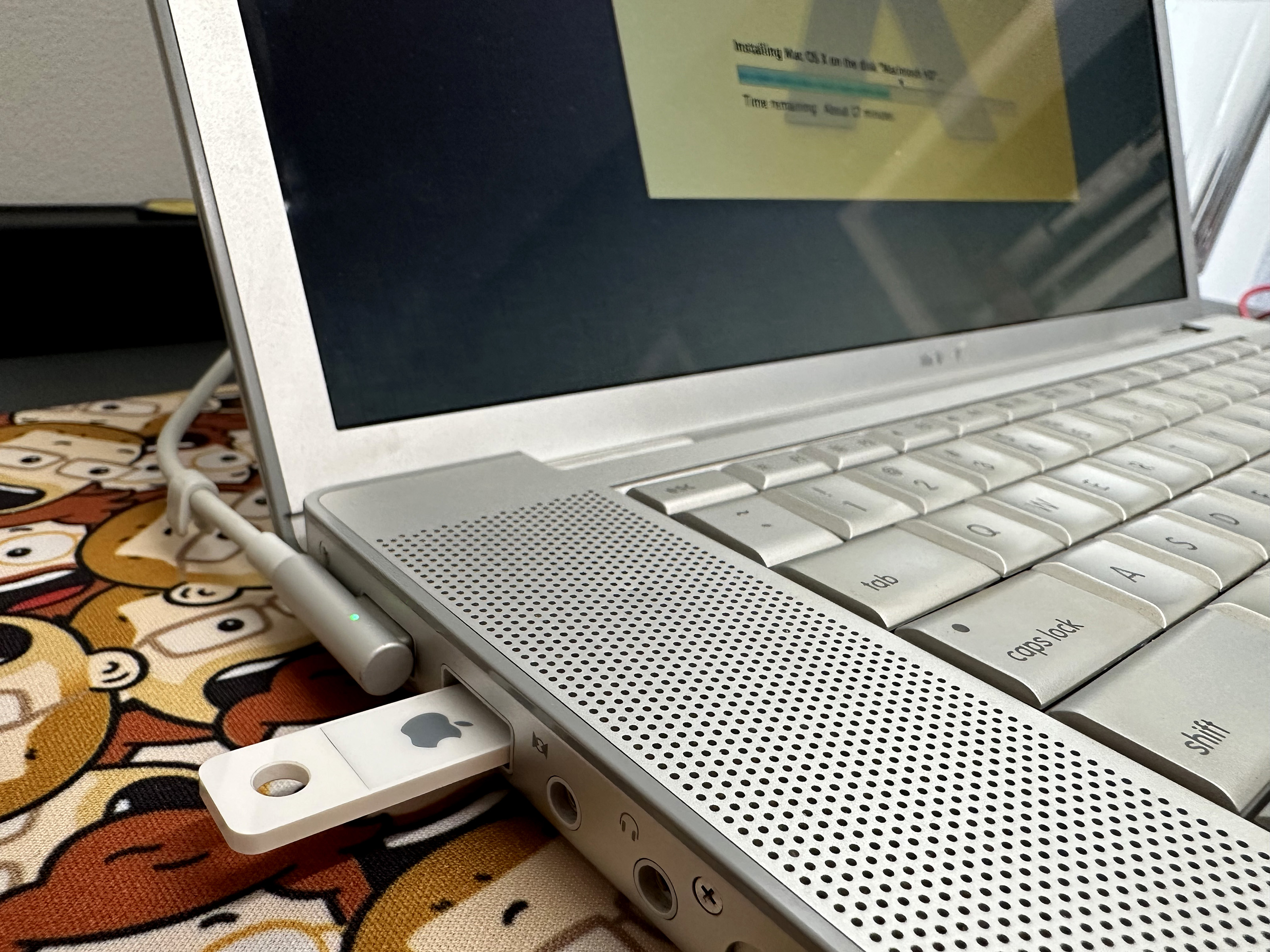
Physically, the USB key is about as minimal as you can get. It’s just a thin piece of plastic with exposed USB contacts on side that slid right into a USB A port:
It mounts in Finder like any other volume, complete with a custom icon. Here it is in Mac OS X Snow Leopard:
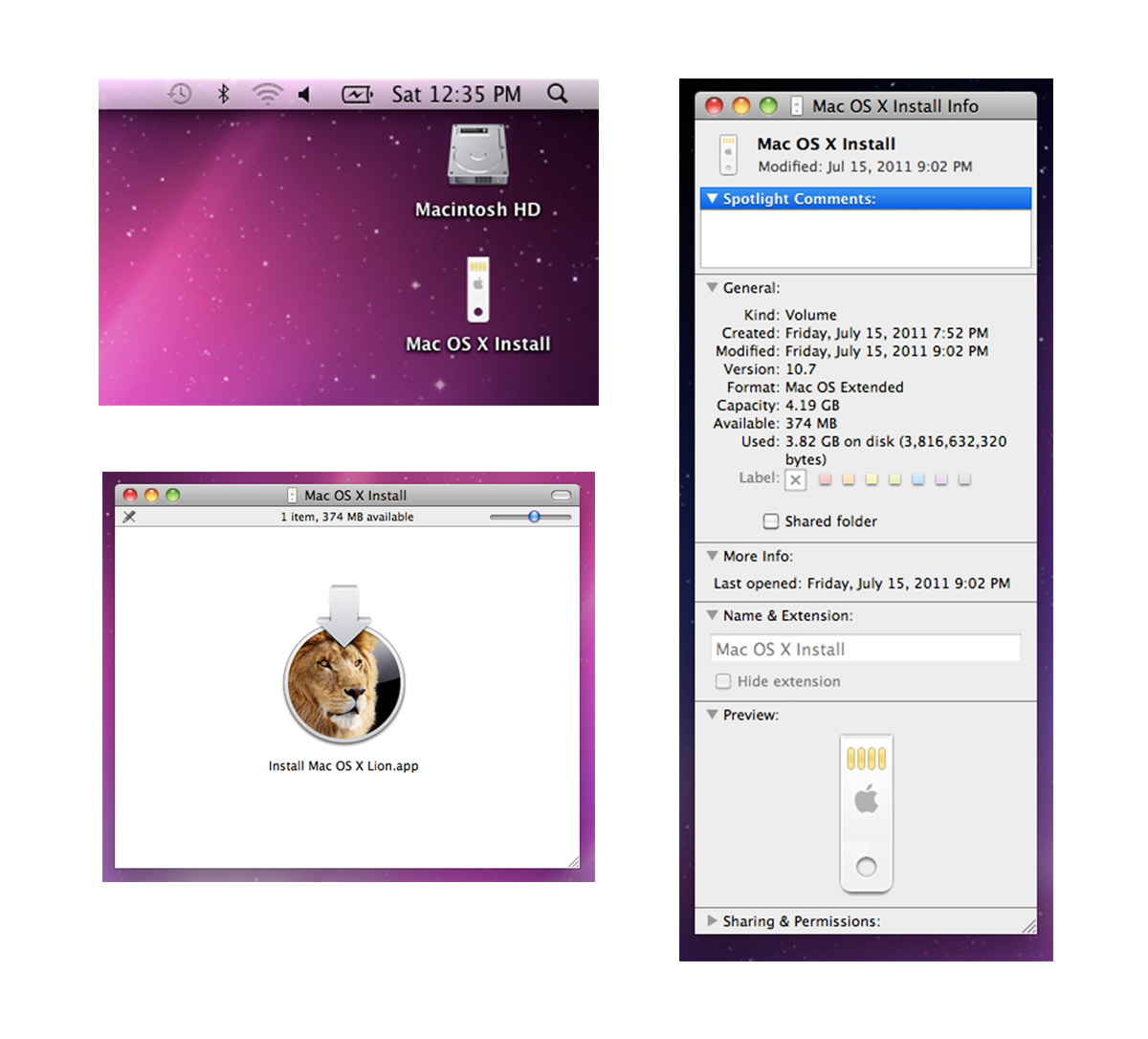
Installing off the USB Key is just like installing Lion from the App Store. Once I had the new OS up and running, I was curious to see how the system would handle the USB volume.
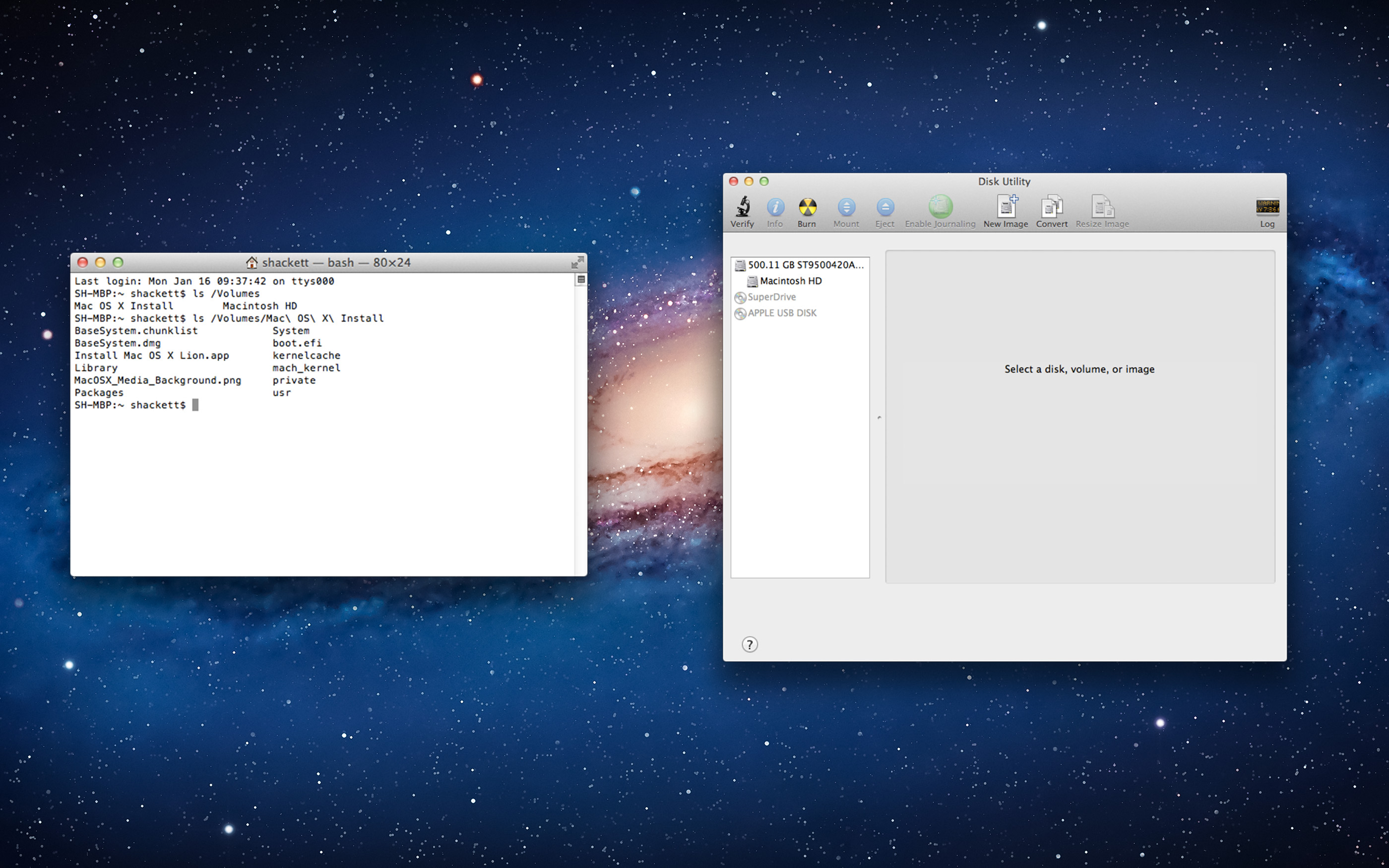
It can explored in Finder just like any of Apple’s downloaded macOS installer, and Terminal shows its contents like any other volume. Lion’s version of Disk Utility has no idea what to make of it, showing it as optical media:
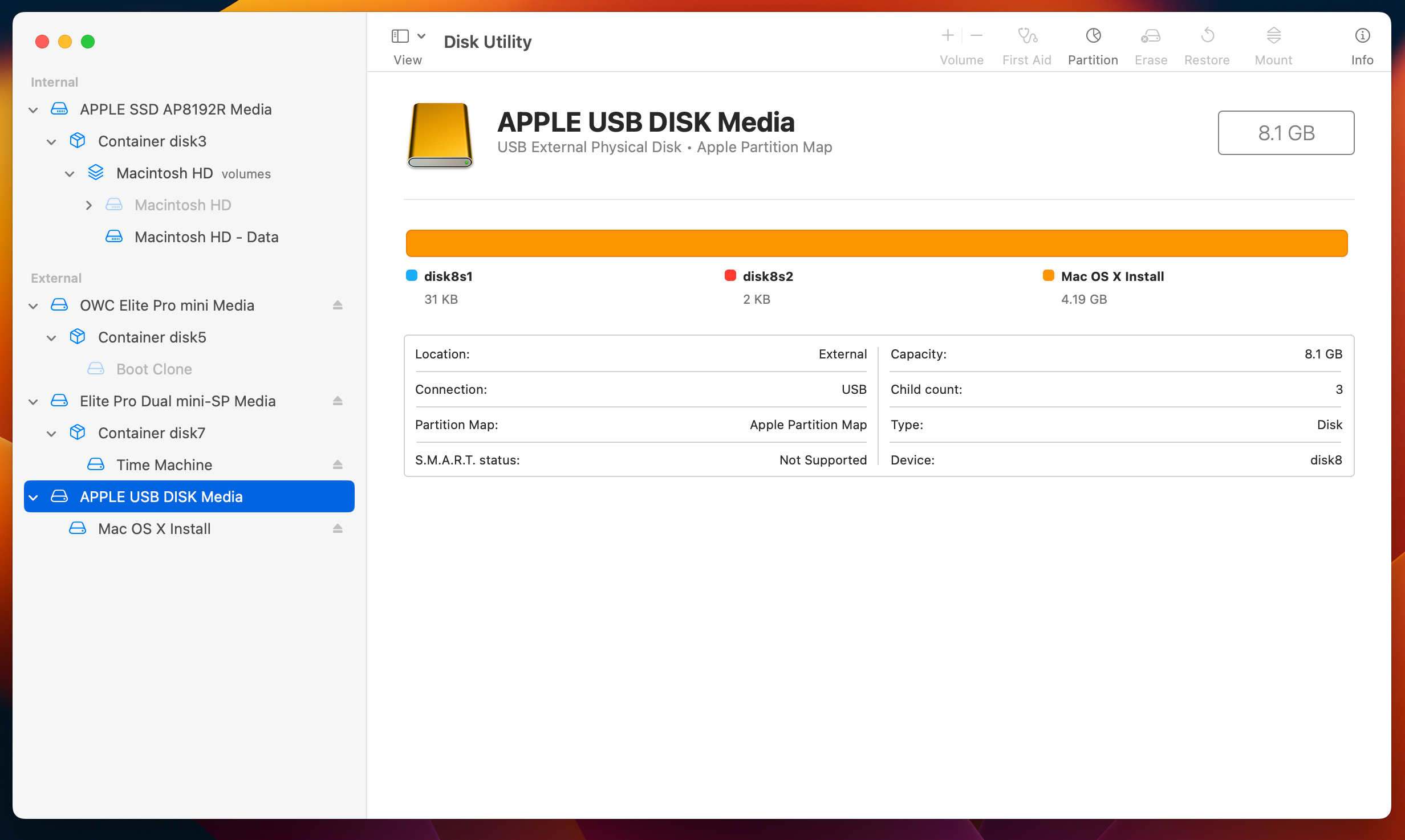
However, Disk Utility in later versions of macOS sees it as a regular USB volume, as seen here on macOS Ventura:
It’s a bit of a shame that Lion’s USB installer was a one-and-done thing, but I can’t imagine it sold very well. Downloading new versions of macOS quickly became the norm, no matter how neat this tiny USB key is.
Sponsor: DEVONthink of DEVONtechnologies ⇢
Whether you’re in the harbor or at high sea, you need to know where you are or where you’re sailing. If you have all the maps, books, and documents. DEVONthink for Mac and DEVONthink To Go for iOS will not let you down on your mission and help you navigate the “seven seas of information.”
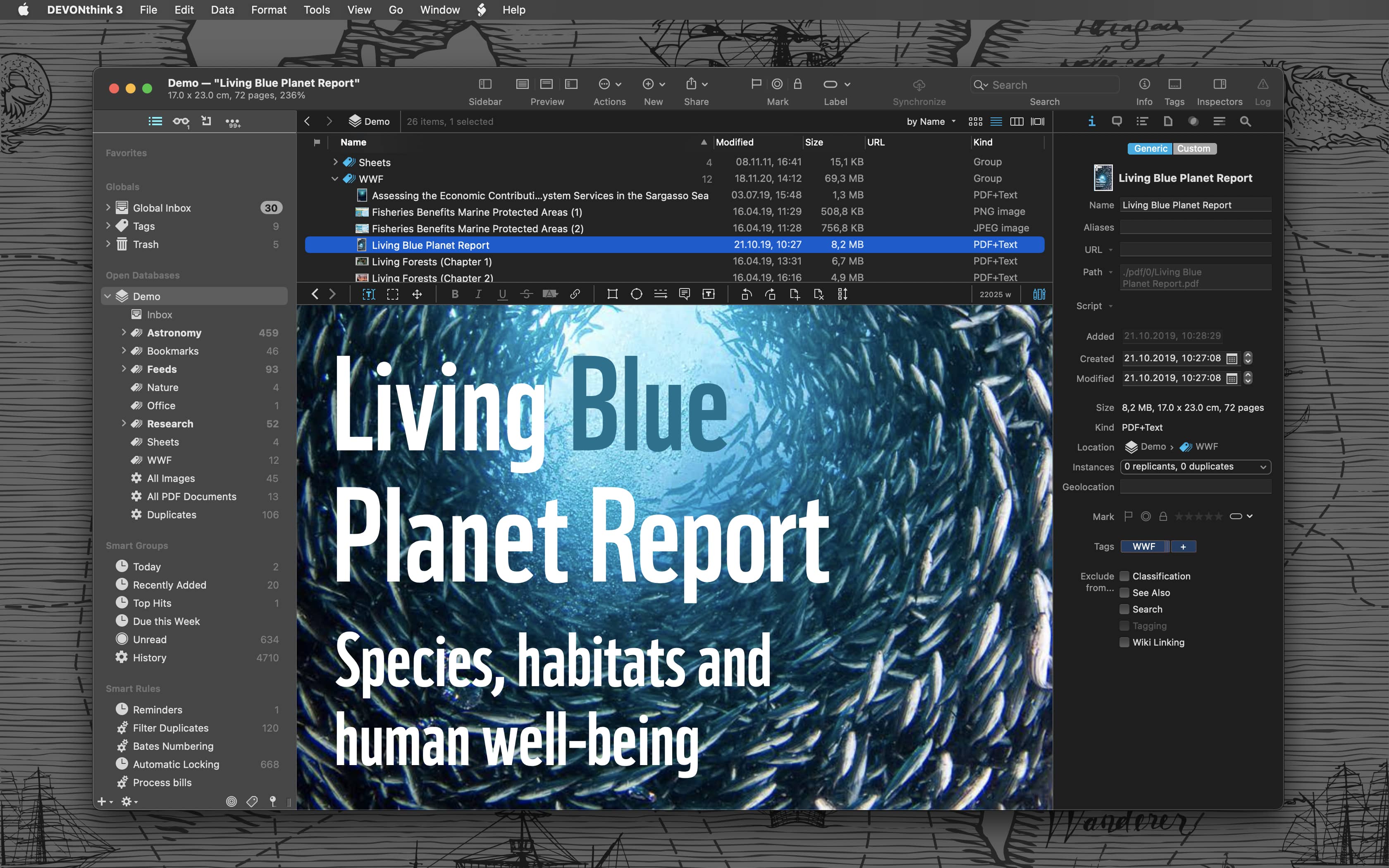
Sailor jokes aside … DEVONthink helps you get organized in your office, home office, or on the go. It keeps all your documents, snippets, and bookmarks in one place. Organize them however you need and let DEVONthink’s unique AI assist you all the way with filing and finding. And if that wasn’t enough, smart rules and flexible reminders let you delegate all the boring, repeating daily tasks to DEVONthink too. On iOS, use Shortcuts actions to integrate DEVONthink To Go with your other apps.
Of course, whatever you keep in your databases remains yours. It’s all stored locally, nothing is uploaded anywhere unless you say so. Flexible synchronization technology with strong encryption makes sure that you have all your important documents with you on whatever device you’re working on or taking with you. Use iCloud, Dropbox, any WebDAV service you may have booked or synchronize directly over your local network.
And, of course, there’s so much more, from email archiving and scanning to an embedded web server for sharing your data securely with your team. Check out https://www.devontechnologies.com to learn more about DEVONthink, DEVONthink To Go, and more.
Mac Power Users #675: Cruisin’ with CarPlay ⇢
This week on Mac Power Users, David and I took a road trip through CarPlay Land.
Popular Third-Party Twitter Apps Currently Suspended ⇢
Hanlon’s razor says “Never attribute to malice that which is adequately explained by stupidity,” but it’s impossible to tell the difference with Twitter these days.
In a surprise to no one, developers of these apps have been left in the dark, as The Iconfactory points out in a blog post:
There’s been no official word from Twitter about what’s going on, but that’s unsurprising since the new owner eliminated the employees dedicated to keeping the API up and running smoothly, including the developer evangelists who previously provided communication with third-parties.
We wouldn’t know whom to reach out to at Twitter even if such people existed. We’re in the dark just as much as you are, sadly.
As soon as we have a better understanding of what has happened, we’ll update this blog post and let you know. In the meantime, if you own a Mac you can use Twitterrific for macOS (but we don’t know how much longer this will last).
January 14 Update: Twitter hasn’t announced anything, but it looks like this is indeed intentional.
iTunes for Windows Being Replaced by Three New Apps ⇢
Andrew Cunningham, writing at Ars:
Today, as part of a new Windows 11 preview build for Windows Insiders, Microsoft has announced that previews of new Apple Music, Apple TV, and Apple Devices apps are available in the Microsoft Store for download.
The Apple Music and Apple TV apps handle iTunes’ music and video functionality, just as they do on macOS, and provide access to the Apple Music and Apple TV+ subscription services. The Apple Devices app is what you’ll use to make local device backups, perform emergency software updates, sync local media, and the other things you can do with an iDevice that’s plugged into your PC (in macOS, similar functionality was added to the Finder, rather than being broken out into its own app).
Bloomberg: Apple Planning Macs with Touch Screens ⇢
Apple Inc. is working on adding touch screens to its Mac computers, a move that would defy long-held company orthodoxy and embrace an approach that co-founder Steve Jobs once called “ergonomically terrible.”
Apple engineers are actively engaged in the project, indicating that the company is seriously considering producing touch-screen Macs for the first time, according to people familiar with the efforts. Still, a launch hasn’t been finalized and the plans could change.
Don’t take this the wrong way, but Jobs has been gone a long time and this move would be long overdue if it comes to pass.
I have a lot of thoughts on this, but for now let me say this: discussions about touch-enabled Macs don’t have to be forever framed by what Apple of ten years ago thought.