Mr. Macintosh has the details, but the release contains a very specific fix:
- 16-inch MacBook may become unresponsive when playing Civilization VI

Mr. Macintosh has the details, but the release contains a very specific fix:
Mike Bombich, writing on the Carbon Copy Cloner blog:
For decades, Mac users have taken for granted the Mac’s “External Boot” feature. Prior to Mac OS X, people could simply drag and drop the System folder from one volume to another; presto, external boot volume. When Apple made it more complicated with Mac OS X, we pioneered the “bootable backup” solution (nearly 20 years ago!), and this has been a feature we’ve reliably supported on every new Mac and every new OS since then.
But Apple has never been afraid of shaking things up to blaze new trails. Big Sur and the new Apple Silicon Macs have shaken up the way Mac users will recover from hardware failure.
As he writes, it’s becoming clear that bootable backups are not long for this new Apple silicon world. Apple told him that “copying macOS system files was not something that would be supportable in the future.”
Having a bootable backup is something I’ve done for years, and keeping one around can be a great troubleshooting tool. It’s a bummer to see it go away, but as Apple continues to make the Mac act more like its mobile siblings under the hood, this shouldn’t have come as surprise.
Unite 4 for macOS allows you to turn any website into an app on your Mac. Using a lightweight, WebKit powered browser as a backend, you can easily create isolated, customizable apps from any site.
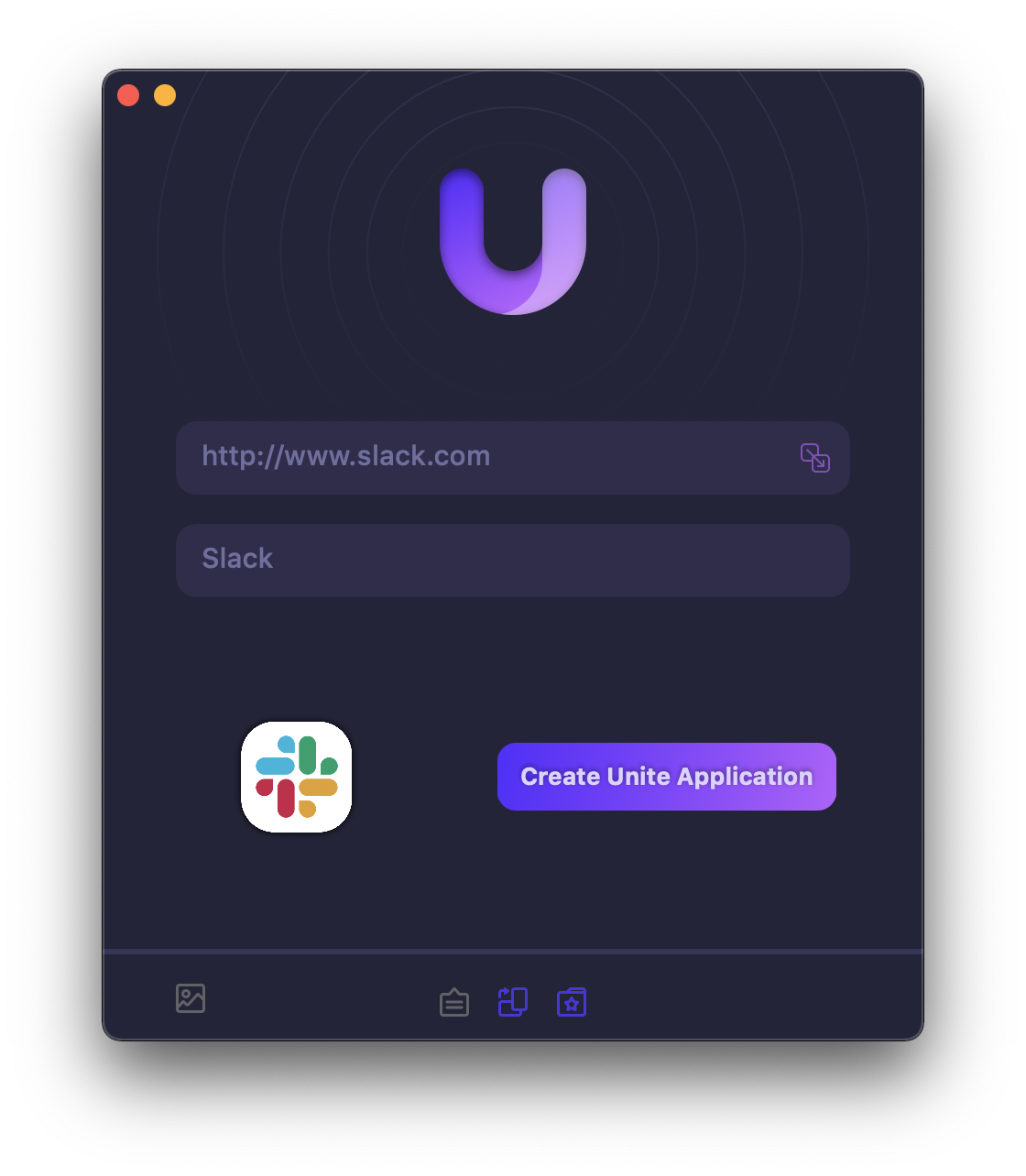
Unite 4 includes dozens of new features, including support for native notifications, new customization options, and much more. Unite apps also serve as a great alternative for resource hogging Electron apps or half-baked Catalyst apps.
Some examples of apps you could create in mere minutes with Unite:
512 Pixels readers get 20% off this week when you purchase Unite 4 at bzgapps.com/unite512 or when you use the promo code ‘512Pixels’ at checkout.
You can also try Unite for 14 days absolutely free or use it as part of your subscription if you’re a Setapp subscriber!
David and Stephen are joined by Teddy Svoronos to discuss the tech that he has implemented for distance teaching and learning in his role at the John F. Kennedy School of Government at Harvard University.
Most people just plopped a laptop down on their dining room table, but Teddy wasn’t happy with that.
My thanks to our sponsors for the episode:
This time on Flashback, we get into the Lisa:
In the early 1980s, Apple launched a computer with a GUI and mouse … that wasn’t the Macintosh.
I really think this computer deserves more respect than it gets today.
In my series 2001 Revisited, I’m covering Apple’s major announcements from 20 years ago.
And yes, in 2001, WWDC took place in May. That may seem strange to us now, but from 1989 to 2002, that’s when Apple hosted the conference. It’s been in June every year since, except for 2006, when it slipped to August.
I think we can guess what was keeping Apple busy that year.
Turns out, finding video of WWDC 2001 was way harder than I thought it would be. There are videos of Macworld keynotes that year on YouTube, but I can’t seem to find the developer conference. If you know of a copy of it, please let me know.
Thankfully, Apple’s press release archives go back to 2000, so we have something to go on.
As we’ve seen already, 2001 was a bonkers year for Apple, so I wasn’t surprised to see that the press release coverage left me thinking that WWDC that year was a bit sparse in terms of actual news.1 Here’s how Apple pitched the $1595 conference:
It’s time to raise your development to the power of ten! With Mac OS X, developers can create great-looking, robust software applications and high-performance hardware peripherals.
At Apple’s Worldwide Developers Conference, May 21-25, 2001 in San Jose, California, you will get the very latest information on Mac OS X and other important Apple technologies. What’s more, you’ll get it directly from Apple engineers and technology experts in more than 100 in-depth technical sessions and hands-on labs.
The unique combination of technologies in Mac OS X make WWDC 2001 especially interesting to Java and UNIX developers looking to take advantage of this new desktop platform.
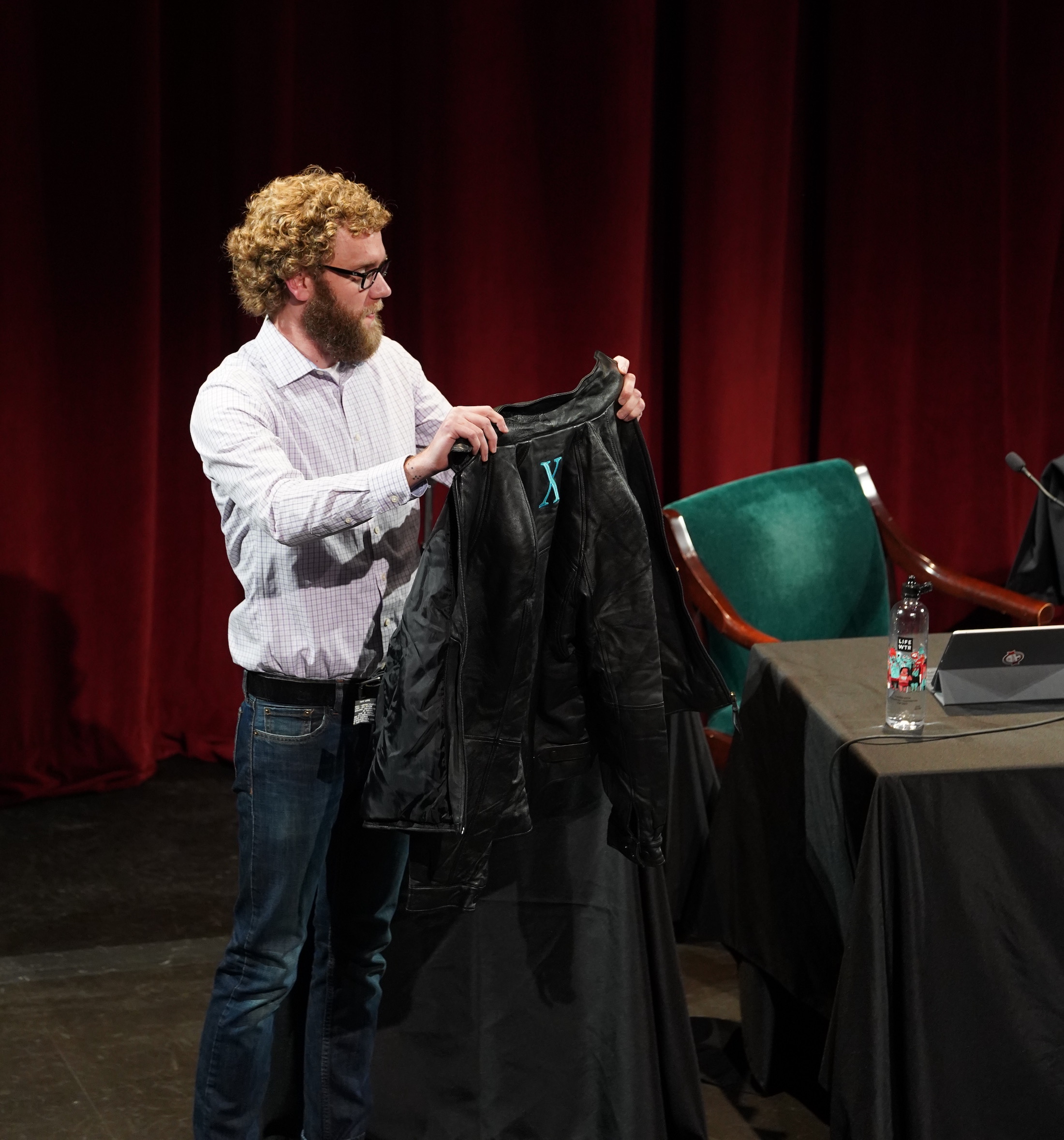
The gift to attendees was something special: a black leather jacket with an Aqua X on the back. Here I am, with my jacket, given to me by James Thomson at Relay FM’s live show at WWDC 2018:
So, with that out of the way, let’s get to the news of WWDC 2001:
The WWDC 2001 keynote took place just days after Apple had opened its first retail stores, and as such, Steve Jobs took some time to talk about them. Here’s a bit from Apple PR:
Apple today announced that its first two retail locations welcomed over 7,700 people and sold a combined total of $599,000 of merchandise during their first two day weekend. The stores, located in Glendale, California and McLean, Virginia are the first of 25 stores the company is opening across the U.S. in 2001.
“We are blown away with the numbers,” said Steve Jobs, Apple’s CEO. “More importantly, customers have told us they love everything about the store—from the knowledgeable sales staff to the Genius Bar to the store’s design and unique approach to presenting digital lifestyle solutions.”
Not a bad start at all.
After updating its display lineup just a few months earlier, Apple took this chance to kill of its last stand-alone CRT. My all-time favorite Apple external display, the Apple Studio Display (17-inch ADC) was gone.

In its place was a new 17-inch flat panel display running at 1280 by 1024 pixels and a full 16.7 million colors. Here’s a bit from the press release:
The 17-inch Studio Display continues the award-winning industrial design of its 15- and 22-inch siblings that is both beautiful and functional. In addition to its slim desktop footprint and low power consumption, the 17-inch Studio Display also features the Apple Display Connector, an innovative single-connection quick-latch mechanism that combines USB, power and video in one cable, for easy hookup and reduced desktop clutter. For easy plug-and-play connections to peripherals, the 17-inch flat panel also offers a 2-port powered USB hub.
The 15-inch models was $599, the 17-inch cost $999 and the mammoth 22-inch ran $2,499.
This one is a little confusing, as it was the second product Apple sold with this name. The first one was based on Rhapsody, Apple’s failed first attempt at smashing NeXTSTEP and Mac OS together. It was … quickly forgotten.
This new Mac OS X Server was based on Mac OS X 10.0 which had launched just two months before WWDC. To OS X, Apple had added a range of services that, according to the company, would let admins:
For a 10-client license, Mac OS X Server cost $499, with the unlimited license costing $999. Apple also sold a dual 533 MHz Power Mac G4 with a 4-port Ethernet card and OS X Server built-in for $3,999.
Uhhh, WebObjects got a big update at this WWDC. I find it hard to write or talk about WebObjects outside of making jokes about Apple’s infrastructure, so I’m just going to link to the press release and move on.
Even though it was basically brand new, at this event Apple announced that Mac OS X would be pre-installed on all new Macs — alongside Mac OS 9 — effective immediately:
“The reception of Mac OS X has been so positive that we’ve decided to pre-install it alongside Mac OS 9 on all Macs beginning today—two months ahead of schedule,” said Steve Jobs, Apple’s CEO. “This will give all our customers access to the world’s most advanced operating system and ensure a ready and lucrative market for Mac OS X applications.”
Beginning today, all new Macs coming from Apple’s factories will include both Mac OS X and Mac OS 9.1 pre-installed. The systems are set to default boot into Mac OS 9.1, but using Apple’s Dual Boot technology users can easily change the default boot to Mac OS X, and just as easily revert back to Mac OS 9.1 if they choose. During the transition, customers buying new Macs that do not yet have Mac OS X pre-installed will receive a free copy of Mac OS X.
A lot of people probably experienced Mac OS X for the first time because of this. I’ve heard many people say that they would boot into OS X, poke around a bit, then return to Mac OS 9 for getting their work done. Over time that would change, and this was one of the first big steps in that direction.
Here’s a full list of sessions from the conference. There were a few special events for attendees as well. ↩︎
There’s a lot to love about the new 24-inch iMacs, and Jason Snell has put together an excellent article showing how many of those reasons have to do with the past:
The new iMac, like the original, has the fortune to live in interesting times. Things may be a bit stressful and unsure, but at least we can look at the pretty colors.
The M1 iPad Pro is here, and Federico walks Stephen and Myke through his review and thoughts on the new device. Then, a lecture on high-resolution audio in light of the recent Apple Music news. It’s Federico Mania!
On Connected Pro: Eurovision and new Apple Watch Pride Edition bands.
My thanks to our sponsors for the episode:
Sean O’Kane, writing at The Verge:
The most popular vehicle in the United States is going electric. Ford has revealed the F-150 Lightning, an all-electric version of its popular pickup truck due out in 2022, and it’s aggressively priced for an EV. The base model with 230 miles of range starts at $39,974, while the extended range version starts in the mid-$50,000s and can go about 300 miles.
I really like this approach: taking a regular, super-popular vehicle and turning it into an EV is a reasonable approach. I fully anticipate that my Toyota Tacoma will be the last internal combustion vehicle I own.
In my series 2001 Revisited, I’m covering Apple’s major announcements from 20 years ago.
It’s hard to imagine the Apple of 2021 without its huge retail footprint, but the first Apple Stores opened just 20 years ago.
Let’s jump right to the press release:
Apple today announced that it will open 25 retail stores across the U.S. in 2001, with the first two stores opening this Saturday, May 19, at Tysons Corner in McLean, Virginia, and the Glendale Galleria in Glendale, California.
“The Apple stores offer an amazing new way to buy a computer,” said Steve Jobs, Apple’s CEO. “Rather than just hear about megahertz and megabytes, customers can now learn and experience the things they can actually do with a computer, like make movies, burn custom music CDs, and publish their digital photos on a personal website.”
Knowledgeable salespeople will be able to demonstrate Macs® running innovative applications like iTunes and iMovie™, as well as Mac® OS X, Apple’s revolutionary new operating system. All of the Macs are connected to the Internet, and several are connected to digital lifestyle products that complement the Mac experience, such as digital cameras, digital camcorders, MP3 players, and handheld organizers.
On its website, the company went into more detail about why the Apple Store was such an important step:
Apple currently has around 5% market share in personal computers. This means that out of one hundred computer users, five of them use Macs. While that may not sound like a lot, it is actually higher than both BMW’s and Mercedes-Benz’s share of the automotive market. And it equals 25 million customers around the world using Macs.
But that’s not enough for us. We want to convince those other 95 people that Macintosh offers a much simpler, richer and more human-centric computing experience. And we believe the best way to do this is to open Apple stores right in their neighborhoods. Stores that let people experience firsthand what it’s like to make a movie right on a Mac. Or burn a CD with their favorite music. Or take pictures with a digital camera and publish them on their personal website. Or select from over 300 software titles, including some of the best educational titles for kids. Or talk to a Macintosh “genius” at our Genius Bar. Or watch a demonstration of Mac OS X, our revolutionary new operating system, on our theater’s giant 10-foot diagonal screen.
Because if only 5 of those remaining 95 people switch to Macs, we’ll double our market share and, more importantly, earn the chance to delight another 25 million customers.
This was also used for full-page newspaper ads in areas that were home to new stores.
In this video, Steve Jobs gives a tour of what Apple came up with to lure Windows customers in:
That initial store design and layout spread across a bunch of different locations, including my own Saddle Creek store, where I was hired as a temporary salesperson for the holiday rush of 2006, before becoming a Mac Genius for a couple of years. Saddle Creek has since moved to a newer section of its shopping center and ushered in a new design for the stores.
The history of the Apple Store is an interesting one. For years, Ron Johnson was at the heart of it. In 2018, he did an interview on the now-defunct “Without Fail” podcast telling some pretty wild stories from those early days of Apple retail.
For a decade, the changes Apple has made to its stores were faithfully chronicled at ifoAppleStore, until its founder Gary Allen passed away in 2015. Today, folks like Michael Steeber faithfully report on the Apple stores.
From the very first store openings to dealing with the ongoing effects of the COVID-19 pandemic, the Apple store is how millions of people interact with Apple. It’s a bit cringe-worthy when Apple says that the stores are meeting places and town halls, but for many fans of the company and its products, there’s something special about them, even as they’ve changed and grown over the last 20 years.
Federico Viticci has, as you would have imagined, written the definitive review of the new iPad Pro:
The perception since the iPad Pro’s introduction is that its hardware has consistently leapfrogged its software, leaving many to wonder about the untapped potential of iPadOS and a third-party app ecosystem that could have been vastly richer and more powerful if only iPadOS allowed developers to write more complex apps. Effectively, “too good for its software” has long been the iPad Pro’s hardware mantra.
The 2021 iPad Pro, launching publicly this Friday, doesn’t alter that public perception at all. If anything, this new iPad Pro, which I’ve been testing in the high-end 12.9” flavor with 2 TB of storage for the past week, only widens the chasm between its hardware and software: it’s an absolute marvel of engineering featuring the Apple-designed M1 chip, a brand new Liquid Retina XDR display, and 16 GB of RAM1 that hints at a powerful, exciting future for its software that just isn’t here yet.
I can’t wait to talk about this on today’s episode of Connected.
The company’s CEO, Oleksandr Kosovan:
We’re counting months to opening the doors of MacPaw’s very own Apple Museum. 323 exhibits, fascinating stories about Apple’s behind the scenes, and one big mission to befriend humans and technology. Here’s how we’ve got here.
This looks really cool. I’m putting a tour of it on my nerd bucket list.