
The red X isn’t as iconic as the sad iPod, but it gets the job done.
512 Pixels
Connected #87: Ticci on the Scene⇢
A sleep-deprived Myke joins Federico and Stephen to talk about WWDC, new MacBooks and App Store search.
My thanks to our sponsors:
RelayCon: WWDC 2016 tickets now for sale⇢
I’m really excited to announce that we’ll be doing a live Connected (along with Jason Snell and Serenity Caldwell) at WWDC this year:
On June 13 at 6 PM we will be hosting an event at 111 Minna Street in San Francisco. Come grab a drink at the bar and hang out before a live panel starts covering that morning’s news. Hosts from Connected will be joined by Serenity Caldwell and Jason Snell.
 Tickets are available now. Get them while they last!
Apple updates MacBook line⇢
Apple today updated MacBook with the latest Intel processors, improved graphics performance, faster flash storage and an additional hour of battery life, making the thinnest and lightest Mac better than ever. Featuring an all-metal unibody enclosure, MacBook is now available in four aluminum finishes — gold, silver, space gray, and for the first time on a Mac, a gorgeous rose gold. With a stunning 12-inch Retina display, highly responsive full-size keyboard, Force Touch trackpad, versatile USB-C port and all-day battery life in a design that is just 2 pounds and 13.1 mm thin, MacBook is the future of the notebook.
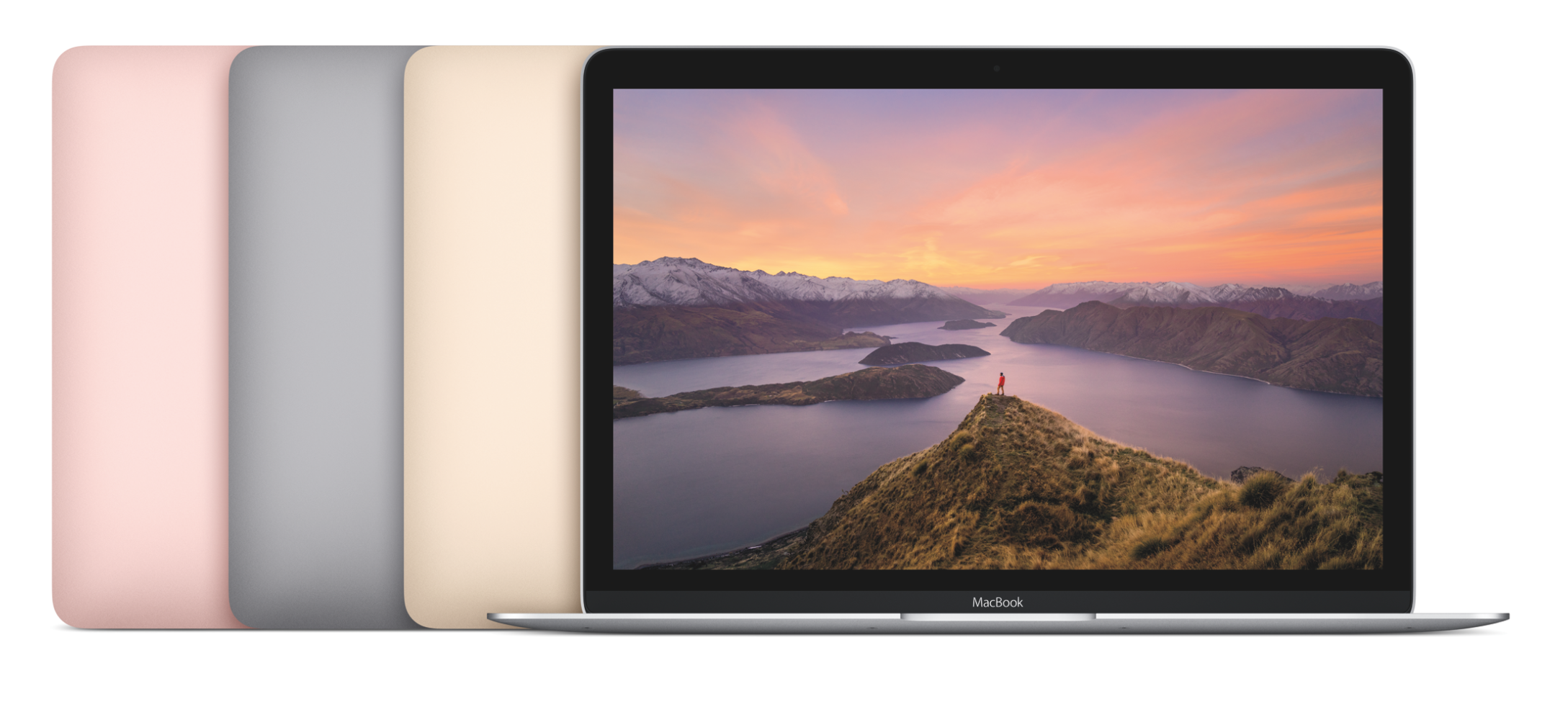
It’s hard to tell from the specs page, but hopefully this processor bump will be enough to push the MacBook closer to the mainstream.
Speaking of mainstream notebooks, the MacBook Air survived today’s update, but the only change is that the 13-inch models all come with 8 GB of RAM as default.
WWDC dates announced⇢

Don’t miss Underscore’s look at the average number of days between the announcement and the keynote.
Siri spills the beans on WWDC dates⇢
Although the Apple website has not been updated with any new info, Siri is proudly proclaiming that WWDC 2016 will indeed be held in San Francisco from June 13th to June 17th. Although Siri didn’t explicitly say, it is almost certain that WWDC will once again be held at Moscone West, simply because it’s the best choice of venue for an event like this in San Francisco.
So either someone on the Siri team got excited, or something happened to delay the official announcement. While those dates have been rumored for some time, for those trying to plan a trip to San Francisco, Apple’s last-minute announcement each year is a point of stress. Siri leaking it may be funny or cute, but I think the company would do better by its developers and community to announce the dates earlier than mid-April each year.
RSS Sponsor: Argentum Camera app⇢
Argentum Camera is a black & white camera app built from scratch with street photographers in mind. Free of any excess settings it lets you take high quality black & white images with one tap. No complicated adjustments, no need for post-processing, no selfies.
Argentum processes the images in real time applying one of the six filters, each inspired by an iconic photographer, such as Ansel Adams, Henri Cartier-Bresson or Irving Penn. You can further adjust the tones by changing EV compensation or light up the scene using a torch mode. The adaptive layout of the interface places the shutter button under your thumb in landscape mode making Argentum easier to handle on larger iPhones. The whole experience is built to be seamless, so you can stop focusing on the camera and start focusing on capturing the moments you witness.
Argentum strikes the perfect balance between ease of use and functionality. Being simple but powerful it is purely about capturing photos and enjoying the process. Check it out; lose yourself in monochrome.
Behind the Scenes at The Pen Addict 200
This weekend, I traveled to Atlanta to help produce Episode 200 of The Pen Addict podcast, live in front of an audience at The Atlanta Pen Show.
Obviously, the setup for this was more complicated than what we normally use to record a show like this, so I thought it would be fun to share how we did it.
Here’s a timelapse of everyone helping set the room up, courtesy of Doug Beal:
Here’s the tech we used to record the audio and stream it on the site:
The hosts spoke into Shure BETA 58A microphones. The 58 is a solid vocal mic, and one that’s easy to use and setup. We ran a 4th mic for a live Q&A session that followed the main show.
We ran these mics into a Zoom H6 portable recorder. Instead of running on the 4 AAs the Zoom will accept, we opted to run it off the optional external power supply. The Zoom recorded each microphone directly to a .wav file on an SD card. The Zoom was sitting on the table in front of Myke so he could monitor levels using the built-in display and adjust them if needed.
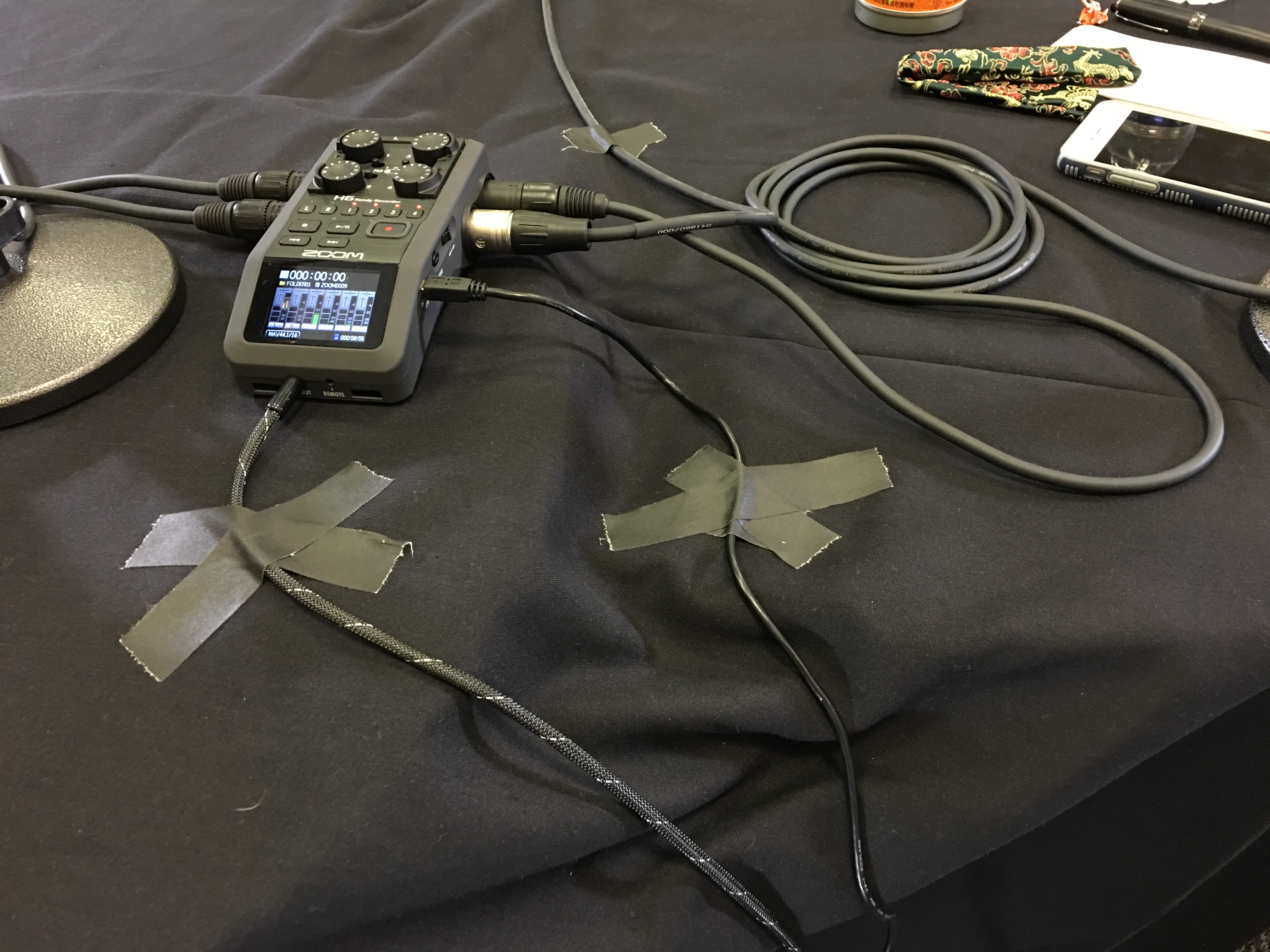
(A little bit of Gaffer tape kept everything in place.)
To stream the show — and record a back up in QuickTime — I ran from the Line Out on the recorder to my MacBook Pro via a USBPre2. This is part of my normal recording setup, and while expensive, is an incredibly powerful and flexible piece of gear.
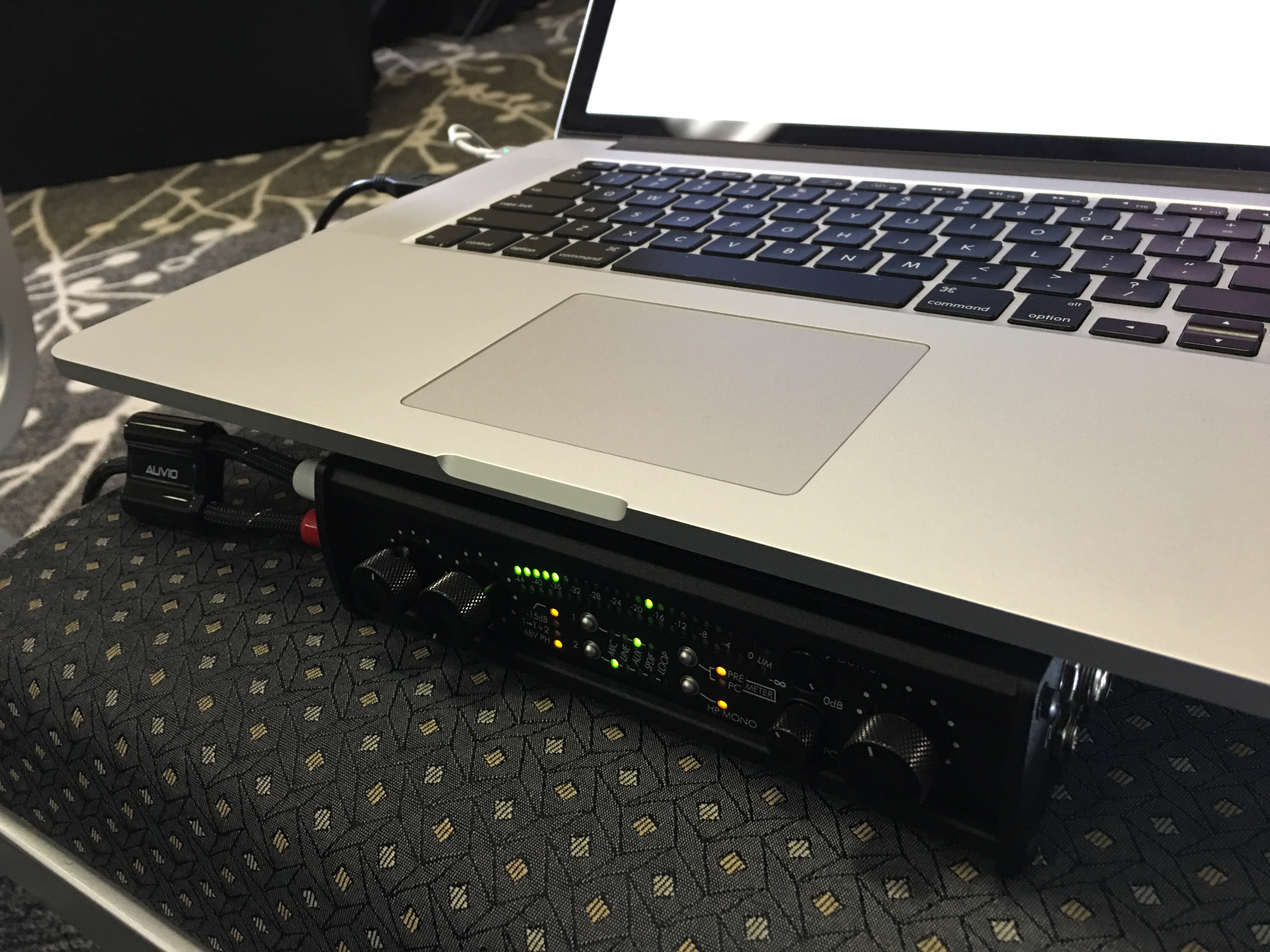
Once I had signal at the Mac, streaming was as easy as telling Nicecast to use the USBPre2 as its source and boom we were live.
I like the challenges presented by producing a live podcast. The tech requirements are different, as is the environment. The Pen Addict community is amazing, and it’s always fun to do something new and exciting with them.
Aurora Borealis from space⇢
This new 4K view of the Aurora Borealis is courtesy of the International Space Station. We live on an amazing planet.
Imprint⇢
My friend Matt Alexander has renamed and rebranded his company, Need, to Imprint. In addition to Imprint’s stunning website, the team has launched a new iOS app.
I’ve been a long-time fan of Matt’s work, and I know how hard he and his coworkers have toiled over this rebranding. Matt cares about the details. Imprint is fantastic, and I’m excited they can finally share it.
Apple History: Nine notebooks worth remembering⇢
This month in my column over on iMore:
Apple’s been making notebooks almost as long as the Mac has been around: Here are nine models in its storied history that I think are worth knowing about.
I had a lot of fun putting this one together.
Amazon unveils the Kindle Oasis⇢
I’m a long-time Kindle hoarder user, and when word broke that a new one was around the corner, I was excited to see how Amazon would improve the Voyage.
The answer? A new $290 high-end Kindle that doesn’t seem to earn the price tag.
It uses the same 6-inch 300 DPI display found on the Voyage, but it’s a lot brighter now. Battery life seems crazypants good, thanks to the mandatory leather-clad battery case. The case is removable, thankfully, and acts more or less like the iPhone battery case Apple put out a few months ago.
Nick Statt at The Verge has more:
The Oasis and its sleeve were constructed to work as a single unit. The purchase of the e-reader comes with the choice of one of three colors — brown, black, and red — for its external battery. Once locked in, the Oasis’ multi-week battery life extends to months of standby time, and the whole package ends up looking like a more square-shaped Moleskine. (A detailed and accurate leak earlier this week indicated 20 months of standby time, but Amazon says that is not true and is not disclosing the exact number of months.)
Lots of people — myself included — have hoped that a waterproof Kindle would show up at some point. From the beach to the bathtub, there are lots of ways for a Kindle to drown, but that feature isn’t present in the new Oasis.
Then there’s the design.
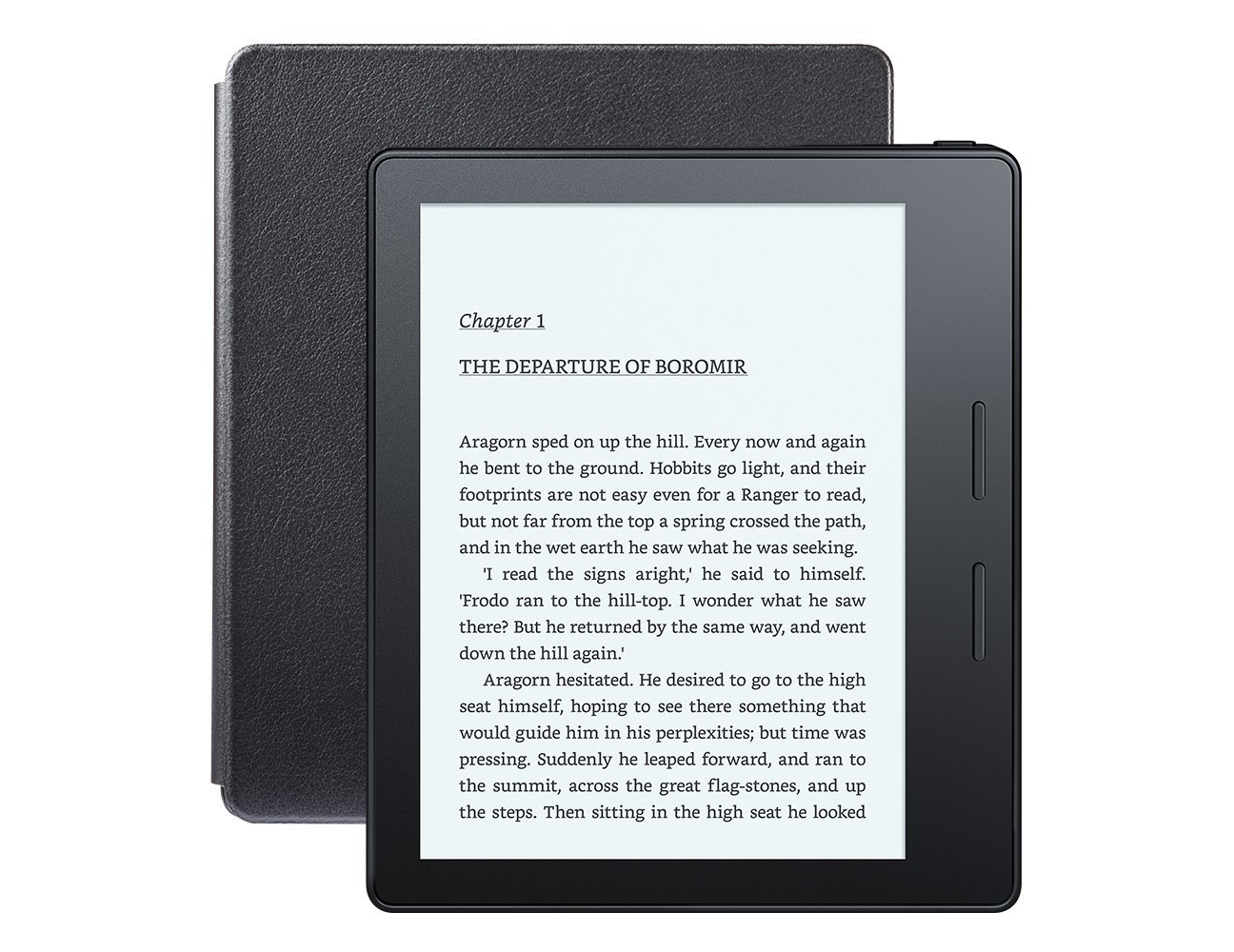
I can see what Amazon was going for here: that large bezel to the side is designed to feel like a coiled spine of a paperback book. While I don’t want to judge this until I hold one in hand, it sure looks … clunky.
At least there are dedicated page turn buttons.
I’m a little surprised at the cost of this Kindle. It’s more than the entry-level iPad mini 2 goes for these days. Is it worth it? Honestly, I’m hesitant to drop the cash even to review the thing. My Voyage is pretty great. If the Oasis was waterproof, I’d be much more willing to hit that Buy button.