
For six decades, the United States Navy Marine Mammal Program has trained sea lions and dolphins to carry out missions around the world. This work includes detecting underwater mines, defending against attack swimmers and more.
posts
Liftoff #111: Escape of the Mole⇢
Commercial Crew continues to grind forward, while InSight struggles to dig on Mars. Then, some SLS upper stage news, reflections on the Galileo probe and a spoiler-free review of “For All Mankind.”
On our next episode, we’ll be getting into the Apollo 12 mission.
My thanks to our sponsors this week:
- Squarespace: Make your next move. Enter offer code LIFTOFF at checkout to get 10% off your first purchase.
- eero: Get your WiFi fixed as soon as tomorrow! Free overnight shipping.
Kbase Article of the Week: Daylight Saving Time Update (Panther) v001⇢
The Daylight Saving Time Update for Mac OS X and Mac OS X Server addresses recent changes in the way Daylight Saving Time will be observed in the U.S. and Canada beginning in March 2007 and includes the latest time zone information for the rest of the world.
That article links to this one:
Apple is providing software updates for Mac OS X 10.3, 10.4 and later based on worldwide time zone information available as of January 8, 2007. To make sure that your clock maintains the proper time, simply install the updates that are shown for your computer in Software Update. You should install these updates even if your computer is used in a time zone that is not affected. For more details about the available updates, or if you have an earlier Mac OS version, see below.
Sponsor: UpHabit, Your Personal CRM⇢
UpHabit makes building and maintaining strong relationships with the people you care about part of your daily routine.
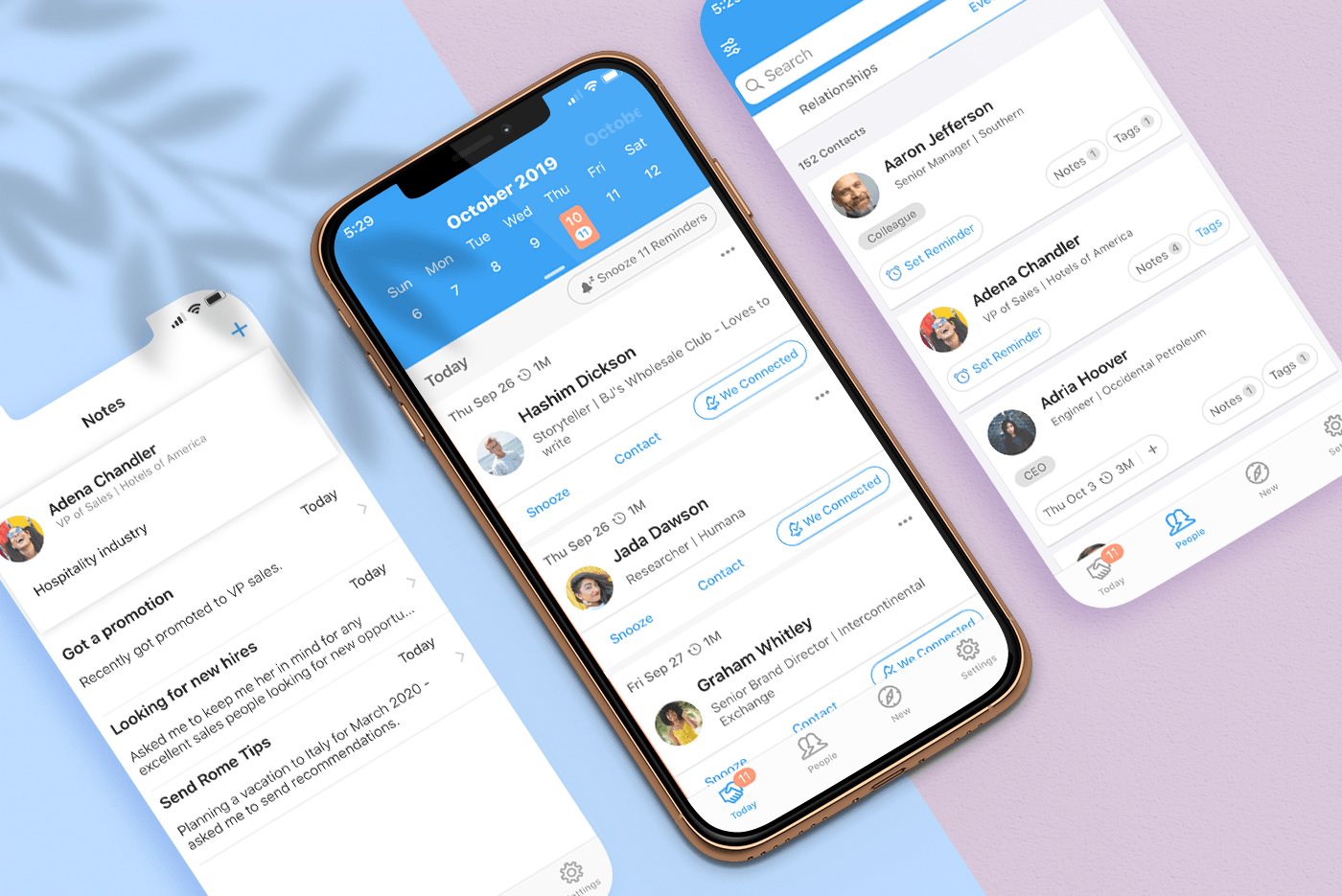
We all lead busy lives. Often pulled in several directions at once with an ever-growing list of personal and business contacts, it’s easy to fall out of touch with people. UpHabit solves the problem with a powerful set of tools that help you maintain strong, healthy relationships with your most important contacts.
Mac Power Users #508: One for Me and One for You, with Sara Dietschy⇢
YouTuber and podcaster Sara Dietschy joins Stephen and David to share about her video work, from cameras to editing and beyond. They also discuss managing large amounts of data across multiple locations, the role of the iPad and turning creative work into a business.
I’m a big fan of Sara’s work, and it was a lot of fun to talk about some topics that I normally don’t get into — specifically the pros and cons of doing professional video work on the Mac vs. the PC. The GPUs in the MacBook Pro limit the types of work some people can do with the machines, which is a real bummer in our laptop-focused world.
The Dune Pro PC Case⇢
This sure looks familiar. If you need an even closer look, Linus Tech Tips built a PC inside of it:
Catalina Leaks 16-inch MacBook Pro Touch ID and Touch Bar Layout⇢
Download macOS Installers with Terminal
Most of the time, you can re-download the current version of macOS via the Mac App Store, and older ones via these links:
However, I’ve run into a situation several times where the Software Update mechanism simply refuses to initiate a download:
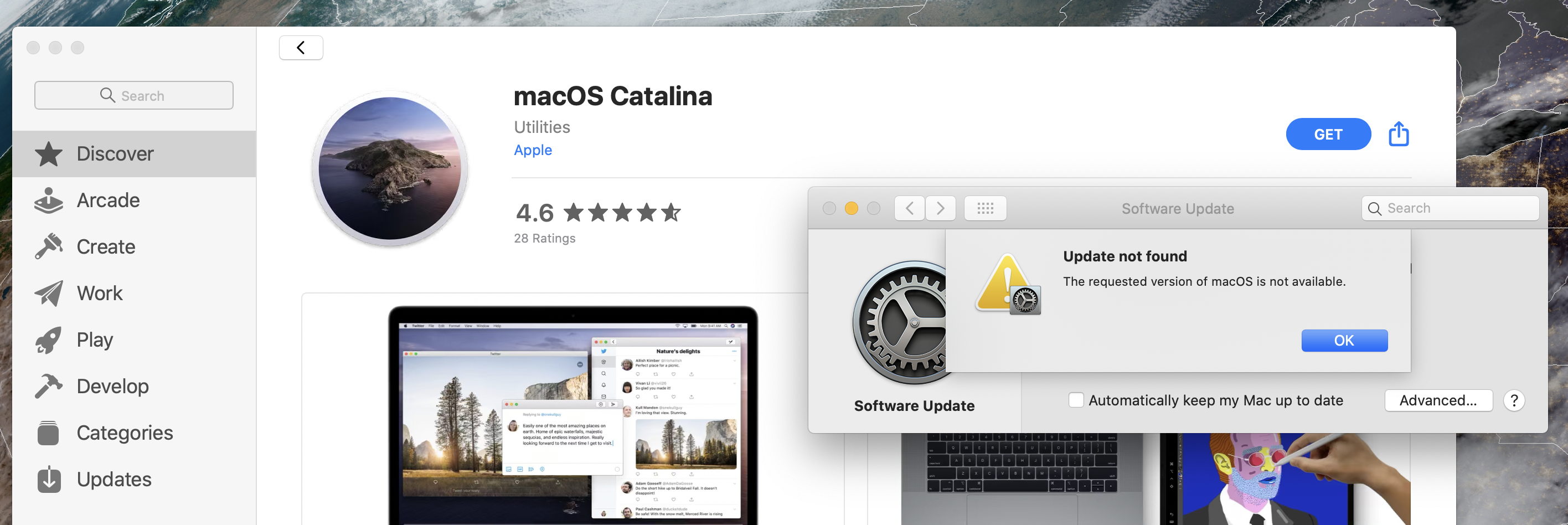
Thankfully, macOS installers can be downloaded via Terminal in macOS Catalina. This command will download the most recent version of macOS, depositing it in your Applications folder:
macOS Catalina 10.15.1⇢
Here’s what’s new: Emoji:
- Over 70 new or updated emoji, including animals, food, activities, new accessibility emoji, gender neutral emoji, and skin tones selection for couple emoji
AirPods:
- Introduces support for AirPods Pro
Home app:
-
HomeKit Secure Video enables you to privately capture, store, and view encrypted video from your security cameras and features people, animal, and vehicle detection
-
HomeKit enabled routers let you control how your HomeKit accessories communicate over the internet or in your home
Hazel Updated to Support macOS Catalina⇢
As of version 4.4, Hazel is compatible with Catalina. Catalina introduced a number of changes and bugs which affect Hazel. Hazel 4.4 works around many of these issues though some still remain, possibly indefinitely.
Most noticeably, dark mode is broken. There are limits to what can be overridden so as a result, certain places, like the System Preferences title bar and contextual menus, will remain in light mode regardless of your system appearance setting.
Kbase Article of the Week: About Fans and Fan Noise in Your Apple Product⇢
If your device’s processor is working on intensive tasks—such as compressing HD video, playing a graphics-heavy game, or indexing the hard drive with Spotlight after you migrate data—the fans run faster to provide additional airflow. You might hear fan noise when this happens, especially if you’re in a quiet environment. This rushing-air sound is a normal part of the cooling process.
Ambient temperature, the temperature outside the device, also plays a role in the fans’ responsiveness. If the ambient temperature is high, the fans turn on sooner and run faster.
Mac Power Users #507: Ian Elsner & His Stick of Gum PC⇢
This week on Mac Power Users, David and I talk with Ian Elsner, a museum exhibit creator who is using the iPhone SE, iPad Pro and an Intel Compute Stick together in some very interesting and unusual ways to help develop educational exhibits for kids and adults. It was a really fun conversation and a look into a world most of us don’t think about all that often.
My thanks to our sponsors: