
Well, that $12.99 jumped out of my pocket pretty quickly.
posts
Mac Power Users #486: Essential iOS Apps⇢
This week on MPU, David and I shared more than 30 of our favorite (and most-used) iOS apps, across a wide range of categories.
My thanks to our sponsors:
- 1Password: Have you ever forgotten a password? You don’t have to worry about that anymore.
- TextExpander from Smile: Get 20% off with this link and type more with less effort! Expand short abbreviations into longer bits of text, even fill-ins, with TextExpander from Smile.
- Squarespace: Make your next move. Enter offer code MPU at checkout to get 10% off your first purchase.
- Direct Mail: Create and send great looking email newsletters with Direct Mail, an easy-to-use email marketing app designed exclusively for the Mac.
The iMac Pro, in a Mac Pro World
I think it’s fair to say that the iMac Pro — a Xeon-powered, multi-core monster in an iMac chassis — was Apple’s plan for the pro desktop market before the Mac Pro project was started and later shared in early 2017.
This week, we saw the fruits of that labor in the all-new Mac Pro, and we got a lot of questions answered, including one that has been on my mind as an iMac Pro user:
Putting the Pro Display XDR Into Context⇢
I think Jonathan Morrison did a great job of putting the Pro Display XDR into context in this video. As time goes on, it’s clear to me that this display is something special, and that there’s room for something more mainstream from Apple.
Liftoff #100: There’s Nobody in Charge⇢
This week on Liftoff, we mark our 100th episode in person, covering the news:
Jason and Stephen discuss the debate around Starlink and its impact on astronomy, cover the latest GAO report and talk about the importance of Commercial Moon Landing Services.
My thanks to our sponsor:
Connected #246: The Ultimate Dark Mode is a Crash⇢
Our live WWDC Connected episode is my favorite work event of the year, and 2019 did not disappoint:
Live from WWDC in San Jose, Federico, Myke and Stephen review their WWDC predications and prizes are awarded after an intervention. Then, iPadOS, Shortcuts and the Mac Pro are discussed before Federico’s surprise is unveiled for the world to see.
Federico’s surprise lived up to the hype.
My thanks to our sponsors who made this very special live episode possible:
Kbase Article of the Week: About the Upcoming Changes with iTunes on Mac⇢
Here’s what to expect:
- Music that you’ve imported or purchased will be in the new Apple Music app. The iTunes Store will still be available to buy music on Mac, iOS, PC, and Apple TV.
- iPhone, iPad, and iPod backup, restore, and syncing will move to Finder.
- Movies and TV shows that you purchased or rented from iTunes will be in the new Apple TV app.
- Use the Apple TV app for Mac for future movie and TV purchases or rentals.
- Podcasts that you subscribed to or added to iTunes will now be in the new Apple Podcasts app.
- Audiobooks that you purchased from iTunes will now be in the updated Apple Books app.
- Use Apple Books for Mac for future audiobook purchases.
- iTunes Gift Cards and iTunes credits will be maintained and can be used with the new apps and the App Store.
While I am sure some people will miss iTunes, I’m excited by this new direction.
The Case for a 5K Thunderbolt Display
Apple’s new Pro Display XDR is, in a word, incredible. Getting to see several of them in person on Monday in Apple’s demo area was a real treat.
It’s hard to describe how good the panel looks. It displays colors with a richness I haven’t ever seen before, and the brightness is just mind-blowing.
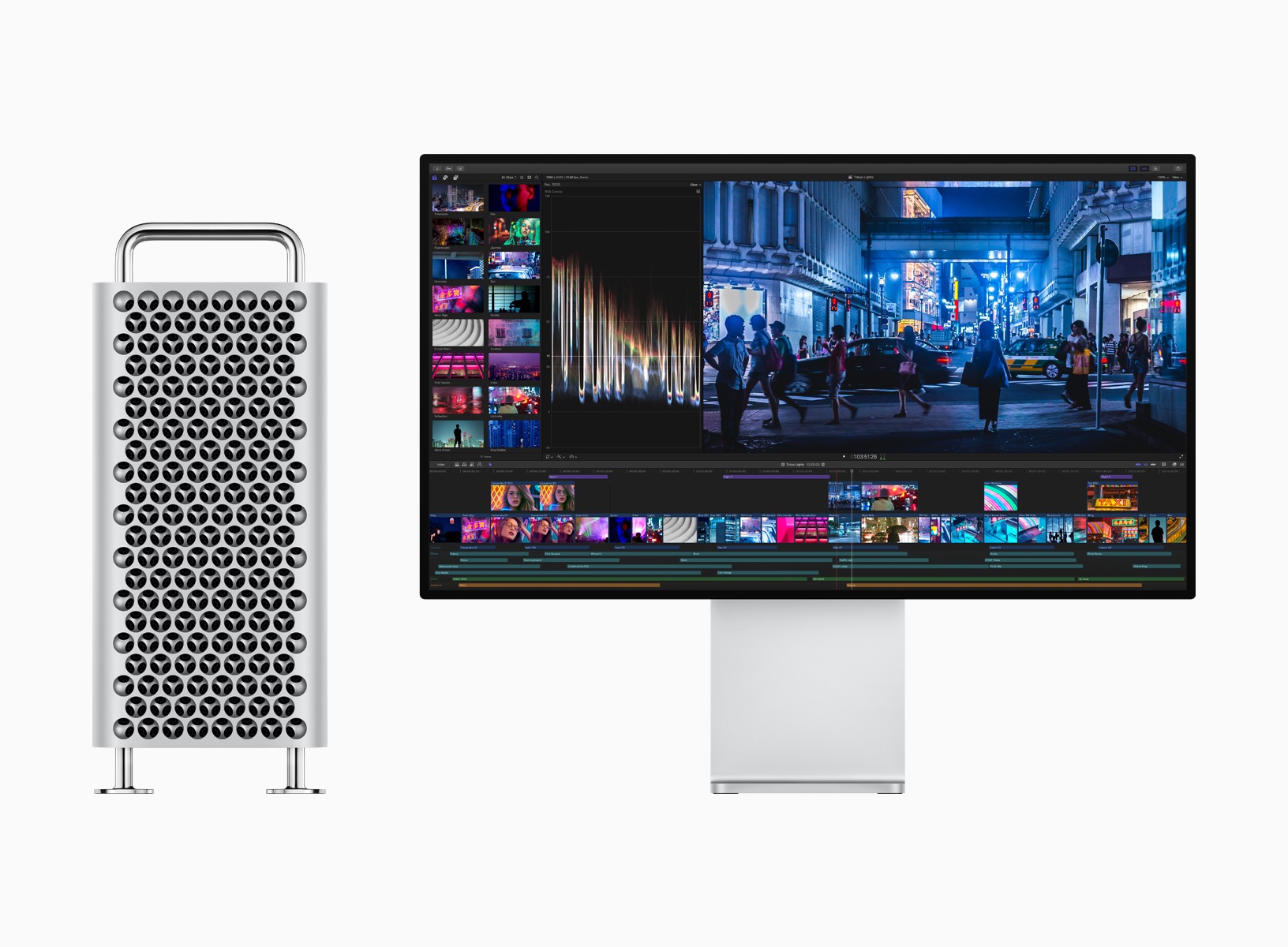
Of course, that should be true given the starting price of $5,999, with both the matte option and the crazy-pants stand each running another $999. Apple says this display is for the highest-level professional users working on top-dollar creative projects. I believe them, and in talking to people this week at WWDC, the high-end reference monitor market is about to experience real disruption at the hands of the Pro Display XDR.
Mac Power Users #485: WWDC and Interview with the Mac Pro Product Manager⇢
Absolutely huge Mac Power Users this week, recorded in-person in San Jose:
Stephen and David have boots on the ground in San Jose for WWDC 2019. In this episode, they interview Doug Brooks, the Apple Product Manager for the new Mac Pro. Afterward, David and Stephen share initial thoughts on updates to macOS and the brand new iPadOS. David has some tough questions for Stephen about his future and the new Mac Pro, and they get to share the good news about the brand new “Sparky Button.” Finally, our hosts give you the lowdown on their WWDC experiences.
Ungeniused #80: The Winchester Mystery House⇢
San Jose, California is home to the Winchester Mystery House, a sprawling mansion built over nearly four decades.
So weird.
Remembering the Cheese Grater⇢
I thought today would be a good time to dig up this old story of mine about the shared Power Mac G5 and Mac Pro enclosure:

After seeing the new machine yesterday, I suspect the new design will live up to the standard set by this one.
A post shared by Stephen Hackett (@stephenmhackett) on Jun 3, 2019 at 3:49pm PDT
ATP #329: Mac Pro Day⇢
Every live episodes of ATP is great, but this one tops them all. It was great to hear the guys’ thoughts on the new Mac Pro, and it was amazing to be called to the stage at the end of the show:
Thank you, @atpfm pic.twitter.com/JTQJOQOcli
— Stephen Hackett (@ismh) June 4, 2019