Connected #211: That’s Enough to Shrink Some Jeans⇢

This week on a fun episode of Connected, the world’s greatest podcast:

The guys debate the Mac’s future being tied to the quality of Marzipan apps before sharing their impressions of the iPhone XS Max and the Apple Watch Series 4. Some advice on how to listen to the show correctly is also shared.

New hardware is always an exciting topic. My thanks to our sponsors this week:

  • TextExpander, from Smile: Communicate smarter. Use this link for 20% off your first year.
  • Pingdom: Start monitoring your websites and servers today. Use offer code CONNECTED to get 30% off.

Continue reading ⇢

Query #40: Wild Shirts and Ski Masks⇢

This week on Query:

What’s the difference between Screen Time and Downtime? Is Apple deleting movies from users’ libraries? Those topics, plus homescreen arrangement, the iPhone XR and more.

My thanks to our sponsors:

  • Pingdom: Start monitoring your websites and servers today. Use offer code QUERY to get 30% off.
  • Molekule: The only air purifier that actually destroys pollutants. Use query for $75 off.

Continue reading ⇢

Mojave’s New Finder Tricks⇢

Yours truly on The Sweet Setup:

macOS Mojave brings with it several enhancements to the core of the Mac experience: the Finder.

More than just a file system viewer, Finder is the heart of the Mac, giving users access to all of their data, programs, and more. With Mojave, Apple has added some genuinely useful features to what some people may consider a product not worth the time.

Those people, of course, are wrong, and Apple is once again showing its commitment to the Mac.

Continue reading ⇢

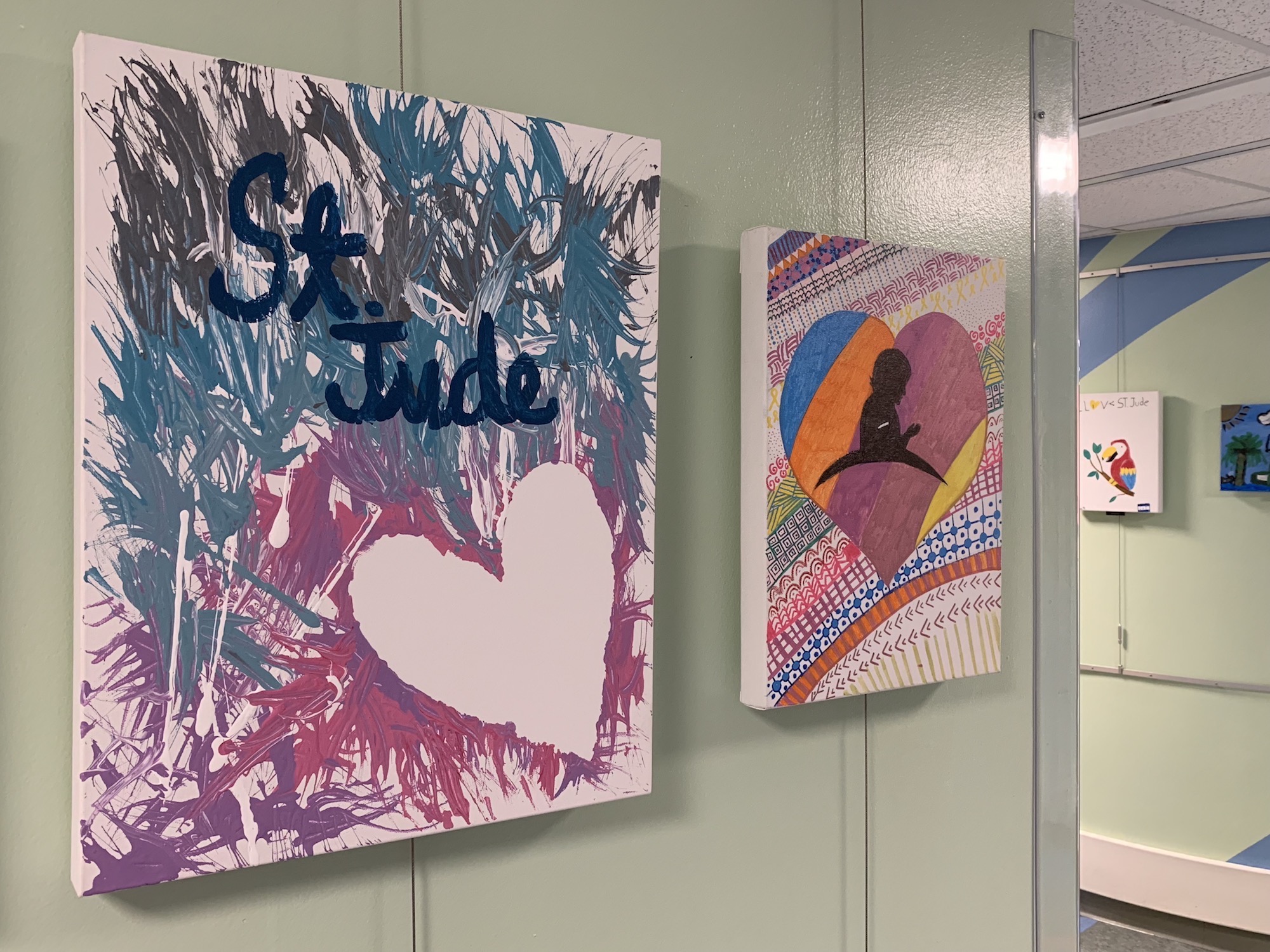
Can You Really Love a Hospital?⇢

I snapped this photo at St. Jude just yesterday:

Everything is okay; our son had some routine bloodwork. It was actually the first time I’ve been on St. Jude’s campus in several months. That artwork is made by patients, and is featured in a gallery that rotates every year or so.

I really love these pieces, because they capture something you see and hear a lot around this place:

Continue reading ⇢

Mojave Breaking Boot Camp for Some iMac Users⇢

Apple Support:

If you have an iMac (27-inch, Late 2012) with a 3TB hard drive, you must remove its Boot Camp partition before you can install macOS Mojave 10.14. After you upgrade to macOS Mojave, you won’t be able to use Boot Camp to install Windows on this Mac.

If you install macOS Mojave on this iMac, you won’t be able to use Boot Camp to install Windows.

I’d love to know the story behind this one.

Continue reading ⇢

Running Mojave on (Some) Cheese Grater Mac Pros⇢

Today, Apple published a new support document outlining the requirements for running Mojave on cheese grater Mac Pros:

macOS Mojave requires a graphics card that supports Metal, an Apple technology that lets the system and apps efficiently tap into the capabilities of today’s graphics processors (GPUs). The graphics cards offered by Apple in Mac Pro (Mid 2010) and Mac Pro (Mid 2012) don’t have GPUs that support Metal, so these systems require upgraded graphics cards in order to install macOS Mojave.

Before you upgrade to macOS Mojave on these Mac Pro models, you need to update to macOS High Sierra 10.13.6 and then make sure that your graphics card is compatible. You also need to turn off FileVault.

Continue reading ⇢

Aqua Screenshot Library 1.1: Lots of macOS Mojave, Lion Goes Retina

I have published two big updates to the Aqua Screenshot Library that I wanted to share.

First, I have published a full set of Mojave screenshots. This page has three galleries. You can check out Mojave in Light Mode and Dark Mode, as you may have expected. The more I use it, the more I think Dark Mode isn’t for me, but more on that later. In the mean time, bask in all this dark glory:

Continue reading ⇢