512 Pixels reader Brian sent me a screenshot they took way back on Mac OS X 10.0, showing that Apple’s current struggle with transparent user interface elements isn’t anything new:
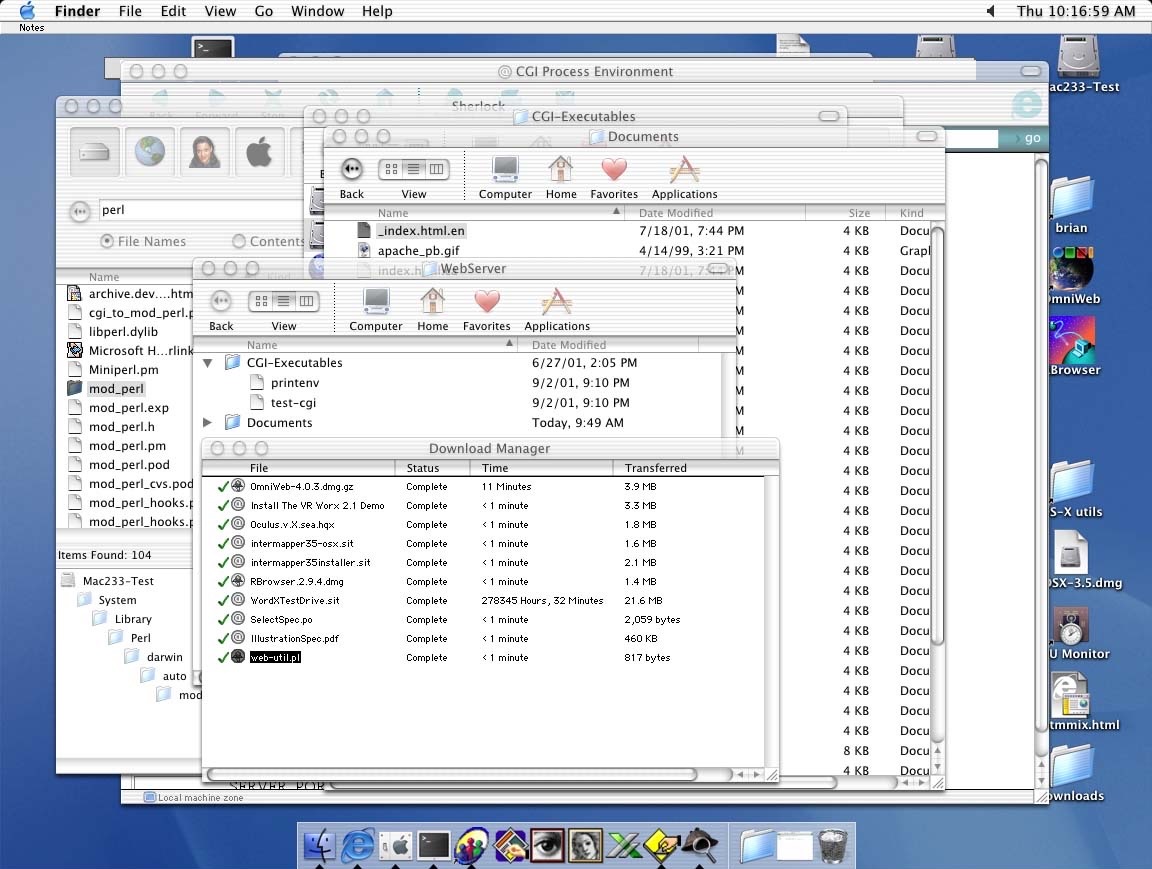

512 Pixels reader Brian sent me a screenshot they took way back on Mac OS X 10.0, showing that Apple’s current struggle with transparent user interface elements isn’t anything new:
Clipboard managers are one of those utilities you don’t realize you need until you try one. And for years, they’ve all felt the same—catch-all junk drawers where your copy/paste history goes to die.
Quip takes a different approach. It’s a clipboard manager and text expander for the Mac, iPhone, and iPad, built to feel native, private, and actually enjoyable.
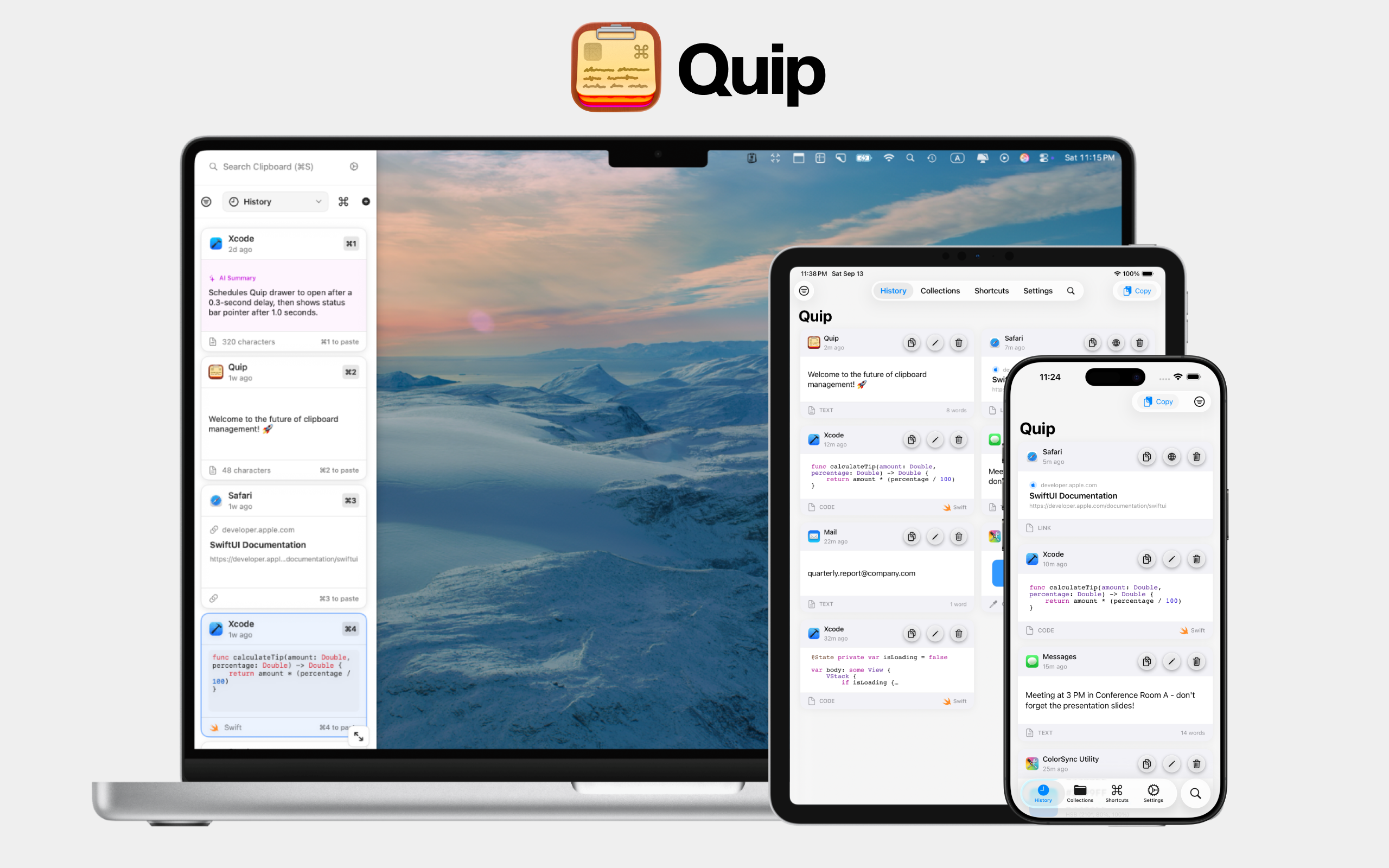
With the new Liquid Glass design in macOS and iOS 26, Quip looks like it belongs in Apple’s world of apps. Smooth animations, frosted transparency—it’s modern and responsive in a way most utilities never are.
Underscore, writing last week:
Five years ago, a TikTok video changed my life.
And I can say that without any hyperbole.
I remember watching Widgetsmith rocket to the top of the App Store, and I could not have been more excited for Dave as it was happening. It’s a thrill to work on such a large project now.
Our 7th annual 12-hour live show raising money for St. Jude is coming up on Friday! Please tune in and donate:
Today, Apple launched iOS 26. Over at Cross Forward, we’ve got major updates to three of our apps today:
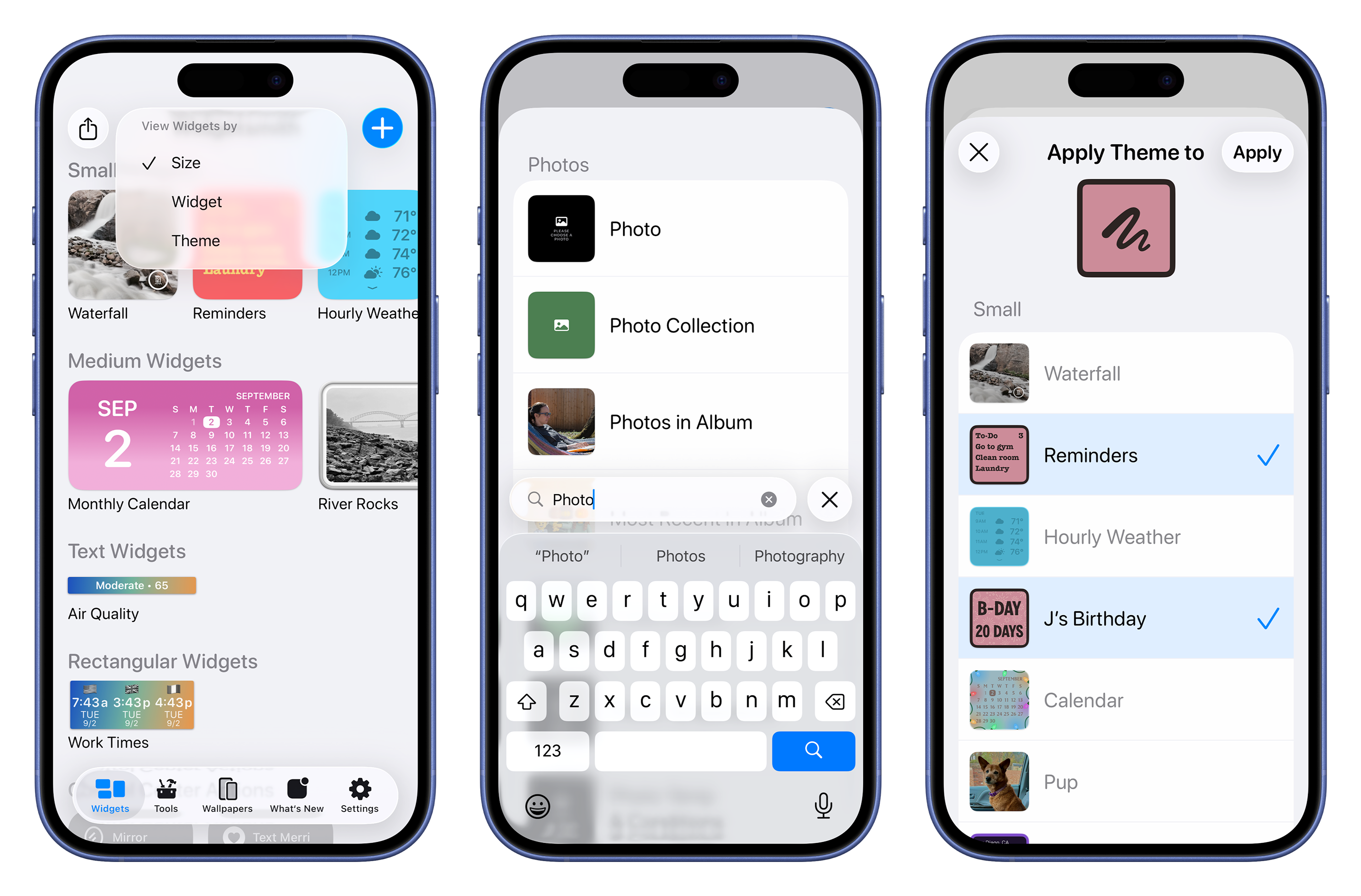
This is a big one. Widgetsmith’s design has been updated for Liquid Glass, but we took that opportunity to make meaningful improvements across the app:
macOS 26 Tahoe is two things at once: It’s the broadest and most productivity-focused update for macOS in years, while also taking collateral damage from Apple’s broader design ambitions on its other platforms.
It features the biggest update to Spotlight ever, including direct access to app actions and Apple’s first-ever built-in clipboard manager. Shortcuts adds deep automation support and direct access to AI models, changing the game for many aspects of Mac automation productivity. These are features that will delight Mac users and help them work better.
Unfortunately, they’ll be productive while using a tweaked design that’s not nearly as prominent as it is on the iPhone and iPad, but still has to be labeled as a net loss for the Mac.
Ticci is back with a comprehensive look at iOS and iPadOS 26:
There was a lot riding on Apple’s software strategy in 2025. Now that we’re entering the final phase of the Apple product launch year, I believe that, in hindsight, their three key moves from the first half of 2025 are – at least from a marketing perspective – the best approach they could have followed.
First, the new AI Siri features were officially delayed to “the coming year”, and at WWDC, executives explained why they needed more time than anticipated to get them right. Then, Apple unveiled a new design language that – to varying degrees of success – unifies its user interfaces across platforms. Finally, the company embraced the iPad’s modular nature with a complete reimagining of the device’s software in iPadOS 26, borrowing from the decades-long traditions of macOS to bring new windowing and multitasking features to the tablet. You have to hand it to Apple PR: that’s a pretty effective marketing strategy to, once again, steer the public conversation and attention to a place that’s more comfortable for Apple.
But my reviews aren’t about marketing; they’re about the reality and everyday practicality of using these operating systems. Beyond the renewed promise of Apple Intelligence and a future version of Siri, what is it actually like to use the new AI features shipping in iOS 26 today? Once the novelty of Liquid Glass wears off, does the new design meaningfully improve our interactions with apps? Is iPadOS 26 truly the miracle answer to all of our iPad woes that we thought it could be at WWDC?
These are the questions I hope to provide an answer to with this review.
I spent a large part of my weekend making over 150 screenshots, just for you.

I mostly like Liquid Glass on iOS and iPadOS, but it feels like macOS got a lot less time in the oven than the mobile operating systems did. For example, toolbar buttons still really stick out, and I wish app icons weren’t all in squircle jail:

Like previous years, I have various sections of screenshots for you to check out, but with a new addition this year: Icon & Widget Styles.
I know this puts me in a very specific age bracket, but I did almost of all my writing in high school in AppleWorks 6 and still miss it.
It’s wild that we’ve been watching iPhone events for nearly two decades now, but it’s true, and over that time, things have fallen into a predictable pattern:
That was certainly true this time, and yet I was more excited going into this iPhone event than I have been in the last few years. That excitement remains after the event, and it’s because Apple played to its strengths in a way that it hasn’t in a while.
With the dust settling from Apple’s event, the guys score their picks, covering the iPhone Air, 17, and 17 Pro, as well as new AirPods and Apple Watches.
Identity 4 has had a Macintosh Plus for years, but was unhappy with its bulk and heat generation, so they did something wild:
I ought to make a rack-mounted version of this computer so it can fit cleanly in my studio rack cabinets along with all my other conveniently packaged gear. I will even give it a sleek look and a clever name, something like Racintosh Plus… Hahaha yeah that’s pretty funny.