512 Pixels
Emergency SOS via Satellite Available in US and Canada ⇢
Every model in the iPhone 14 lineup — iPhone 14, iPhone 14 Plus, iPhone 14 Pro, and iPhone 14 Pro Max — can connect directly to a satellite through a combination of custom-designed components and deeply integrated software. Emergency SOS via satellite builds on existing features vital to iPhone users, including Emergency SOS, Medical ID, emergency contacts, and Find My location sharing, offering the ability to connect to a satellite for a more 360-degree approach to sharing critical information with emergency services, family, and friends. This game-changing service allows Public Safety Answering Points (PSAPs) — or emergency services call centers — to connect to even more users in emergency situations, and requires no additional software or protocols to enable communications. Users will be connected directly to emergency services that are equipped to receive text messages, or to relay centers with Apple-trained emergency specialists who are ready to contact PSAPs that cannot receive text messages on the user’s behalf.
“Providing Emergency SOS via satellite is an important breakthrough that will save lives. The critical work being done by Apple to create innovative new solutions to support 911 providers and first responders is a huge step forward in protecting Californians and the broader public during an emergency situation,” said Mark Ghilarducci, the California Governor’s Office of Emergency Services’ director.
iJustine has a video up, showing a demo of the feature:
I really hope I never need to use this, but I’m glad it’s built into my iPhone 14 Pro.
Sponsor: TextExpander ⇢
Get your team communicating faster so they can focus on what’s most important. With TextExpander your team’s knowledge is at their fingertips.
Get your whole team on the same page by getting information out of silos and into the hands of everyone that needs to use it. You can share your team’s knowledge across departments so your team is sending a unified message to your customers and isn’t spending time reinventing the wheel.
Here’s how it works:
Store It: Keep your company’s most used emails, phrases, messaging, URLs and more right within TextExpander.
Share It: Get your whole team access to all the content they need to use every day. Organize it by department and
Expand It: Deploy the content you need with just a few keystrokes on any device, across any apps you use.
It’s that easy!
TextExpander is available on Mac, Windows, Chrome, iPhone, iPad. Learn more and get 20% off by visiting this page.
Facades ⇢
Apple Retail expert Michael Steeber has a new app out today:
Five years ago, I opened the Notes app on my Mac and began creating a hub for all of my Apple Retail information. The document started small, but it eventually ballooned and overshadowed the app. It wielded a tiny scroll bar and depleted system resources just to open and search. I needed a better way to find store information at a glance.
Starting today, there is a better way.
This is Facades, my new app for iOS, iPadOS, and macOS. With Facades, you can browse, discover, and bookmark a catalog of every current and former Apple Store.
Stores are grouped into convenient categories, so you can browse by location, design style, or store feature. I’ve included lists of moved, renamed, and closed stores. Store trends and statistics are illustrated with colorful charts. There’s even a list of unassigned store rollout numbers.
Facades is really well done, and is a free download.
Mac Power Users #666: The 2022 MPU Gift Guide ⇢
On this episode, David and I revisit the annual MPU Gift Guide
Reminders Feature Request: Better List Support on macOS
I’ve been using Reminders since WWDC and have been happy with the progress the app has made since the summer.
However, one UI inconsistency is really getting to me. I’ll quote myself from the Feedback I filed (#FB11779798) with Apple today:
On the iPhone and iPad, the task inspection pane can move the tasks to a different list. On macOS, the pane lacks this option, and the only way to move a task to a different list is via drag and drop. The iPhone and iPad UI should be present on the Mac for the best usability between devices.
You can see the discrepancy in these two screenshots:
In general, I think bringing iOS-first user interfaces to the Mac is clumsy at best,1 but I’d make the trade for a more useful — and usable — Reminders app on macOS.
-
Cough, System Settings, cough, cough. ↩︎
2023 Apple History Calendar: November 11 Progress Report ⇢
It’s finally starting to feel like autumn here in Memphis. Leaves are falling, as is the temperature. In the PodCabin, I’ve been hard at work packing and shipping calendars. Yesterday, I hosted a live stream doing just that:
As of this writing, I have about 300 packages left to pack and send out! All in all, this year’s fulfillment has gone much smoother than last time. I learned a lot about the process last time around that is really paying off this year.
I am still missing surveys from about two dozen of you! If you haven’t filled out a survey on BackerKit, please check your private messages on Kickstarter — there, you will find a link to your survey to confirm your address.
If you didn’t back this project, but want a calendar, stickers or other goodies, I have pre-orders open for another couple of weeks.
Verified Twitter Account Announces Free Insulin ⇢
…but as you can probably imagine, that verified badge cost someone a mere $8. Jordan Liles has more:
On Nov. 10, 2022, a Twitter account with a “verified” checkmark badge and a display name of “Eli Lilly and Company” tweeted, “We are excited to announce insulin is free now.” The account’s handle was @EliLiIlyandCo. However, this was nothing more than a parody account, as its bio clearly said.
The message was engaged with tens of thousands of times. At last check, it was nearing 20,000 combined reweets, quote tweets, and likes.
Don’t get me wrong, companies like Eli Lilly charge a criminal amount for insulin and other medications, but this is exactly the sort of thing that was bound to happen under Twitter’s new pay-to-be-verified scheme.
Maybe a lawsuit or two will help that sink in over at Twitter HQ. At least the new system has been paused for now.
"Get Me Out of Here" ⇢
Adi Robertson has more experience reviewing AR and VR products than just about anyone else, and wow does she have some words for Meta’s new $1,499 Quest Pro:
The problem is, the Quest Pro isn’t very good. It’s a device seemingly launched without plan or purpose, highlighting VR’s persistent drawbacks without making good use of its strengths — and topped off with some irredeemably bad software. We might be seeing a roadmap for where Meta is going, but right now, it’s not a particularly fun place to be. And if Meta lingers there much longer, its metaverse is in trouble.
Artemis I Rocket Rode Out Hurricane Nicole, Saw Winds Above Specified Safety Levels ⇢
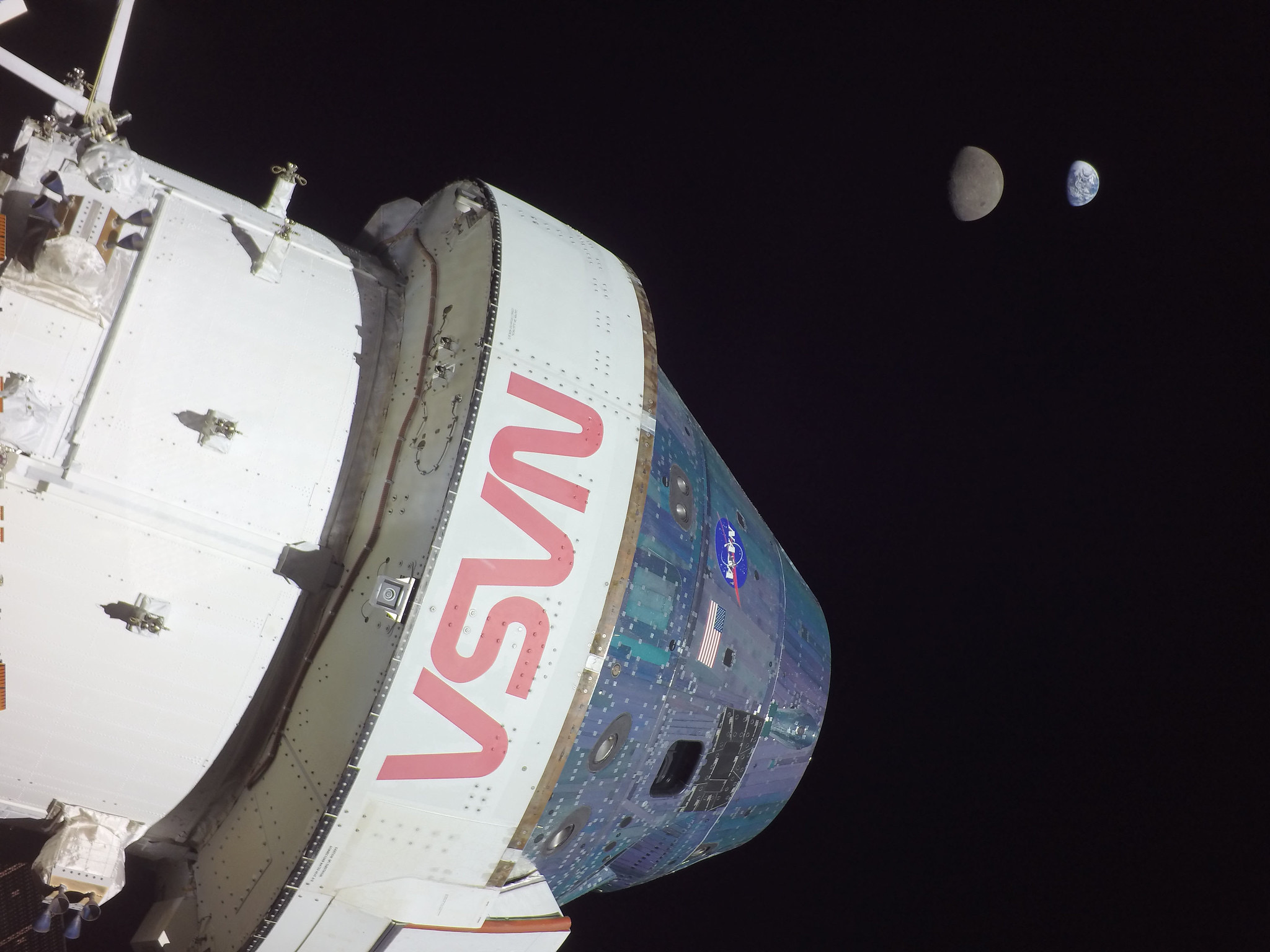
As Hurricane Nicole spun over Florida, NASA’s bajillion dollar SLS rocket sat atop Launch Complex-39B. Eric Berger:
Prior to Nicole’s arrival, NASA said its SLS rocket was designed to withstand wind gusts of 74.4 knots. Moreover, the agency stated on Tuesday in a blog post, “Current forecasts predict the greatest risks at the pad are high winds that are not expected to exceed the SLS design.”
From the publicly available data, however, it appears that the rocket was exposed to wind gusts near, at, or above 74.4 knots for several hours on Thursday morning. A peak gust of 87 knots was reported on the National Weather Service site, with multiple gusts above NASA’s design levels. It is possible that the 74.4-knot design limit has some margin built into it.
The time the space agency would have needed to begin rolling the rocket back to safety within the Vehicle Assembly Building, Nicole’s estimated winds were far below the safety margin. Time will tell if the choice to keep the rocket outside was a bad one, as Berger writes:
According to Phil Metzger, an engineer who worked on the space shuttle program for NASA, the most likely concern will be the structural integrity of the rocket after being exposed to prolonged periods of high winds. A rocket is designed to go upward, so although its structure can endure intense pressure and winds in a vertical direction, it is not designed to withstand similar winds in the horizontal direction.
In a series of tweets, Metzger predicted that it will be a busy couple of weeks for structural engineers to assess the risks of damage from the storm and potentially seek waivers to fly the vehicle after its exposure to these loads. This will be a difficult task. There is no ability to X-ray the structures inside the rocket, so this process will involve running, and re-running, structural calculations. At some point the program’s leadership will have to decide whether the risk—which includes the potential for the rocket to break apart during launch—is too high to fly without further inspections or remedial work.
Jim Free, NASA’s Associate Administrator for Exploration Systems Development, issued a statement on the issue, citing slower wind speeds than otherwise reported:
While wind sensors at the launch pad detected peak wind gusts up to 82 mph (71 knots) at the 60-foot level, this is within the rocket’s capability. We anticipate clearing the vehicle for those conditions shortly.
Our team is conducting initial visual check-outs of the rocket, spacecraft, and ground system equipment with the cameras at the launch pad. Camera inspections show very minor damage such as loose caulk and tears in weather coverings. The team will conduct additional onsite walk down inspections of the vehicle soon.
We took the decision to keep Orion and SLS at the launch pad very seriously, reviewing the data in front of us and making the best decision possible with high uncertainty in predicting the weather four days out. With the unexpected change to the forecast, returning to the Vehicle Assembly Building was deemed to be too risky in high winds, and the team decided the launch pad was the safest place for the rocket to weather the storm.
Connected #423: I Know What a Parrot Is ⇢
Myke returns to the show with some questions for his co-hosts. Then, conversations about Federico’s Apple Frames 3.0 Shortcut, Stephen’s ability to track his wallet and Elon’s changes at Twitter.
On Albums, Shared Photos Libraries and Keywords ⇢
I have begun the messy process of merging much of my Photos library with my wife’s. At the end of this project, I can see a beautiful world in which we have access to tens of thousands of photos, with complete metadata and no duplicates.
It’s going to take me a while to get there, but I’ve already hit one snag: there are no albums in iCloud Shared Photo libraries. Jason Snell has more:
I have no idea if Apple considers this an item for its to-do list or if it has decided that albums are old school and everyone should just search to find and collect stuff now. Fortunately, there are workarounds to this problem that allow you to collaborate with others in curating and collecting photos—but with limitations.
Every item in the Photos library can be assigned a keyword, and keywords are synced across iCloud Shared Photos. So if you want to collaborate with other members of your iCloud Shared Photo library—or even if you just want them to be able to view the curation and selection—you can do this by selecting all the photos you want to collect and assigning them a keyword.
With keywords, members of the library have another tool for searching across thousands of entries, and on the Mac at least, smart albums can be built based on keywords.
This is not what I want out of this feature, but it’s better than nothing. I’m sure once I get everything as organized as possible, Apple will add albums back to this new product.