Apple Business Essentials Program Launched⇢

Apple has launched its Business Essentials Program. It’s a new service for businesses that offers 24/7 Apple support, device management, iCloud space and more for all one monthly fee per user.
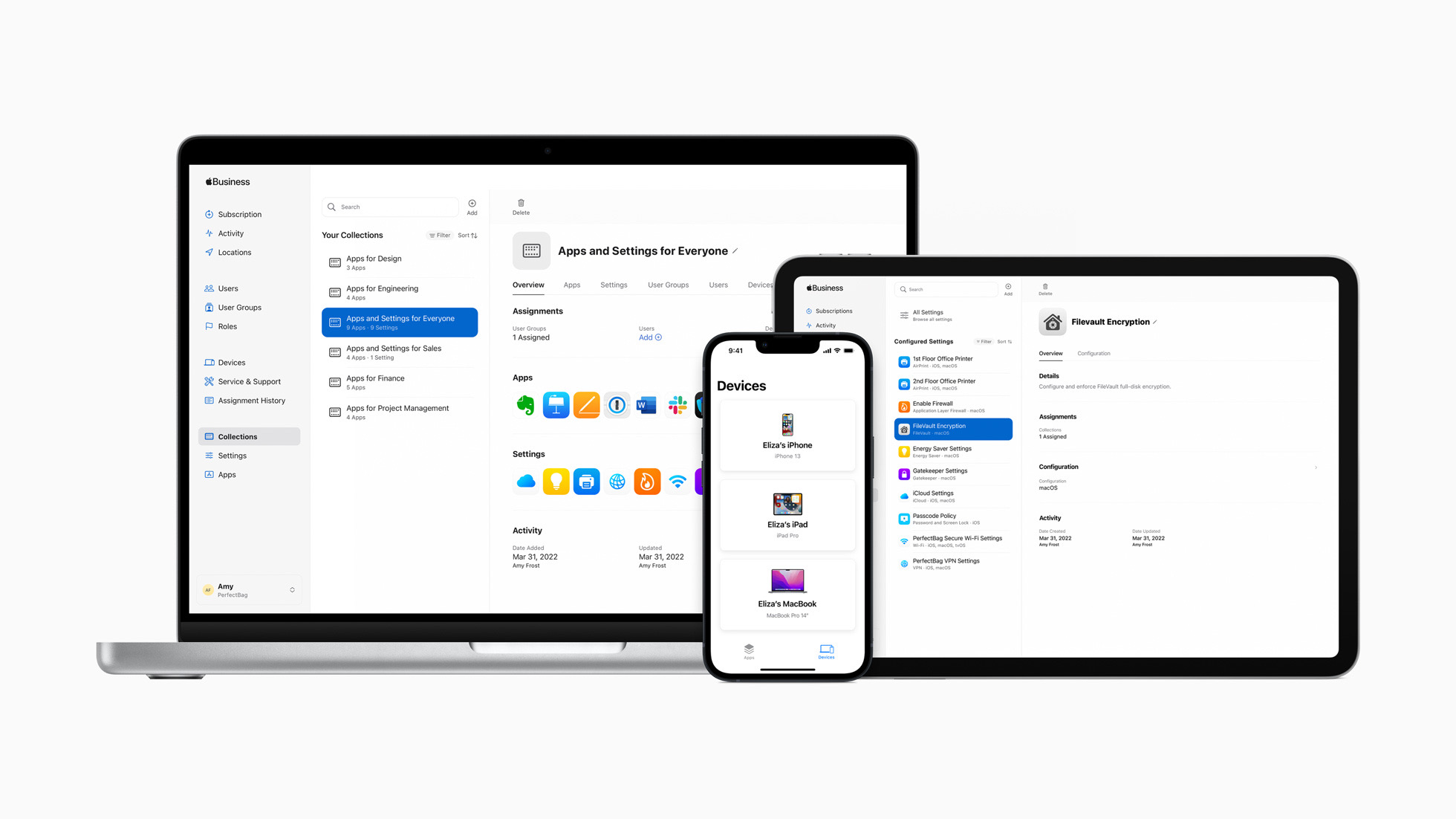
Apple Business Essentials

Here’s a bit from the press release:

Apple Business Essentials supports small businesses throughout the entire device management life cycle — from device setup, to device upgrades — while providing strong security, prioritized support, and data storage and backup. The complete solution begins with simple employee onboarding, allowing a small business to easily configure, deploy, and manage Apple products from anywhere. With the Collections feature, groups of apps can be delivered to employees or teams, and settings can be automatically pushed to devices, such as VPN configurations, Wi-Fi passwords, and more.

Continue reading ⇢

Audio Hijack 4 Released⇢

Audio Hijack has been a central component of my podcasting setup for years. Today, Rogue Amoeba has launched version 4 of the application, and it is full of great features.

The UI has gotten a nice overhaul, complete with a new light theme, a powerful new sidebar and an always-accessible menu bar application that makes starting a new recording session easier than ever.

Here’s the session I use to record all of my podcasts:

Continue reading ⇢

Why the Black MacBook Cost More

From 2006 until 2008, Apple sold one of the coolest Macs ever: the black MacBook.

Black MacBook

The black MacBook was sold alongside the more popular — and less expensive — white MacBook.

The price difference between the white and black models is often brought up when discussing Apple’s various strategies around product design and pricing. Many people wrongly believe that the extra cost of the black model just got you a nicer-looking laptop, but that’s not completely true.

Continue reading ⇢

iOS Keyboard Suggests Dog and Cow Emoji When ‘Clarus’ is Typed

Like the headline says, the iOS keyboard emoji suggestions suggests two emoji as replacements when you type “Clarus.” The problem is that they are in the wrong order:

Cow DogClarus is a dogcow, not a cowdog. If Apple is going to have this VERY EXCELLENT reference in the keyboard, the details should be right.1

Thanks to Jason Robinson for pointing this terrible bug out.

I’ve filed this as Feedback FB9970338 for Apple to fix.

Continue reading ⇢

Kbase Article of the Week: Apple Studio Display 21/Apple Studio Display 17: Tripod Stand Safety Tips⇢

Apple Support:

This article provides specific safety tips relating to the new tripod stand used on the Apple Studio Display 21-inch and Apple Studio Display 17-inch displays.

  • Lift the display by the indentations on the under-sides near the front of the display. Never lift the display by the tripod stand.
  • Likewise, do not adjust the position of the monitor by pulling the stand legs. The tripod stand is subject to damage if mishandled.
  • When placing the monitor on a table surface, ensure that all three legs on the tripod stand contact a solid surface. If one of the legs is too close to the table edge, the weight of the monitor could cause the display to fall off the edge.

We had a bunch of these displays at my college newspaper. The stands were … not great.

Continue reading ⇢