"OS X" Branding Lingers On

With Apple changing Mac OS X to macOS this summer, it’s not surprising that some loose ends with the old branding are still easy to find. In comparison with actual issues, this is admittedly silly, but I’ve turned it into a little game.

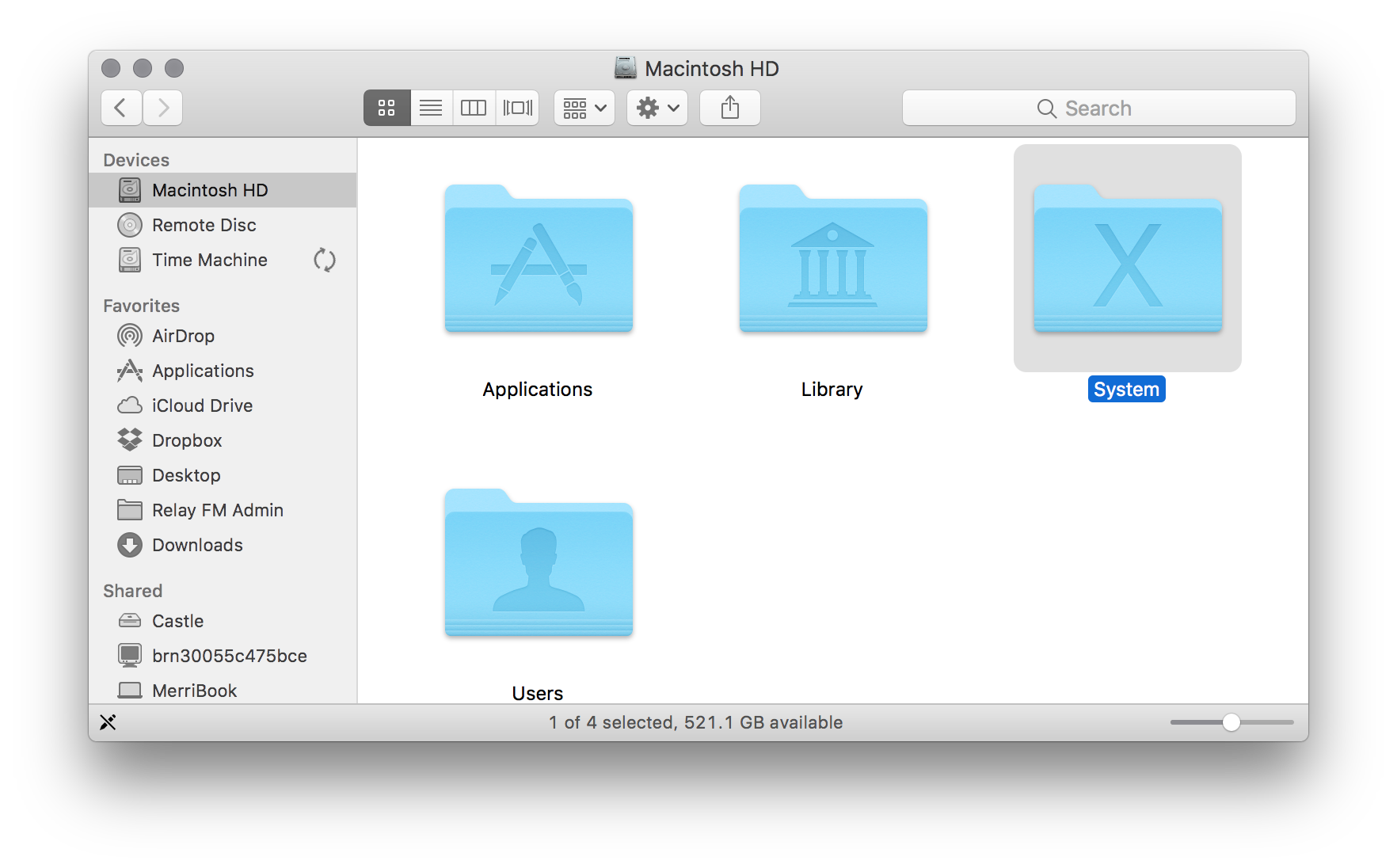
System Folder

System Folder

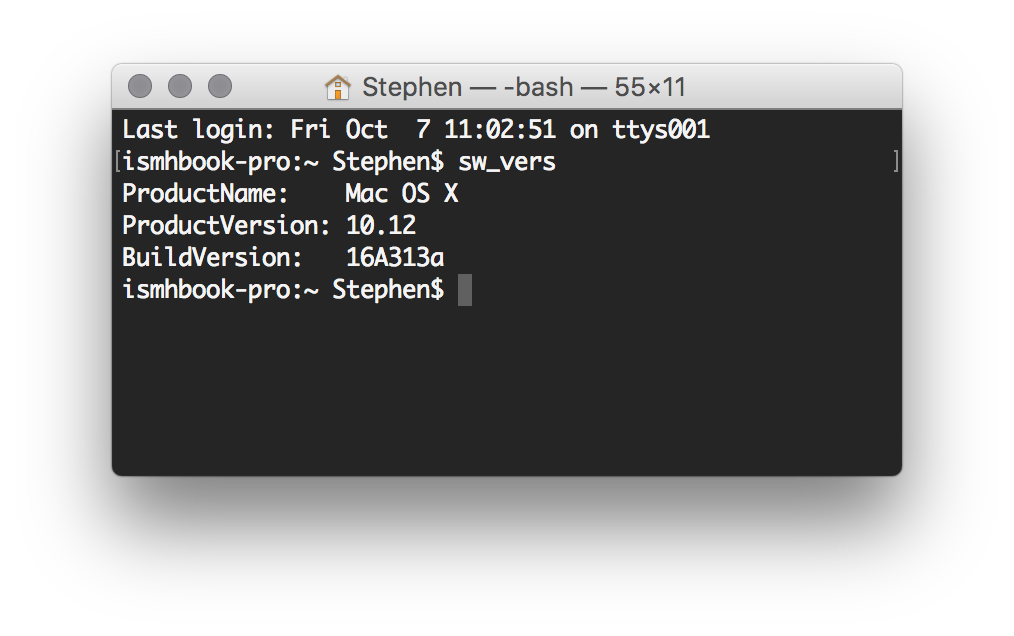
Terminal

sw_vers

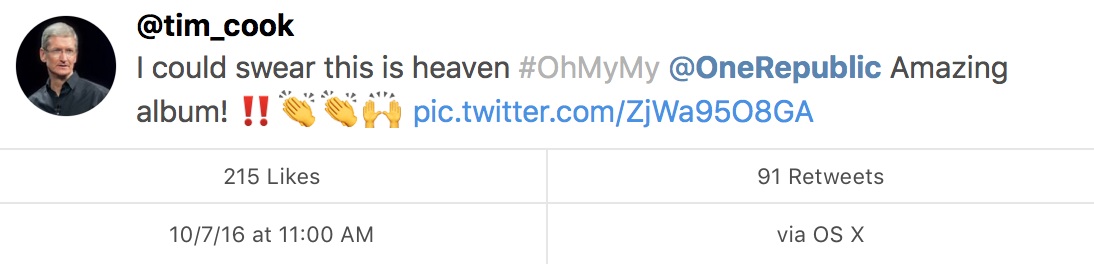
Twitter Share Sheet

Twitter

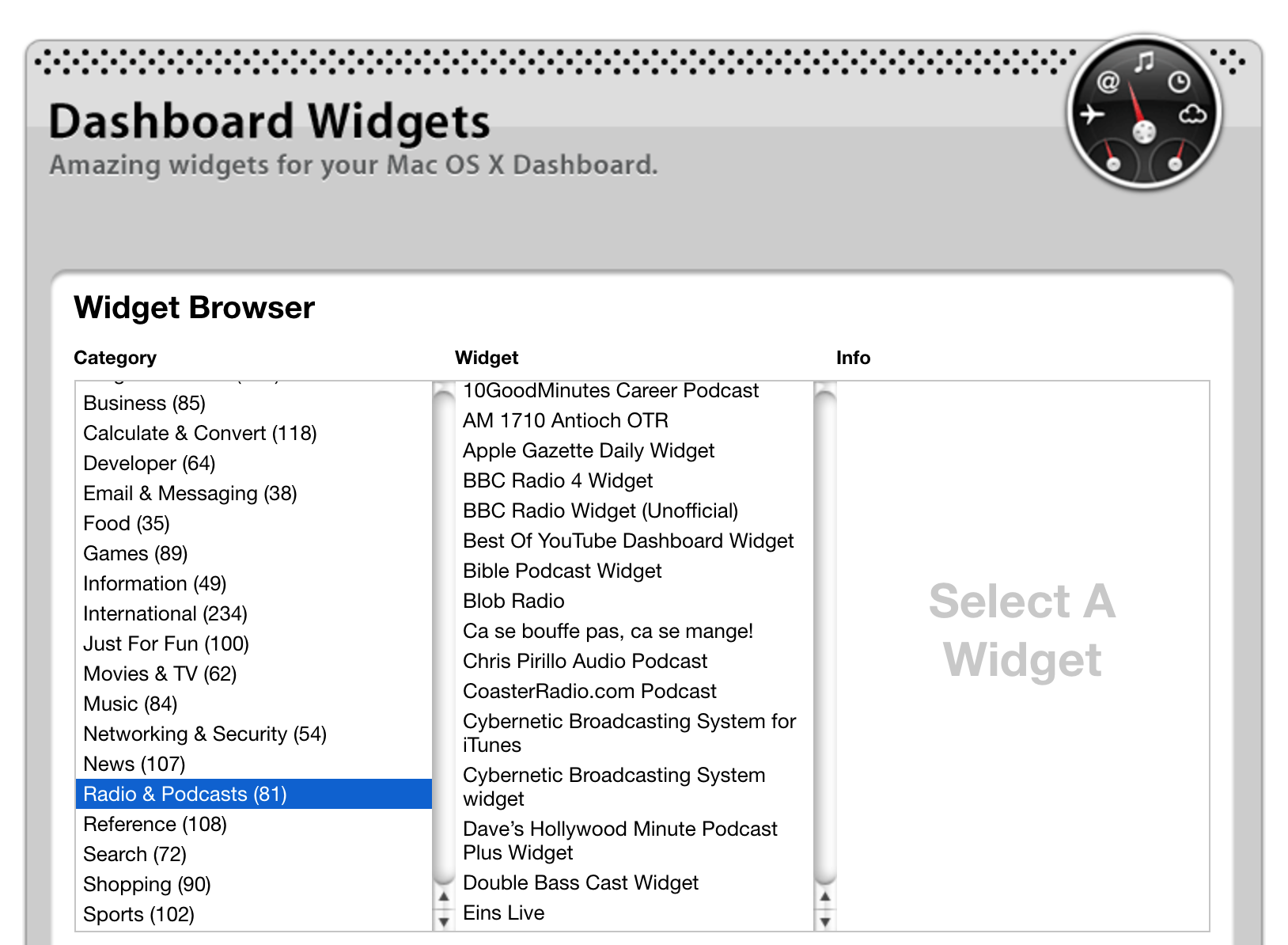
Dashboard Widget Index

Yikes: Dashboard

CUPS

@ismh @512px Found another one. pic.twitter.com/oV99bw30Xa

— Bart Dorsey (@bartdorsey) October 7, 2016

Clang

@ismh @512px found another instance of “Mac OS X” appearing in macOS Sierra through warnings in Clang pic.twitter.com/Gcp0j9HpxV

Continue reading ⇢

5 GB is the new 16

Now that the iPhone 7 starts at 32 GB of storage, the constant juggling needed to avoid a full device has been left behind by more users than ever before.

So let’s talk about iCloud storage.

While not as critical as on-device storage, available space in iCloud is an increasingly important factor in the user experience of Apple devices like iPhones, iPads and even the Mac.

Here’s how Apple pitches paying for additional storage space:

Continue reading ⇢

Purgeable vs. Free⇢

Jason Snell, writing about the space-saving features in macOS Sierra:

The result is a whole raft of features in macOS Sierra that are all about freeing up more space on your drive. Some of the features work well, while others seem buggy or poorly implemented. macOS Sierra also changes the rules about how free space has been calculated on the Mac since the very beginning.

If you’re running Sierra, you should read this before checking any boxes related to these features.

Continue reading ⇢

Apple Removes Dash From App Store⇢

Bogdan Popescu, writing about his app Dash:

Yesterday I sent Apple a request to migrate my account from an individual one to a company one. Once I verified my company with its D-U-N-S Number, they notified me that some features in iTunes Connect won’t be available during account migration.

A while later my iTunes Connect account started showing as “CLOSED” and my apps were removed from sale. I thought this was normal and part of the migration.

Continue reading ⇢

Blue Origin Holds Successful Escape System Test⇢

Loren Grush:

Despite expectations of fiery explosions, Blue Origin successfully landed its New Shepard rocket after launching the vehicle for the fifth time today. The landing was a delightful surprise for the company, since it fully expected that rocket to either break up or slam into the floor of the Texas desert.

That’s because the purpose of today’s flight was to test out the New Shepard’s escape system. It’s a feature that will save future passengers on board the vehicle, in case the rocket suffers a major failure during flight.

Continue reading ⇢

Yahoo Scanned Emails for US Intelligence⇢

Joseph Menn for Reuters:

Yahoo Inc last year secretly built a custom software program to search all of its customers’ incoming emails for specific information provided by U.S. intelligence officials, according to people familiar with the matter.

The company complied with a classified U.S. government demand, scanning hundreds of millions of Yahoo Mail accounts at the behest of the National Security Agency or FBI, said three former employees and a fourth person apprised of the events.

Continue reading ⇢

Ken Segall Visits Prague Apple Museum⇢

Ken Segall:

So, yes, I did visit the Apple Museum on my first day in the Czech Republic last week. (Do I get any points if I walked across the Charles Bridge to get there?) I even sat down with the museum’s manager days later to learn a bit more.

Now that I’m back in New York, here are some photos and observations from my little adventure.

Continue reading ⇢

macOS Sierra to Automatically Download⇢

Jim Dalrymple at The Loop is reporting that starting today, the Mac App Store will automatically download the macOS Sierra installer:

It’s important to note that this is not an automatic installer—this process will only download the update in the background, and then alert you that it is available to install. You can choose to install it when its convenient. You can also choose to ignore the update.

Apple says that if your machine does not meet the requirements for Sierra, or is running low on disk space, the update won’t be downloaded. If it is downloaded and disk space gets tight, the system will delete the installer. The installer will not be downloaded unless the Mac App Store preferences are set to automatically download updates.

Continue reading ⇢