Wikipanion — All of Wikipedia, Right in Your Pocket

I’m generally not a fan of using an app that re-works a website to be more “mobile-friendly.”

Wikipanion is the exception. It makes browsing Wikipedia articles easy and fast from any iOS device. Since I co-host the world’s most popular Wikipedia-related podcast, you know I’ve played with numerous apps in this category

(While I’ll be looking at the iPad app in this review, the iPhone app is just as useful and well-designed. Note that Wikipanion is not an universal app as of this writing.)

Continue reading ⇢

My Hasty Review of the new Twitter iPhone app

Here are some thoughts after playing with Twitter 4.0 for iPhone:

  • The new look is very clean. The tweets are on little sheets that sit above a textured background. I like this, as the old app felt really cluttered to me.
  • The swipe feature from Tweetie 2.0 is gone. In fact, this new app feels nothing like Tweetie.
  • That said, this new app feels fast. Moving between tweets and other screens involves no waiting on my iPhone 4.
  • The compose button has a little feather on it. Adorable.
  • The tabs across the bottom include Home, Connect, Discover and Me. Direct Messages are now buried under the Me tab.
  • The Discover tab is pretty useless for me. It includes search, Stories, trends (including promoted ones), recommendations on who to follow and more. Seriously, I’m never going to use most of this stuff.

All in all, it’s clear to me that Twitter is trying to steer people toward areas of the service where things like promoted trends and stories can be seen easily. While that’s understandable, I really am not a fan of it taking up so much room in the iPhone app. With no way to re-arrange the default tabs across the bottom, I’m stuck with something I don’t want — Discovery — and am left with something I need — Direct Messages — too far away.

Continue reading ⇢

Type2Phone Turns any Mac Into a Bluetooth Keyboard

As pointed out by Erica Sadun at TUAW, Type2Phone is a neat little Mac app that allows users to type on their iPhone from their Mac.

While this seems a bit silly, I know that I type much faster on my computer than on my iPhone, and stopping my work to answer a text message can be annoying. This app promises much smoother interaction with iOS.

To set the app up, the iPhone and Mac have to be paired over Bluetooth, which I found a little buggy. I blame Lion for that, but once I got the pairing up and going, the app worked as advertised. I got a text message, swiped to reply, tabbed to Type2Phone on my iMac and replied. Until iMessage makes it to the desktop, this is a neat little way to make texting less intrusive while working at a computer.

Continue reading ⇢

Instacast HD Released... And It’s Great

IMG 0052

Instacast HD is now on the App Store. If you own an iPad and care about quality podcasts, you need this app. Cody Fink agrees.

It includes all the features found on the iPhone version, re-imagined for the iPad’s form factor. The few people I showed it off to during the beta testing phase were all seriously impressed at the UI. The guys and gals at Vemedio really know how to build a good-looking app.

Continue reading ⇢

A Day of (Kindle) Fire

Monday, Nov. 21

8:50 PM — My buddy just dropped off his Kindle Fire. Major props to him for letting me borrow it. Time for some whiskey? I THINK SO!

9:01 PM — The box is very similar to what my $79 Kindle came in — simple, clean. Setup was pretty simple. I powered the device on, entered my WiFi password, and logged into my Amazon account.

9:02 PM — The power button is on the bottom of the tablet (while it’s held in portrait mode). I’ve hit it about a six times already, putting the device to sleep while using it.

Continue reading ⇢

Review: The MacBook Pro (13-inch, Early 2011)

Titling Introductions is Hard

Back in 2009, when I was managing an Apple-Authorized Service Provider, I picked up a 13-inch MacBook Pro as a work machine and reviewed it. I closed my review with this:

Over the years, I’ve used a Clamshell iBook G3, a PowerBook ‘Pismo’ G3, a Titanium PowerBook, both a 12- and 15-inch aluminum PowerBook, two pre-unibody MacBook Pros and a black MacBook. I’m confident in saying this machine smokes them all — and is finally a decent replacement for the 12-inch PowerBook. Simply put, Apple is shipping the best notebooks they’ve ever built, and you’re not going to find a better machine out there for $1,199.

Continue reading ⇢

The $79 Kindle — A Review

IMG 0483

After pre-ordering a Kindle Touch, I changed my mind and ordered the $79 base model.

Back in the spring, I bought my wife a Kindle 3, and have borrowed it a good bit since then. The price was right, so I thought it was time to get my first Kindle. And it doesn’t suck.

Hardware

IMG 0472

The new Kindle is quite a bit smaller and lighter than the old one. The keyboard is gone, as is all of the audio gear. The new one weighs just 5.98 ounces. It makes the Kindle 3 — at 8.5 ounces — feel quite heavy.

Continue reading ⇢

Size Doesn’t Matter: My Review of the 11.6-inch MacBook Air

For the last several years, my basic computing setup has been the same: an iMac at home and a work-provided MacBook Pro.1

I’ve always had the luxury to use my work notebook as a personal machine, which makes life a lot more convenient.

However, over the last year or so, I’ve developed a growing hesitancy about taking my work notebook home. Bringing it home means I was bringing work home — something I don’t like doing, especially with two young kids.

Continue reading ⇢

SSD: Life in the Fast Lane

My work machine is a 2.8 GHz Core2Duo 15-inch MacBook Pro with the matte screen and 8 GB of RAM. It’s the fastest notebook I’ve ever used. It gives our 3.2 Ghz Core i3 27-iMac at home a run for its money. Most articles I’ve read by people who have upgraded to a SSD have done it to older machines. I was skeptical of what kind of difference it would make in an already fast machine, to be honest.

Continue reading ⇢

The Verizon iPhone 4: One Week In

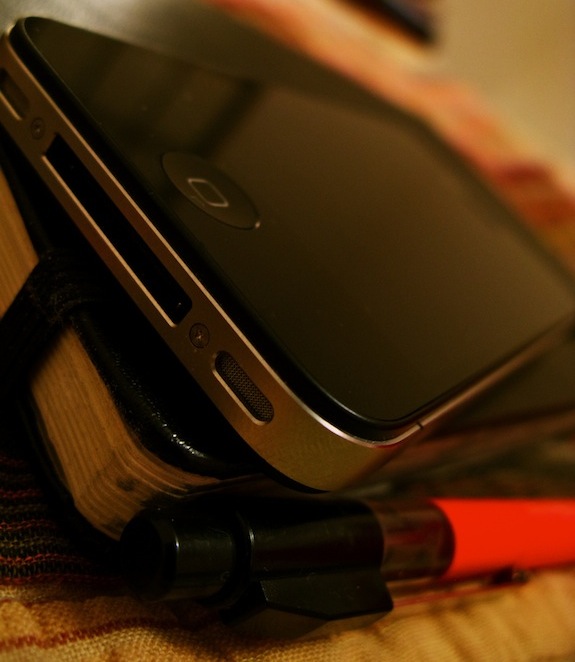
Iphone moleskine

A week ago, my Verizon-powered iPhone 4 showed up at my door.

Longtime readers know that I switched to Verizon over a year ago, and carried a Motorola Droid, a Palm Pre Plus and a Razr over the last 13 months.

For me, Verizon’s coverage is better than AT&T’s. In fact, AT&T’s coverage was so poor where I spend most of my time, even the iPhone wasn’t enough to keep me on the network.

Continue reading ⇢

24 Hours With a Magic Trackpad

A guy I work with bought a Magic Trackpad a few weeks ago, and has been raving about it. Since I haven’t used one outside of a quick demo at the Apple Store — and don’t use the trackpad on my MacBook Pro much — I thought it would be interesting to use one for a solid 24 hours.

I’ll be updating this post throughout the day, into tomorrow morning. Be sure to stay tuned…

Continue reading ⇢