iTunes for Windows Being Replaced by Three New Apps⇢

Andrew Cunningham, writing at Ars:

Today, as part of a new Windows 11 preview build for Windows Insiders, Microsoft has announced that previews of new Apple Music, Apple TV, and Apple Devices apps are available in the Microsoft Store for download.

The Apple Music and Apple TV apps handle iTunes’ music and video functionality, just as they do on macOS, and provide access to the Apple Music and Apple TV+ subscription services. The Apple Devices app is what you’ll use to make local device backups, perform emergency software updates, sync local media, and the other things you can do with an iDevice that’s plugged into your PC (in macOS, similar functionality was added to the Finder, rather than being broken out into its own app).

Continue reading ⇢

Bloomberg: Apple Planning Macs with Touch Screens⇢

Mark Gurman:

Apple Inc. is working on adding touch screens to its Mac computers, a move that would defy long-held company orthodoxy and embrace an approach that co-founder Steve Jobs once called “ergonomically terrible.”

Apple engineers are actively engaged in the project, indicating that the company is seriously considering producing touch-screen Macs for the first time, according to people familiar with the efforts. Still, a launch hasn’t been finalized and the plans could change.

Continue reading ⇢

Kbase Article of the Week: Macintosh: Remote Power Up⇢

This week, we’ve got another Q&A-style support article:

I want to remotely power up and remotely reset a Macintosh computer? Are there Apple or third party solutions available?

Depending on the Macintosh model you have, there are different software and hardware solutions available. Many Desktop (examples: Macintosh IIcx, IIci) and PowerBook models are capable of being remotely powered up or restarted.

The document has a lot more detail if you find yourself needing this in 1993.

Continue reading ⇢

My Homemade iPad mini Bike Mount

I love bike riding — both on and off the road — but I hate riding in the cold weather, so for several months out of the year my road bike is mounted to a trainer in my garage.

Riding inside is great when it is cold outside, but it’s boring. For years, I would balance my iPad on something in the garage, hoping it wouldn’t tumble to its death, but this year, I came up with something quite a bit more sturdy:

Continue reading ⇢

Apple Maps Adds New Parking Features⇢

Joe Rossignol, MacRumors:

In partnership with parking platform SpotHero, Apple Maps now provides parking information for more than 8,000 locations across the U.S. and Canada. Parking availability can be filtered based on EV charging, wheelchair accessibility, and more.

On the iPhone, users can open the Apple Maps app and search for a popular destination such as Madison Square Garden in New York or Scotiabank Arena in Toronto, tap on the “More” button in the place card, tap on the “Parking” option in the menu, and proceed to search for and reserve nearby parking on the SpotHero website without leaving Apple Maps. SpotHero says the feature will also be available on the Mac.

Continue reading ⇢

Mac Power Users #674: Workflows with Shawn Blanc⇢

This week on Mac Power Users, I got the chance to catch up with one of the folks I’ve known the longest online:

Shawn Blanc left his job back in 2011 to become a full-time writer. Twelve years later, he’s the mastermind behind sites like The Focus Course and The Sweet Setup and more. Stephen and David ask him about that journey and how he’s grown his operation from a solo venture to a team running multiple projects.

Continue reading ⇢

Sponsor: The Weather Machine, by Hello Weather⇢

The Weather Machine is a new unified API for weather forecast data. If you need to build weather info into your app, this service will save you a ton of time and complexity.

Weather Machine

You’ll get a single modern interface for the best data providers on Earth. You can write just one integration with modern REST or GraphQL endpoints, and get highly accurate global forecasts from The Weather Company, AccuWeather, AerisWeather and many other sources.

Continue reading ⇢

Using Loopback to Play Audio Through a Pair of Studio Displays

I recently sold my Pro Display XDR and moved to a pair of Studio Displays.

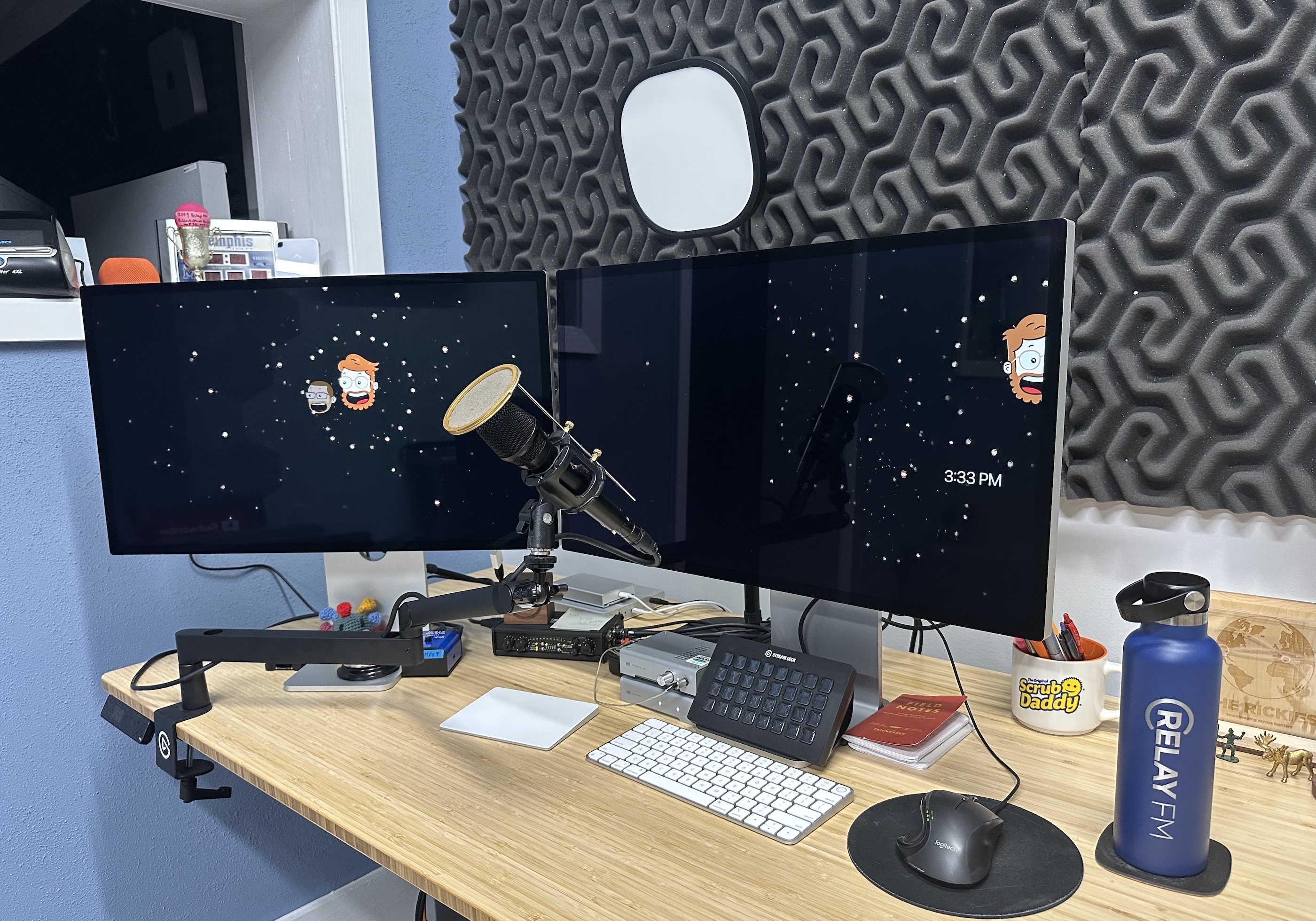
The Studio Display is pretty great, especially with the optional height-adjustable stand. I didn’t use any of the high-end features of the XDR, and after just a few weeks, I’ve fallen in love with this setup, minus some cables that still need tidying:

My desk

As the Studio Display comes with a better-than-expected set of internal speakers, this has marked the retirement of the pair of SoundSticks that I’ve been using as my speakers basically forever. As one of them had hot glue holding it together, it felt like it was time.

Continue reading ⇢

My Evolving Setup

Last week, I was putting things together for an upcoming episode of Mac Power Users1 and came across a few old posts in which I shared my Apple setups. I thought it would be fun to put them all in one place:

  • October 2009: This was my desk in the first apartment my wife and I lived in after getting married. It was about a year after I started this blog and our oldest son was 11 months old. Now he’s 14.
  • September 2010: That was a very good iPad wallpaper.
  • December 2011: I believe this was my first home screen post over on David Sparks’ site. The images seem lost to time.
  • October 2012: I have no idea why I didn’t take any photos for this one. One star.
  • March 2014: The desk featured in this article was at the last company I worked for. We would launch Relay FM about six months later.
  • September 2014: Sparks’ site does have these images! I look so young.
  • September 2015: After I quit my job to go indie, I split my time between a home office (shown below) and this space, which I rented with my brother’s non-profit.
  • August 2016: This setup was outlined right before I moved into my current studio. This desk was shoved into what was a spare bedroom in our house that is now home to our youngest son.
  • September 2018: I was really excited about this one and I love that photo.
  • March 2020: It’s amazing how little my homescreen has changed over the last three years.

If you want a much more updated accounting of things, check out my Gear & Studio page.

Continue reading ⇢